
1. Introduction
The AEKE K1 Smart Home Gym System is an advanced fitness solution designed to provide a comprehensive and personalized workout experience in your home. This manual provides essential information for the safe and effective use of your AEKE K1 system, including setup, operation, maintenance, and troubleshooting.
2. Safety Information
- Consult with a healthcare professional before starting any new exercise program.
- Ensure the AEKE K1 system is placed on a stable, level surface.
- Maintain a clear area around the equipment during use to prevent accidents.
- Do not allow children or pets near the equipment unsupervised.
- Inspect the equipment for any damage or wear before each use. Do not use if damaged.
- Follow all on-screen instructions and form correction guidance provided by the AI.
- Stop exercising immediately if you feel pain, dizziness, or shortness of breath.
- Only use accessories provided or approved by AEKE.
3. Package Contents
Verify that all items are present in your package:
- AEKE K1 Smart Home Gym System
- Yoga Mat
- Extender Belt
- Workout Towel
- Power Adapter
- User Manual (this document)
4. Setup
The AEKE K1 system is designed for effortless setup and portability.
- Unpacking: Carefully remove all components from the packaging.
- Placement: Position the AEKE K1 on a flat, stable surface. Ensure adequate space around the unit for safe movement during workouts. The system folds down to approximately 0.3 square meters for storage.
- Power Connection: Connect the power adapter to the AEKE K1 and then to a suitable power outlet.
- Initial Power On: Press the power button to turn on the system.
- Network Connection: Follow the on-screen prompts to connect the system to your Wi-Fi network.
- User Profile Setup: Create your user profile, providing necessary information for personalized workout recommendations and tracking.

Image: The AEKE K1 system demonstrating its compact, auto-foldable design and dimensions (1740mm height, 1468mm length, 695mm width when unfolded, 455mm depth when folded). It highlights zero installation, easy movement, and one-touch folding.
5. Operating Instructions
5.1 Navigating the Interface
The AEKE K1 features a 43" 4K screen for an immersive workout experience. Use the touchscreen interface to navigate menus, select workouts, and adjust settings.
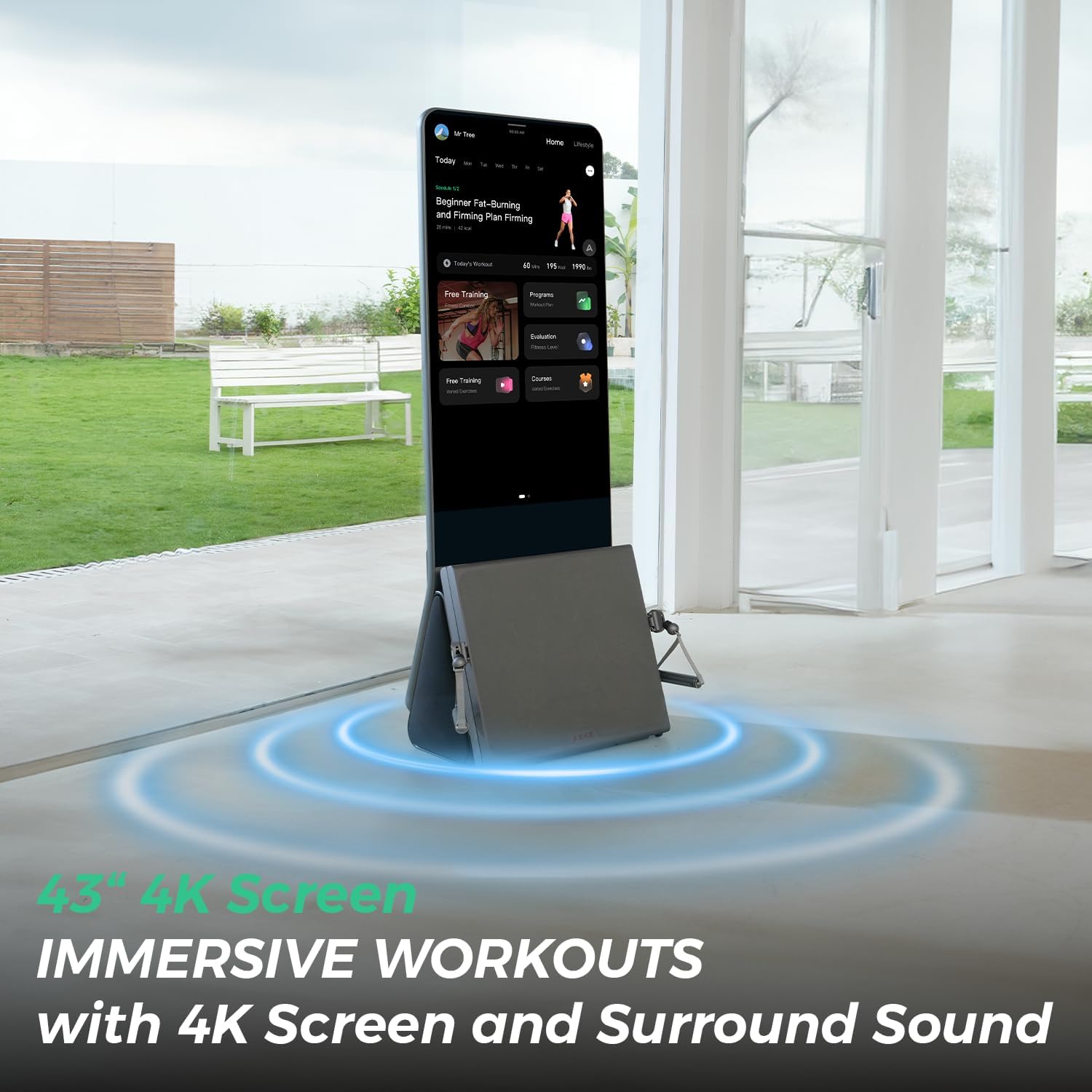
Image: The AEKE K1 system displaying a workout program on its 43" 4K screen, emphasizing immersive workouts with surround sound.
5.2 Starting a Workout
- From the home screen, select a desired workout program or course. The system offers over 140 professional courses and 280+ movements.
- The AI will provide personalized recommendations based on your profile and past performance.
- Confirm your selection and begin the workout.
5.3 AI-Powered Guidance and Feedback
The AEKE K1 utilizes advanced AI with 17-point skeletal tracking to provide real-time form correction and motion analysis during your workout.

Image: The AEKE K1 system displaying real-time feedback, such as "Keep your airways open," to ensure safety and workout efficiency during an exercise.
- Listen to audio cues and observe on-screen visual prompts for optimal form.
- The system adapts resistance levels based on your performance and chosen strength mode (five available modes).
5.4 Tracking Progress and Performance
The Intelligent Motion Analysis Engine tracks and analyzes every workout, generating detailed Performance Reports and Movement Completion Reports.
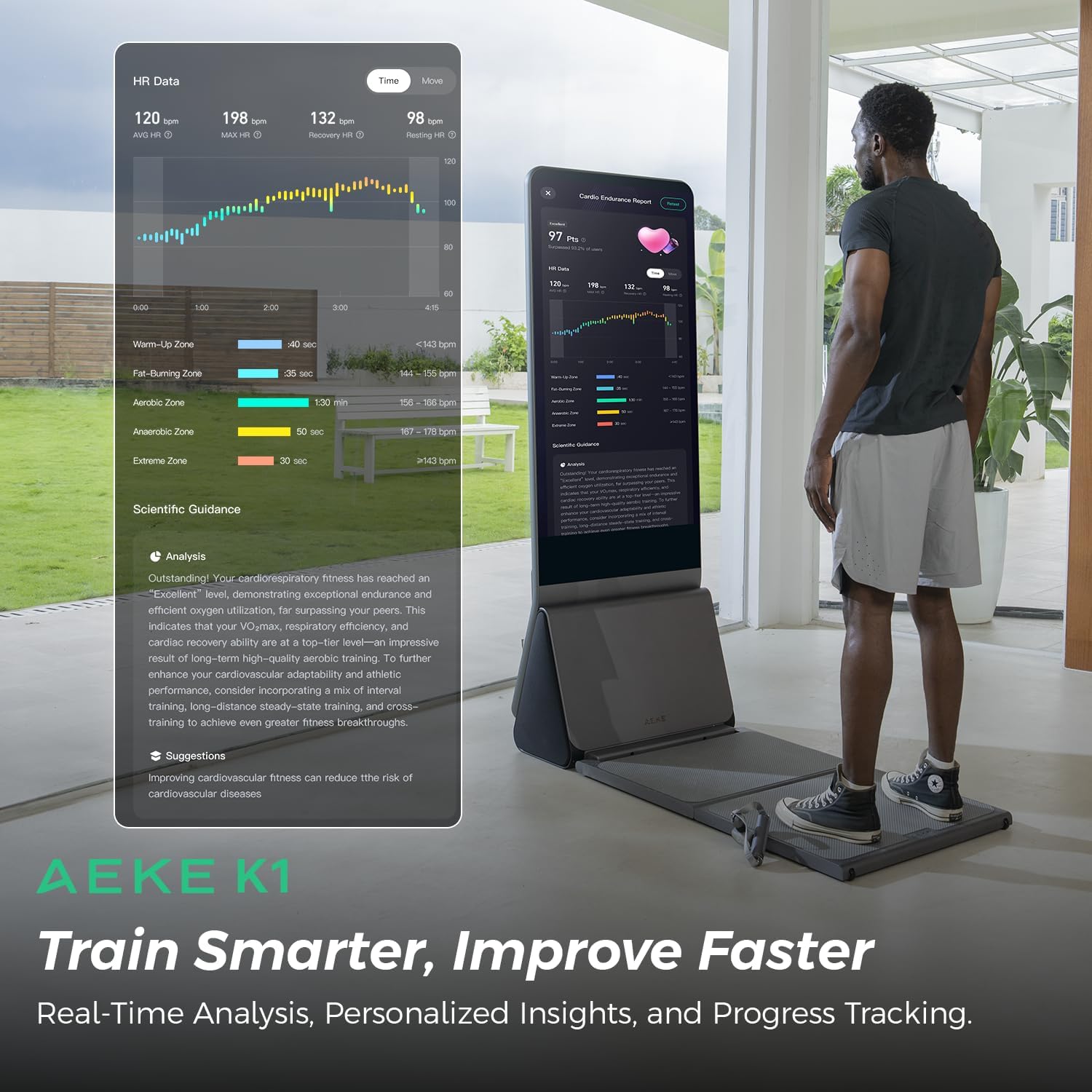
Image: The AEKE K1 system showing a detailed heart rate data graph and scientific guidance for training, emphasizing real-time analysis and personalized insights.
- Review metrics such as calories burned, reps, sets, and exertion balance.
- Access visual progress charts and receive precise recommendations to optimize your training.
- The system also offers a Six-Dimensional Fitness Assessment for a comprehensive overview of your body composition, posture, movement patterns, and flexibility.

Image: The AEKE K1 system conducting a six-dimensional fitness assessment, displaying body composition, posture, pattern, and flexibility analysis results.
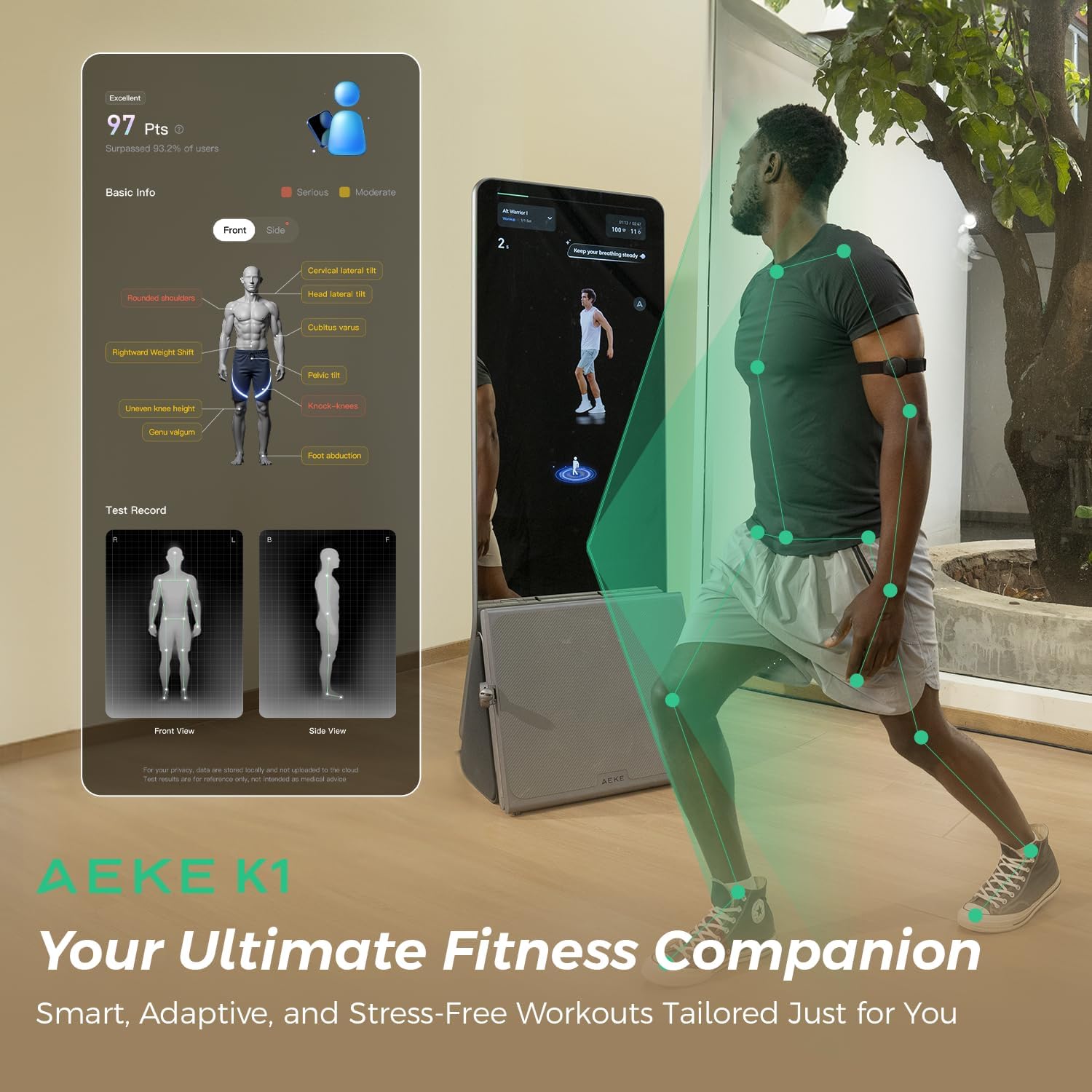
Image: The AEKE K1 system presenting a detailed posture analysis report, identifying areas like rounded shoulders, pelvic tilt, and knee issues, positioning itself as an ultimate fitness companion.
5.5 Gamified Workouts
Engage in motion-sensing games and interactive workouts to make fitness enjoyable and maintain motivation.
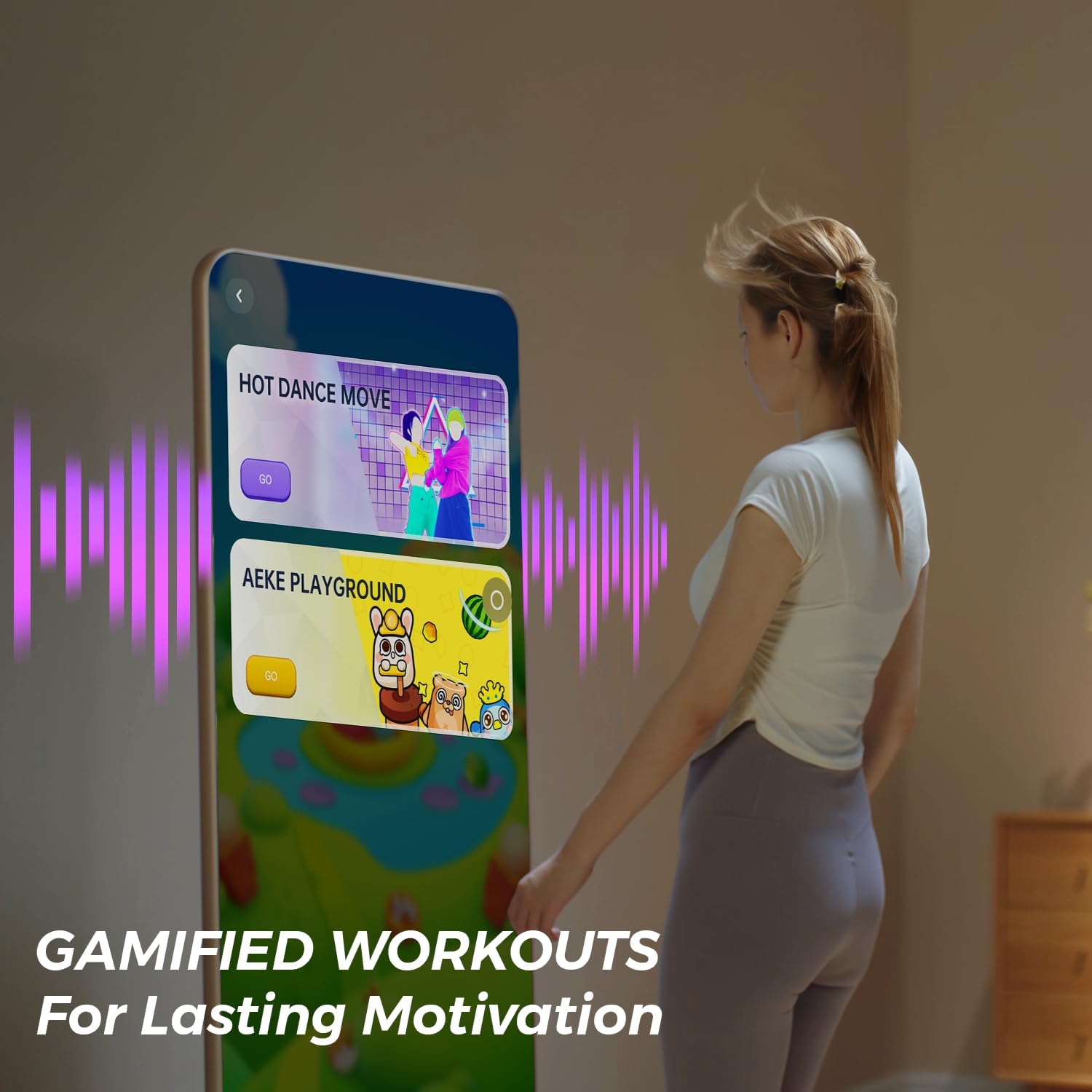
Image: The AEKE K1 system showing options for "Hot Dance Move" and "AEKE Playground," illustrating gamified workouts designed for lasting motivation.
6. Maintenance
- Cleaning: Wipe down the screen and exterior surfaces with a soft, damp cloth after each use. Avoid abrasive cleaners or solvents.
- Storage: When not in use, the AEKE K1 can be folded for compact storage.
- Software Updates: Ensure your system is connected to the internet to receive automatic software updates, which provide new features and performance improvements.
- Inspection: Periodically check cables, straps, and moving parts for any signs of wear or damage.
7. Troubleshooting
| Problem | Possible Cause | Solution |
|---|---|---|
| System does not power on. | Power cable not connected or power outlet issue. | Ensure power cable is securely connected to the system and a working power outlet. |
| No Wi-Fi connection. | Incorrect password or router issue. | Verify Wi-Fi password. Restart your router. Check network settings on the AEKE K1. |
| AI form correction seems inaccurate. | Improper lighting or obstruction of sensors. | Ensure adequate, even lighting. Clear any objects obstructing the camera/sensors. Ensure you are within the recommended tracking area. |
| Resistance feels inconsistent. | Software glitch or calibration needed. | Restart the system. Check for available software updates. If the issue persists, contact customer support. |
8. Specifications
- Brand: AEKE
- Model: K1
- Color: Black
- Material: Alloy Steel, Iron
- Number of Items: 4 (System, Yoga Mat, Extender Belt, Workout Towel)
- Strap Type: Cable/Pulley straps
- Display: 43" 4K Screen
- AI Tracking: 17-point skeletal tracking
- Resistance Modes: 5 digital strength modes
- Folded Dimensions: Approximately 0.3 sq meters
9. Warranty and Support
For warranty information and customer support, please refer to the warranty card included with your product or visit the official AEKE website. If you encounter any issues not covered in this manual, please contact AEKE customer service for assistance.