
Introduction
Thank you for purchasing the aowoka S24-1 Bluetooth Speaker. This manual provides detailed instructions for setting up, operating, and maintaining your speaker. Please read this manual carefully before use to ensure optimal performance and longevity of your device. Keep this manual for future reference.
Package Contents
Please check the package contents upon unboxing. If any items are missing or damaged, contact customer support.
- aowoka S24-1 Bluetooth Speaker
- Power Cable
- User Manual (this document)
Product Overview
The aowoka S24-1 is a versatile Bluetooth speaker designed for computer use, featuring 6 RGB lighting effect modes. It offers clear audio output and convenient wireless connectivity.
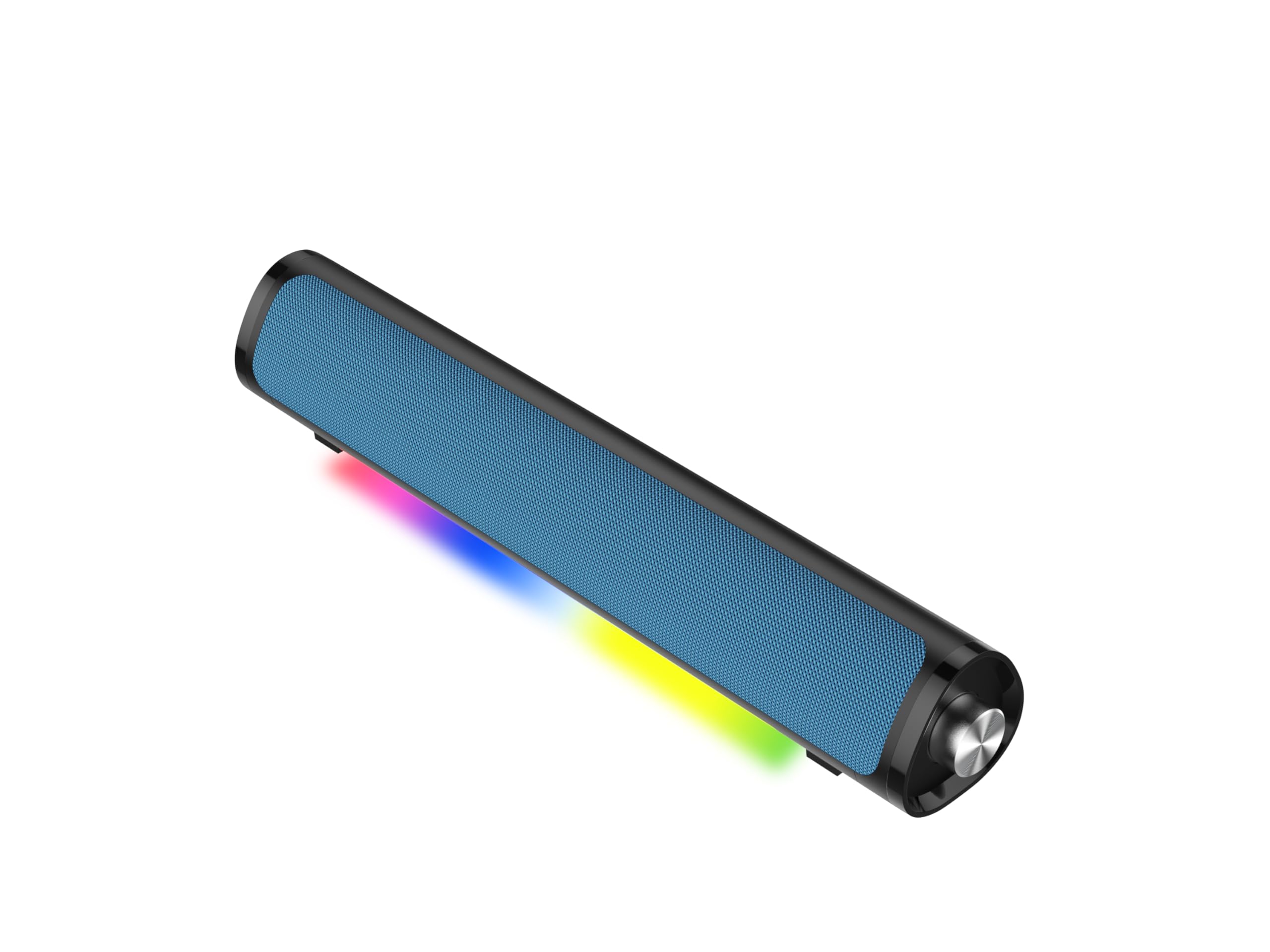
Image: Front view of the aowoka S24-1 Bluetooth Speaker, showcasing its compact design and active RGB lighting. This speaker is designed for desktop use with computers.
Setup
- Connect Power: Insert the provided power cable into the speaker's power input port and then plug the other end into a standard wall outlet or a powered USB port on your computer.
- Power On: Locate the power button (usually on the front or side) and press it to turn on the speaker. An indicator light will illuminate.
- Bluetooth Pairing:
- On your computer or mobile device, enable Bluetooth.
- Search for available Bluetooth devices. The speaker will appear as "aowoka S24-1" or similar.
- Select "aowoka S24-1" to pair. A confirmation sound or indicator light change will signify successful pairing.
- Audio Output Selection: On your computer, ensure that the aowoka S24-1 speaker is selected as the default audio output device in your sound settings.
Image: Rear view of the aowoka S24-1 Bluetooth Speaker, highlighting the power input and any auxiliary ports for connection. This illustrates where to connect the power cable.
Operating Instructions
Power On/Off
- To Power On: Press and hold the power button for 2-3 seconds.
- To Power Off: Press and hold the power button for 2-3 seconds.
Volume Control
- Increase Volume: Rotate the volume knob clockwise or press the '+' button.
- Decrease Volume: Rotate the volume knob counter-clockwise or press the '-' button.
RGB Lighting Modes
The speaker features 6 distinct RGB lighting effects.
- Change Mode: Press the dedicated RGB lighting button (often labeled with a light icon) to cycle through the available modes.
- Turn Off Lights: Continue pressing the RGB button until the lights turn off, or press and hold the button for 2 seconds.
Bluetooth Reconnection
Once paired, the speaker will automatically attempt to reconnect to the last paired device when powered on and within range. If reconnection fails, manually select the speaker from your device's Bluetooth settings.
Maintenance
- Cleaning: Use a soft, dry cloth to wipe the speaker's surface. Do not use liquid cleaners or abrasive materials.
- Storage: Store the speaker in a cool, dry place away from direct sunlight and extreme temperatures when not in use for extended periods.
- Avoid Water: This speaker is not waterproof. Keep it away from water and high humidity.
Troubleshooting
| Problem | Possible Cause | Solution |
|---|---|---|
| No sound from speaker. | Speaker is off, volume is too low, or not paired. | Ensure speaker is powered on. Increase volume. Re-pair Bluetooth. Check computer's audio output settings. |
| Bluetooth not connecting. | Speaker is out of range, not in pairing mode, or previously paired device is interfering. | Move speaker closer to device. Ensure speaker is in pairing mode. Forget speaker from device's Bluetooth list and re-pair. Turn off Bluetooth on other nearby devices. |
| RGB lights not working. | Lights are turned off or a specific mode is selected. | Press the RGB lighting button to cycle through modes or turn them on. |
| Distorted audio. | Volume too high on speaker or source device, or weak Bluetooth signal. | Reduce volume on both speaker and source. Ensure speaker is within Bluetooth range and there are no obstructions. |
Specifications
- Brand: aowoka
- Model Name: S24-1
- Model Number: S24-1
- Speaker Type: Portable Speaker
- Connectivity Technology: Bluetooth
- Speaker Maximum Output Power: 24 Watts
- Item Dimensions (D x W x H): 2.86"D x 2.7"W x 3.95"H
- Color: Blue
- Mounting Type: Tabletop Mount
Warranty and Support
The aowoka S24-1 Bluetooth Speaker comes with a 1-year limited warranty from the date of purchase. This warranty covers manufacturing defects and workmanship under normal use.
The warranty does not cover damage caused by misuse, accident, unauthorized modification, or improper installation. Please retain your proof of purchase for warranty claims.
For technical support, warranty claims, or further assistance, please contact aowoka customer service through the retailer's platform or the official aowoka website (if available).
Safety Information
- Do not expose the speaker to extreme temperatures, direct sunlight, or high humidity.
- Do not disassemble or attempt to repair the speaker yourself. This will void the warranty.
- Keep the speaker away from strong magnetic fields.
- Use only the provided power cable.
- Avoid listening at high volumes for extended periods to prevent hearing damage.
- Dispose of the product responsibly according to local regulations.