
Introduction
Thank you for choosing the Vakedy HW11 Wireless Gaming Headset. This manual provides essential information for setting up, operating, maintaining, and troubleshooting your headset. Please read it carefully to ensure optimal performance and longevity of your device.
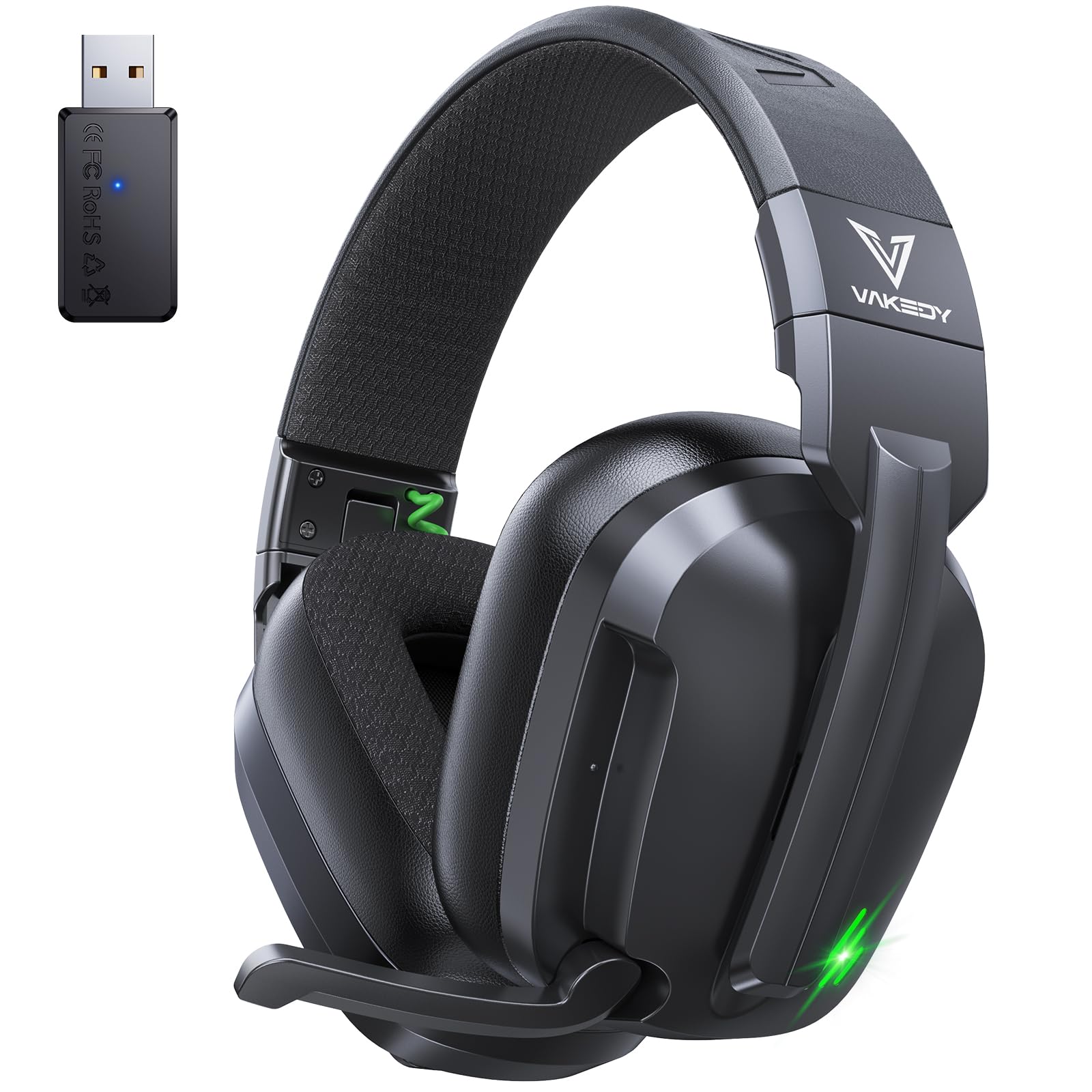
Image: The Vakedy HW11 Wireless Gaming Headset in Obsidian Black, showcasing its sleek design.
Product Overview
Package Contents
- Wireless Gaming Headset (1)
- 2.4GHz USB Dongle (1)
- Type-C Charging Cable (1)
- User Manual (1)
Headset Components and Controls
The Vakedy HW11 headset features intuitive controls for easy access to functions during gameplay or media consumption.

Image: A detailed view of the headset's left earcup, highlighting the microphone, power switch, volume controls, and RGB lighting button.
- Adjustable Headband: For a comfortable fit across various head sizes.
- Over-Ear Earcups: Designed for comfort during extended use.
- Retractable Microphone: A 120° adjustable boom mic with noise-canceling capabilities for clear communication.
- Power/Mode Switch: Toggles the headset on/off and switches between 2.4GHz wireless and Bluetooth modes.
- Volume Controls: Buttons to increase or decrease audio volume.
- RGB Lighting Button: Controls the dynamic RGB lighting on the earcups.
- USB-C Charging Port: For recharging the headset battery.
Setup
Charging the Headset
Before first use, fully charge the headset. Connect the supplied Type-C charging cable to the headset's charging port and a USB power source. A full charge takes approximately 3 hours and provides up to 50 hours of playtime.

Image: The Vakedy HW11 headset connected to a charging cable, emphasizing its long battery life.
Connecting to Devices
The Vakedy HW11 offers dual wireless connectivity: 2.4GHz USB wireless and Bluetooth 5.4.
Video: An official overview of the HW11 Wireless Gaming Headset, demonstrating its features and connectivity options.
2.4GHz USB Wireless Connection (for PS5, PS4, PC, Switch)
- Insert the 2.4GHz USB dongle into an available USB port on your PS5, PS4, PC, or Nintendo Switch.
- Power on the headset. The headset will automatically attempt to connect to the dongle.
- Once connected, the indicator light on the headset will show a stable color (refer to LED indicator section for details).
- Note for Nintendo Switch: While audio works via the USB dongle, the microphone function is not supported in this mode.

Image: A visual guide showing the compatibility of the Vakedy HW11 headset with PC, PS4, PS5, Switch, and mobile devices, and noting Xbox incompatibility.
Bluetooth 5.4 Connection (for Mac, Smartphones, Tablets)
- Ensure the headset is powered on and in Bluetooth mode (toggle the mode switch if necessary).
- On your device (Mac, smartphone, tablet), go to Bluetooth settings and search for available devices.
- Select "Vakedy HW11" from the list to pair.
- Once paired, the indicator light on the headset will show a stable color.
- Note: Bluetooth mode is not supported on PS4/PS5 consoles.

Image: The Vakedy HW11 headset positioned next to a smartphone, illustrating its Bluetooth connectivity for mobile devices.
Important Compatibility Note: This headset is not compatible with Xbox consoles in any mode.
Operating Instructions
Power On/Off
Slide the power switch located on the earcup to turn the headset on or off.
Adjusting Volume
Use the volume up (+) and volume down (-) buttons on the earcup to adjust the audio level.
Microphone Usage
The headset features a 120° adjustable boom microphone with noise-canceling technology. Extend the microphone for use and retract it when not needed. Ensure the microphone is enabled via the mic switch on the earcup for voice communication.
RGB Lighting Control
Press the dedicated RGB lighting button on the earcup to cycle through lighting modes or turn the lighting off.
Game Mode / Music Mode
The headset supports different audio profiles optimized for gaming and music. Use the dedicated button to switch between these modes for an enhanced audio experience.

Image: A split image demonstrating the headset's Game Mode, with a user actively gaming, and Music Mode, with a user listening to music on a phone.
Audio Performance
Experience immersive stereo sound with powerful 50mm audio drivers, delivering deep bass, crisp highs, and precise directional audio. The 2.4GHz wireless connection provides ultra-low latency (≤20ms) for responsive gaming.

Image: A close-up of the headset's earcups, emphasizing the 50mm audio drivers and dynamic sound experience.
Maintenance
Cleaning
Wipe the headset with a soft, dry cloth. Do not use harsh chemicals or abrasive materials. Avoid getting moisture into any openings.
Storage
Store the headset in a cool, dry place away from direct sunlight and extreme temperatures. When storing for extended periods, ensure the battery is partially charged (around 50%) to preserve battery health.
Battery Care
To maximize battery life, avoid fully discharging the headset frequently. Recharge the headset when the low battery indicator appears.
Troubleshooting
- No Sound:
- Ensure the headset is powered on and fully charged.
- Check that the headset is correctly connected to your device (2.4GHz dongle or Bluetooth).
- Verify the volume levels on both the headset and your connected device.
- Confirm the correct audio output device is selected in your device's sound settings.
- Microphone Not Working:
- Ensure the microphone is extended and the mic switch on the earcup is enabled.
- Check your device's sound settings to ensure the headset microphone is selected as the input device.
- Remember that the microphone is not supported on Nintendo Switch when using the 2.4GHz USB dongle.
- Connection Issues:
- For 2.4GHz connection, ensure the USB dongle is securely inserted and within range (up to 49 ft / 15 m).
- For Bluetooth connection, ensure Bluetooth is enabled on your device and the headset is in pairing mode or already paired.
- Try restarting both the headset and your connected device.
- Headset Not Compatible with Xbox:
- The Vakedy HW11 headset is not designed for use with Xbox consoles.
Specifications
| Brand | Vakedy |
| Model Number | HW11 |
| Color | Obsidian Black |
| Ear Placement | Over Ear |
| Impedance | 32 ohm |
| Connectivity Technology | 2.4GHz Wireless, Bluetooth 5.4 |
| Bluetooth Range | 10 meters |
| Audio Latency | ≤20 milliseconds (2.4GHz) |
| Audio Driver Size | 50 millimeters |
| Frequency Range | 20 Hz - 20 KHz |
| Noise Control | Passive Noise Cancellation |
| Battery Capacity | 1000mAh |
| Battery Average Life | Up to 50 hours |
| Battery Charge Time | 3 hours |
| Compatible Devices | PS5, PS4, PC, Mac, Laptop, Mobile, Nintendo Switch (microphone invalid in dongle mode). Not compatible with Xbox series. |
| Material | ABS, Leather, PC |
Warranty and Support
Warranty Information
The Vakedy HW11 Wireless Gaming Headset comes with a 1-Year Warranty from the date of purchase, covering manufacturing defects. Please retain your proof of purchase for warranty claims.
Customer Support
Vakedy is committed to providing reliable support. If you have any questions, concerns, or require assistance with your product, please contact our customer support team. We offer responsive support and are ready to help.

Image: A graphic detailing Vakedy's customer care, including 12-hour fast support and 365-day free replacement, alongside an image of support staff.
