
1. Important Safety Information
Please read and understand all instructions before beginning installation. Failure to follow these instructions may result in electric shock, fire, or personal injury.
- Electrical Safety: Always disconnect power at the circuit breaker or fuse box before installing, cleaning, or servicing the fan. Ensure all electrical connections comply with local codes and ordinances. If you are unfamiliar with electrical wiring, consult a qualified electrician.
- Mounting: The fan must be mounted to a structure capable of supporting the fan's weight (7.5 pounds). Ensure the outlet box is securely attached to the building structure and can support the fan. This fan is designed for flat ceilings only and is not compatible with sloped or vaulted ceilings.
- Blades: Do not insert objects into the path of the fan blades. Ensure blades are securely fastened before operation.
- Location: This fan is suitable for indoor and covered outdoor damp locations. Do not expose the fan directly to water.
2. Product Overview
The Hoenofly 52-inch Smart Ceiling Fan (Model YJ901) is a low-profile flush mount fan designed for modern spaces. It features three natural light wood blades, an energy-efficient DC motor, and an integrated dimmable LED light. Control options include a remote, smartphone app, and voice commands via Alexa or Google Assistant.

Image: The Hoenofly 52-inch Smart Ceiling Fan, highlighting its smart control features including remote, app, Alexa, and Google Assistant compatibility. It also shows reversible function, 6 speeds, 24-hour timer, dimmable light, and light memory.
Key Features:
- Smart Control: Operate via included remote, Tuya smartphone app, or voice commands with Alexa and Google Assistant.
- Solid Wood Blades: Three natural light wood blades, designed for both indoor and covered outdoor use in damp locations.
- Low Profile Design: Flush mount installation with a height of 8.3 inches, ideal for rooms with 8-10 ft ceilings.
- Energy-Saving DC Motor: Quiet operation (below 30 dB) with 6 adjustable speeds and a reversible function for year-round comfort. Up to 75% more energy-efficient than AC motors.
- Dimmable LED Light: Integrated LED light with adjustable color temperature from 3000K (warm) to 5000K (cool white), and dimmable from 0-100% brightness (2000 lumens). Features a memory function to recall the last setting.
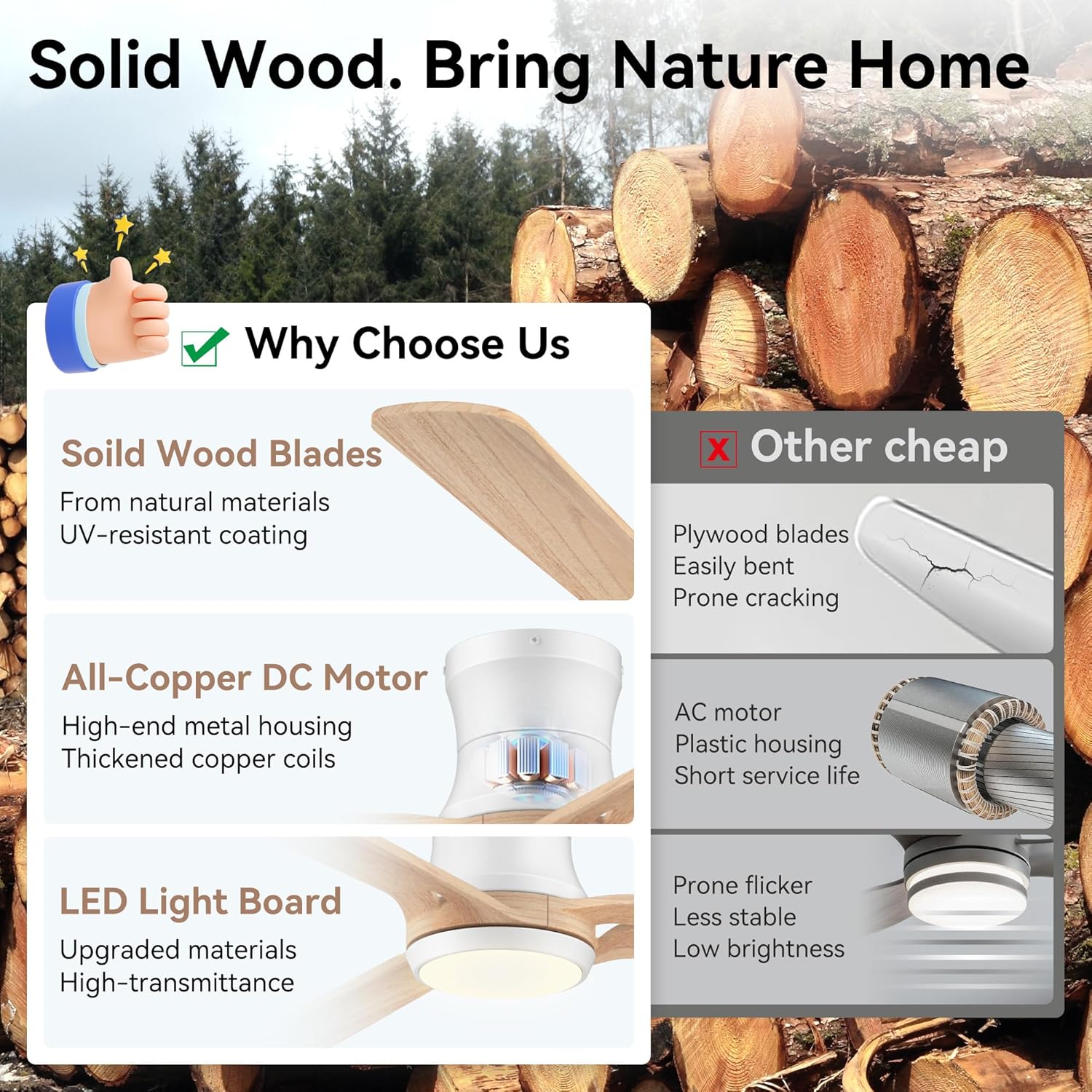
Image: A comparison highlighting the quality components of the Hoenofly fan, including solid wood blades, an all-copper DC motor, and an upgraded LED light board, contrasted with lower quality alternatives.
3. Setup and Installation
Installation of the Hoenofly Smart Ceiling Fan is designed to be straightforward. It typically takes 20-30 minutes for installation. An installation video and detailed manual are included with your purchase.
Pre-Installation Checklist:
- Ensure power is disconnected at the circuit breaker.
- Verify your ceiling type is suitable for flush mount installation (metal, concrete, or wood joist). Drywall ceilings require secure mounting to a structural element.
- Confirm ceiling height is between 8-10 feet. This fan is not compatible with sloped or vaulted ceilings.
- Gather necessary tools (screwdriver, wire strippers, ladder, etc.).

Image: Diagram showing the 52-inch diameter and 8.3-inch height of the fan, along with recommended room sizes (12ft x 12ft to 18ft x 18ft) and a visual of flat mounted installation.
Installation Steps:
- Mounting Bracket: Secure the mounting bracket to the ceiling outlet box. Ensure it is firmly attached to a structural support.
- Wiring: Connect the fan's electrical wires to your household wiring according to the provided wiring diagram in the manual. Ensure all connections are secure.
- Attach Fan Body: Carefully lift and attach the fan body to the mounting bracket.
- Install Blades: Attach the three light wood blades to the fan motor housing.
- Install Light Kit: Connect and secure the LED light kit to the fan.
- Restore Power: Once all components are securely installed, restore power at the circuit breaker.

Image: A person on a ladder installing the Hoenofly ceiling fan, demonstrating the ease of installation.

Image: Visual guide for compatible ceiling conditions (metal, concrete, wood) and incompatible wall switch types (dimmer, fan speed control) for the Hoenofly fan.
4. Operating Instructions
Your Hoenofly Smart Ceiling Fan offers multiple convenient control methods.
Remote Control:
The included handheld remote allows full control over fan speed, direction, light settings, and timer functions.
- Fan Speed: Select from 6 speeds to adjust airflow.
- Reversible Function: Switch between downdraft (summer mode) and updraft (winter mode) to optimize air circulation.
- Light Control: Turn the light on/off, adjust brightness (0-100%), and change color temperature (3000K-5000K). The light features a memory function.
- Timer: Set a 24-hour timer for automatic fan operation.

Image: Illustration of the fan's 6-speed settings and reversible function, demonstrating how it cools a room in summer and warms it in winter.
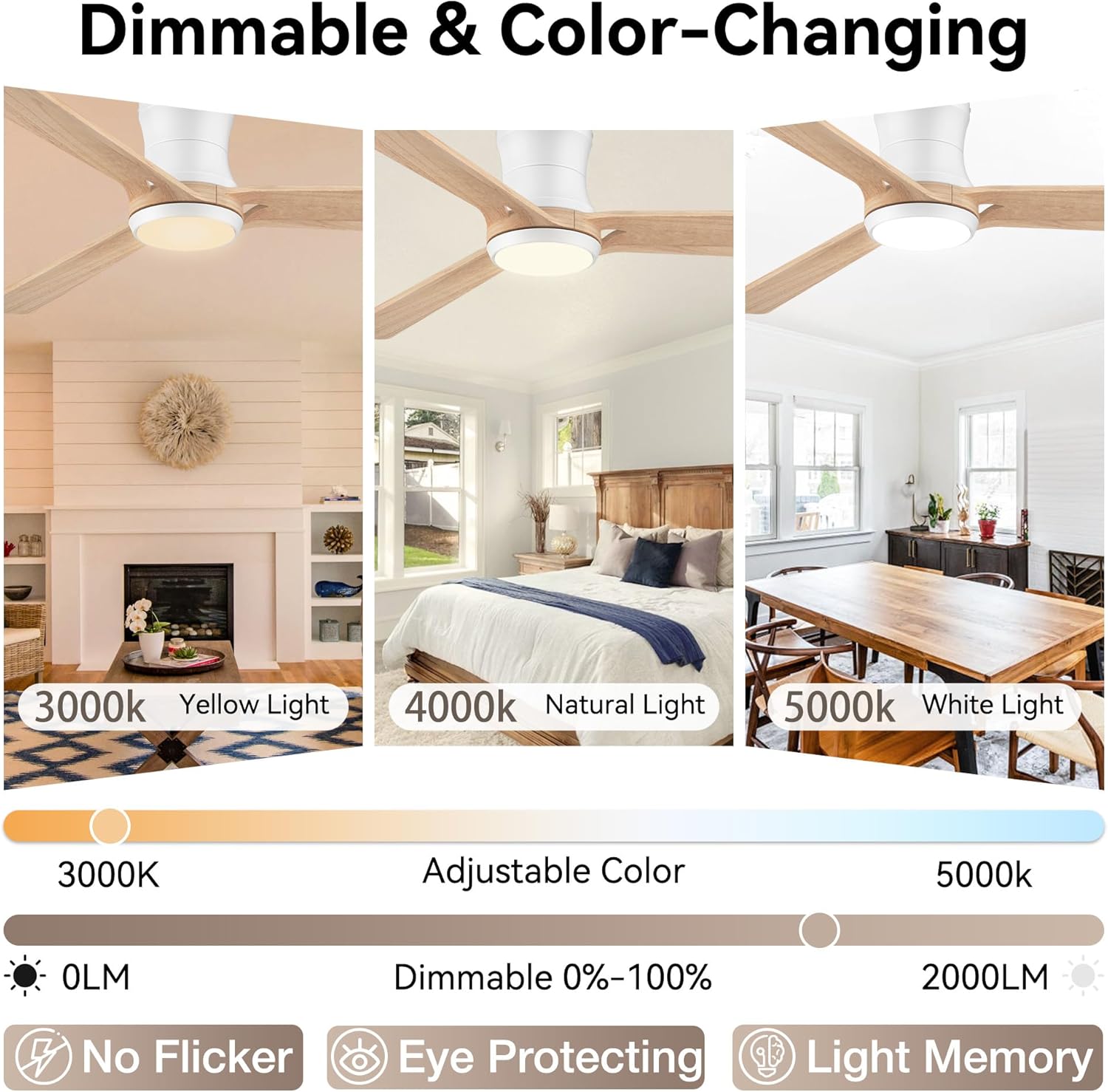
Image: Display of the fan's dimmable and color-changing LED light, showing 3000K warm light, 4000K natural light, and 5000K white light options, along with 0-100% dimming capability.
Smartphone App Control (Tuya APP):
Download the Tuya Smart app to control your fan from anywhere. The app provides all functionalities of the remote control, including setting the 24-hour timer.
- Download: Search for "Tuya Smart" in your device's app store.
- Pairing: Follow the in-app instructions to pair your fan with your Wi-Fi network.
Voice Control (Alexa & Google Assistant):
Integrate your Hoenofly Smart Ceiling Fan with Amazon Alexa or Google Assistant for convenient voice commands.
- Enable Skill/Action: In the Alexa or Google Home app, enable the Tuya Smart skill/action.
- Discovery: Discover your fan through the voice assistant app.
- Commands: Use simple commands like "Alexa, turn on the bedroom fan" or "Hey Google, set the fan speed to 3."
5. Maintenance
Regular maintenance ensures optimal performance and longevity of your ceiling fan.
- Cleaning: Use a soft, damp cloth to clean the fan housing and blades. Do not use abrasive cleaners or solvents. Ensure power is off before cleaning.
- Blade Care: The natural wood blades may vary slightly in color and pattern. Avoid excessive moisture exposure.
- Tighten Screws: Periodically check and tighten all screws on the fan body and blades to prevent wobbling or noise.
- No Lubrication Needed: The DC motor is permanently lubricated and does not require additional oiling.
6. Troubleshooting
If you encounter issues with your Hoenofly Smart Ceiling Fan, refer to the following common solutions:
| Problem | Possible Cause | Solution |
|---|---|---|
| Fan does not turn on | No power, loose wiring, remote battery dead | Check circuit breaker. Ensure all wiring connections are secure. Replace remote batteries. |
| Light does not work | Loose wiring, LED driver issue | Check light kit wiring. Contact customer support if LED driver is suspected. |
| Remote not responding | Dead batteries, interference, not paired | Replace remote batteries. Ensure no obstructions. Re-pair remote if necessary (refer to full manual). |
| Fan wobbles | Loose blades, unbalanced blades, loose mounting | Ensure all blade screws are tight. Use balancing kit (if included) to balance blades. Check mounting bracket security. |
| App connectivity issues | Wi-Fi signal weak, incorrect pairing, app outdated | Ensure strong 2.4GHz Wi-Fi signal. Re-pair fan with app. Update Tuya Smart app. |
If the problem persists after attempting these solutions, please contact Hoenofly customer support.
7. Specifications

Image: Energy efficiency rating (75% more efficient than AC motors) and quiet operation (below 30 dB) of the Hoenofly DC motor.
- Model Number: YJ901
- Brand: Hoenofly
- Size: 52 inches
- Blades: 3, Light Wood
- Motor Type: DC Motor
- Noise Level: <30 dB
- Speeds: 6
- Airflow: 3806 CFM
- Light Type: Integrated Dimmable LED
- Color Temperature: 3000K (Warm), 4000K (Natural), 5000K (Cool White)
- Brightness: 0-100% Dimmable, 2000 Lumens
- Control Methods: Remote Control, Tuya APP, Voice Control (Alexa, Google Assistant)
- Mounting Type: Low Profile Flush Mount
- Recommended Ceiling Height: 8-10 ft
- Weight: 7.5 pounds
- Usage: Indoor and Covered Outdoor (Damp Locations)
8. Warranty and Support
Hoenofly is committed to providing high-quality products and excellent customer service.

Image: Hoenofly's commitment to service, including a 3-year worry-free warranty, 24/7 online customer service, and a 30-day return policy guarantee.
- 3-Year Quality Period: A 3-year quality period is provided for the entire ceiling fan.
- DC Motor Warranty: The DC motor is covered by a lifetime free replacement policy.
- Accessory Replacement: Other accessories are eligible for free replacement for 3 years.
- Customer Support: Our 24/7 Hoenofly customer support team is available to assist you with any questions or issues. Please refer to the contact information provided in your product packaging or visit the official Hoenofly store on Amazon for support.