
1. Introduction
The FOUSAE Walking Pad Treadmill ZX390 is designed for home and office use, offering a versatile fitness experience. This manual provides essential information for the safe and efficient operation, maintenance, and troubleshooting of your walking pad.
Key features include a double frame for enhanced stability, a 2.75 HP brushless motor for quiet operation, and a 10% manually adjustable incline. It supports speeds from 0.6 to 6.2 MPH and includes 12 HIIT programs and three countdown modes (Time, Distance, Calories).

Image: The FOUSAE Walking Pad Treadmill highlighting its double frame and multiple shock-absorbing design for stability and comfort.
2. Important Safety Information
- Read all instructions carefully before using the walking pad.
- Keep children and pets away from the equipment during operation.
- Place the walking pad on a flat, stable surface with adequate clearance around it.
- Ensure the power cord is not damaged and is properly connected to a grounded outlet.
- Do not operate the walking pad if it is damaged or malfunctioning.
- Wear appropriate athletic footwear during use.
- Consult a physician before starting any new exercise program.
- Do not attempt to lubricate or adjust the belt while the walking pad is in operation.
- Always use the STOP button on the remote control to safely halt the machine.
- The maximum user weight capacity is 350 lbs (158 kg). Do not exceed this limit.
3. What's in the Box
Upon unpacking, please verify that all components are present:
- FOUSAE Walking Pad Treadmill
- Power Cord
- Remote Control
- User Manual
- Tool Kit
4. Setup Instructions
The FOUSAE Walking Pad Treadmill comes 100% pre-assembled, requiring minimal setup before first use.
- Unpacking: Carefully remove the walking pad from its packaging.
- Placement: Position the walking pad on a flat, stable, and non-slip surface. Ensure there is sufficient space around the unit for safe operation.
- Power Connection: Connect the power cord to the walking pad's power input and then plug it into a standard grounded electrical outlet.
- Remote Control Battery: The remote control contains batteries. Before first use, locate the battery cover on the remote control and remove any protective baffle or plastic tab.
- Incline Adjustment (Optional): The walking pad features a 10% manual incline. To adjust, locate the central support bolt underneath the front of the walking pad. Adjust this bolt to raise or lower the front of the unit, ensuring firm contact with the floor for stability.

Image: A person demonstrating the ease of moving and storing the FOUSAE Walking Pad Treadmill using its built-in transport wheels.

Image: Instructions for removing the baffle and replacing the battery in the remote control.
5. Operating Instructions
Your FOUSAE Walking Pad Treadmill offers various modes and programs for a customized workout experience.
5.1 Powering On/Off
- To power on, ensure the walking pad is plugged in and press the power button on the unit or the Start/Pause button on the remote control.
- To power off, press the STOP button on the remote control until the unit completely stops, then unplug the power cord from the wall outlet.
5.2 Remote Control Functions
The remote control is your primary interface for operating the walking pad. It features a magnetic attachment for convenient storage.
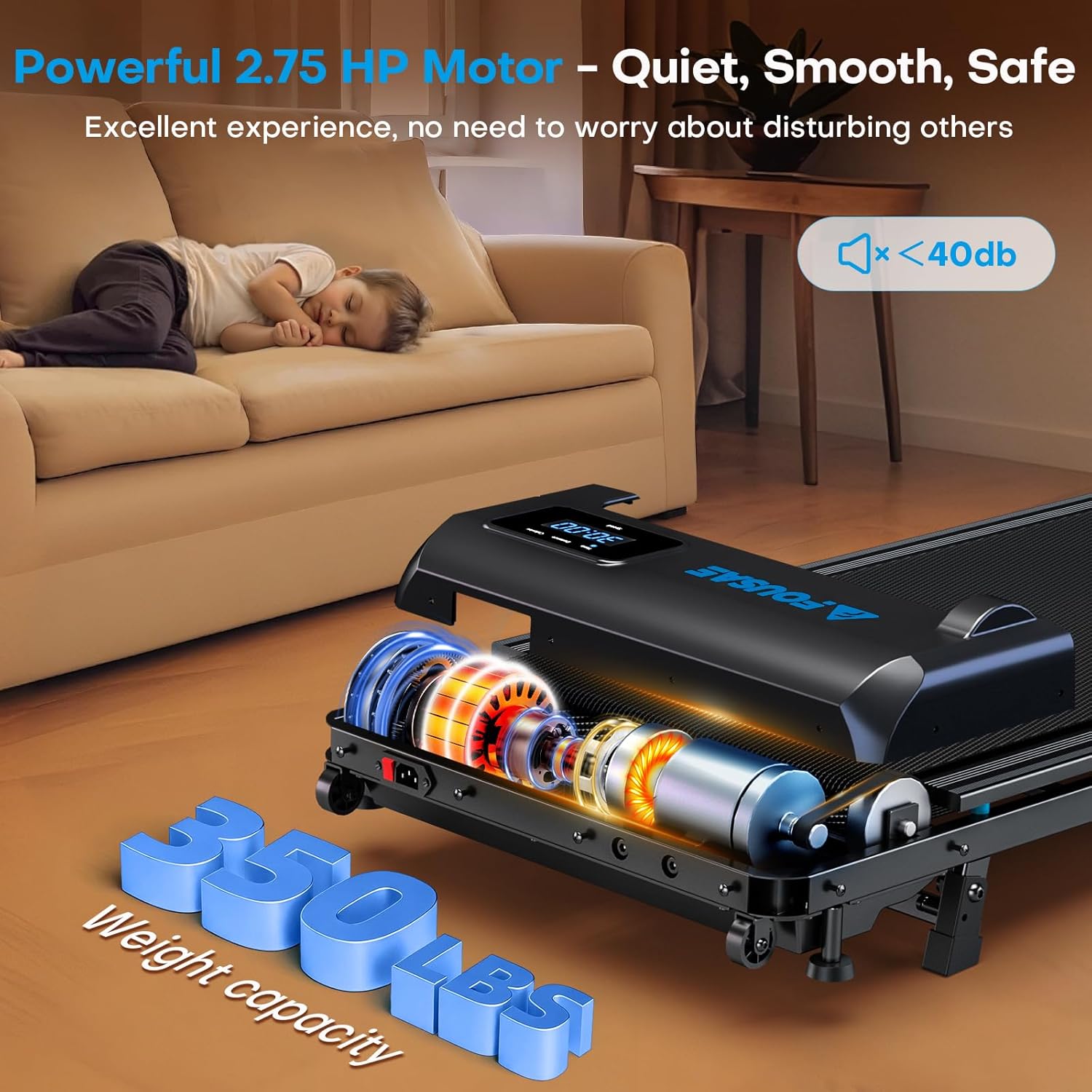
Image: The LED display showing real-time data and the remote control with its magnetic attachment.

Image: A detailed diagram illustrating the functions of each button on the remote control.
- Start/Pause Button: Initiates or pauses the walking pad.
- STOP Button: Safely stops the walking pad.
- Speed +/- Buttons: Adjust the speed of the running belt.
- M Button (Mode): Selects between manual speed adjustment and countdown modes (Time, Distance, Calories).
- P Button (Program): Selects one of the 12 pre-set HIIT programs.
Note: The treadmill needs to be stopped when selecting the mode or program.
5.3 Speed Modes and Incline
The walking pad offers a speed range of 0.6 to 6.2 MPH and a 10% manual incline.

Image: Visual representation of the four modes: Working (0.6-1.5 MPH), Walking (1.5-3 MPH), Jogging (3-6.2 MPH), and Climbing (10% incline).
- Working Mode: 0.6–1.5 MPH (ideal for use under a standing desk).
- Walking Mode: 1.5–3 MPH.
- Jogging Mode: 3–6.2 MPH.
- 10% Manual Incline: Adjust the central support bolt for an increased challenge.

Image: Demonstrates the 10% manual incline adjustment, showing how it can increase calorie burn.
5.4 Countdown Modes and HIIT Programs
Utilize the 'M' button for countdown modes and the 'P' button for HIIT programs.
- Countdown Modes: Choose from Time, Distance, or Calories to set specific workout goals. The treadmill will count down from your set target.
- 12 HIIT Programs: Select from 12 pre-programmed High-Intensity Interval Training routines for varied and effective workouts.

Image: The LED display showing various workout data and icons for 3 countdown modes and 12 built-in HIIT programs.
5.5 Real-time Data Display
The integrated LED display provides real-time feedback on your workout progress.
- Metrics: Time, Speed, Distance, and Calories Burned are displayed.
5.6 Official Product Video: Remote Control Instructions
Video: Instructions for using the FOUSAE Walking Pad Remote Control. This video demonstrates how to operate the treadmill using the remote, including starting, stopping, and adjusting settings.
6. Maintenance
Regular maintenance ensures the longevity and optimal performance of your walking pad.
6.1 Cleaning
- Wipe down the walking pad with a damp cloth after each use to remove sweat and dust.
- Do not use abrasive cleaners or solvents.
- Ensure the power is disconnected before cleaning.
6.2 Lubrication
- The running belt requires periodic lubrication to reduce friction and extend its lifespan. Refer to the user manual for specific lubrication intervals and instructions.
- Use only silicone-based treadmill lubricant.
6.3 Belt Adjustment
- If the running belt becomes off-center or slips, it may require adjustment. Consult the detailed instructions in the included user manual for proper belt alignment and tensioning procedures.
7. Troubleshooting
This section addresses common issues you might encounter with your walking pad.
| Problem | Possible Cause | Solution |
|---|---|---|
| Walking pad does not power on. | Power cord not connected; power switch off; circuit breaker tripped. | Ensure power cord is securely plugged in. Check power switch on the unit. Reset household circuit breaker if necessary. |
| Running belt slips or hesitates. | Belt too loose; insufficient lubrication. | Adjust belt tension according to manual. Apply silicone lubricant to the belt. |
| Unusual noise during operation. | Loose components; motor issue; belt friction. | Check for loose screws. Ensure proper lubrication. If noise persists, contact customer support. |
| Remote control not responding. | Dead batteries; remote not paired. | Replace remote control batteries. Refer to the manual for remote control pairing instructions if applicable. |
For issues not listed here, please contact FOUSAE customer support.
8. Specifications
| Feature | Detail |
|---|---|
| Brand | FOUSAE |
| Model Number | ZX390 |
| Product Dimensions (D x W x H) | 45.67" x 19.69" x 4.72" |
| Material | Acrylonitrile Butadiene Styrene (ABS), Alloy Steel |
| Motor Horsepower | 2.75 HP (Brushless) |
| Speed Range | 0.6 - 6.2 MPH |
| Maximum Incline | 10% (Manual Adjustment) |
| Maximum Weight Capacity | 350 lbs |
| Noise Level | Under 40 dB |
| Running Belt Dimensions | 40" x 16" |
| Programs | 12 HIIT Programs, 3 Countdown Modes (Time, Distance, Calories) |
| Display | LED (Time, Speed, Distance, Calories) |
| Assembly Required | No (Pre-assembled) |
| Included Components | Walking Pad, Power Cord, Remote Control, User Manual, Tool Kit |
9. Warranty and Support
9.1 Warranty Information
The FOUSAE Walking Pad Treadmill ZX390 comes with a 1-Year Warranty from the date of purchase. This warranty covers manufacturing defects and malfunctions under normal use. Please retain your proof of purchase for warranty claims.
For detailed warranty terms and conditions, refer to the official FOUSAE website or contact customer support.
9.2 Customer Support
If you have any questions, require assistance with setup, operation, maintenance, or encounter any issues with your FOUSAE Walking Pad Treadmill, please contact our customer support team.
Contact Information:
- Website: www.fousae.com (Placeholder, actual website not provided in JSON)
- Email: support@fousae.com (Placeholder, actual email not provided in JSON)
- Phone: [Customer Service Phone Number] (Placeholder, not provided in JSON)
Please have your model number (ZX390) and purchase date ready when contacting support.


