
1. Introduction
Thank you for choosing the Erdoru OPT13 Smart Toilet with Bidet. This manual provides essential information for the safe and efficient installation, operation, and maintenance of your new smart toilet. Please read it thoroughly before use and retain it for future reference.
2. Safety Information
Always follow basic safety precautions when using electrical appliances. This smart toilet is designed for indoor use only. Ensure proper grounding and avoid exposing the unit to excessive moisture. Do not attempt to repair the unit yourself; contact qualified service personnel. Keep children and pets away from the toilet during operation of automatic features.
3. Product Overview and Components
The Erdoru OPT13 Smart Toilet is a compact, one-piece unit featuring a built-in bidet, heated seat, warm water sprayer, dryer, blue night light, and multiple auto-flush options. It is specifically designed for small bathrooms and compact spaces.
Included Components:
- Erdoru OPT13 Smart Toilet Unit
- Remote Control
- Mounting Accessory Kit
- Sealing Flange
- Installation Manual
- AAA Batteries (for remote)
- Valve
- Wax Ring

4. Setup and Installation
Proper installation is crucial for the optimal performance and longevity of your smart toilet. It is recommended to have a professional plumber perform the installation. Ensure your bathroom meets the required dimensions and plumbing specifications.
4.1 Pre-Installation Checks
- Verify product dimensions: 22.83"D x 15.16"W x 18.11"H.
- Ensure the distance from your wall to the center of your mounting flange is a full 12 inches.
- Confirm your water supply line is at least 8 inches away (side to side) from the center of the mounting flange.

4.2 Installation Steps
Refer to the included Installation Manual for detailed, step-by-step instructions. The process generally involves:
- Preparing the floor drain and mounting area.
- Installing the PVC flange ring and securing it.
- Applying installation adhesive to the toilet base.
- Carefully positioning and installing the toilet unit over the flange.
- Connecting the water supply line to the toilet's three-way adapter and angle valve.
- Connecting the spare battery and plugging the toilet into a power outlet.
5. Operating Instructions
Your Erdoru OPT13 Smart Toilet offers a range of intelligent features for enhanced comfort and hygiene. These can be controlled via the remote control, foot sensor, or side buttons.
5.1 Initial Power-On
Upon first plugging in the toilet, it will perform an automatic system check. Once complete, it is ready for use.
5.2 Remote Control Functions
The wireless remote control provides full access to all smart features. Ensure batteries are installed correctly. If the remote does not respond, refer to the 'Remote Control Code' section in the included instruction booklet for pairing instructions.

- Lid Open/Close: Automatically opens when approached or can be controlled via remote.
- Flushing: Options for Full Flush, Half Flush, Auto-Flush (after use), Foot Sensor Flush, Side Button Flush, and Remote Operation.
- Cleaning Modes: Features Feminine Care, Buttocks Cleaning, Children Clean, and Water Mist cleaning modes. Nozzle position and water pressure are adjustable.
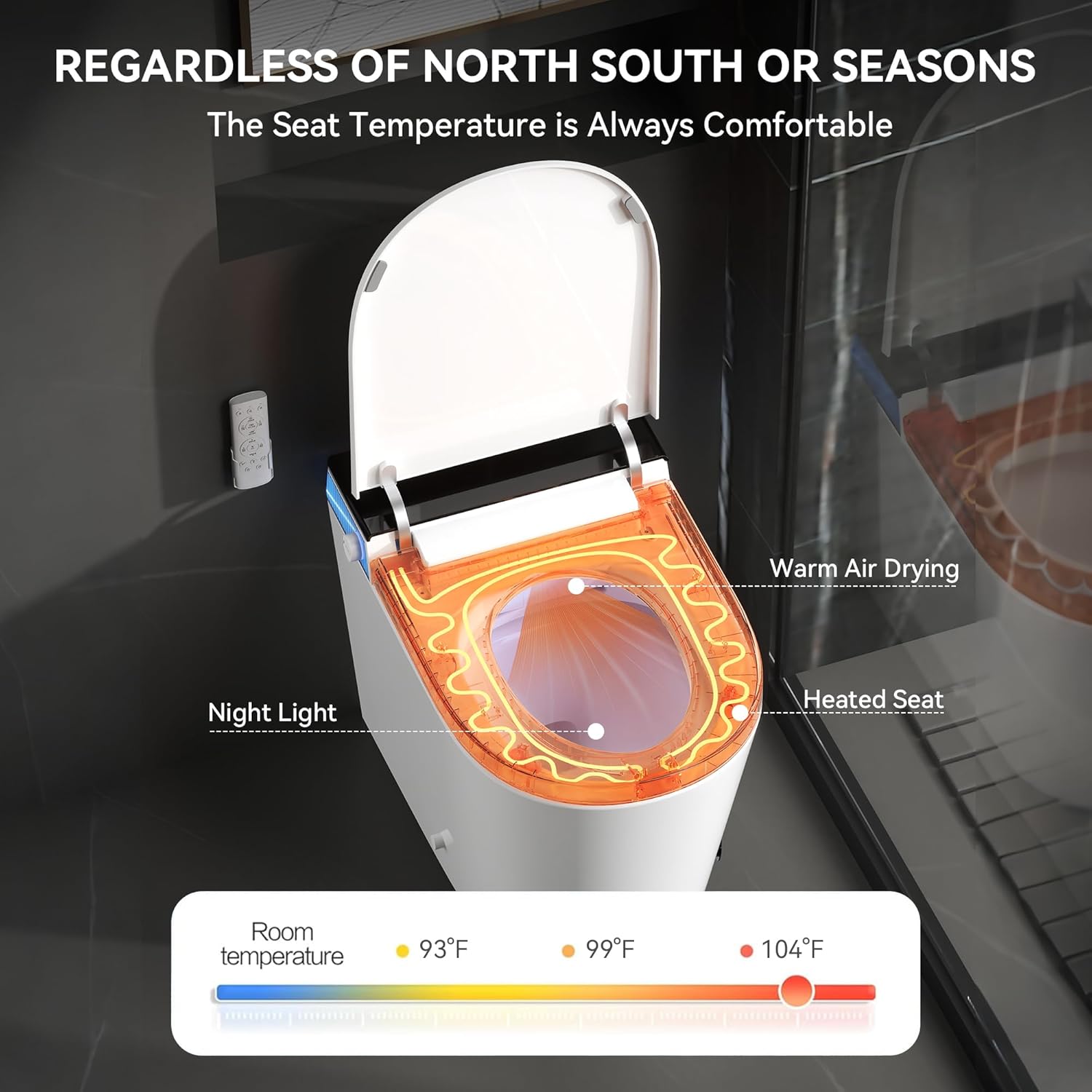
- Heated Seat: Adjustable temperature settings for comfort.
- Warm Air Dryer: Adjustable temperature for quick drying.
- Night Light: Blue soft night light provides guidance in the dark. Can be turned on/off via remote.
- LED Display: Shows current water and seat temperatures.
5.3 Automatic Features
- Automatic Lid Opening: The lid automatically opens when a user approaches the toilet. This feature can be disabled if not desired.
- Foot Sensor Flush: A sensor on the side of the toilet allows for hands-free flushing by placing your foot over it.
- Foam Pre-Rinse: Before use, a foam layer can be dispensed to wet the bowl walls, aiding in cleanliness.



6. Maintenance
Regular maintenance ensures the longevity and hygienic operation of your smart toilet.
- Nozzle Self-Cleaning: The bidet nozzle performs an automatic self-cleaning cycle before and after each use.
- Manual Nozzle Cleaning: The nozzle is detachable for manual cleaning with a brush, ensuring thorough hygiene.
- Foam Cleaner/Detergent: The removable panel at the back of the toilet houses a foam cleaner reservoir. You can refill it with effervescent tablets or a few drops of dish soap.
- Water Filter: The back panel also provides access to the water filter, which should be checked and replaced as per the maintenance schedule in the full manual.
7. Troubleshooting
If you encounter any issues, please refer to the following common troubleshooting tips:
- Remote Control Not Responding: If the remote control does not respond the first time you use it, you will need to code the remote control to the toilet. First, press the TESE button on the plug to turn off the power, then press the RESET button on the plug to turn on the power. Within 5 seconds after turning on the power, press the buttock cleaning button on the right side of the toilet. After hearing a (Di), immediately press any button on the remote control, and once again, you will hear a (Di), which means that the remote control has been paired successfully.
- Power Outage: The toilet maintains full function during power outages via a manual side knob and a backup battery for flushing.
- Water Connection Issues: Some users have reported needing specific fittings for their supply lines. Consult a plumber if standard connections do not fit.
8. Specifications
| Feature | Specification |
|---|---|
| Product Dimensions | 22.83"D x 15.16"W x 18.11"H |
| Material | Ceramic, Polypropylene |
| Installation Type | Floor Mounted |
| Item Weight | 92.6 pounds |
| Water Flush Rating | 1000g MAP rating, 1.28 GPF water-saving system |
| Night Light | Blue LED (inside and outside) |
| Power Outage Functionality | Manual side knob, backup battery for flushing |
9. Warranty and Support
For any questions, issues, or warranty claims, please contact customer service. Be sure to include your Order ID for faster service.
- Customer Service Email: customerservice@hkfoam.com
- Response Time: Within 24 hours