
1. Introduction and Product Overview
Thank you for choosing the OYLUS Mini Split Air Conditioner. This system is designed to provide efficient and comfortable heating and cooling for your space. Please read this manual thoroughly before installation and operation.
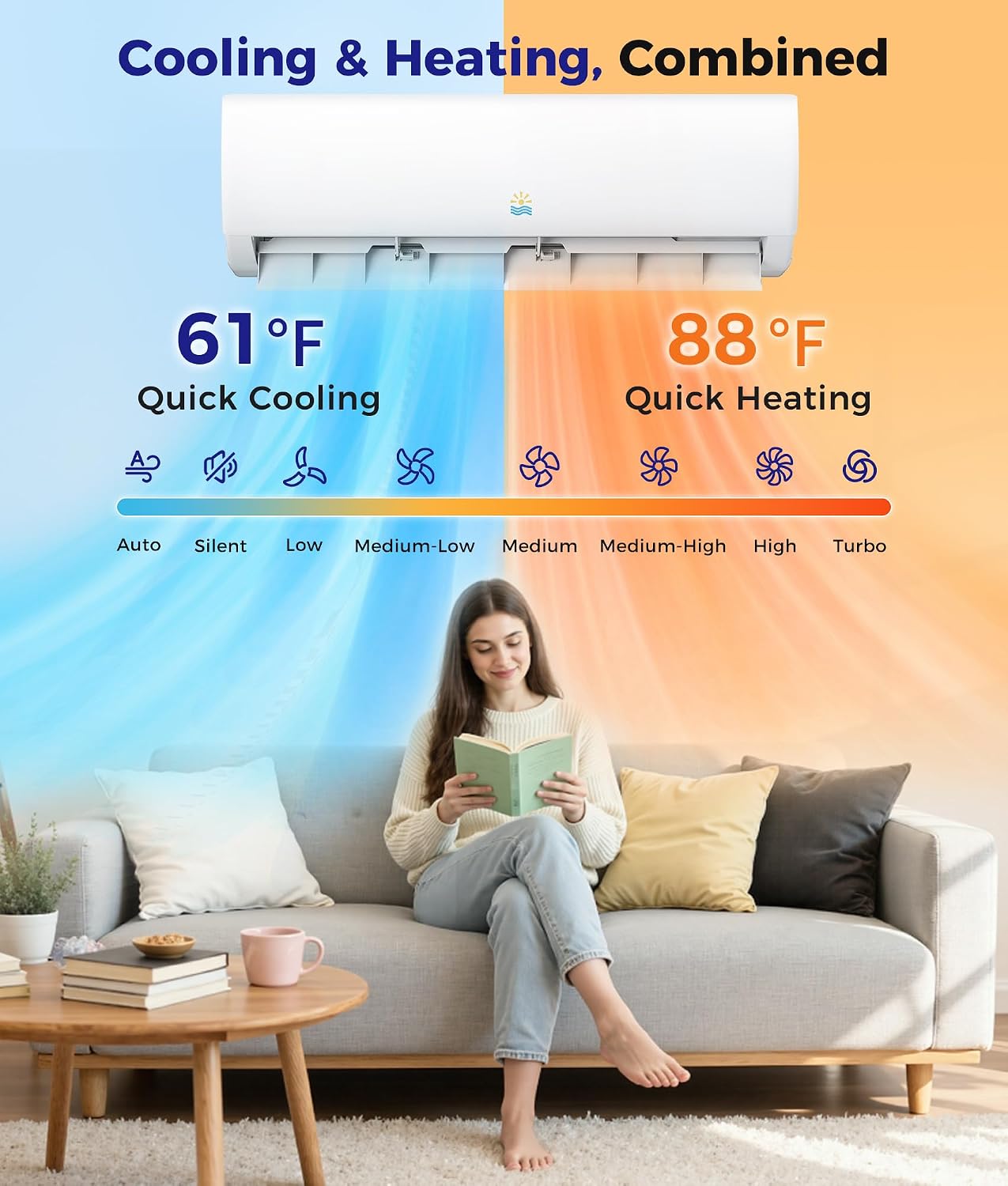
Figure 1: OYLUS Mini Split AC/Heating System providing both cooling and heating functions.
Key Features:
- Year-Round Performance: Operates efficiently from -4°F to 122°F, with reliable heating down to -13°F thanks to a crankcase heater and high-efficiency compressor.
- Wide-Coverage 4D Airflow: Features 4D auto-swing louvers (vertical and horizontal) and 8 adjustable fan speeds for even air circulation.
- High-temp Self-Cleaning: Indoor unit activates a 131°F (55°C) self-cleaning cycle for fresh air and easy maintenance.
- Smart Control System: Manage functions via remote or smartphone app (WiFi enabled), with iFeel mode, 24-hour timer, and safety lock.
- Energy-Efficient Inverter: Uses eco-friendly R454B refrigerant and inverter technology (AHRI-certified 21 SEER2) to reduce energy consumption.
- Ultra-Quiet Operation: Noise levels as low as 30dB in sleep mode, ensuring peaceful rest.
2. Setup and Installation
Proper installation is crucial for the optimal performance and longevity of your OYLUS Mini Split system. It is highly recommended that installation be performed by a qualified professional.

Figure 2: Contents of the OYLUS Mini Split AC/Heating System package, including all necessary components for installation.
Installation Overview:
- The system includes an installation kit.
- Ensure the indoor unit is mounted on a sturdy wall, allowing proper clearance from the ceiling and other obstructions.
- The outdoor unit should be placed in a suitable location, spaced away from walls and clear of plants or objects within 3 feet.
- All refrigerant pipes and electrical wiring must be connected securely and correctly according to local codes and the detailed instructions in the user manual.
Video 1: Detailed installation guide for a mini split AC system, demonstrating steps for both indoor and outdoor unit setup.
Video 2: Installation video for a mini split AC/Heating System, providing visual instructions for setup.

Figure 3: Professional installation is essential for proper function and safety of the unit.
3. Operating Instructions
Your OYLUS Mini Split system offers multiple modes and smart control options for personalized comfort.

Figure 4: Smart control options via remote and WiFi-enabled smartphone app.
Control Features:
- Remote Control: Use the included remote to adjust temperature, fan speed, mode, and other settings.
- WiFi Connectivity: Download the dedicated smartphone app to manage all functions remotely.
- iFeel Mode: Localized temperature sensing for precise comfort in your immediate vicinity.
- 24-Hour Timer: Program the unit to turn on or off at specific times.
- Sleep Mode: Reduces noise levels to 30dB for undisturbed rest.
- LED Display Off: Turn off the LED display for a darker room environment.

Figure 5: The unit operates at an ultra-quiet 30dB in sleep mode.
4. Maintenance
Regular maintenance ensures the efficiency and longevity of your OYLUS Mini Split system.

Figure 6: The unit features a 131°F self-cleaning function and easily removable, washable filters.
Maintenance Tips:
- Filter Cleaning: The air filter is easily removable and washable. Clean it regularly to maintain optimal airflow and air quality.
- Self-Cleaning Function: Utilize the 131°F (55°C) high-temperature self-cleaning cycle on the indoor unit to ensure fresh, well-conditioned airflow.
- Outdoor Unit: Keep the outdoor unit clear of debris, leaves, and other obstructions to ensure proper ventilation.
- Professional Check-ups: Schedule periodic professional maintenance to ensure all components are functioning correctly and to prevent potential issues.
5. Troubleshooting
If you encounter any issues with your OYLUS Mini Split system, refer to the following common troubleshooting points. For complex problems, contact customer support.

Figure 7: Fluorine Leak Protection system with smart sensors.
Common Issues & Solutions:
- Unit Not Turning On: Check power supply, circuit breaker, and ensure the remote control batteries are functional.
- Insufficient Cooling/Heating: Verify correct mode selection, temperature setting, and ensure air filters are clean. Check for any obstructions to airflow.
- Unusual Noises: Minor noises during operation are normal. If loud or unusual noises occur, contact customer support.
- Water Leakage: Ensure the drain pipe is not blocked or kinked. Check for proper installation angle.
- Fluorine Leak Protection: The system features smart sensors that will alert you to potential refrigerant issues. If an alert occurs, immediately contact a qualified technician.
6. Specifications
Detailed technical specifications for your OYLUS Mini Split Air Conditioner.
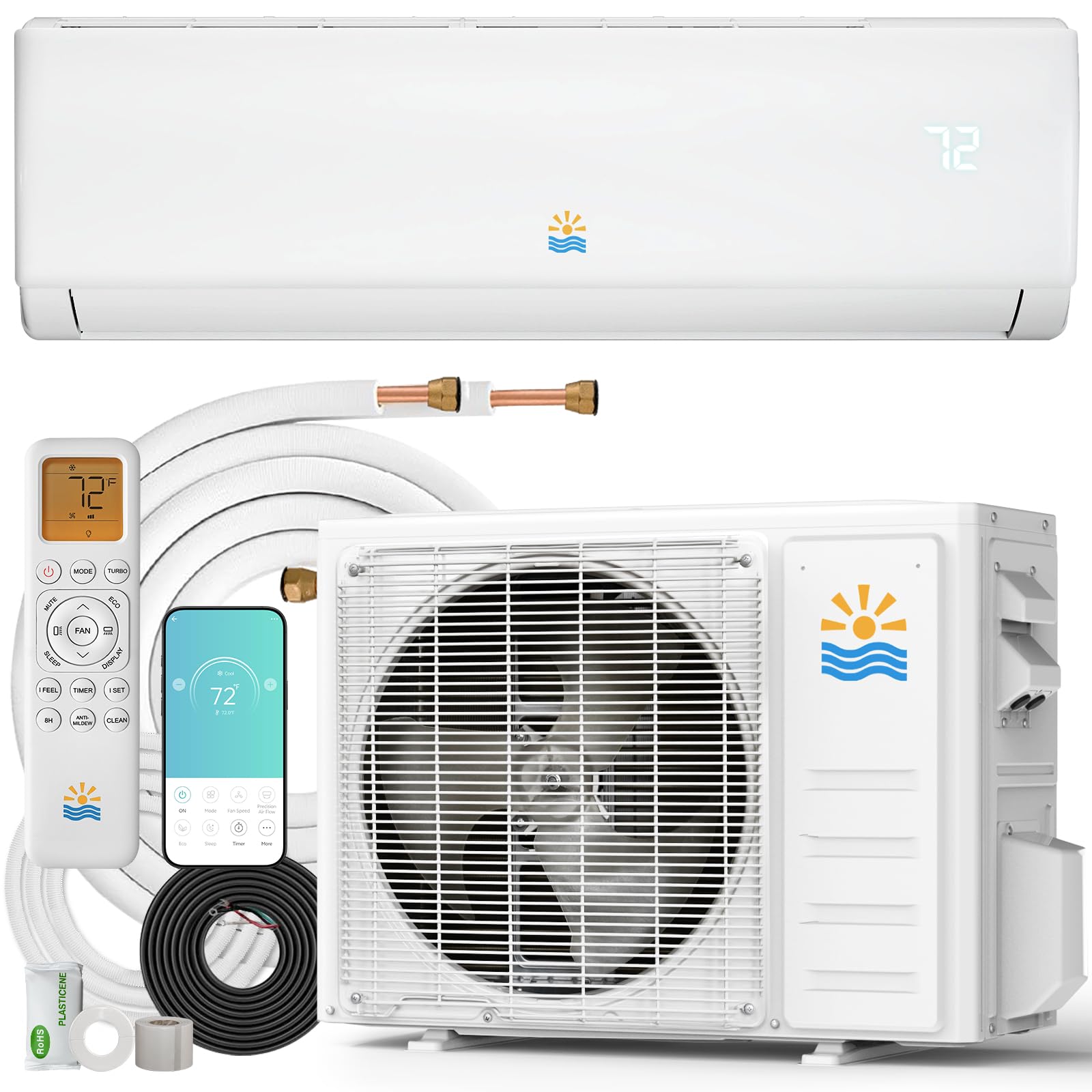
Figure 8: OYLUS Mini Split AC/Heating System with energy guide.
| Feature | Specification |
|---|---|
| Brand Name | OYLUS |
| Model Info | OAS-01_18K-230V_SEER20 |
| Item Weight | 26.3 pounds |
| Product Dimensions | 39.6 x 9.4 x 12.4 inches |
| Efficiency | High (21 SEER2) |
| Capacity | 18000 BTU (Cooling Power) / 4800 Cubic Feet |
| Noise Level | 30 Decibels |
| Installation Type | Split System |
| Special Features | 4 Way Swing, Auto Clean, Fast Cooling, Heating & Cooling Function, Silent Mode, WiFi Enabled |
| Color | White |
| Voltage | 230 Volts |
| Wattage | 1700 watts |
| Refrigerant | R454B |
| Floor Area Coverage | 1250 Square Feet |
7. Warranty and Support
OYLUS is committed to providing high-quality products and excellent customer service.

Figure 9: OYLUS customer support and protection details.
Support Information:
- 360° Quality Protection: Your product is covered by comprehensive quality protection.
- Hassle-Free After-Sales Support: Dedicated support is available for any post-purchase inquiries or issues.
- 24/7 Rapid Response System: Contact our support team anytime for quick assistance.
- Included Components: The product comes with an Installation Kit and a User Manual.
For further assistance, please refer to the contact information provided in your included User Manual or visit the official OYLUS website.