
Introduction
This manual provides detailed instructions for the MUSETEX Y6 ATX Mid Tower PC Case. It covers installation, operation, and maintenance to ensure optimal performance and longevity of your computer system. The MUSETEX Y6 features 7 pre-installed Infinity Mirror PWM ARGB Fans, a 270° full view tempered glass design, and a convenient Type-C port on the front I/O panel.
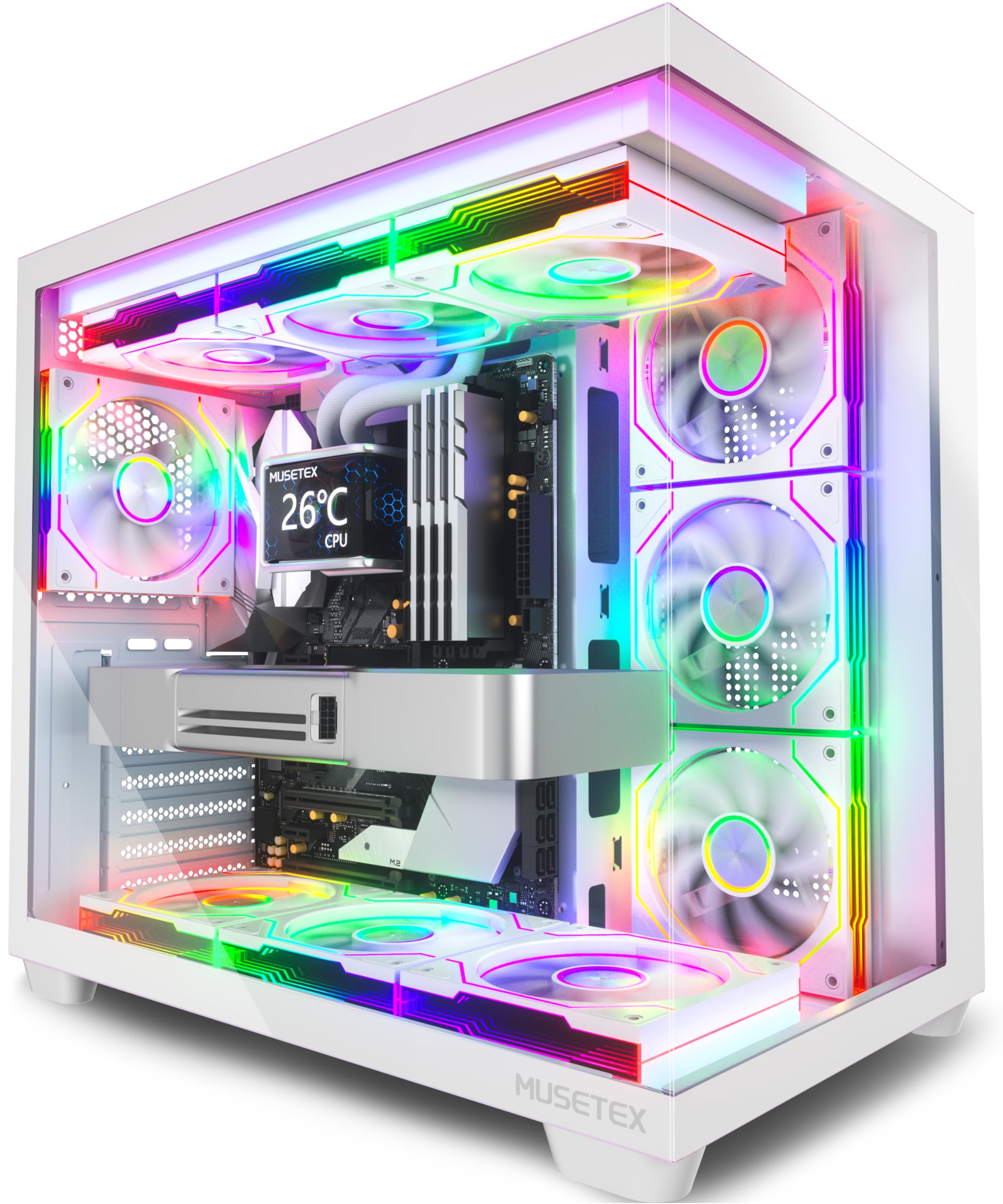
Image: The MUSETEX Y6 ATX Mid Tower PC Case, showcasing its design and pre-installed fans.
Setup and Installation
Unpacking
Carefully remove the PC case from its packaging. Inspect the case for any signs of damage that may have occurred during transit. Retain all packaging materials for future transport or warranty claims.
Component Compatibility
The MUSETEX Y6 PC Case is designed to accommodate a wide range of components:
- Motherboard Compatibility: ATX, Micro-ATX, Mini-ITX
- GPU Length: Up to 410mm (16.14 inches)
- CPU Cooler Height: Up to 160mm (6.3 inches)
- PSU Length: Up to 230mm (9.05 inches)
- Liquid Cooling (Radiator): Top mounting up to 360mm

Image: Diagram illustrating the maximum dimensions for CPU coolers, GPUs, and PSUs within the Y6 case, along with supported motherboard sizes.
Motherboard Installation
Install your ATX, Micro-ATX, or Mini-ITX motherboard into the case. Ensure all standoffs are correctly aligned with the motherboard's mounting holes before securing it with screws.
Fan and Cooling System Installation
The Y6 case comes with 7 pre-installed 120mm Infinity Mirror ARGB Fans. These fans are designed for optimal airflow and aesthetic appeal.
Important ARGB Fan Connection Reminder: To ensure stable and vibrant lighting effects for the ARGB fans, we recommend using a motherboard equipped with two or more 5V ARGB (3-pin) interfaces. If the motherboard has insufficient ARGB interfaces, connecting multiple fans to a single port may cause abnormal lighting effects. Users with adequate interfaces need not worry about this issue.

Image: Visual reminder for connecting ARGB fans to motherboard 5V ARGB (3-pin) interfaces, indicating the need for multiple ports for optimal lighting.
The case supports various additional cooling configurations:
- Top: 3 x 120mm fans or 2 x 140mm fans / 360mm, 280mm, 240mm radiator
- Side: 3 x 120mm fans / 240mm radiator
- Bottom: 3 x 120mm fans / 360mm, 240mm radiator
- Rear: 1 x 120mm fan

Image: Diagram showing various fan and radiator mounting locations within the MUSETEX Y6 PC Case.
Storage Drive Installation
The case provides dedicated bays for storage devices:
- 1 x 3.5" HDD
- 2 x 2.5" SSDs
Utilize the tool-free drive bays for easy and secure installation of your storage drives.

Image: Illustration demonstrating the installation process for 3.5-inch HDDs and 2.5-inch SSDs in the case's drive bays.
Cable Management
The MUSETEX Y6 is designed with a PSU shroud and strategically placed routing holes to facilitate clean and efficient cable management. This helps maintain optimal airflow and a tidy interior appearance.
Operation
Front I/O Ports
The front panel provides convenient access to various ports and controls:
- 1 x Type-C Port
- 1 x USB 3.0 Port
- 1 x USB 2.0 Port
- Microphone & Audio Jacks
- Power Button
- Restart Button

Image: Close-up view of the front I/O panel, detailing the Type-C, USB 3.0, USB 2.0, audio jacks, and power/reset buttons.
ARGB Lighting Control
The pre-installed Infinity Mirror ARGB fans offer customizable lighting effects. These can be controlled via compatible motherboard software such as ASUS Aura Sync, MSI Mystic Light Sync, Gigabyte RGB Fusion, or ASRock Polychrome Sync, allowing you to personalize the aesthetic of your build.

Image: Representation of ARGB lighting customization through motherboard software interfaces.
Maintenance
Cleaning Dust Filters
The MUSETEX Y6 PC Case is equipped with magnetic dust filters on the top and bottom panels. Regularly clean these filters to prevent dust buildup, which can impede airflow and affect cooling performance. To clean, simply remove the magnetic filters, gently brush off accumulated dust, and reattach them.

Image: Illustration showing the removable magnetic dust filters on the top and bottom of the PC case.
General Cleaning
Use a soft, dry, and lint-free cloth to clean the exterior surfaces of the case, including the tempered glass panels. Avoid using abrasive cleaners or solvents, as these can damage the finish or glass.
Troubleshooting
Abnormal ARGB Lighting
If you experience unstable or abnormal ARGB lighting effects, verify that your motherboard has sufficient 5V ARGB (3-pin) interfaces. Connecting too many fans to a single port can exceed its power capacity and cause issues. Consult your motherboard manual for specific ARGB header capacity and connection guidelines.
Cooling Performance Issues
If your system experiences higher than expected temperatures, ensure all fans are properly connected and spinning. Check the magnetic dust filters for any blockages and clean them if necessary. Verify that the fan orientation is correct for optimal intake and exhaust airflow.
General Issues
For any other issues not covered in this section, please refer to the "Warranty and Support" section for information on how to contact customer service.
Specifications
| Feature | Specification |
|---|---|
| Brand | MUSETEX |
| Model Name | Y6 |
| Case Type | Mid Tower |
| Motherboard Compatibility | ATX, Micro-ATX, Mini-ITX |
| Material | Metal, Plastic, Tempered Glass |
| Item Weight | 14.64 Pounds |
| Item Dimensions (D x W x H) | 16.73"D x 10.83"W x 15.67"H |
| CPU Cooler Max-height | 160 mm (6.3") |
| GPU Max-length | 410 mm (16.14") |
| PSU Max-length | 230 mm (9.05") |
| Total USB 3.0 Ports | 1 |
| Other Special Features | Built-In Fan, Dust Filter, RGB Lighting, Type C |
Warranty and Support
Warranty: The MUSETEX Y6 PC Case is covered by a 10-Year Warranty, ensuring long-term reliability and peace of mind.
Customer Support: If you encounter any problems or have questions regarding your MUSETEX Y6 PC Case, please feel free to contact MUSETEX customer support. You can typically find contact information by navigating to the "Sold-by-MUSETEX" section on the product's purchase page. Our team is dedicated to providing prompt and helpful assistance.


