
1. Introduction
This manual provides detailed instructions for the assembly, operation, and maintenance of your Sweetcrispy Home Office Managerial Executive Chair. Designed for comfort and support, this chair features an ergonomic mesh back, adjustable headrest, and flip-up armrests, making it suitable for various office and home environments. Please read this manual thoroughly before assembly and use to ensure proper function and longevity of your chair.
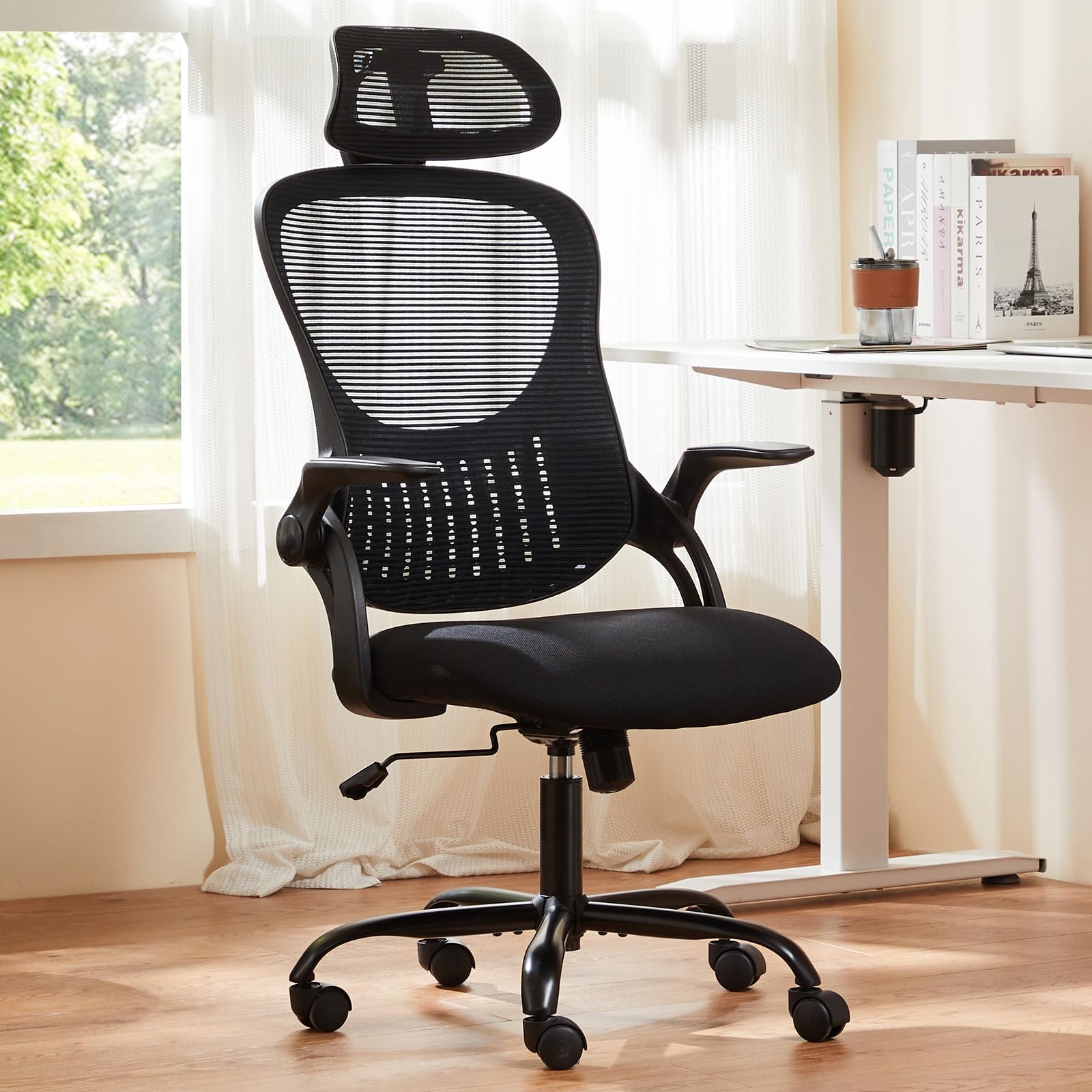
Front view of the Sweetcrispy Home Office Managerial Executive Chair.
2. Package Contents
Before beginning assembly, verify that all components listed below are present and undamaged. If any parts are missing or damaged, please contact customer support.
- 1 x Backrest (A)
- 1 x Seat (B)
- 1 x Left Armrest (C-L)
- 1 x Right Armrest (C-R)
- 1 x Mechanism (D)
- 1 x Gas Lift (E)
- 1 x Base (F)
- 5 x Legs (G)
- 5 x Casters (H)
- 1 x Headrest (I)
- 1 x Cap (J)
- 4 x M6x20mm Bolts (K)
- 6 x M6x35mm Bolts (L)
- 10 x M6x10mm Bolts (M)
- 6 x M6x20mm Bolts (N)
- 1 x Wrench (O)

All parts included in the package for assembly.
3. Assembly Instructions
Follow these steps carefully to assemble your chair. An assembly tool (Wrench O) is included.
- Attach Legs to Base: Turn the Base (F) upside down. Insert the 5 Legs (G) into the Base one by one. Use the Wrench (O) to secure both with Bolts (L)*5.
- Press Casters: Press the 5 Casters (H) into the holes at the end of the Legs (G).
- Insert Gas Lift: Insert the Gas Lift (E) into the Base (F).
- Install Armrests to Backrest: Using Wrench (O), install Armrests (C)x1Lx1R to both sides of the Backrest (A) with Bolts (M)*4. NOTE: Bolts (N) are only tightened 50%. Armrests (C)x1Lx1R are marked with "L" (Left) and "R" (Right) to show which side they should be installed.
- Install Armrests/Backrest to Seat: Turn the Seat (B) upside down. Using Wrench (O), install Armrests (C)x1Lx1R to the Seat with Bolts (L)*6.
- Attach Mechanism to Seat: Using Wrench (O), attach Mechanism (D) to the Seat (B) with Bolts (K)*4.
- Tighten All Bolts: 100% tighten the previously installed Bolts (N)*4 on the Armrests (C)x1Lx1R. Align the hole on Mechanism (D) with Gas Lift (E), and press the Chair down until it is fully secured.
- Fix the Headrest: Fix the headrest (I) into the backrest frame (A) by tightening the Bolts (N)*2 100%. Click the Cap (J).

Secure the five legs to the chair base using the provided bolts and wrench.

Firmly press each caster into the designated holes on the legs.

Place the gas lift securely into the center opening of the chair base.

Attach the armrests to the backrest, ensuring correct left/right orientation and partial tightening of bolts.

Connect the armrests and backrest assembly to the underside of the seat.

Secure the chair mechanism to the bottom of the seat.

Ensure all bolts are fully tightened and the chair is securely seated on the gas lift.

Attach the headrest to the top of the backrest and cover the bolts with the provided caps.

Watch this video for a visual guide on assembling your Sweetcrispy Home Office Managerial Executive Chair.
4. Operating Instructions
Your Sweetcrispy chair is designed with multiple adjustable features to enhance your comfort and support.
4.1. Seat Height Adjustment
The seat height is adjustable from 18.5 inches to 22.2 inches. Use the pneumatic lever located under the seat to raise or lower the chair to your desired sitting position. To raise, lift the lever while standing. To lower, lift the lever while seated.
4.2. Rocking/Tilt Function
Engage the rocking mode for relaxation with a tilt angle ranging from 107° to 144°. This allows you to recline comfortably after long hours of work. The tension of the rocking mechanism can also be adjusted.

Illustrates the adjustable rocking range of the chair for work and relaxation.
4.3. Adjustable Headrest
The flexible headrest can be adjusted in both height (up to 3.5 inches) and angle (90°-137°) to provide optimal head and neck support, relieving discomfort and soreness.

Demonstrates the height and angle adjustments available for the headrest.
4.4. Flip-up Armrests
The armrests can be easily flipped up to save space when not in use, allowing the chair to be pushed further under a desk. This feature improves space utilization and versatility.

The armrests can be flipped up to save space, making the chair more versatile.

This video demonstrates the flip-up armrests and other features of the Sweetcrispy Office Computer Desk Chair.
5. Maintenance
Proper maintenance ensures the longevity and performance of your chair.
- Cleaning: For general cleaning, use a dry cloth to remove dust. Avoid using wet or damp cloths to prevent damage to the chair's materials.
- Tightening Bolts: Periodically check and re-tighten all assembly bolts to ensure the chair remains stable and secure.
- Weight Capacity: Do not exceed the maximum weight recommendation of 250 pounds.
6. Specifications
| Feature | Detail |
|---|---|
| Brand | Sweetcrispy |
| Model Name | Sweetcrispy Home Office Managerial Executive Chair |
| Item Model Number | 191BBK |
| Color | Black |
| Product Dimensions | 20.08"D x 20"W x 53"H |
| Material | Mesh, Metal, Sponge |
| Back Style | Mesh Back |
| Special Features | Adjustable Headrest, Adjustable Height, Flip-up Arm Rest, Ergonomic |
| Maximum Weight Recommendation | 250 Pounds |
| Seat Height Adjustment | 18.5" to 22.2" |
| Rocking/Tilt Angle | 107° to 144° |
| Headrest Angle Adjustment | 90° to 137° |
| Furniture Base Movement | Swivel, Wheels |

Detailed dimensions of the Sweetcrispy Home Office Managerial Executive Chair.
7. Troubleshooting
If you encounter any issues with your chair, please refer to the following common solutions:
- Chair feels wobbly: Ensure all bolts are securely tightened. Re-tighten any loose connections.
- Height adjustment not working: Check if the gas lift lever is fully engaged. Ensure the gas lift is correctly inserted into the base and mechanism.
- Casters not rolling smoothly: Check for any debris (hair, dust) caught in the casters and clean them.
- Chair squeaks: Apply a small amount of lubricant to moving parts or connections if persistent squeaking occurs after tightening.
For further assistance, please contact Sweetcrispy customer support.
8. Warranty and Support
For information regarding warranty coverage, product support, or to purchase replacement parts, please refer to the contact information provided with your purchase or visit the official Sweetcrispy website. Keep your purchase receipt for warranty claims.