
1. Introduction
The Huepar TLM60 is a versatile 4-in-1 measuring tool designed for precision and efficiency in various applications, from home improvement to professional construction. It integrates a digital tape measure, a laser distance meter, and a green cross-line laser into a single compact device. This manual provides detailed instructions for safe and effective operation, maintenance, and troubleshooting.

Image 1: The Huepar TLM60 4-in-1 Laser Digital Tape Measure, showcasing its multiple functionalities including long-distance laser measurement, cross-line laser level, and standard/digital tape measure.
2. Safety Instructions
Please read and understand all safety instructions before using the device. Failure to follow these instructions may result in laser radiation exposure, electric shock, fire, and/or serious injury.
- Laser Radiation: This product is a Class 2 laser product. Do not stare directly into the laser beam. Avoid direct eye exposure.
- Children: Keep the device out of reach of children.
- Environment: Do not operate the device in explosive atmospheres, such as in the presence of flammable liquids, gases, or dust.
- Maintenance: Do not attempt to modify or disassemble the device. Repairs should only be performed by authorized service personnel.
- Battery: Use only the specified charging cable. Do not expose the battery to high temperatures or fire.
3. Setup
3.1. Unpacking and Initial Charge
Carefully remove the Huepar TLM60 from its packaging. The package includes: 1x 4-in-1 Laser Tool, 1x Type C charging cable, 1x carry bag.
Before first use, fully charge the device using the provided Type C charging cable. The charging port is located on the side of the device.

Image 2: The Huepar TLM60 features a convenient USB-C charging port, ensuring easy and universal charging. The device is powered by a built-in 3.7V 600mAh rechargeable lithium battery.
3.2. Powering On/Off
- To power on: Press and hold the Power/Clear button.
- To power off: Press and hold the Power/Clear button. The device also features an auto shut-off function after 120 seconds of inactivity to conserve battery.
4. Operating Instructions
4.1. Understanding the Display
The dual backlit LCD screens provide clear readings in various lighting conditions. You can switch between black and white display modes for better visibility.

Image 3: The dual-screen HD digital display of the Huepar TLM60 provides clear, instant readings. It supports switching between black and white display modes for optimal visibility in any lighting condition.
4.2. Selecting Measurement Units and Reference Points
- Units: Press the Units button to cycle through the 6 available measurement units: feet (ft), feet+inches (ft+in), inches (in), meters (m), centimeters (cm), and millimeters (mm).
- Reference Point: The device supports 3 reference points: front, rear, and screw hole. The current reference point is indicated on the display.
4.3. Digital Tape Measure Operation
The 10ft/3m self-locking tape automatically holds its position when extended, ensuring stable and precise one-handed measurements. To retract, press the retraction button.

Image 4: The digital tape measure features an auto-locking mechanism for easy one-hand use, dual inch and metric scales, and a strong magnetic hook for versatile measurements.
4.4. Laser Distance Measurement
The laser distance meter measures up to 200ft/60m with an accuracy of ±1/16 inch. It offers 9 measurement modes:
- Single Distance Measurement: Point the laser and press the MEAS button.
- Continuous Measurement: Hold the MEAS button to continuously update the distance as you move the device.
- Area Measurement: Take two distance measurements (length and width) to calculate the area.
- Volume Measurement: Take three distance measurements (length, width, and height) to calculate the volume.
- Pythagorean Mode: Use for indirect height measurements (Pythagorean 1, 2, 3, 4).
- Wall Area Measurement: For calculating the total area of multiple walls.

Image 5: The Huepar TLM60 offers 9 laser measurement modes, including distance, area, volume, and various Pythagorean calculations for comprehensive project needs.
4.5. Green Cross-Line Laser Operation
The 33ft/10m green cross-line laser provides highly visible lines for precise alignment tasks, such as hanging pictures or installing shelves. The leveling precision is ±1/9 inch.

Image 6: The green cross-line laser projects highly visible lines, ideal for seamless alignment in various home and professional DIY tasks.
4.6. Data Storage and Recall
The device can save up to 100 measurements for instant recall, eliminating the need for manual note-taking.
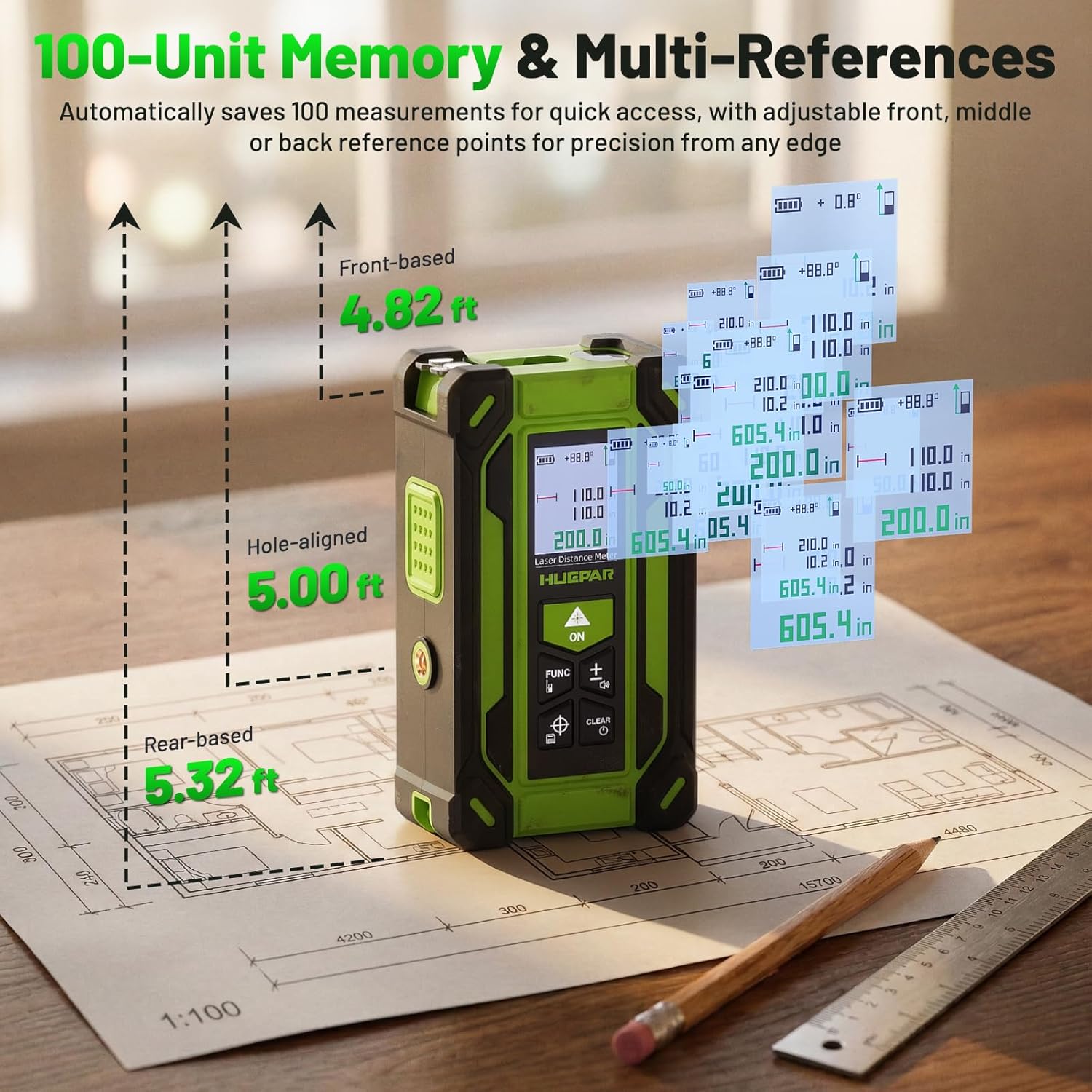
Image 7: The Huepar TLM60 features a 100-unit auto-save memory for quick access to previous measurements, along with adjustable reference points for precision.
4.7. Official Product Videos
Video 1: This video demonstrates the various functions of the Huepar 3-in-1 laser measure and leveling tool, including distance measurement, cross-line laser, and tape measure. It highlights the ease of switching between modes and the accuracy of measurements.
Video 2: This detailed instruction video provides a comprehensive guide on how to use the Huepar 3-in-1 level tool, covering its features and operational steps for various leveling and measurement tasks.
5. Maintenance
- Cleaning: Clean the device with a soft, damp cloth. Do not use abrasive cleaners or solvents.
- Storage: Store the device in its carry bag in a cool, dry place when not in use. Avoid extreme temperatures.
- Battery Care: Recharge the battery regularly, even if the device is not in frequent use, to maintain battery health.
6. Troubleshooting
| Problem | Possible Cause | Solution |
|---|---|---|
| Device does not power on | Low battery or device malfunction | Charge the battery fully. If problem persists, contact support. |
| Inaccurate laser measurement | Unstable surface, obstruction, or incorrect reference point. | Ensure stable placement. Clear obstructions. Verify reference point setting. |
| Laser beam not visible | Bright ambient light or laser mode not activated. | Use in lower light conditions. Ensure laser mode is active. |
| Tape measure retraction issue | Mechanism obstruction or damage. | Check for debris. Do not force retraction. Contact support if damaged. |
7. Specifications
| Feature | Detail |
|---|---|
| Model | TLM60 |
| Laser Distance Measurement Range | 200ft / 60m |
| Laser Distance Measurement Accuracy | ±1/16 inch |
| Tape Measure Length | 10ft / 3m |
| Tape Measure Accuracy | ±1/16 inch |
| Cross-Line Laser Range | 33ft / 10m |
| Cross-Line Laser Leveling Precision | ±1/9 inch |
| Angle Accuracy | ±1° |
| Measurement Modes | 9 (Distance, Area, Volume, Pythagorean, Wall Area, Continuous) |
| Measurement Units | ft, ft+in, in, m, cm, mm |
| Memory Storage | 100 measurements |
| Battery | 3.7V 600mAh Rechargeable Lithium |
| Battery Life | >5,000 measurements / 2 hours continuous cross-line laser |
| Charging Port | USB Type-C |
| Weight | 200 Grams |
8. Warranty and Support
The Huepar TLM60 comes with a 5-year warranty, covering free repair or replacement for quality issues. Additionally, lifetime technical support is provided. For assistance, contact our 24/7 support team, who aim to respond within 24 hours and provide solutions within 48 hours. Global service centers are available for hassle-free assistance.
For warranty claims or technical support, please visit the Huepar Store or refer to the contact information provided in your product packaging.


