
1. Introduction
This manual provides essential instructions for the installation, operation, and maintenance of your LINGYUE T059025SH Cooling Fan. Designed for efficient airflow and heat dissipation, this fan is a reliable component for various electronic systems, particularly as a replacement for the B9512SH model. Please read this manual thoroughly before use to ensure proper function and longevity of the product.
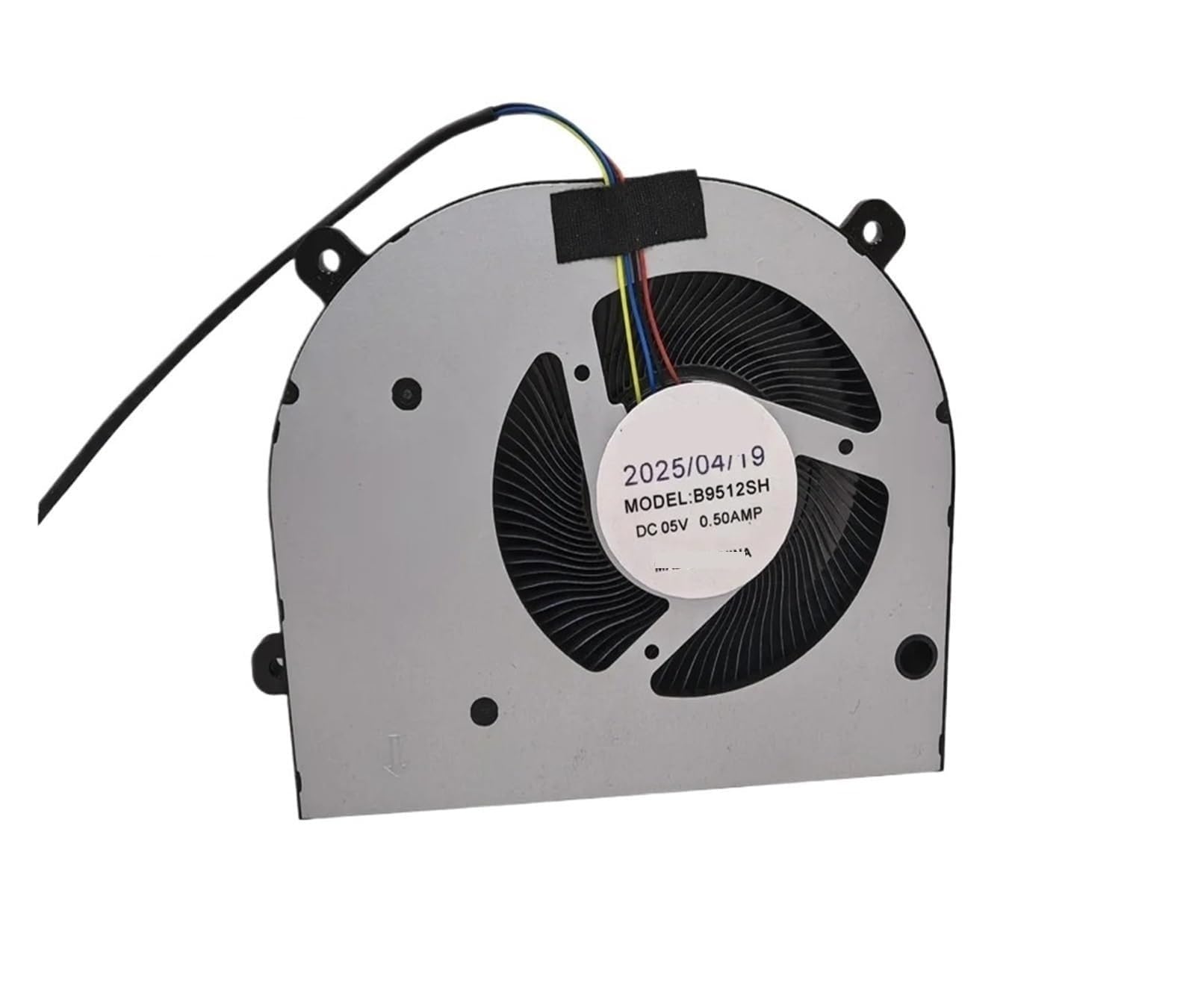
Figure 1: LINGYUE T059025SH Cooling Fan. This image shows the fan's overall design, including its frame and blades, with the four-wire connector visible.
2. Setup and Installation
Follow these steps to properly install your T059025SH cooling fan:
- Safety First: Before beginning installation, ensure that the power to the device where the fan will be installed is completely disconnected.
- Identify Mounting Location: Locate the designated area for the cooling fan within your system. Ensure it aligns with the fan's dimensions.
- Secure the Fan: Mount the fan securely using appropriate screws or clips (not included) to prevent vibration and ensure stable operation.
- Connect Power: The T059025SH fan features a four-wire connector. Carefully align and plug this connector into the corresponding port on your system's motherboard or power supply. This fan operates on 5V DC and draws 0.50A. Ensure your system provides compatible power.
- Verify Connection: Double-check all connections to ensure they are firm and correctly seated.
Note: Incorrect installation or power connection can damage the fan or your system. If you are unsure, consult a qualified technician.
3. Operating Instructions
Once installed, the LINGYUE T059025SH Cooling Fan operates automatically with your system. Its primary function is to provide consistent airflow to dissipate heat generated by internal components, thereby maintaining optimal operating temperatures and preventing overheating.
- Automatic Operation: The fan will typically start and adjust its speed based on the thermal demands of your system, as controlled by the connected device.
- Quiet Performance: This model is designed for quiet operation, making it suitable for environments where noise reduction is important, such as home or office setups.
- Compatibility: While primarily a replacement for B9512SH, it is compatible with various devices requiring a 5V DC, 0.50A cooling solution, including certain amplifier systems.
4. Maintenance
Regular maintenance ensures the efficient and prolonged operation of your cooling fan.
- Dust Removal: Over time, dust can accumulate on the fan blades and housing, reducing airflow and efficiency. Periodically (e.g., every 3-6 months), disconnect power to your system and gently clean the fan blades and surrounding areas using compressed air or a soft brush.
- Inspection: While cleaning, inspect the fan for any signs of damage, such as cracked blades or loose wiring. Address any issues promptly.
- Avoid Lubrication: This fan is designed for maintenance-free operation regarding lubrication. Do not attempt to lubricate the fan bearings, as this can attract dust and cause damage.
5. Troubleshooting
If you encounter issues with your cooling fan, refer to the following common problems and solutions:
| Problem | Possible Cause | Solution |
|---|---|---|
| Fan not spinning |
|
|
| Unusual noise or vibration |
|
|
| Insufficient cooling |
|
|
6. Specifications
Key technical specifications for the LINGYUE T059025SH Cooling Fan:
| Feature | Detail |
|---|---|
| Brand | LINGYUE |
| Model Number | T059025SH (B9512SH compatible) |
| Voltage | DC 5V |
| Current | 0.50A |
| Connector Type | Four-Wire |
| Cooling Method | Air |
| Compatible Devices | Amplifier (and other systems requiring similar cooling) |
| Noise Level | 1 dB (typical, may vary with operating conditions) |
| Manufacturer | LINGYUE |
7. Warranty and Support
For specific warranty information, please refer to the documentation provided at the time of purchase or contact your retailer. LINGYUE is committed to providing reliable products. If you experience any issues not covered in the troubleshooting section, please contact LINGYUE customer support through their official website or your point of purchase for assistance.
Please retain your proof of purchase for warranty claims.