
Introduction
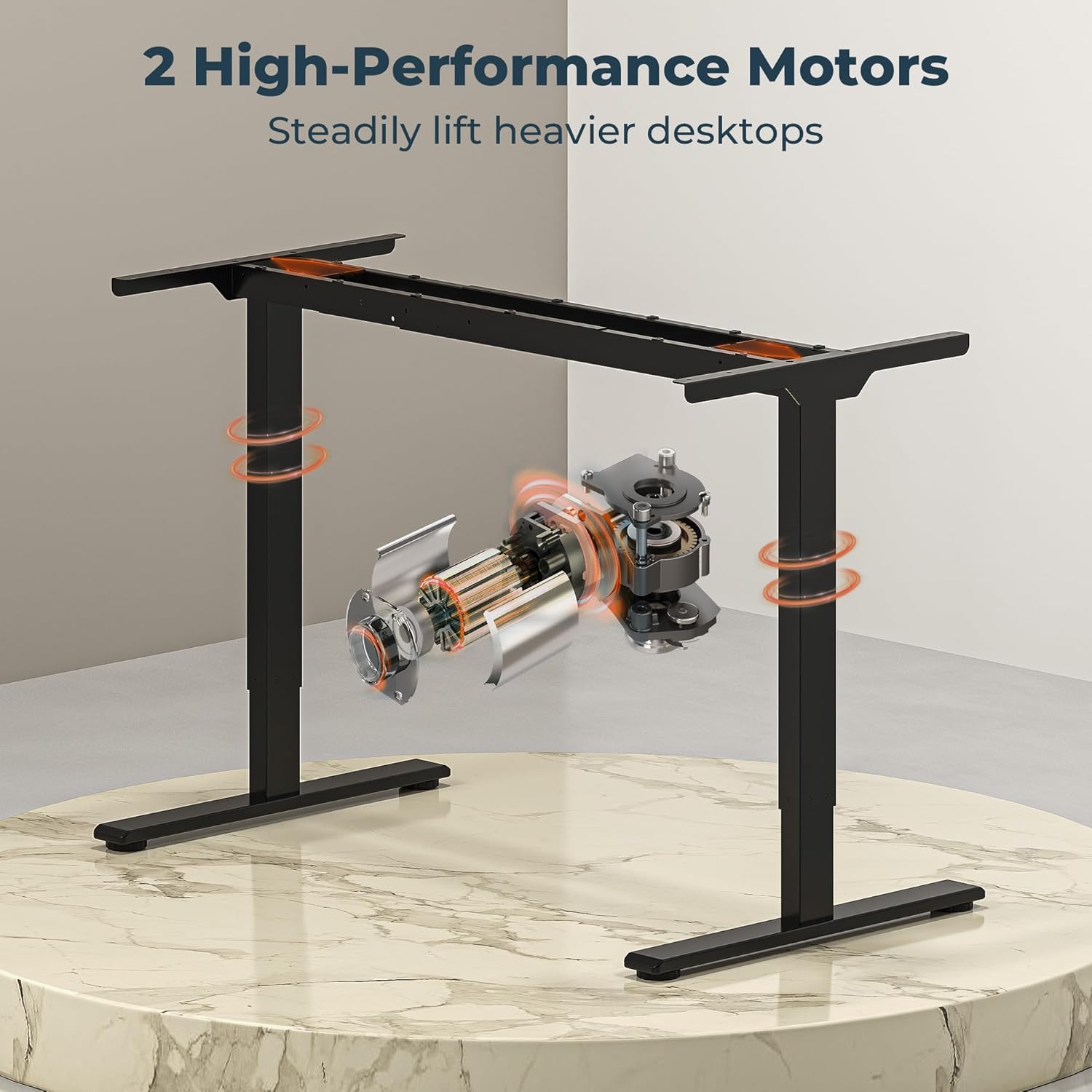
Thank you for choosing the FitStand Dual Motor Standing Desk. This electric sit-stand desk is designed to provide a versatile workspace, allowing seamless transitions between sitting and standing positions. Equipped with a powerful dual-motor lifting system, it offers quiet and stable height adjustment, promoting a healthier and more productive work environment.
This manual provides essential information for the safe assembly, operation, and maintenance of your new desk. Please read it thoroughly before beginning assembly and retain it for future reference.
Safety Information
Important: Assembly is required. Ensure all components are properly connected and the desk is stable before use. Do not use the desk until fully assembled. Keep children and pets away from the desk during operation to prevent injury. Do not overload the desk beyond its maximum weight capacity of 198 pounds.
Always ensure there are no obstructions in the desk's path when adjusting its height. Disconnect power before cleaning or performing any maintenance.
Package Contents
Your FitStand Dual Motor Standing Desk will be delivered in two separate packages, which may arrive at different times. Please verify all components are present before beginning assembly. All necessary assembly tools are included.
The package typically includes:
- Desktop (63" x 28" splice board)
- Desk Frame (legs, crossbar)
- Dual Motor Lifting System
- Digital Control Panel
- Power Adapter and Cables
- Hardware Kit (screws, bolts, washers)
- Assembly Tools (Allen wrenches, etc.)
- Instruction Manual
Assembly Instructions
Detailed, step-by-step assembly instructions are provided in the printed manual included with your desk. Please follow these instructions carefully to ensure proper and safe assembly. Assembly typically requires one person and takes approximately 15-20 minutes.
General Assembly Steps:
- Unpack all components and verify against the package contents list.
- Attach the lifting columns to the desktop.
- Install the crossbar and side brackets.
- Mount the digital control panel.
- Connect all motor and power cables.
- Ensure all screws are tightened securely.
- Place the desk in its desired location, ensuring it is level and stable.
Operating Instructions
Digital Control Panel
The desk is operated via a digital control panel located on the front edge of the desktop. This panel features an LED display, up/down buttons, and four memory preset buttons.

Height Adjustment
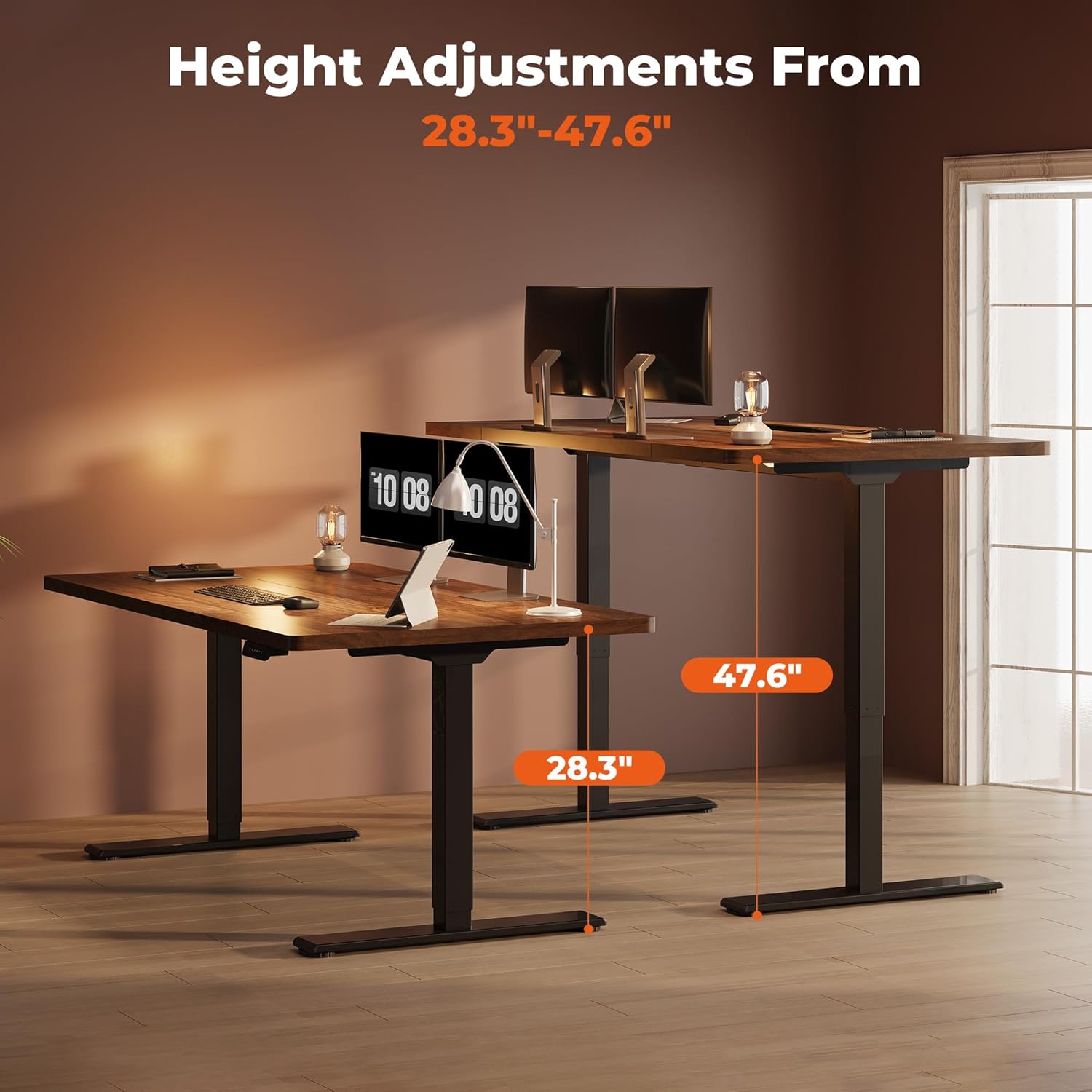
The desk's height can be adjusted from 28.3 inches (sitting height) to 47.6 inches (standing height).
- Press the Up arrow (^) button to raise the desk.
- Press the Down arrow (v) button to lower the desk.
- Release the button at your desired height.

Memory Presets
The control panel features four memory preset buttons (1, 2, 3, 4) to store and recall your preferred sitting and standing heights.
- Adjust the desk to your desired height using the up/down arrows.
- Press the "M" button (often indicated by 'i' or 'S' on some models, or a memory icon) followed by one of the number buttons (1, 2, 3, or 4). The LED display will show "S-" followed by the number, indicating the height is saved.
- To recall a saved height, simply press the corresponding number button (1, 2, 3, or 4). The desk will automatically move to the stored position.
Anti-Collision System
The desk is equipped with an anti-collision system. If the desk encounters an obstruction during height adjustment, it will automatically stop and reverse slightly to prevent damage or injury.
Maintenance
Regular maintenance ensures the longevity and optimal performance of your FitStand desk.
- Cleaning: Wipe the desktop and frame with a soft, damp cloth. Avoid abrasive cleaners or harsh chemicals that could damage the finish.
- Cable Management: Periodically check all cables for wear or damage. Ensure cables are neatly managed to prevent entanglement during height adjustments.
- Fasteners: Occasionally check and tighten any loose screws or bolts to maintain desk stability.
- Motor Care: The dual motors are designed for maintenance-free operation. Avoid obstructing the motor mechanisms.

Troubleshooting
| Problem | Possible Cause | Solution |
|---|---|---|
| Desk does not move or respond to controls. | Power cable disconnected, power outage, control panel malfunction. | Check power connections. Ensure the power outlet is functional. Unplug the desk for 10 seconds, then plug it back in to reset the system. |
| Desk moves unevenly or makes unusual noises. | Loose fasteners, uneven load, obstruction. | Check and tighten all assembly screws. Redistribute weight evenly on the desktop. Inspect for any obstructions in the lifting mechanism. |
| Desk only moves down, not up. | Motor calibration issue or sensor error. | Perform a system reset: Unplug the desk for 10 seconds, then plug it back in. If the issue persists, contact customer support. |
| Anti-collision system triggers frequently. | Obstruction in the path of movement. | Ensure there are no objects (e.g., chairs, cabinets, cables) in the desk's path during height adjustment. |
Specifications
| Feature | Detail |
|---|---|
| Brand | FitStand |
| Model | 6328 |
| Product Dimensions | 63"W x 28"D x 29"H (overall, static) |
| Adjustable Height Range | 28.3" to 47.6" |
| Desktop Material | Engineered Wood (FSC-Certified) |
| Frame Material | Metal |
| Color | Brown |
| Motor Type | Dual Motor |
| Noise Level | Less than 50 decibels |
| Weight Capacity | 198 Pounds |
| Special Features | 4 Memory Presets, Anti-Collision System, Corded Operation |
| Assembly Required | Yes |
| UPC | 840521527798 |

Warranty and Support
The FitStand Dual Motor Standing Desk comes with a Limited Lifetime Warranty. Please refer to the warranty card included in your package for specific terms and conditions.
For technical assistance, troubleshooting not covered in this manual, or warranty claims, please contact FitStand customer support. Contact information can typically be found on the FitStand website or on the packaging materials.