1. Introduction
Thank you for choosing the Garvee 3-Drawer File Cabinet and Printer Stand. This versatile furniture piece is designed to enhance your home or office organization, serving as a file cabinet, printer stand, and general storage solution. This manual provides essential information for safe assembly, operation, and maintenance of your new unit. Please read it thoroughly before beginning assembly and retain it for future reference.
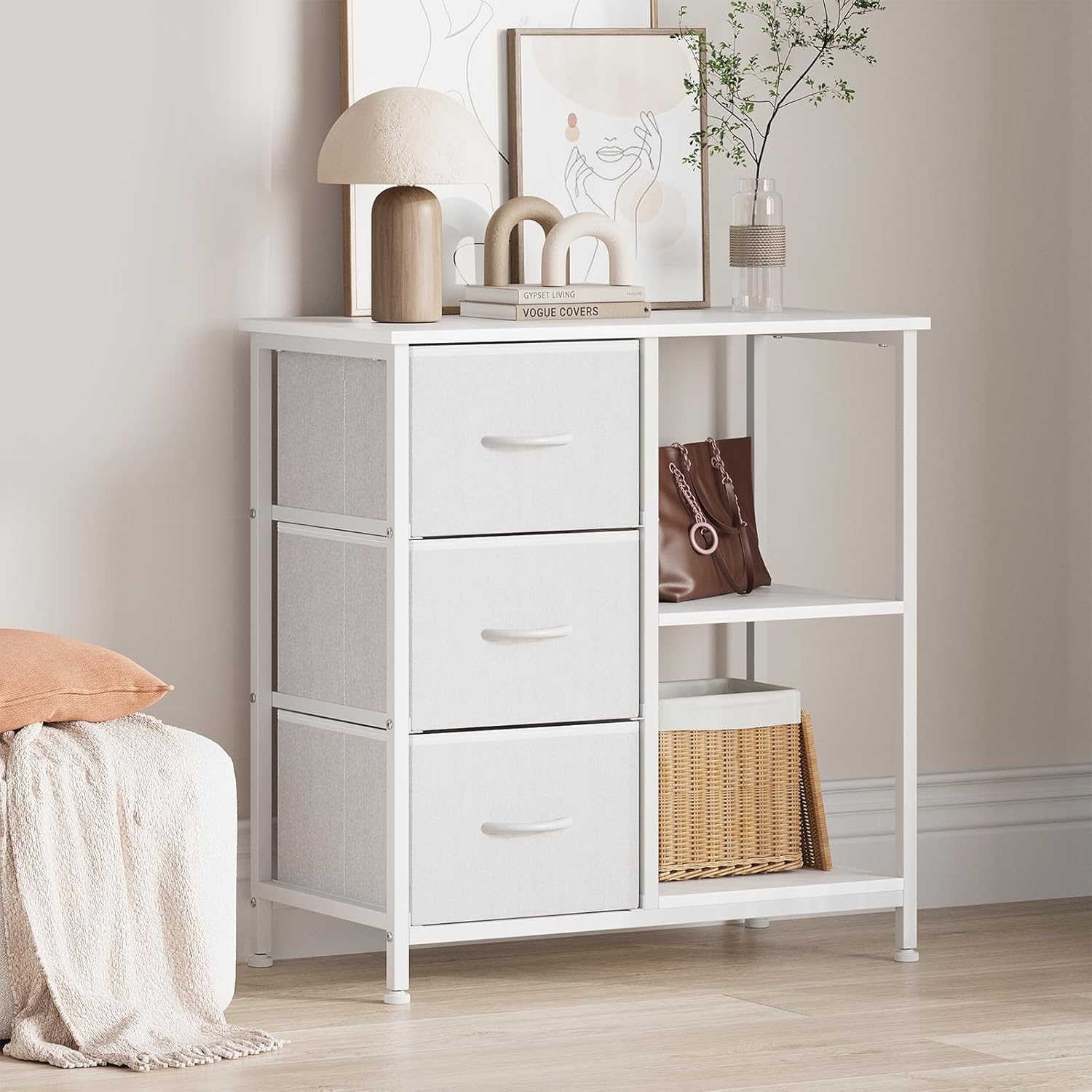
Image 1.1: The Garvee 3-Drawer File Cabinet and Printer Stand in White.
2. Safety Information
- Always assemble this unit with two adults for safety and ease of installation.
- Ensure all hardware is securely tightened before daily use to maintain stability and prevent accidents.
- Do not overload drawers or shelves. Refer to the Specifications section for weight limits.
- Place the unit on a flat, stable surface to prevent tipping.
- Keep small parts and packaging materials away from children during assembly.
3. Package Contents
Before assembly, verify that all components listed below are present and undamaged. If any parts are missing or damaged, please contact Garvee customer support.
- Steel Frame Components
- Wooden Top Panel
- Wooden Shelf Panels (2)
- Fabric Drawers (3) with Handles
- Adjustable Feet (4)
- Anti-Topple Device
- Assembly Hardware (screws, bolts, Allen wrench, etc.)
- Instruction Manual
4. Assembly Instructions
Assembly is straightforward. For the best experience and safety, it is recommended that two people assemble this unit. Please follow the steps carefully.
- Unpack Components: Carefully remove all parts from the packaging and lay them out on a clean, soft surface to prevent scratches.
- Assemble the Steel Frame: Connect the steel frame components using the provided hardware. Ensure all connections are finger-tight at this stage.
- Attach Wooden Panels: Secure the wooden top panel and the two wooden shelf panels to the steel frame using the designated screws.
- Install Adjustable Feet: Screw the four adjustable feet into the bottom of the steel frame. These can be adjusted later to level the unit.
- Insert Fabric Drawers: Unfold the fabric drawers and insert the bottom panel into each. Place the assembled drawers into their respective compartments.
- Install Anti-Topple Device: For safety, attach the anti-topple device to the back of the unit and secure it to a wall stud according to the separate instructions provided with the device.
- Final Tightening: Once all components are in place, systematically tighten all screws and bolts using the provided Allen wrench. Do not overtighten.

Image 4.1: Illustration of key structural components including the anti-topple device and adjustable feet.

Image 4.2: Close-up of the robust structure, adjustable feet, and smooth drawer handles.
5. Operating Instructions
Your Garvee unit is designed for versatile storage and organization. Here’s how to best utilize its features:
5.1 Using the Drawers
The three fabric drawers are ideal for storing documents, office supplies, clothing, or personal items. The smooth-glide handles allow for easy opening and closing. Distribute weight evenly within the drawers.

Image 5.1: The three fabric drawers provide ample storage space.
5.2 Utilizing Open Storage Shelves
The two open shelves are perfect for items requiring easy access, such as books, decorative items, or additional office supplies. The top wooden panel can also serve as an additional display or storage surface.

Image 5.2: The open shelves and durable fabric drawers in use.
5.3 As a Printer Stand
The sturdy wooden top is designed to accommodate most standard printers, making it an efficient printer stand. Ensure the printer's weight does not exceed the maximum load capacity specified in the Specifications section.

Image 5.3: The unit's strong load-bearing capacity supports a printer steadily.
5.4 Versatile Placement
This unit can be used in various settings, including home offices, living rooms, bedrooms, or entryways, adapting to your storage needs.

Image 5.4: Examples of versatile placement and use in different rooms.
6. Maintenance
Proper care will ensure the longevity of your Garvee storage unit.
- Cleaning: Wipe wooden surfaces with a soft, damp cloth. Avoid harsh chemicals or abrasive cleaners. For fabric drawers, spot clean with a mild detergent and allow to air dry.
- Spills: The wooden surfaces feature a water-resistant finish. Wipe up spills immediately to prevent damage.
- Hardware Check: Periodically check all screws and bolts to ensure they remain tight. Retighten if necessary to maintain stability.
- Leveling: If the unit becomes wobbly, adjust the feet at the bottom to ensure it is level on uneven floors.
7. Troubleshooting
7.1 Unit is Wobbly
- Ensure all assembly hardware is fully tightened.
- Adjust the leveling feet at the bottom of the unit to compensate for uneven floor surfaces.
- Verify the unit is placed on a flat, stable surface.
7.2 Drawers Do Not Slide Smoothly
- Check that the fabric drawers are fully unfolded and the bottom panel is correctly inserted.
- Ensure the drawers are not overloaded, which can cause them to sag or stick.
- Verify that the unit's frame is square and not twisted, which can happen if hardware is not tightened evenly.
7.3 Missing Parts
- Carefully re-check all packaging materials. Small hardware can sometimes be overlooked.
- If parts are genuinely missing, contact Garvee customer support with your model number and a description of the missing components.
8. Specifications
| Brand | Garvee |
| Model Number | 493Bvi2vxgDyQBF11S1BcQuYu37z |
| Product Dimensions (Overall) | 27.56"D x 11.42"W x 29.53"H (70cm D x 29cm W x 75cm H) |
| Item Weight | 19.4 pounds (8.8 kg) |
| Material | Engineered Wood, Steel, Fabric (Polypropylene) |
| Number of Drawers | 3 |
| Number of Open Shelves | 2 |
| Maximum Weight Bearing | 30 Pounds (13.6 kg) |
| Special Features | Adjustable Feet, Water-Resistant Finish, Anti-Topple Device |
| Assembly Required | Yes |

Image 8.1: Detailed product dimensions.
9. Warranty and Support
Garvee is committed to providing quality products. While specific warranty details are not provided in this manual, please retain your proof of purchase for any potential warranty claims.
For assistance with assembly, missing parts, or any other inquiries, please contact Garvee customer support through the retailer where the product was purchased or visit the official Garvee website for contact information.
Garvee Customer Support: Visit Garvee Store on Amazon


