
1. Introduction
Thank you for choosing the DUMOS Office Desk Chair. This manual provides detailed instructions for the assembly, operation, maintenance, and troubleshooting of your new chair. Designed for ergonomic comfort and versatility, this chair features a mid-back design with lumbar support, rocking mode, height adjustment, and 360° swivel capabilities. Please read this manual thoroughly before assembly and use to ensure proper function and longevity of your product.

Image: DUMOS Office Desk Chairs in a modern office environment.
2. Safety Information
- Read all instructions before assembly and use.
- Do not stand on the chair.
- Do not use the chair as a step stool.
- Ensure all bolts and screws are securely tightened before use. Recheck periodically.
- Do not use the chair if any parts are missing, damaged, or worn.
- Maximum weight capacity: 250 pounds (113 kg).
- Keep children away from moving parts during assembly.
3. Package Contents
Please verify that all components are present before beginning assembly. If any parts are missing or damaged, please contact customer support.

Image: All chair components, including seat, backrest, armrests, base, casters, gas lift, and hardware.
- Seat Cushion (1)
- Backrest (1)
- Fixed Armrests (2)
- Chair Base (1)
- Casters (5)
- Gas Lift Cylinder (1)
- Mechanism Plate (1)
- Hardware Pack (Screws, Allen Wrench)
4. Assembly Instructions
Follow these steps carefully to assemble your DUMOS Office Desk Chair. An assembly video is provided for visual guidance.
Video: Step-by-step guide on how to install the DUMOS office desk chair. This video demonstrates the assembly process from unboxing to final setup, including attaching the base, casters, gas lift, and connecting the seat and backrest components.
- Attach Casters to Base: Insert each of the five casters into the holes at the end of each leg of the chair base. Push firmly until they click into place.
- Insert Gas Lift: Place the gas lift cylinder into the center hole of the assembled chair base.
- Attach Armrests to Backrest: Align the fixed armrests with the pre-drilled holes on the backrest. Secure them using the provided screws and Allen wrench.
- Attach Armrests to Seat: Align the other end of the fixed armrests with the pre-drilled holes on the underside of the seat cushion. Secure them using the provided screws and Allen wrench.
- Install Mechanism Plate: Attach the mechanism plate to the underside of the seat cushion, ensuring the front of the plate faces the front of the seat. Secure with screws.
- Connect Seat to Gas Lift: Carefully place the assembled seat and backrest onto the gas lift cylinder, ensuring the center hole of the mechanism plate aligns with the top of the gas lift. Press down firmly to secure.

Image: Diagram illustrating the chair's dimensions and adjustable components like the lifting adjustment lever and tension control knob.
5. Operating Instructions
Your DUMOS Office Desk Chair offers several adjustable features for personalized comfort.
- Height Adjustment: To adjust the seat height, pull the lifting adjustment lever (located under the right side of the seat) upwards while taking your weight off the seat. To lower the seat, pull the lever upwards while seated. Release the lever to lock the height. The height is adjustable from 14.7'' to 17.7'' inches.
- Rocking Mode: To engage the rocking mode, pull the lifting adjustment lever outwards. The chair back will recline between 90° and 120°. Push the lever inwards to lock the backrest in an upright position.
- Tension Control: The tension knob (located under the front-center of the seat) allows you to customize the recline resistance in rocking mode. Turn clockwise to increase tension (firmer recline) and counter-clockwise to decrease tension (easier recline).
- 360° Swivel: The chair is designed with a 360° swivel function for easy rotation and movement.
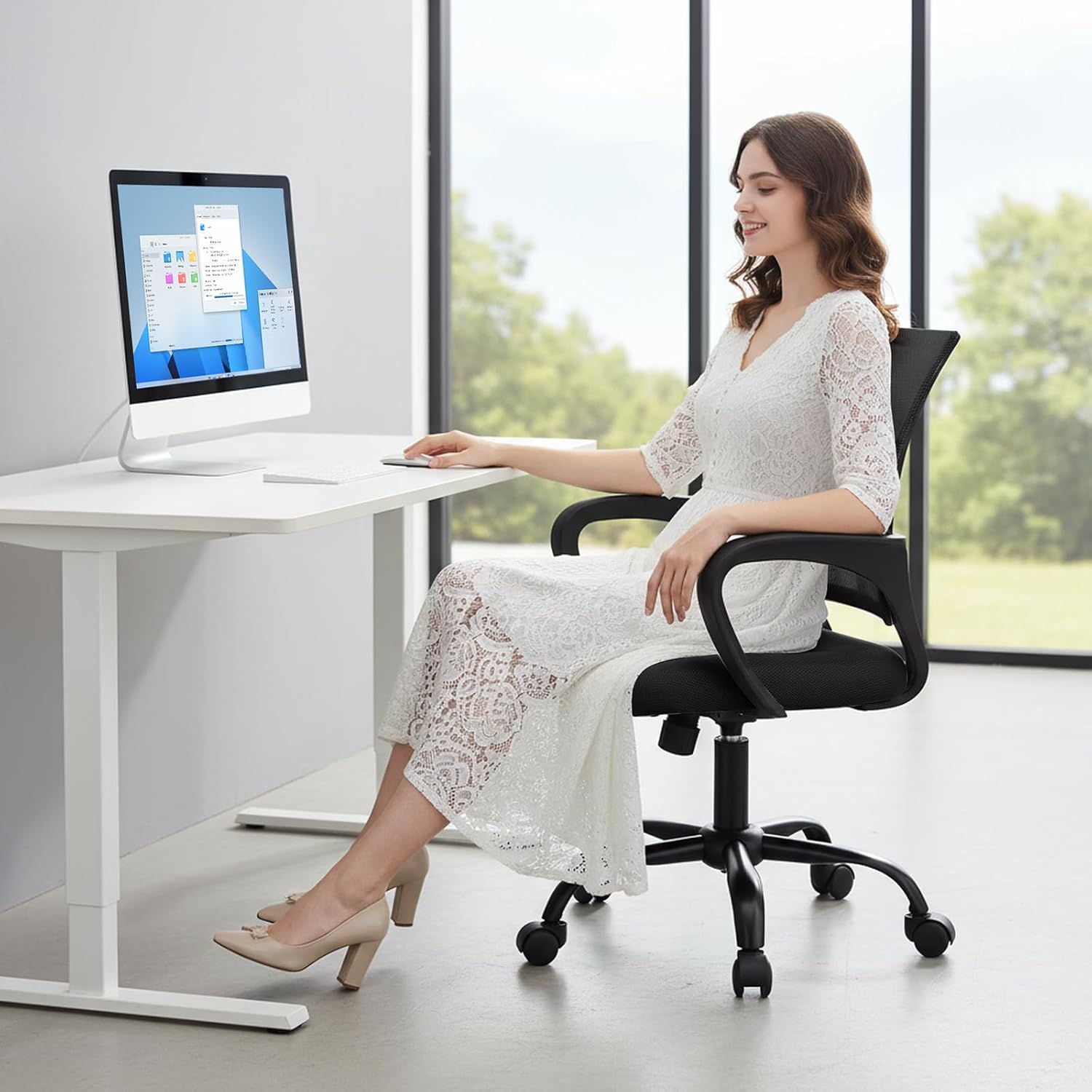
Image: Visual guide to the rocking mode (90°-120° tilt) and height adjustment lever, along with the tension control knob and 360° silent smooth rollers.
6. Features
The DUMOS Office Desk Chair is engineered with user comfort and functionality in mind.
- Ergonomic Mid-Back Design: The scientifically contoured mid-back design and integrated lumbar support precisely fit the natural curve of your spine, helping to relieve back and waist soreness during extended periods of sitting.
- Breathable Mesh Back: The mesh back promotes air circulation, keeping you cool and comfortable, especially during long work hours.
- High-Resilience Foam Seat Cushion: The seat cushion is made from high-resilience foam, providing cloud-like comfort that resists collapsing even after prolonged use.
- Fixed Armrests: The fixed armrests offer stable support and enhance the overall durability and service life of the chair.
- Sturdy and Quiet Casters: Equipped with smoothly rolling silent casters, the chair ensures stable and quiet movement. These wheels are designed not to cause scratches on floors and move smoothly on various surfaces, including carpets.
- Reinforced Metal Base: A reinforced metal base provides superior stability and durability, supporting a load capacity of up to 250 pounds.
- Convenient Storage Back: The back of the chair includes a convenient storage space, ideal for holding books, newspapers, or tablets.

Image: Ergonomic Comfort - Back and Lumbar Support.

Image: Elastic & Thick Seat - High-resilience foam cushion.
7. Maintenance and Care
To ensure your DUMOS Office Desk Chair remains in excellent condition, follow these simple care guidelines:
- Cleaning: Wipe clean with a damp cloth. Avoid harsh chemicals or abrasive cleaners, as these can damage the mesh, fabric, or plastic components.
- Regular Inspection: Periodically check all screws and bolts to ensure they are tight. Retighten if necessary to maintain stability and safety.
- Caster Care: Keep casters free of hair, dust, and debris to ensure smooth rolling.
- Avoid Direct Sunlight: Prolonged exposure to direct sunlight can cause fading or degradation of materials.
8. Troubleshooting
If you encounter any issues with your DUMOS Office Desk Chair, refer to the following common problems and solutions:
- Chair does not adjust height: Ensure the gas lift lever is fully engaged and that there is no obstruction. If the issue persists, the gas lift cylinder may need replacement.
- Chair wobbles: Check all assembly screws and bolts, especially those connecting the seat to the mechanism plate and the armrests. Tighten any loose fasteners.
- Casters not rolling smoothly: Inspect casters for accumulated debris (hair, lint, dirt) and clean them thoroughly. Ensure they are properly inserted into the base.
- Backrest does not recline or lock: Verify that the rocking mode lever is correctly positioned. Check the tension knob to ensure it is not overtightened, preventing recline.
For issues not covered here, please contact DUMOS customer support.
9. Specifications
| Feature | Detail |
|---|---|
| Brand | DUMOS |
| Model Name | DUMOS Office Desk Chair |
| Model Number | 1411BK2-H3-sun |
| Color | Black Fixed Arm |
| Material | Mesh |
| Product Dimensions (D x W x H) | 23.62"D x 22.6"W x 37.4"H |
| Item Weight | 19.4 pounds |
| Weight Capacity | Up to 250 pounds |
| Special Features | Adjustable Height, Arm Rest, Back Support, Ergonomic, Rolling |
| Height Adjustment Range | 14.7'' to 17.7'' inches |
| Rocking Mode Angle | 90°-120° |
| Room Type | Classroom, Meeting room, Office, Study Room |
| Product Care Instructions | Wipe Clean |
10. Warranty and Support
DUMOS is committed to providing high-quality products. For warranty information, technical support, or to order replacement parts, please contact DUMOS customer service through the retailer where you purchased the product. Please have your model number (1411BK2-H3-sun) and purchase date available when contacting support.