
1. Introduction
Thank you for choosing the DUMOS Office Desk Chair. This manual provides detailed instructions for assembly, operation, maintenance, and troubleshooting to ensure optimal use and longevity of your chair. Please read this manual thoroughly before assembly and use.
2. Product Features
The DUMOS Office Desk Chair is designed for comfort and functionality, featuring:
- Ergonomic Mid-Back Design: Contoured to fit the natural curve of your spine, providing lumbar support to alleviate back and waist discomfort.
- Breathable Mesh Back: Promotes air circulation to keep you cool and comfortable during extended use.
- High-Resilience Foam Seat Cushion: Offers cloud-like comfort and maintains its shape over time.
- Rocking Mode: Features a 90°-120° tilt mechanism with an adjustable tension knob for personalized recline resistance.
- Height Adjustable: Seat height can be adjusted from 14.7 inches to 17.7 inches to suit various body types.
- Fixed Armrests: Provide stable support and enhance the chair's durability.
- Sturdy and Quiet Operation: Reinforced metal base and smooth-rolling silent casters ensure stable and quiet movement without scratching floors.
- 360° Swivel: Allows for easy rotation and movement.
- Integrated Storage: Convenient storage space at the back of the chair for small items like books or tablets.

Image: Ergonomic design highlighting back and lumbar support.

Image: Cross-section of the elastic and thick seat cushion.
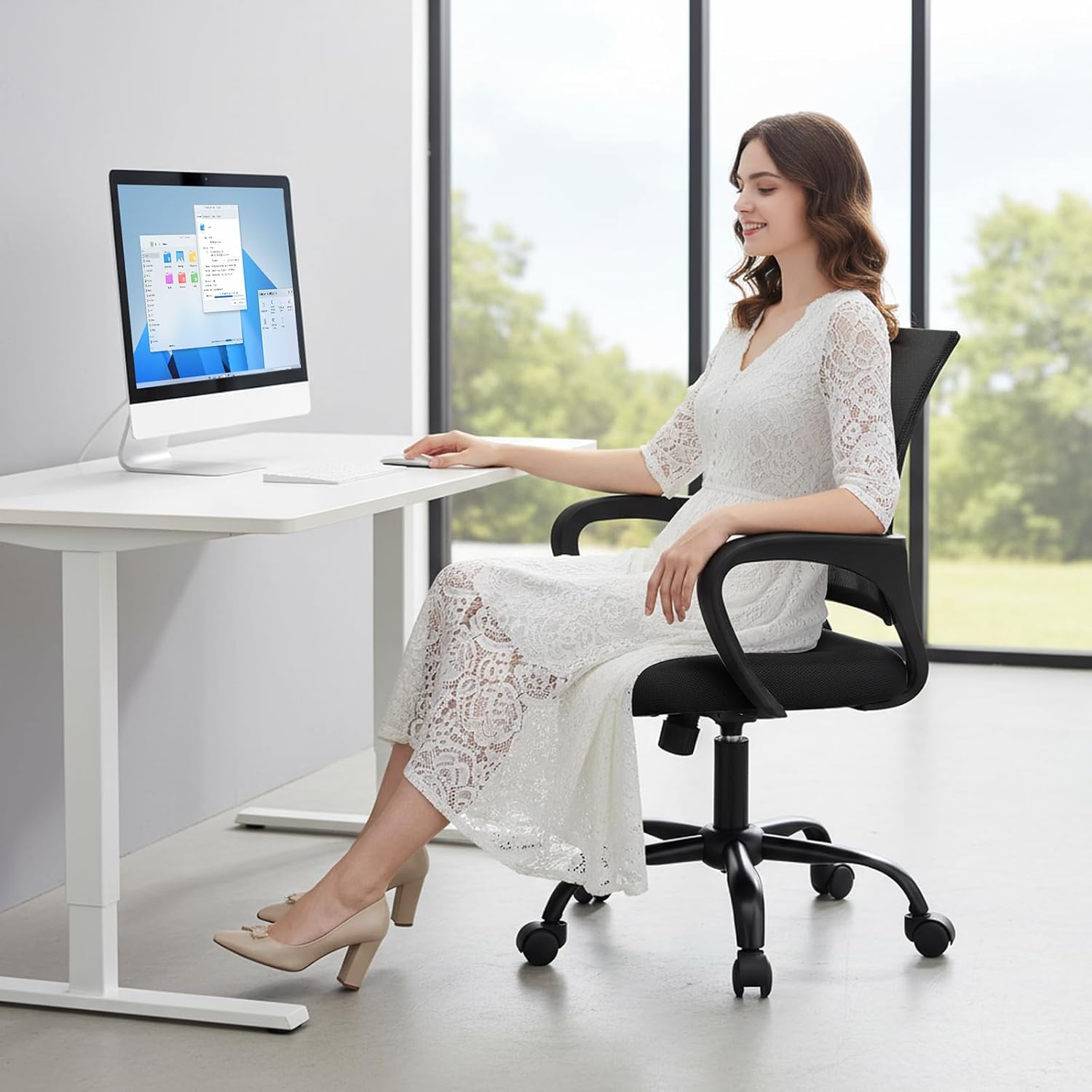
Image: Detail of the breathable mesh backrest.
3. Parts List
Before assembly, ensure all parts are present and undamaged. Refer to the diagram below for identification.

Image: All components of the DUMOS Office Desk Chair laid out for assembly.
The package should include:
- Backrest with mesh
- Seat cushion
- Armrests (2)
- Base with 5 legs
- Casters (5)
- Gas lift cylinder
- Mechanism plate
- Screws and Allen wrench
4. Assembly Instructions
Follow these steps to assemble your DUMOS Office Desk Chair. An assembly video is also provided for visual guidance.
- Attach Casters to Base: Insert the five casters into the holes at the end of each leg of the chair base. Push firmly until they click into place.
- Insert Gas Lift: Place the gas lift cylinder into the central hole of the chair base.
- Attach Armrests to Backrest: Align the armrests with the pre-drilled holes on the backrest. Secure them using the provided screws and Allen wrench.
- Attach Armrests to Seat Cushion: Align the other end of the armrests with the pre-drilled holes on the underside of the seat cushion. Secure them using the provided screws and Allen wrench.
- Install Mechanism Plate: Attach the mechanism plate to the underside of the seat cushion, ensuring the front of the plate faces the front of the seat. Secure with screws.
- Connect Seat to Gas Lift: Carefully place the assembled seat and backrest onto the gas lift cylinder, ensuring it is centered and stable.
Video: Step-by-step guide on how to install the DUMOS Office Desk Chair.
5. Operating Instructions
Your DUMOS Office Desk Chair offers several adjustable features for personalized comfort:
- Height Adjustment: To adjust the seat height, pull the lever located under the right side of the seat upwards. While holding the lever, stand up to raise the chair or sit down to lower it. Release the lever to lock the height.
- Rocking Mode: To activate the rocking function, pull the same lever outwards. To lock the chair in an upright position, push the lever inwards.
- Tilt Tension Adjustment: The round knob under the center of the seat controls the tension of the rocking mechanism. Turn clockwise to increase tension (making it harder to recline) or counter-clockwise to decrease tension (making it easier to recline).
- 360° Swivel: The chair's base allows for full 360-degree rotation for easy movement and access.

Image: Controls for rocking mode and height adjustment.
6. Maintenance
Proper care will extend the life of your DUMOS Office Desk Chair:
- Cleaning: Wipe clean with a damp cloth. Avoid harsh chemicals or abrasive cleaners that may damage the mesh or fabric.
- Regular Checks: Periodically check all screws and bolts to ensure they are tight. Re-tighten if necessary.
- Caster Care: Keep casters free of hair and debris to ensure smooth rolling.
7. Troubleshooting
If you encounter any issues with your chair, refer to these common solutions:
- Chair Squeaks: Check and tighten all assembly screws. A small amount of silicone lubricant can be applied to moving parts if the squeaking persists.
- Difficulty Adjusting Height: Ensure the gas lift lever is fully engaged or disengaged. If the issue persists, the gas lift cylinder may need replacement.
- Chair Does Not Roll Smoothly: Check casters for trapped debris (hair, lint) and clean them. Ensure casters are securely inserted into the base.
- Chair Feels Unstable: Verify that all screws are tightened and the base is properly assembled. Ensure the chair is on a flat, even surface.
8. Specifications
| Feature | Detail |
|---|---|
| Brand | DUMOS |
| Model Name | DUMOS Office Desk Chair |
| Item Model Number | 1411BK2-H3-2P |
| Color | Black Fixed Arm |
| Material | Mesh |
| Product Dimensions | 23.62"D x 22.6"W x 37.4"H |
| Item Weight | 19.4 pounds |
| Weight Capacity | Up to 250 pounds |
| Special Features | Adjustable Height, Arm Rest, Back Support, Ergonomic, Rolling |
| Product Care Instructions | Wipe Clean |

Image: Product dimensions diagram.
9. Warranty and Support
DUMOS stands behind the quality of its products. For specific warranty information, please refer to the warranty card included in your product packaging or visit the official DUMOS website. If you require assistance with assembly, operation, or troubleshooting, please contact DUMOS customer support through the contact information provided with your purchase or on the DUMOS brand store page on Amazon.
DUMOS Store: Visit the DUMOS Store on Amazon


