
Introduction
Thank you for choosing the Uvital Corded Phone F-Phone with Caller ID. This manual provides detailed instructions for setting up, operating, and maintaining your new telephone. Please read this manual thoroughly before use to ensure proper functionality and to maximize your experience.
Package Contents
Verify that all items are present in your package:
- Telephone Base
- Handset
- Handset Cord (Coiled Cord)
- Phone Line Cord
- User Manual

Image: All components included in the Uvital Corded Phone package.
Setup Instructions
Follow these steps to set up your Uvital Corded Phone:
- Connect the Handset: Plug one end of the coiled handset cord into the left side of the telephone base. Plug the other end into the handset.
- Connect the Phone Line: Plug one end of the phone line cord into the "TEL-LINE" jack on the side of the phone base. Plug the other end into your telephone wall socket.

Image: Step-by-step guide for connecting the handset and telephone line.
Adjustable Volume and Ports
The phone features various ports and controls on its side for easy access:
- Ringer Switch: Adjust the ringer volume to High, Low, or Off.
- Phone Line Jack: Connects to your telephone wall socket.
- Handset Cord Jack: Connects to the handset.

Image: Location of the ringer switch, phone line jack, and handset cord jack.
Operating Instructions
Making and Receiving Calls
- To Make a Call: Lift the handset, wait for a dial tone, then dial the desired number.
- To Receive a Call: When the phone rings, lift the handset to answer.
- Hands-Free Calling: Press the MEM button (speaker icon) to activate hands-free mode. Adjust speaker volume using the dedicated volume controls.
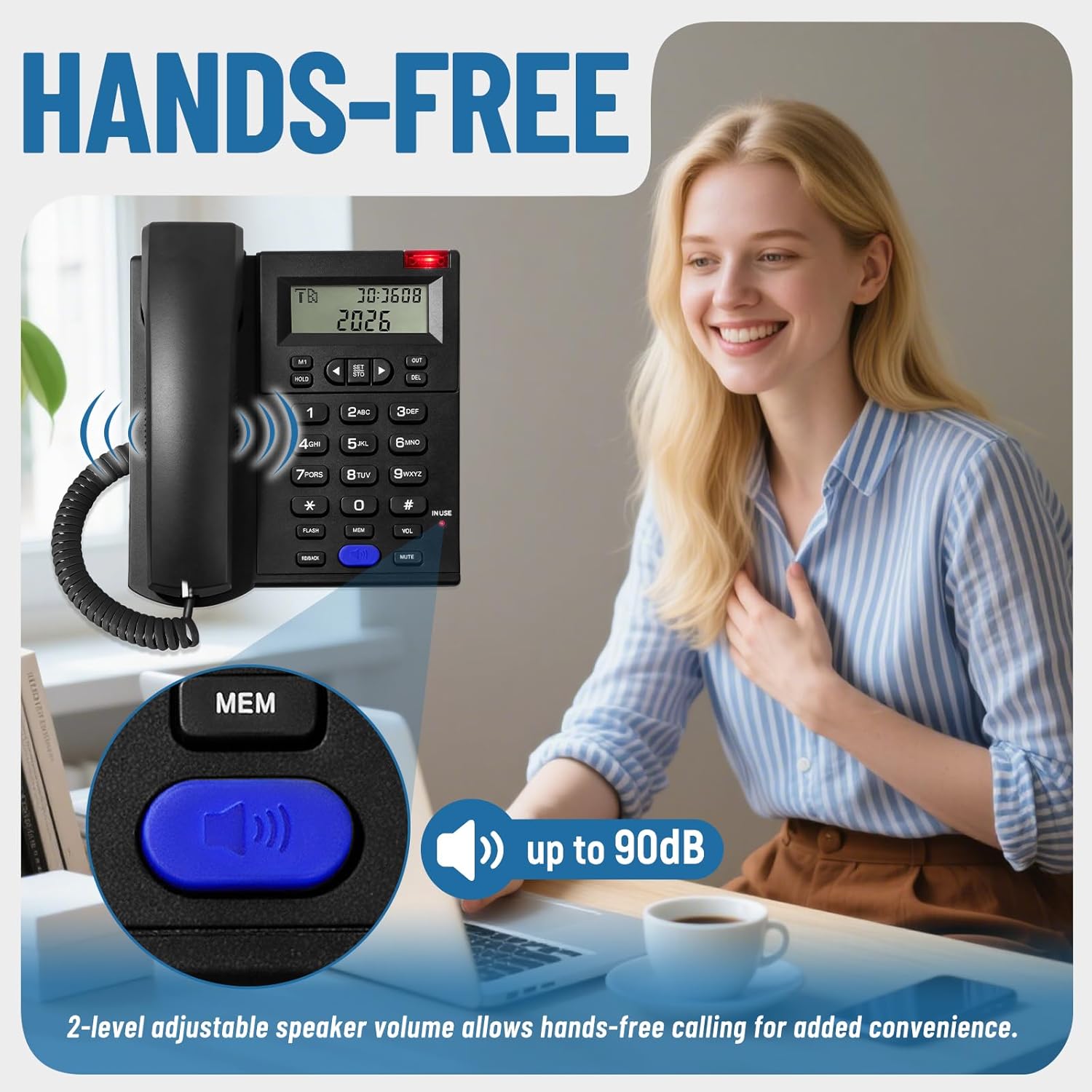
Image: Demonstrating the hands-free calling feature with adjustable speaker volume.
LCD Display and Caller ID
The integrated LCD display shows caller ID information, date, and time. It stores up to 61 incoming and 16 outgoing call records.
- Viewing Call Records: Use the arrow buttons (◀ / ▶) to scroll through incoming and outgoing call history.
- Setting Date/Time: Use the SET/STO button to enter settings mode and adjust the date and time. Refer to the detailed instructions in the included paper manual for specific steps.
- Note: Caller name is not displayed, only the number.

Image: The LCD display showing caller ID and time, with navigation buttons.
Ringer Volume and Visual Indicator
The phone features a loud ringer and a visual indicator for incoming calls.
- Adjusting Ringer Volume: Use the High-Low-Off switch located on the side of the phone base (refer to 'Adjustable Volume and Ports' image in Setup section).
- Visual Indicator: A red LED light flashes when there is an incoming call, providing a visual alert in addition to the audible ringer.

Image: The phone's display and visual ringer indicator, highlighting the loud ringer feature.
Function Keys
The phone includes dedicated keys for various functions:
- M1 / HOLD: One-touch memory dial or hold function.
- SET / STO: Access settings and store numbers.
- OUT / DEL: View outgoing calls or delete entries.
- FLASH: Used for call waiting or transferring calls.
- MEM: Access memory functions.
- VOL: Adjust speaker volume during hands-free calls.
- MUTE: Mute your microphone during a call.
- RD/BACK: Redial the last number or navigate back in menus.

Image: Overview of the phone's function keys for efficient operation.
Maintenance
To ensure the longevity and optimal performance of your Uvital Corded Phone, follow these maintenance guidelines:
- Cleaning: Use a soft, damp cloth to clean the phone's surface. Avoid abrasive cleaners or solvents, which can damage the finish.
- Environment: Keep the phone in a dry place, away from direct sunlight, excessive heat, and moisture.
- Cord Care: Avoid tangling or stretching the phone and handset cords excessively to prevent damage.
Troubleshooting
If you encounter issues with your Uvital Corded Phone, refer to the following common problems and solutions:
| Problem | Possible Cause | Solution |
|---|---|---|
| No dial tone | Phone line not connected properly. | Ensure the phone line cord is securely plugged into both the phone base and the wall socket. |
| No display on LCD | No power or display settings issue. | This phone is corded electric and does not require external power for basic functions. If the display is blank, check phone line connection. |
| Ringer not working | Ringer switch set to 'Off' or 'Low'. | Adjust the ringer switch on the side of the phone to 'High' or 'Low'. |
| Cannot hear caller / Caller cannot hear me | Handset cord loose or volume too low. | Ensure the handset cord is securely connected. Adjust the handset volume if available, or speaker volume in hands-free mode. |
If the problem persists after trying these solutions, please contact Uvital customer support.
Specifications
| Feature | Detail |
|---|---|
| Model | F-Phone with Caller ID |
| Brand | Uvital |
| Product Dimensions | 1 x 1 x 1 inches |
| Item Weight | 1.21 pounds |
| Color | Black |
| Telephone Type | Corded |
| Material | Acrylonitrile Butadiene Styrene (ABS) |
| Power Source | Corded Electric |
| Dialer Type | Single Keypad |
| Answering System Type | Digital |
| Compatible Devices | PSTN telephone networks |
| Multiline Operation | Single-Line Operation |
| Caller ID Storage | 61 incoming, 16 outgoing calls |
| Ringer Volume | Up to 110dB (High-Low-Off settings) |
| Speaker Volume | Up to 90dB (2 levels adjustable) |
Support
For further assistance, technical support, or inquiries regarding returns and replacements, please contact Uvital customer service. Uvital is committed to providing comprehensive support for its products.
- Customer Service: Available for quick replies.
- Technical Support: Expert assistance for product operation and troubleshooting.
- Returns & Replacements: Information available through your purchase platform or Uvital's official channels.
Please refer to the contact information provided with your purchase or visit the official Uvital website for the most up-to-date support details.