1. Introduction
The Sainlogic SA9 Plus Smart WiFi Weather Station provides comprehensive indoor and outdoor weather monitoring. This device integrates advanced sensors and smart connectivity to deliver accurate, real-time weather data and forecasts directly to your display console and mobile application. It is designed for ease of use and reliable performance, suitable for various environments including homes, gardens, and professional settings.
This manual provides detailed instructions for setting up, operating, and maintaining your weather station to ensure optimal performance.

2. Package Contents
Please verify that all items are present and in good condition upon unpacking your Sainlogic SA9 Plus Weather Station:
- Display Console (1x)
- Integrated Outdoor Transmitter (7-in-1 Multi-function Sensor) (1x)
- Indoor Thermo-Hygrometer Sensor (1x)
- Power Adapter for Display Console (1x)
- Foot Mounting (with pole insert) (1x)
- Mounting Bracket Back Plate (pole mount) (1x)
- Mounting Pole (1x)
- Pole Mounting Nuts (M3) / Bolts (3x)
- Pole Mounting Nuts (M5) / Bolts (5x)
- Tapping Screws (4x)
- User Manual (1x)
3. Components Overview
The Sainlogic SA9 Plus system consists of a main display console and an integrated outdoor sensor array, along with an indoor thermo-hygrometer.
3.1. Display Console
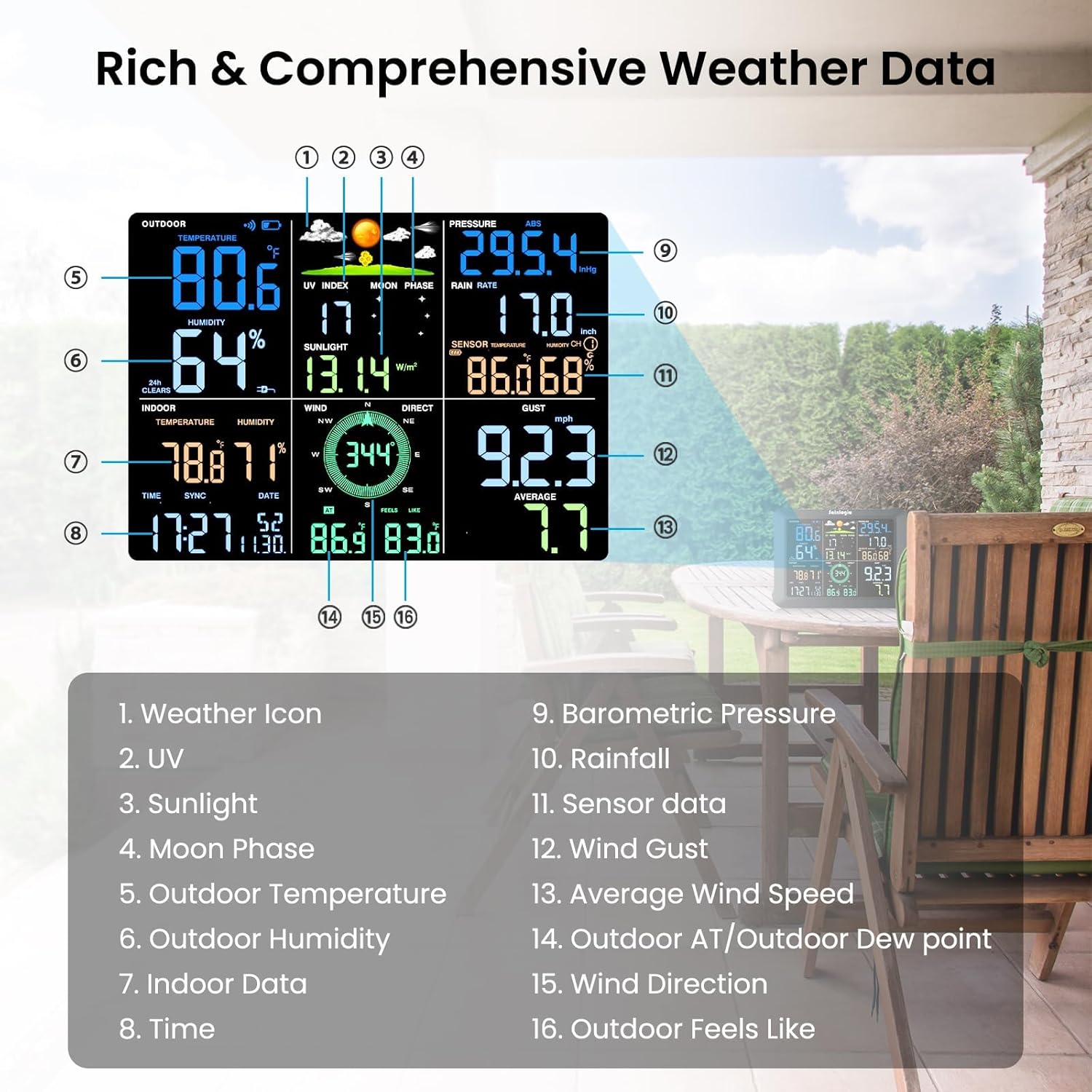
The 8.5-inch large color LCD display provides clear, enlarged, and bold fonts for easy readability. It features a 3-level adjustable backlight and shows various data points:
- Indoor/Outdoor Temperature and Humidity
- Wind Speed and Direction
- Rainfall
- UV and Sunlight Index
- Dew Point
- Time and Date
- Barometric Pressure
- Moon Phase
3.2. Integrated Outdoor Sensor Array
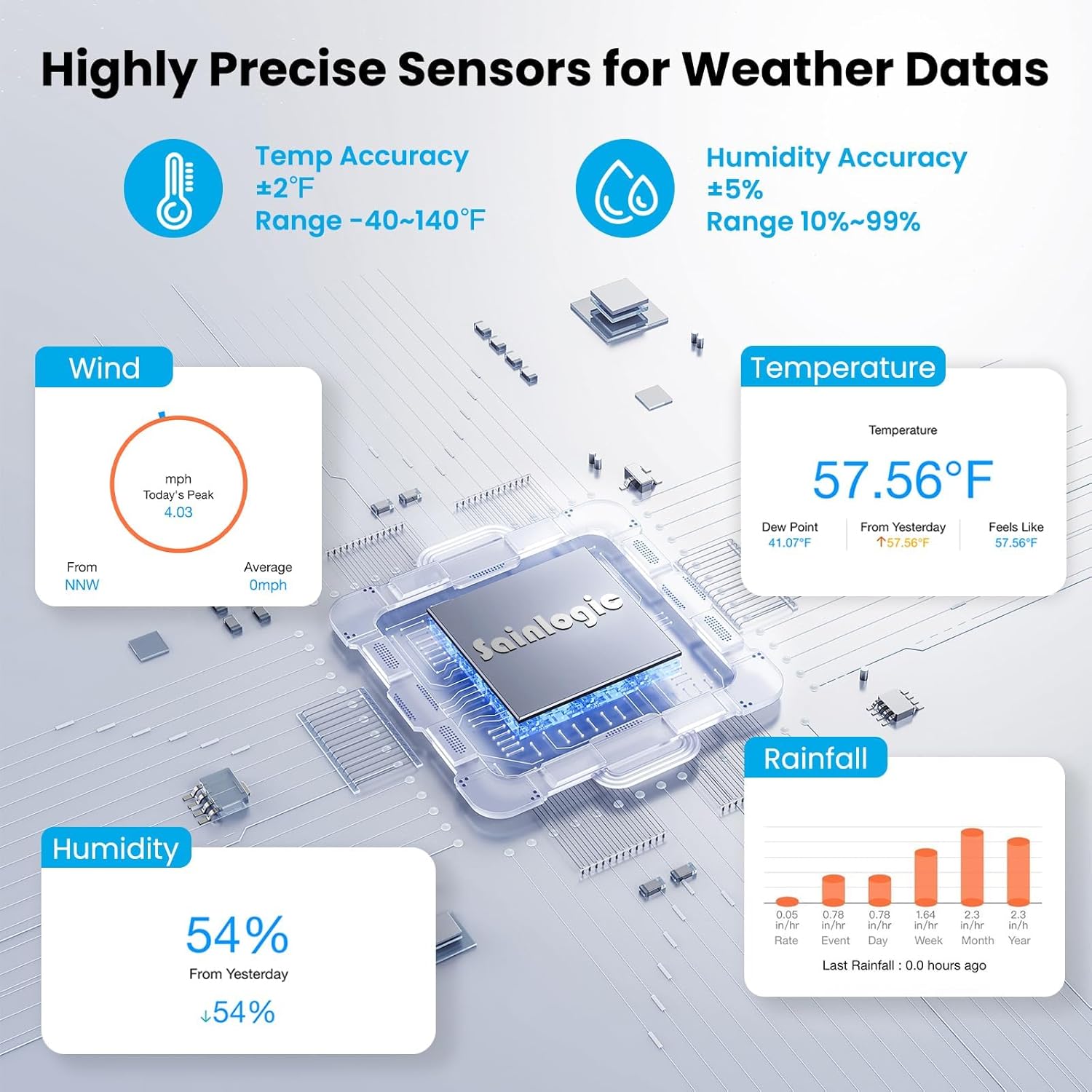
This 7-in-1 multi-function sensor accurately measures:
- UV Index and Sunlight
- Wind Speed and Direction
- Rainfall
- Temperature
- Humidity
- Pressure
4. Setup and Installation
4.1. Battery Installation
For Display Console: Insert 3x AAA batteries (not included) into the battery compartment on the back of the display console. These batteries serve as a backup for settings in case of power loss.
For Outdoor Sensor: Insert 3x AA batteries (not included) into the battery compartment of the outdoor sensor. Ensure correct polarity. Secure the battery cover with the provided screw.
4.2. Outdoor Sensor Assembly and Mounting
The outdoor sensor is designed for easy installation with multiple mounting options:
- Mount on Top: Secure the sensor directly onto a flat surface.
- Mount on Pole (Top): Attach the sensor to the top of a pole using the provided mounting hardware.
- Mount on Side: Secure the sensor to a vertical surface like a fence.
- Mount on Pole (Side): Use the mounting bracket to attach the sensor to the side of a pole.
Ensure the outdoor transmitter is fixed securely to prevent movement in windy conditions, which could affect data accuracy. Install the sensor array at least four times the distance of the height of the tallest obstruction for optimal wind and rain measurement.

4.3. Display Console Power and Initial Setup
- Plug the power adapter into the display console and a power outlet.
- The display will power on and begin searching for the outdoor sensor.
- The display console will automatically synchronize time and date via WiFi once connected to the app.
4.4. App Connection (Weatherseed)
The weather station connects effortlessly to the Weatherseed app in just 3 steps via WiFi or Bluetooth. This allows for 24/7 AI-powered high-precision forecasts and instant alerts.
- Download the
Related Documents - SA9 Plus

Sainlogic SA6 Plus Weather Station: Quick Setup & User Manual
Get started with your Sainlogic SA6 Plus Weather Station. This guide covers quick setup, assembly, WiFi connection via Weatherseed app, and detailed operation for accurate local weather monitoring.
Sainlogic SA9 Quick Setup Guide: Connect Your Smart Weather Station
Step-by-step guide to setting up your Sainlogic SA9 WiFi Smart Weather Station, including battery installation, app connection via Weatherseed, and network configuration.
Sainlogic SA7 WiFi Weather Station Quick Setup Guide
Get started with your Sainlogic SA7 WiFi Wireless Weather Station. This guide covers assembly, WiFi connection via Bluetooth, WiFi, or web page distribution, app usage, and troubleshooting for accurate weather monitoring.
Sainlogic WS0310 Professional WiFi Weather Station User Manual
Comprehensive user manual for the Sainlogic WS0310 Professional WiFi Weather Station, detailing installation, setup, operation, troubleshooting, and specifications. Learn to monitor local weather conditions with this advanced device.
FT0835-plus Professional WiFi Weather Station User Manual
User manual for the Sainlogic FT0835-plus Professional WiFi Weather Station, covering installation, setup, operation, calibration, troubleshooting, and specifications for accurate home weather monitoring.
SAINLOGIC WS-0835 Plus WiFi Weather Station User Manual
Comprehensive user manual for the SAINLOGIC WS-0835 Plus Professional WiFi Wireless Weather Station, covering installation, operation, troubleshooting, and online connectivity.