
1. Introduction
Welcome to the DOOGEE Blade 20 Pro Rugged Phone user manual. This guide provides essential information to help you set up, operate, and maintain your device. The DOOGEE Blade 20 Pro is designed for durability and high performance, featuring a robust build, powerful specifications, and advanced camera capabilities, making it suitable for demanding environments and everyday use.
2. Package Contents
Upon opening your DOOGEE Blade 20 Pro package, please verify that all items listed below are present and in good condition:
- 1 x Cellphone (DOOGEE Blade 20 Pro)
- 1 x Type-C USB Cable
- 1 x Charger (18W)
- 1 x Screen-printed Protective Film (Pre-applied)
- 1 x Anti-explosion film
- 1 x Warranty Card
- 1 x User Manual
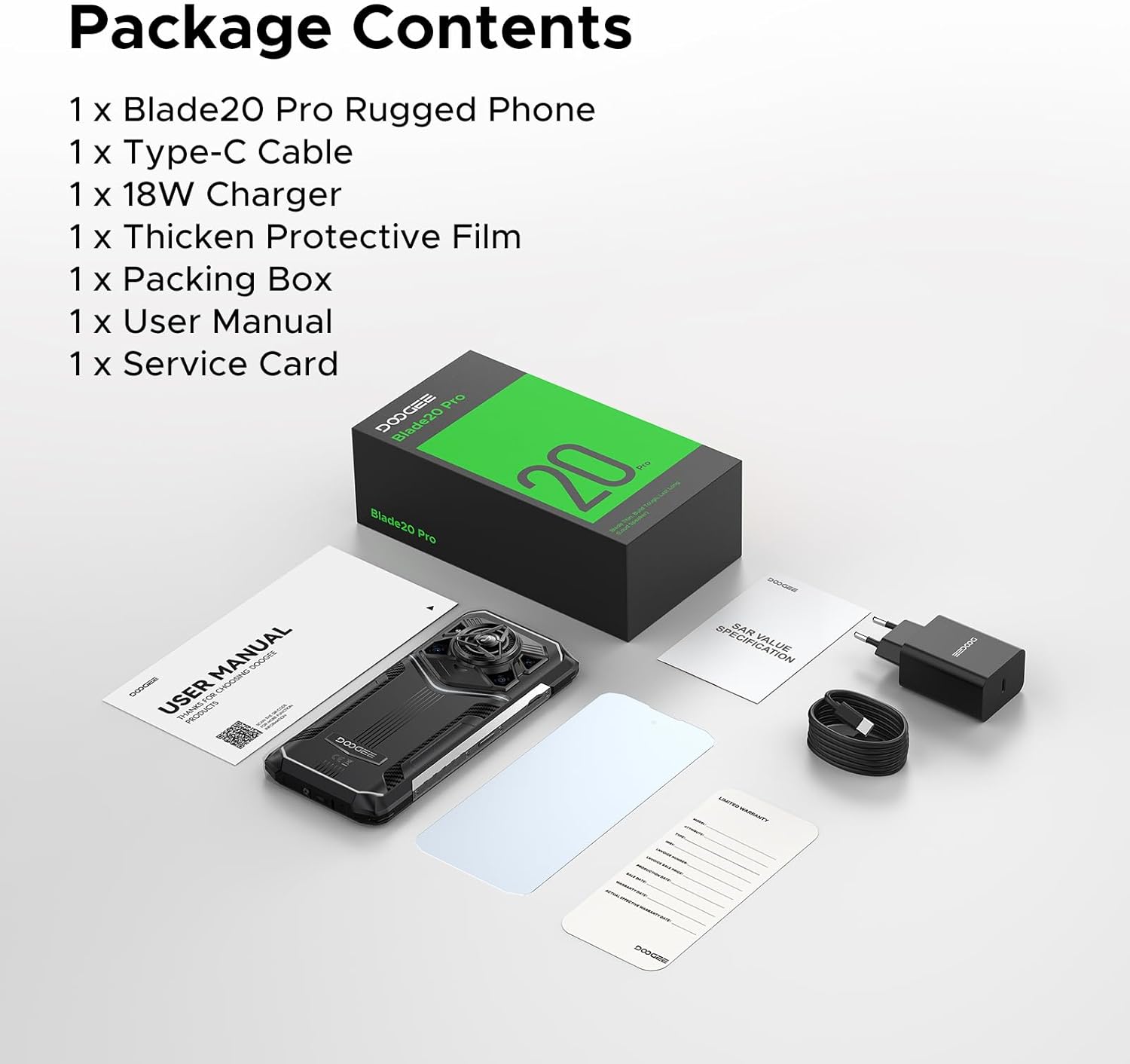
Image: Contents of the DOOGEE Blade 20 Pro retail box.
3. Product Overview
The DOOGEE Blade 20 Pro is engineered for resilience and performance. Key features include:
- Processor: Unisoc T7200 Octa-Core Processor
- Memory: 24GB RAM (6GB physical + 18GB virtual)
- Storage: 256GB ROM, expandable up to 2TB via microSD (sold separately)
- Operating System: Android 15
- Display: 6.6-inch HD+ IPS punch-hole screen with 90Hz refresh rate
- Battery: 11800mAh Silicon Anode Battery with 18W fast charging and 5W OTG reverse charging
- Cameras: 50MP AI Main Camera, 20MP Infrared Night Vision Camera, 8MP Front Camera
- Audio: 125dB Thunder Speaker with 3.5W peak wattage and 36mm giant driver
- Durability: IP68, IP69K, MIL-STD-810H certified for water, dust, and shock resistance
- Connectivity: Dual 4G SIM, Wi-Fi 6, NFC, GPS, Glonass, Beidou, Galileo
- Security: Face ID and Fingerprint Unlock
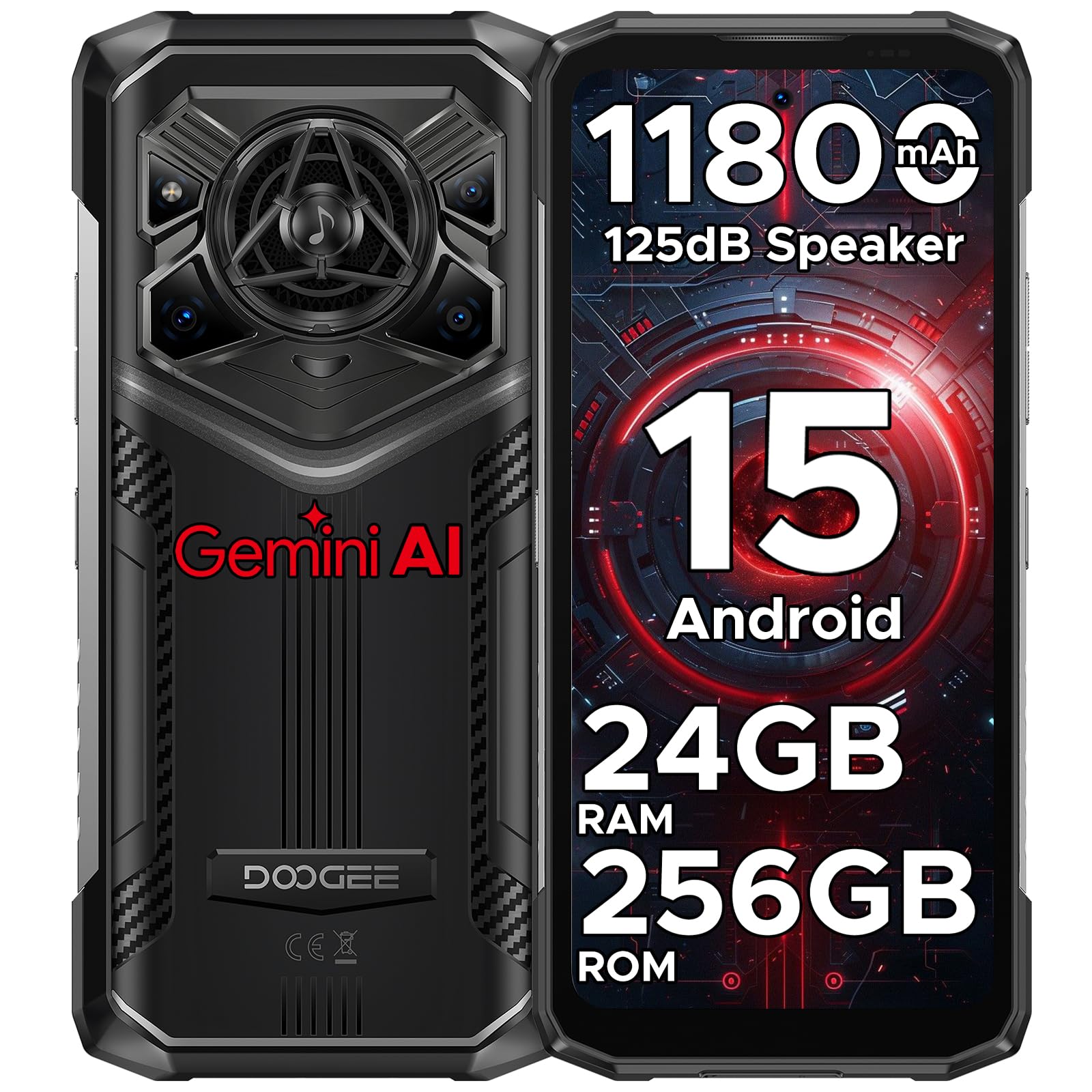
Image: Front and rear view of the DOOGEE Blade 20 Pro, showcasing its design and features.

Image: Diagram illustrating the Unisoc T7200 Octa-core Processor, 24GB RAM, and 256GB ROM.

Image: Detailed view of the 125dB Thunder Speaker technology.
4. Setup
4.1 Inserting SIM Cards and MicroSD Card
- Locate the SIM card tray on the side of the phone.
- Use the provided SIM ejector tool to open the tray.
- Carefully place your Nano-SIM cards and/or microSD card into the designated slots. Ensure the gold contacts are facing down.
- Gently push the tray back into the phone until it is flush with the device body.
4.2 Initial Power On and Setup Wizard
- Press and hold the Power button (located on the right side) until the DOOGEE logo appears.
- Follow the on-screen instructions to complete the initial setup, including language selection, Wi-Fi connection, Google account login, and security settings (Face ID/Fingerprint).
5. Operating Instructions
5.1 Basic Navigation
- Touch: Tap an icon to open an app or select an item.
- Swipe: Move your finger across the screen to scroll, switch screens, or close apps.
- Pinch: Use two fingers to zoom in or out on photos and web pages.
- Long Press: Press and hold an item for more options or to move it.
5.2 Android 15 Features
Your DOOGEE Blade 20 Pro runs on Android 15, offering enhanced privacy, improved performance, and new features:
- Enhanced Privacy Controls: Granular permissions for apps, privacy dashboard.
- Smoother UI: Optimized animations and transitions for a fluid experience.
- Smart Assistant (Gemini AI): Integrated AI for various tasks, content creation, image analysis, and more.
- App Cloning: Run multiple instances of the same app.
- Split Screen: Use two apps simultaneously.
- Glove Mode: Enhanced touch sensitivity for use with gloves.
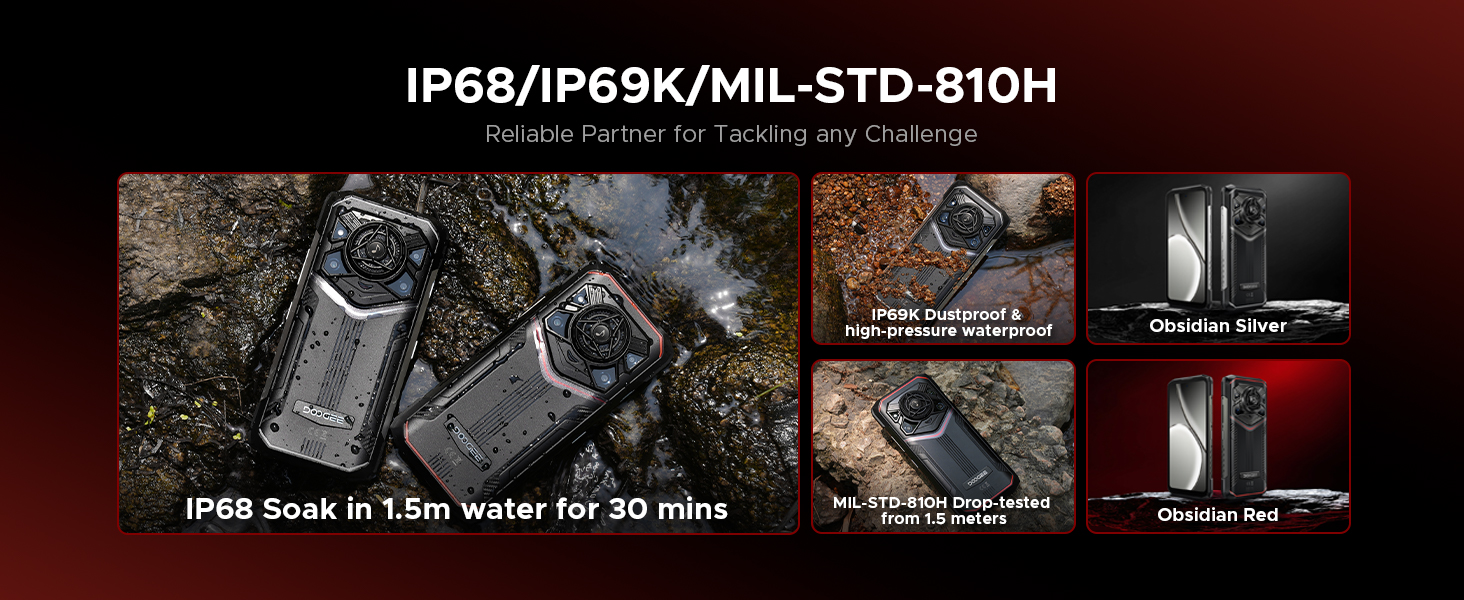
Image: Overview of Android 15 operating system features.

Image: Visual representation of the integrated Gemini AI capabilities.
6. Camera Features
The DOOGEE Blade 20 Pro is equipped with a versatile camera system to capture moments in various conditions:
- 50MP AI Main Camera: For high-resolution photos with AI scene recognition.
- 20MP Infrared Night Vision Camera: Capture clear images in complete darkness.
- 8MP Front Camera: For selfies and video calls.
6.1 Camera Modes
Explore various camera modes for optimal photography:
- Night Mode: Enhances low-light photography.
- EIS Anti-shake: Electronic Image Stabilization for smoother videos and sharper photos.
- AI Recognition: Automatically adjusts settings based on the scene.
- Multi-frame Noise Reduction: Improves image clarity by combining multiple shots.
- Anti-flicker: Reduces flickering in photos and videos under artificial lighting.
- Pro Mode: Manual control over camera settings like ISO, white balance, and exposure.
- Panoramic Mode: Capture wide-angle landscape shots.
- Burst Mode: Take a rapid sequence of photos.
- Beauty Mode: Enhances facial features for portraits.
- Portrait Mode: Creates a depth-of-field effect with blurred backgrounds.
- HDR: High Dynamic Range for balanced exposure in challenging lighting.

Image: Overview of the phone's camera setup and capabilities.
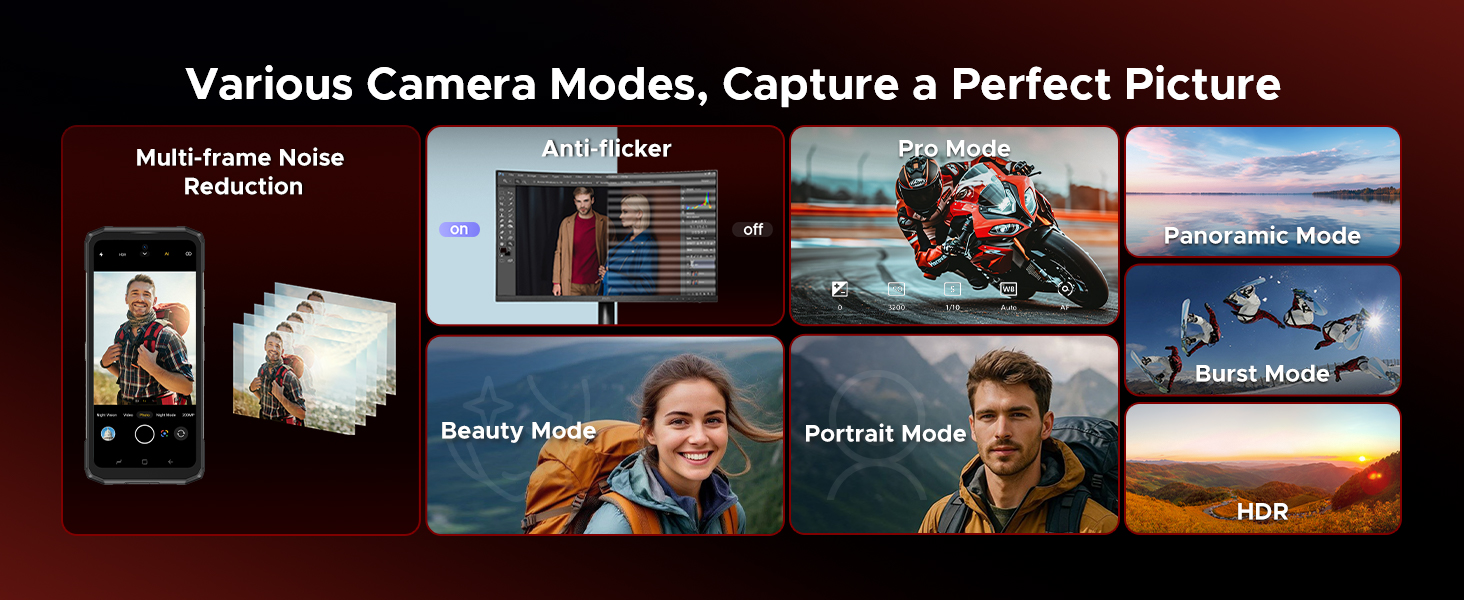
Image: Demonstrations of advanced camera features like Night Mode and EIS.

Image: Selection of camera modes for diverse photographic needs.
7. Battery and Charging
The DOOGEE Blade 20 Pro features an 11800mAh Silicon Anode Battery for extended usage.
- Charging: Use the provided 18W charger and Type-C USB cable for optimal charging speed.
- OTG Reverse Charging: The phone can act as a power bank to charge other devices using an OTG cable (not included).
- Battery Life: Expect up to 58 days of standby time, 52.7 hours of calling, 38.3 hours of video watching, or 19.3 hours of web browsing on a single charge.
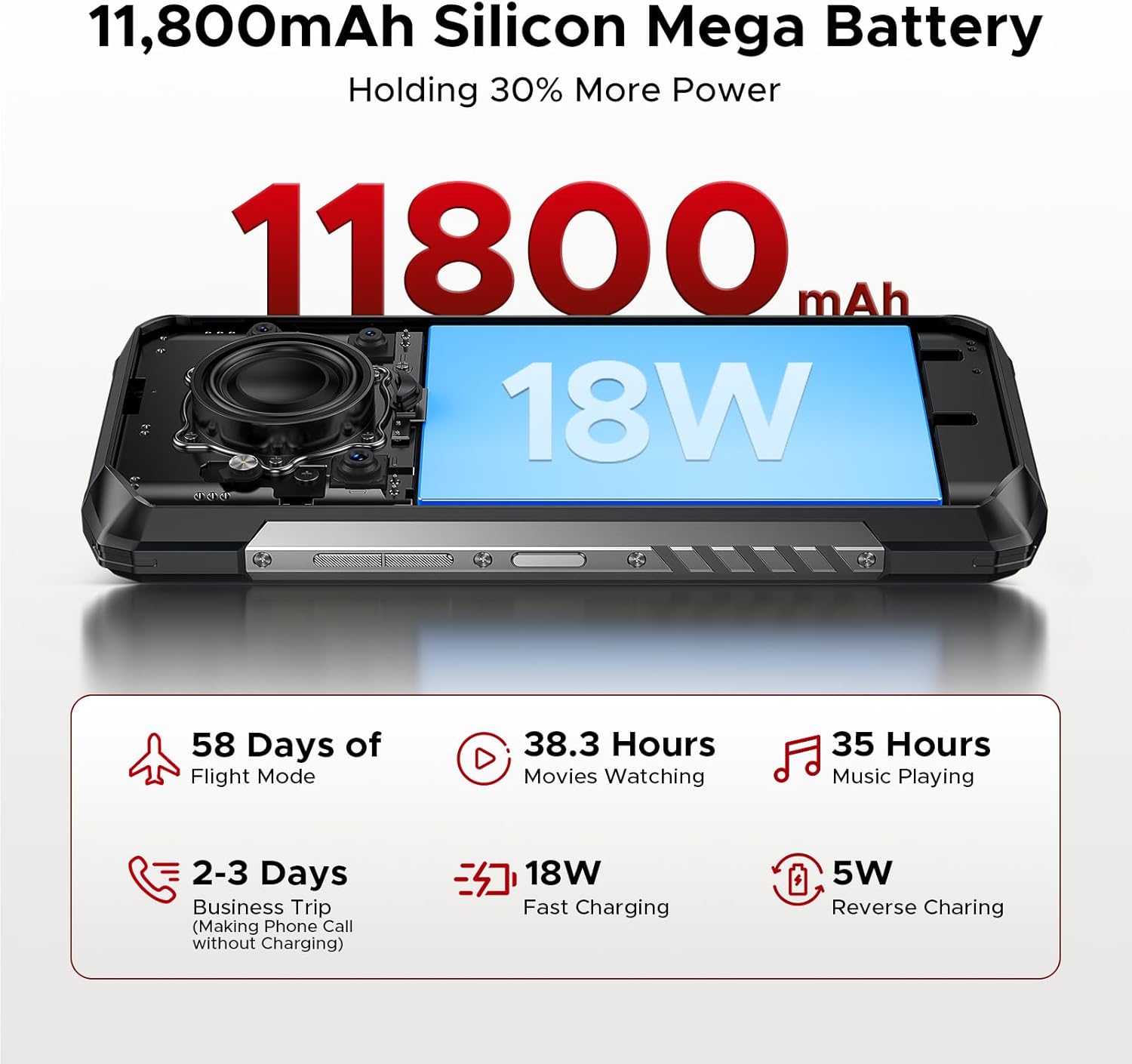
Image: Visualizing the large battery capacity and charging features.
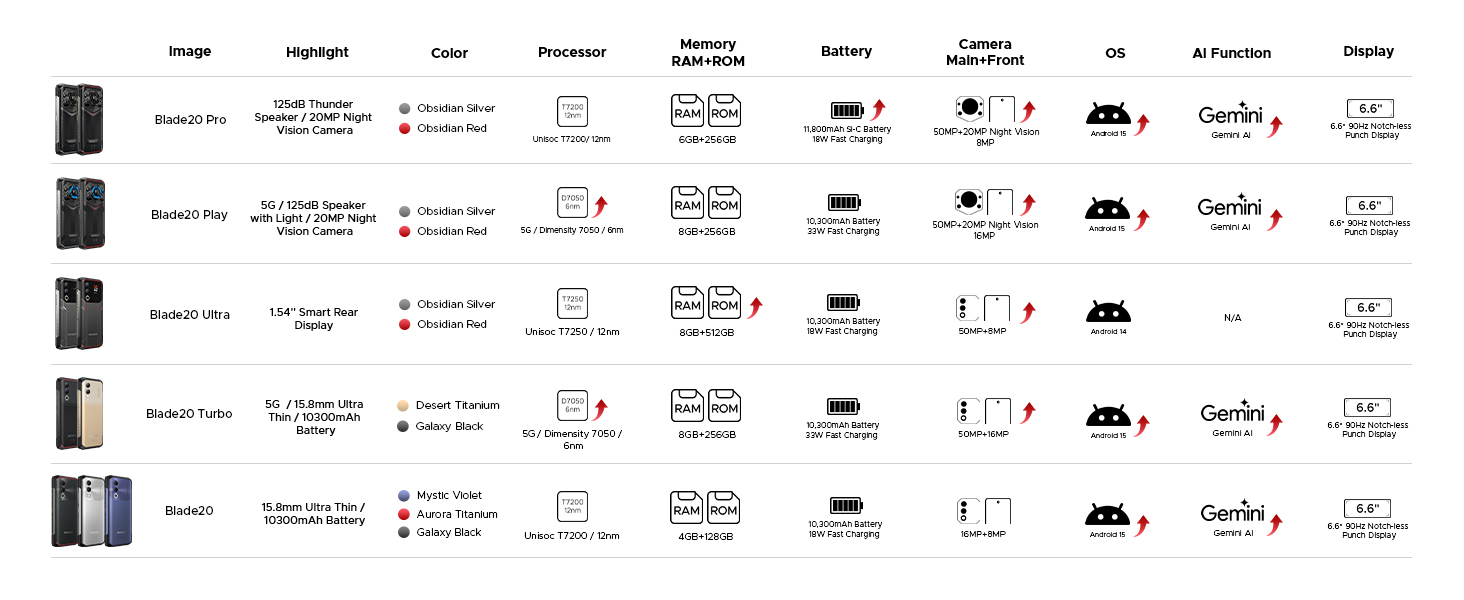
Image: Detailed battery usage statistics.
8. Durability and Certifications
The DOOGEE Blade 20 Pro is built to withstand harsh conditions, certified with industry-leading durability standards:
- IP68: Water-resistant up to 1.5 meters for 30 minutes.
- IP69K: Resistant to high-pressure, high-temperature water jets and dust ingress.
- MIL-STD-810H: Military-grade standard for shock, drop, vibration, and extreme temperature resistance.
Video: Demonstration of the DOOGEE Blade 20 Pro's ruggedness and water resistance.

Image: The phone submerged in water, showcasing its waterproof design.

Image: Infographic detailing the rigorous durability tests the phone undergoes.
9. Connectivity
The DOOGEE Blade 20 Pro offers robust connectivity options:
- Dual 4G SIM: Supports two 4G SIM cards for flexible network usage.
- Wi-Fi 6: Provides faster and more stable wireless internet connections.
- NFC: For contactless payments and data transfer.
- GPS: Integrated GPS, Glonass, Beidou, and Galileo for accurate navigation.
9.1 Carrier Compatibility
This unlocked rugged smartphone supports various frequency bands. Please note: Verizon and AT&T are not supported. Confirm compatibility with your local carrier's frequency bands before use.
Supported bands include:
- GSM: B2/B3/B5/B8
- WCDMA: B1/B2/B4/B5/B8
- FDD: B1/2/3/4/5/7/8/18/19/20/25/26/28AB/66
- TDD-LTE: B34/B38/B39/B40/B41
Image: Overview of connectivity and security features.
10. Maintenance
To ensure the longevity and optimal performance of your DOOGEE Blade 20 Pro, follow these maintenance guidelines:
- Cleaning: Wipe the phone with a soft, damp cloth. Avoid harsh chemicals or abrasive materials.
- Water Exposure: While waterproof, ensure all ports are dry before charging to prevent damage.
- Temperature: Avoid exposing the phone to extreme temperatures (below -40°C or above 70°C) for prolonged periods.
- Software Updates: Regularly check for and install system updates to ensure security and performance improvements.
- Battery Care: Avoid fully discharging the battery frequently. Charge the phone before it drops below 20% to prolong battery health.
11. Troubleshooting
If you encounter issues with your DOOGEE Blade 20 Pro, try the following common troubleshooting steps:
- Phone Not Responding: Press and hold the Power button for about 10-15 seconds to force a restart.
- App Crashing: Clear the cache and data of the problematic app in Settings > Apps. If the issue persists, uninstall and reinstall the app.
- Poor Network Signal: Ensure your SIM card is correctly inserted. Try restarting the phone or toggling Airplane Mode on and off. Verify carrier compatibility.
- Battery Draining Quickly: Check battery usage in Settings > Battery to identify power-hungry apps. Reduce screen brightness and disable unnecessary features like GPS or Wi-Fi when not in use.
- Screen Issues: If the screen is unresponsive, try a forced restart. If physical damage is suspected, contact support.
- Factory Reset: As a last resort, you can perform a factory reset (Settings > System > Reset options > Erase all data). Warning: This will erase all data on your phone. Back up important information before proceeding.
12. Specifications
| Feature | Specification |
|---|---|
| Product Dimensions | 6.85 x 3.2 x 0.62 inches |
| Item Weight | 1 pounds |
| Item Model Number | Blade 20 Pro |
| Operating System | Android 15 |
| CPU Speed | 1.6 GHz (Octa-Core) |
| RAM Memory Installed Size | 24 GB (6GB physical + 18GB virtual) |
| Memory Storage Capacity | 256 GB (Expandable to 2TB) |
| Standing Screen Display Size | 6.6 Inches |
| Resolution | 1612 x 720 |
| Refresh Rate | 90 Hz |
| Battery Power Rating | 11800 Milliamp Hours |
| Connectivity Technologies | Wireless |
| Special Features | Dual SIM, Expandable Memory, Rugged Body, Water Resistant, NFC, GPS |
| Other Camera Features | Front, Rear (50MP Main, 20MP Night Vision, 8MP Front) |
| Audio Jack | Type-C |
| Form Factor | Bar |
| Color | Silver |
| Manufacturer | DOOGEE |
13. Warranty and Support
DOOGEE is committed to providing quality products and customer satisfaction.
- Limited Warranty: Your DOOGEE Blade 20 Pro comes with a 2-year limited warranty. Please refer to the included Warranty Card for detailed terms and conditions.
- Money Back Guarantee: A 30-day money-back guarantee and free return policy are available for eligible purchases.
- Customer Support: For technical assistance, warranty claims, or other inquiries, please contact DOOGEE customer service. You can typically find support contact information on the official DOOGEE website or through your retailer.


