
1. Product Overview
The Hoover FH4600VFR Streamline is a corded hard floor wet/dry vacuum cleaner designed for efficient cleaning of sealed hard floor surfaces. This appliance combines washing and vacuuming functions into a single step, featuring dual tanks to keep clean and dirty water separate. Key features include LED headlights for improved visibility, a microfiber brush roll, and edge-to-edge cleaning capabilities.

Image 1.1: The Hoover FH4600VFR Streamline Hard Floor Wet/Dry Vacuum Cleaner, showcasing its upright design and cleaning head.
Included Components:
- Hoover FH4600VFR Streamline Main Unit
- Clean Water Tank
- Dirty Water Tank
- Microfiber Brush Roll (pre-installed)
- Self-Cleaning and Storage Base
- User Manual (this document)
2. Important Safety Information
Read all instructions before using this appliance. Failure to follow these instructions may result in electric shock, fire, or serious injury.
General Safety Precautions:
- Always connect to a properly grounded outlet.
- Do not leave the appliance unattended when plugged in. Unplug from outlet when not in use and before servicing.
- Do not use outdoors or on wet surfaces.
- Do not allow to be used as a toy. Close attention is necessary when used by or near children.
- Use only as described in this manual. Use only manufacturer's recommended attachments.
- Do not use with damaged cord or plug. If appliance is not working as it should, has been dropped, damaged, left outdoors, or dropped into water, return it to a service center.
- Do not pull or carry by cord, use cord as a handle, close a door on cord, or pull cord around sharp edges or corners. Do not run appliance over cord. Keep cord away from heated surfaces.
- Do not unplug by pulling on cord. To unplug, grasp the plug, not the cord.
- Do not handle plug or appliance with wet hands.
- Do not put any object into openings. Do not use with any opening blocked; keep free of dust, lint, hair, and anything that may reduce air flow.
- Keep hair, loose clothing, fingers, and all parts of body away from openings and moving parts.
- Turn off all controls before unplugging.
- Use extra care when cleaning on stairs.
- Do not use to pick up flammable or combustible liquids, such as gasoline, or use in areas where they may be present.
- Do not pick up anything that is burning or smoking, such as cigarettes, matches, or hot ashes.
- Use only Hoover cleaning products intended for use with this appliance.
- This appliance is intended for household use only.
3. Setup and Assembly
Before first use, ensure all components are present and the unit is properly assembled.
3.1 Unpacking
- Carefully remove all components from the packaging.
- Remove any protective film or packaging materials from the unit.
- Verify that all included components are present.
3.2 Handle Assembly
Insert the handle into the main body of the vacuum until it clicks securely into place. Ensure it is firmly seated before use.
3.3 Filling the Clean Water Tank
- Remove the clean water tank from the unit.
- Unscrew the cap and fill the tank with warm tap water up to the indicated fill line.
- Add the recommended amount of Hoover hard floor cleaning solution (sold separately) to the tank. Do not overfill.
- Securely replace the cap and reinsert the tank into the unit until it clicks.
4. Operating Instructions
Follow these steps for effective cleaning of your hard floors.
4.1 Powering On and Cleaning Modes
- Plug the power cord into a grounded electrical outlet.
- Press the power button to turn on the unit. The LED headlights will illuminate.
- Select the desired cleaning mode (e.g., Standard, Boost Mode). The unit features 2 power levels for different cleaning needs.

Image 4.1: Close-up of the Hoover Streamline's LED display, showing indicators for water levels and brush roll status.
4.2 Washing and Vacuuming
The Streamline combines washing and vacuuming in one step, making it efficient for various messes.
- Gently push the unit forward to apply cleaning solution and scrub the floor.
- Pull the unit backward to vacuum up the dirty solution and debris.
- For heavily soiled areas, use the Boost Mode or make multiple passes.
- The unit's True Edge-to-Edge Cleaning design allows for thorough cleaning along baseboards and furniture.

Image 4.2: The Hoover Streamline in action, demonstrating its ability to wash and vacuum both wet spills and dry debris in a single pass.

Image 4.3: The cleaning head of the Hoover Streamline positioned against a wall, illustrating its edge-to-edge cleaning capability.
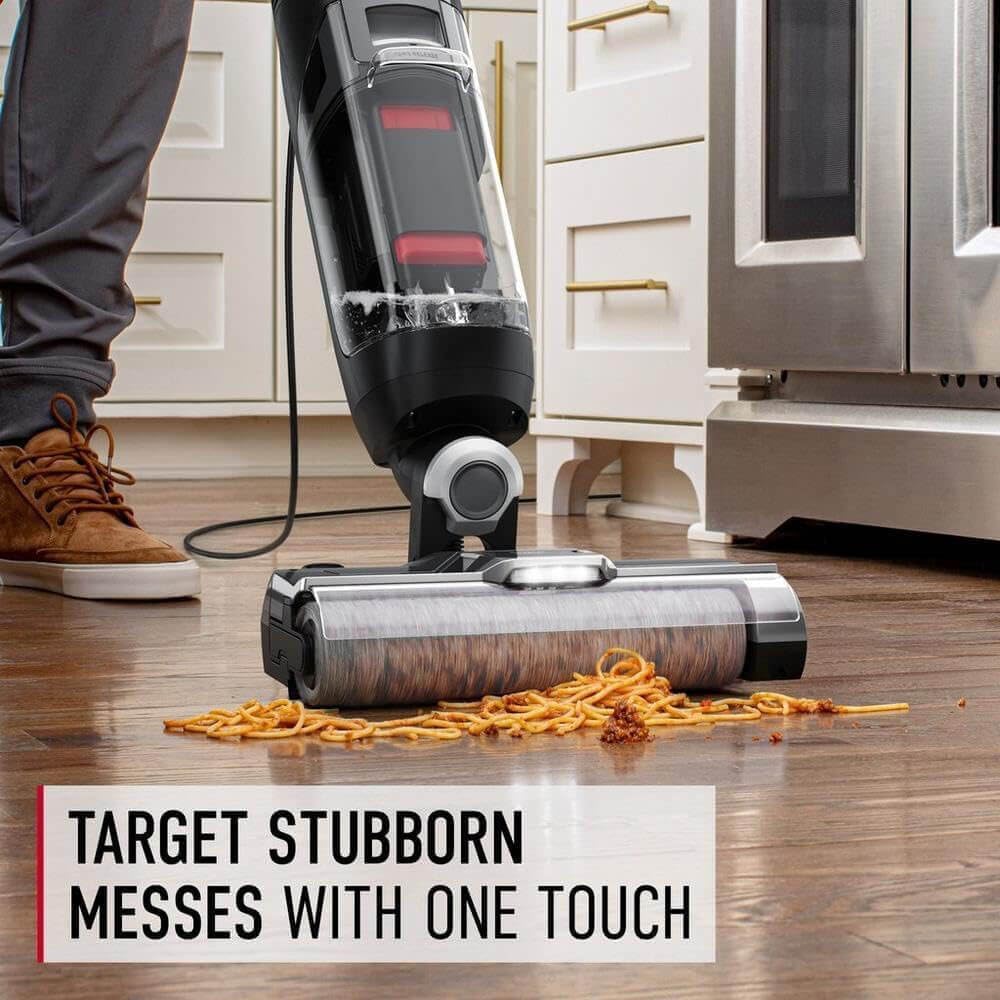
Image 4.4: The Hoover Streamline cleaning a stubborn mess of spilled spaghetti on a hard floor, highlighting its effectiveness on various types of debris.
4.3 Emptying the Dirty Water Tank
Empty the dirty water tank when it reaches the MAX fill line or after each use.
- Turn off and unplug the unit.
- Remove the dirty water tank.
- Open the tank and carefully pour out the dirty water.
- Rinse the tank thoroughly with clean water.
- Reinsert the dirty water tank into the unit.
5. Care and Maintenance
Regular maintenance ensures optimal performance and extends the life of your appliance.
5.1 Self-Cleaning Cycle
The Hoover Streamline features a self-cleaning system to maintain the brush roll and internal pathways.
- After each use, place the unit on its storage base.
- Ensure the clean water tank has sufficient water.
- Press the "Self-Clean" button (refer to Image 4.1 for location).
- The unit will run a cycle to rinse the brush roll and flush the system.
- Empty the dirty water tank after the self-cleaning cycle is complete.
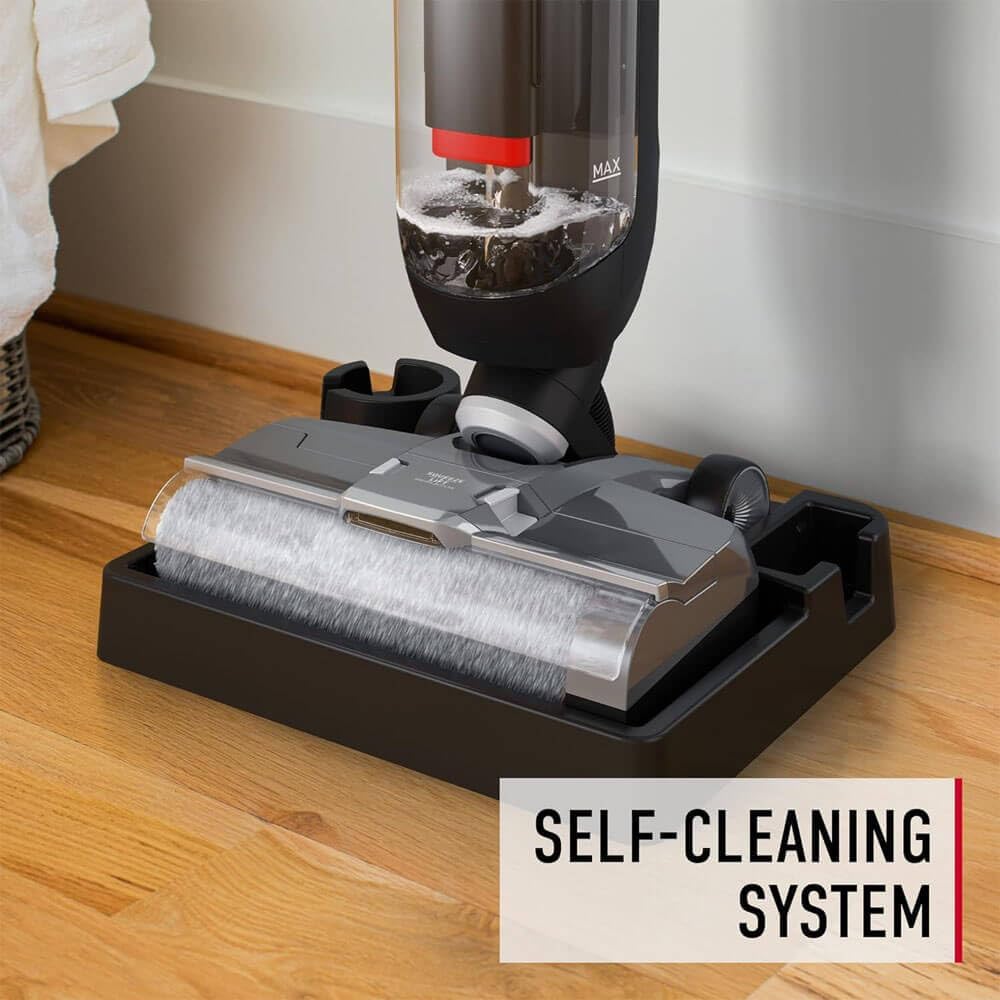
Image 5.1: The Hoover Streamline positioned on its self-cleaning and storage base, ready for a cleaning cycle of the brush roll.
5.2 Cleaning the Brush Roll
For thorough cleaning or if the brush roll becomes clogged:
- Turn off and unplug the unit.
- Remove the brush roll cover.
- Remove the microfiber brush roll.
- Rinse the brush roll under running water to remove debris. Use mild soap if necessary.
- Allow the brush roll to air dry completely before reinserting.
- Reassemble the brush roll and cover.
5.3 Cleaning the HEPA Filter
The HEPA filter should be cleaned regularly to maintain suction performance.
- Turn off and unplug the unit.
- Locate and remove the HEPA filter (typically found in the dirty water tank assembly).
- Tap the filter gently over a trash can to remove loose debris.
- Rinse the filter under cool running water until the water runs clear.
- Allow the filter to air dry completely for at least 24 hours before reinserting. Do not use the appliance without a dry filter.
6. Troubleshooting
Refer to this section for common issues and their solutions.
Unit Does Not Turn On:
- Ensure the power cord is securely plugged into a working electrical outlet.
- Check the circuit breaker if the outlet has no power.
- Verify that the power button is fully pressed.
Poor Suction or Cleaning Performance:
- Check if the dirty water tank is full and needs emptying.
- Ensure the clean water tank has sufficient solution.
- Inspect the brush roll for tangled hair or debris and clean as described in Section 5.2.
- Check the HEPA filter for clogs and clean or replace if necessary (Section 5.3).
- Ensure all tanks and covers are properly seated and sealed.
- Verify that no blockages are present in the nozzle or hose (if applicable).
Water Leaking:
- Ensure both clean and dirty water tanks are correctly installed and their caps/seals are secure.
- Check for cracks or damage on the tanks.
- Do not overfill the clean water tank.
Brush Roll Not Spinning:
- Turn off and unplug the unit.
- Remove the brush roll and check for any obstructions (e.g., hair, debris) preventing it from rotating.
- Ensure the brush roll is correctly reinstalled.
- If the issue persists, contact customer support.
7. Product Specifications
| Brand | Hoover |
| Model Name | Streamline Hard Floor Cleaner |
| Model Number | FH4600VFR |
| Power Source | Corded Electric |
| Voltage | 120 volts |
| Special Feature | Corded, LED Headlights, Dual Tanks, Edge-to-Edge Cleaning |
| Filter Type | HEPA |
| Surface Recommendation | Hard Floor, Hardwood, Luxury Vinyl, Tile |
| Capacity | 14 fluid ounces (Clean Water Tank) |
| Number of Power Levels | 2 |
| Item Weight | 16.2 pounds |
| Color | Black |
| UPC / GTIN | 728434107606 |
Note: Specifications are subject to change without notice.
8. Warranty and Customer Support
8.1 Limited Warranty
This Hoover FH4600VFR Streamline Hard Floor Wet/Dry Vacuum Cleaner comes with a 90-day limited warranty from the date of purchase. This warranty covers manufacturing defects under normal household use. It does not cover damage resulting from misuse, abuse, neglect, commercial use, unauthorized repair, or normal wear and tear.
For warranty claims, please retain your original purchase receipt. The warranty is valid only for the original purchaser and is non-transferable.
8.2 Customer Support
If you encounter any issues not covered in the troubleshooting section or require further assistance, please contact Hoover Customer Support. For the most up-to-date contact information, please visit the official Hoover website or refer to the contact details provided with your purchase documentation.
When contacting support, please have your model number (FH4600VFR) and proof of purchase readily available.


