
Introduction
This manual provides detailed instructions for the setup, operation, maintenance, and troubleshooting of your AC Infinity HYDRONE 7 Smart Plant Dehumidifier. Please read this manual thoroughly before operating the device to ensure proper function and longevity.
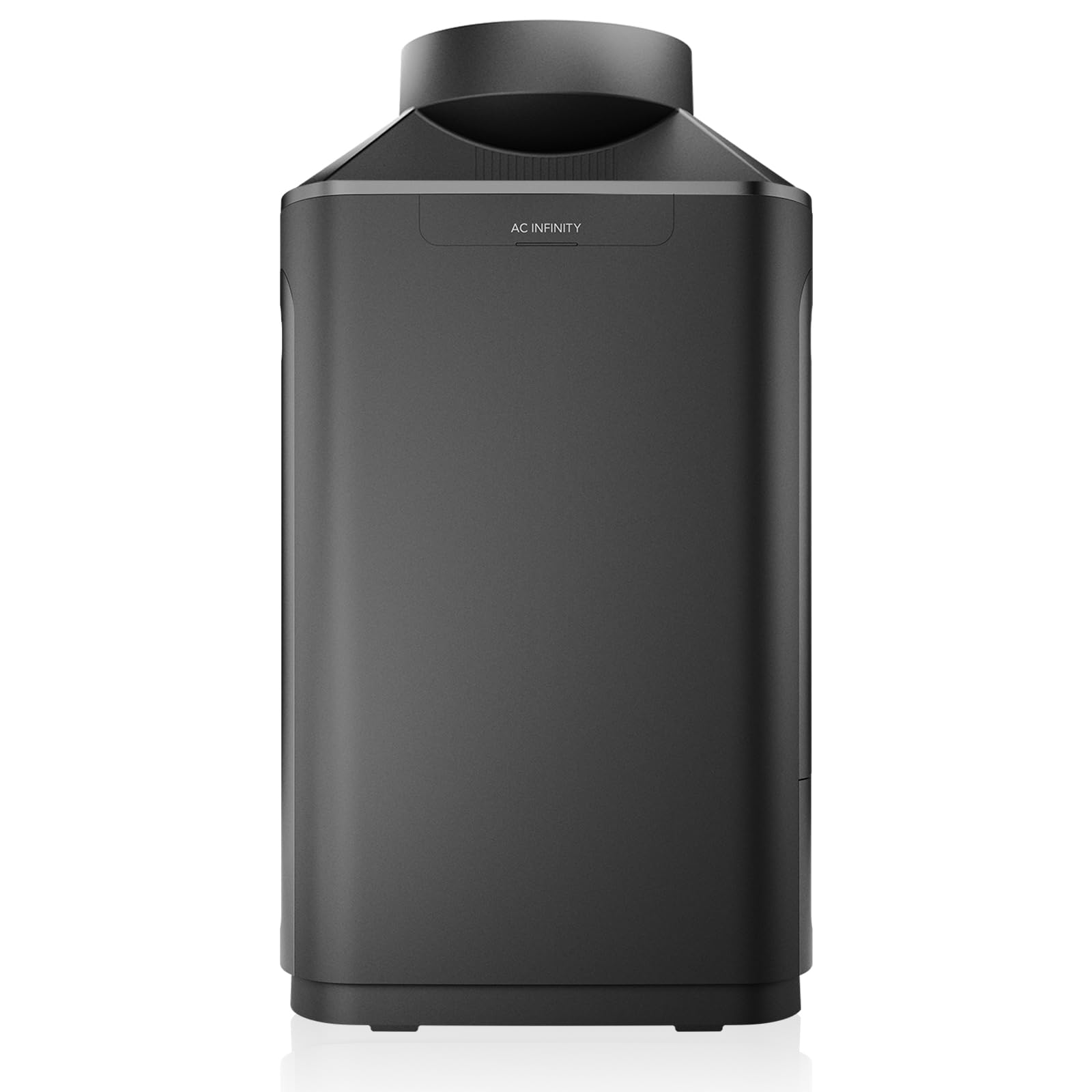
Figure 1: AC Infinity HYDRONE 7 Smart Plant Dehumidifier
Setup
The HYDRONE 7 dehumidifier is designed for versatile installation, supporting both internal and external configurations within grow tents. It features dual duct ports for flexible air management.
Unpacking and Inspection
- Carefully remove all components from the packaging.
- Inspect the unit for any signs of damage during transit. Contact customer support immediately if damage is found.
- Ensure all included accessories are present: HYDRONE 7 unit, drain hose, sensor cord, UIS M-M cord, power cord.
Placement and Ducting Configurations
The HYDRONE 7 offers multiple setup options to optimize space and efficiency:

Figure 2: Versatile Ducting Setups
- Internal Closed Loop: Place the dehumidifier inside the grow tent. Connect ducting (sold separately) to both ports for a closed-loop system, maximizing efficiency within the tent.
- External Closed Loop: Position the dehumidifier outside the grow tent. Attach ducting (sold separately) to both ports, routing them into and out of the tent. This conserves internal tent space while maintaining a closed-loop system.
- External Open Loop: Place the dehumidifier outside the grow tent. Attach ducting (sold separately) only to the exhaust port, allowing fresh air exchange while dehumidifying. This mode operates as a fan when not actively dehumidifying.
Drainage Setup
The unit includes a drain hose for continuous drainage, eliminating the need to manually empty a water reservoir. Connect the provided drain hose to the drainage port on the unit and route it to a suitable drain or collection container.
Power and Controller Connection
- Connect the power cord to the dehumidifier and then to a standard electrical outlet.
- For smart control and automation, connect the HYDRONE 7 to a compatible AC Infinity UIS controller (sold separately) using the UIS M-M cord. This enables AI-driven humidity and VPD controls, advanced automations, and remote monitoring via the AC Infinity app.
- Insert the precise reading humidity/VPD sensor probe into the grow environment for accurate data collection.

Figure 3: Dependable and Secure Ecosystem Integration
Operating Instructions
The HYDRONE 7 features smart controls and a proprietary PWM-controlled rotary motor for precise dehumidification.
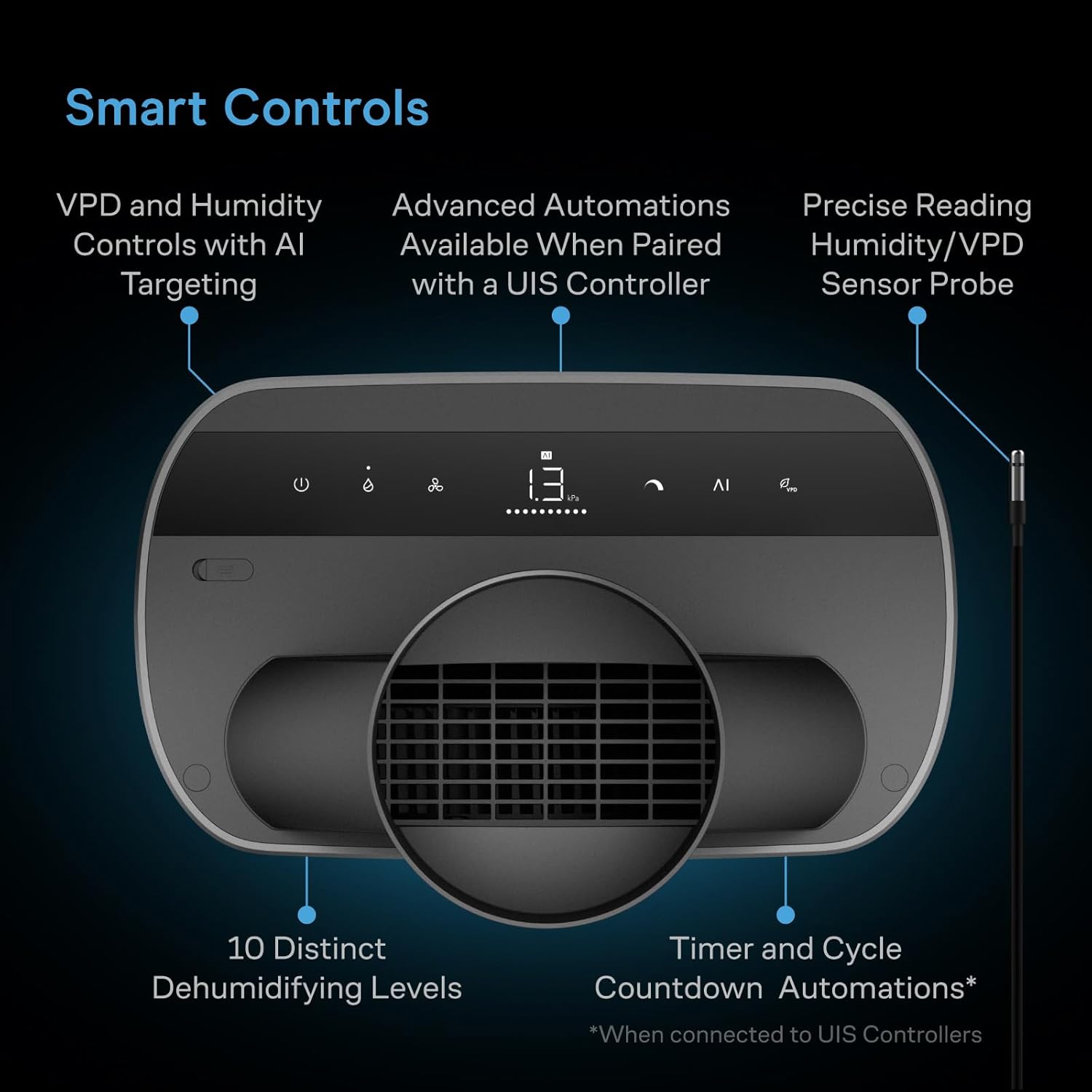
Figure 4: Smart Controls Interface
Power On/Off
- Press the power button on the unit or use the connected UIS controller to turn the dehumidifier on or off.
Setting Humidity and VPD Targets
- When connected to a UIS controller, utilize the controller interface or the AC Infinity app to set desired humidity (RH) and Vapor Pressure Deficit (VPD) target levels.
- The AI targeting system will automatically adjust the drying output to maintain these precise climate conditions.
Drying Levels
- The HYDRONE 7 offers 10 distinct drying levels, providing granular control over the dehumidification process.
- These levels can be adjusted via the UIS controller, allowing for fine-tuning based on environmental needs.
All-Season Performance
The unit is engineered for effective dehumidification across a wide range of temperatures, from hot to extremely cold environments, capable of reaching low relative humidity levels.

Figure 5: All Climate Performance
Timer and Cycle Automations
- When paired with a UIS controller, you can set up custom timer and cycle automations for scheduled operation.
Maintenance
Regular maintenance ensures optimal performance and extends the lifespan of your HYDRONE 7 dehumidifier.
Cleaning the Unit
- Exterior: Wipe the exterior surfaces with a soft, damp cloth. Avoid using abrasive cleaners or solvents.
- Air Intake/Exhaust Grilles: Periodically clean the air intake and exhaust grilles to prevent dust buildup. Use a soft brush or vacuum cleaner with a brush attachment.
Drain Hose Maintenance
- Ensure the drain hose is free from kinks or blockages to allow for continuous water flow.
- Periodically check the drain hose and connection for any leaks.
Internal Components
- The HYDRONE 7 features a proprietary rotary motor. Avoid attempting to open the unit or service internal components yourself, as this may void the warranty. Refer to qualified service personnel for internal maintenance.
Troubleshooting
If you encounter issues with your HYDRONE 7 dehumidifier, refer to the following common troubleshooting steps.
Unit Not Powering On
- Check if the power cord is securely plugged into both the unit and the electrical outlet.
- Verify that the electrical outlet is functional by plugging in another device.
- Ensure the power button on the unit or the connected UIS controller is pressed.
Dehumidifier Not Reducing Humidity Effectively
- Confirm that the humidity target on your UIS controller is set lower than the current ambient humidity.
- Check for any obstructions in the air intake or exhaust grilles. Clean if necessary.
- Ensure ducting is properly installed and sealed, especially in closed-loop systems, to prevent air leaks.
- Verify the sensor probe is correctly placed and functioning.
- Consider the size of your grow space relative to the unit's capacity (4-6 plants). For larger spaces or higher humidity loads, performance may vary.
Unit Emitting Excessive Heat
- Dehumidifiers naturally produce some heat as part of their operation. This is normal.
- If the heat output is significantly impacting your grow environment, consider using an external ducting setup to vent the heat away from the tent, or integrate additional cooling solutions.
Water Leakage
- Check the drain hose connection to ensure it is secure and not loose.
- Inspect the entire length of the drain hose for any damage, kinks, or blockages.
Unit Turns Off Randomly
- Ensure the unit is not overheating. Check for proper ventilation around the unit.
- If connected to a UIS controller, check the controller's settings for any programmed shut-off times or conditions.
- If the issue persists, contact AC Infinity customer support.
Specifications
Detailed technical specifications for the AC Infinity HYDRONE 7 Smart Plant Dehumidifier.

Figure 6: Product Specifications
| Feature | Detail |
|---|---|
| Model | HYDRONE 7 (AC-DHT7) |
| Coverage | 4-6 Plants |
| Capacity | 2 L (0.5 gal) |
| Engine | Proprietary Rotary Motor |
| Ducting Ports | Dual 6" |
| Wattage | 235 to 610 Watts |
| Product Dimensions (D x W x H) | 11.45"D x 14.05"W x 24.44"H (29.1cm D x 35.7cm W x 62.1cm H) |
| Sensor Cord Length | 12 FT (365.8 cm) |
| UIS M-M Cord Length | 10 FT (304.8 cm) |
| Power Cord Length | 8 FT (243.8 cm) |
| Number of Speeds | 10 |
| Special Feature | Adjustable Humidity Control |
| Operation Mode | Intermittent |
Warranty and Support
Manufacturer's Warranty
AC Infinity products are designed with quality and durability in mind. For specific warranty details regarding your HYDRONE 7 dehumidifier, please refer to the warranty information provided with your purchase or visit the official AC Infinity website. Typically, AC Infinity offers a limited warranty covering defects in materials and workmanship.
Customer Support
For technical assistance, troubleshooting not covered in this manual, or warranty claims, please contact AC Infinity customer support:
- Website: www.acinfinity.com
- Email: Refer to the website for current support email addresses.
- Phone: Refer to the website for current support phone numbers.
Please have your product model number (AC-DHT7) and purchase date available when contacting support.

