
1. Introduction
The ATK Axe Pro is a high-performance wireless controller designed for multi-platform compatibility. It features advanced Hall Effect sticks and triggers for enhanced durability and precision, eliminating stick drift. With support for Bluetooth, 2.4GHz wireless, and wired connections, it offers versatile gaming across various devices.
This controller is compatible with Windows, Mac, Android, iOS, and Nintendo Switch (versions 1 and 2). The Axe Pro model includes a dedicated charging dock and customizable physical components to tailor your gaming experience.

Front view of the ATK Axe Pro Wireless Controller, showcasing its ergonomic design and button layout.
2. Package Contents
Please verify that all items are present in your package:
- ATK Axe Pro Wireless Controller
- USB-A 2.4GHz Wireless Receiver
- USB-A to USB-C Charging/Wired Connection Cable
- Dedicated Smart Charging Dock
- Interchangeable Stick Caps (various heights)
- Interchangeable D-pad
- User Manual (English/Chinese)
3. Product Features
- Hall Effect Sticks & Triggers: Ensures superior durability and precision with no stick drift.
- High Polling Rate: Achieves 1000Hz polling rate in 2.4GHz wireless and wired modes for rapid input response.
- Adjustable Trigger Stroke: Features a 3-stage adjustable trigger stroke, allowing customization for different game genres like racing or FPS.
- Rumble Motors: Provides immersive haptic feedback through vibration.
- 6-Axis Gyro Sensor: Supports precise motion control for compatible games.
- Customizable Buttons: Includes 4 additional programmable buttons (2 on the back, 2 on the bottom) for expanded control options.
- Micro-Switches: ABXY buttons utilize responsive micro-switches for faster input.
- Customizable Physical Components: Adjustable stick height and interchangeable stick caps/D-pad allow for personalized ergonomics.
- Multi-Platform Compatibility: Seamlessly connects to Windows, Mac, Android, iOS, and Nintendo Switch (1 & 2).
- Dedicated Charging Dock: The Axe Pro comes with a smart charging dock for convenient power management.
- ATK HUB Software: Supports configuration via the ATK HUB application or web driver for advanced settings and customization, including LED illumination.
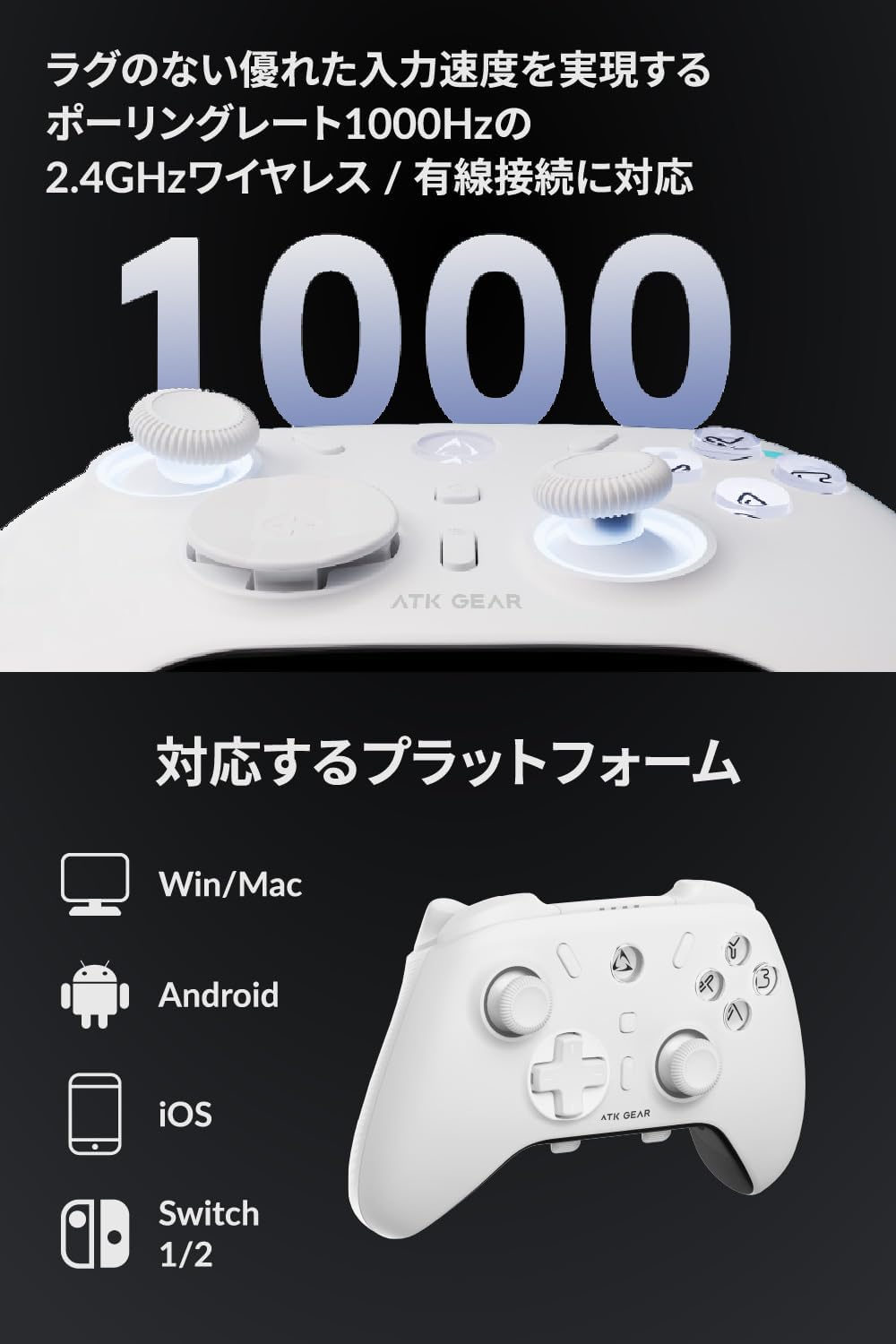
The controller supports a 1000Hz polling rate and is compatible with Windows, Mac, Android, iOS, and Switch.
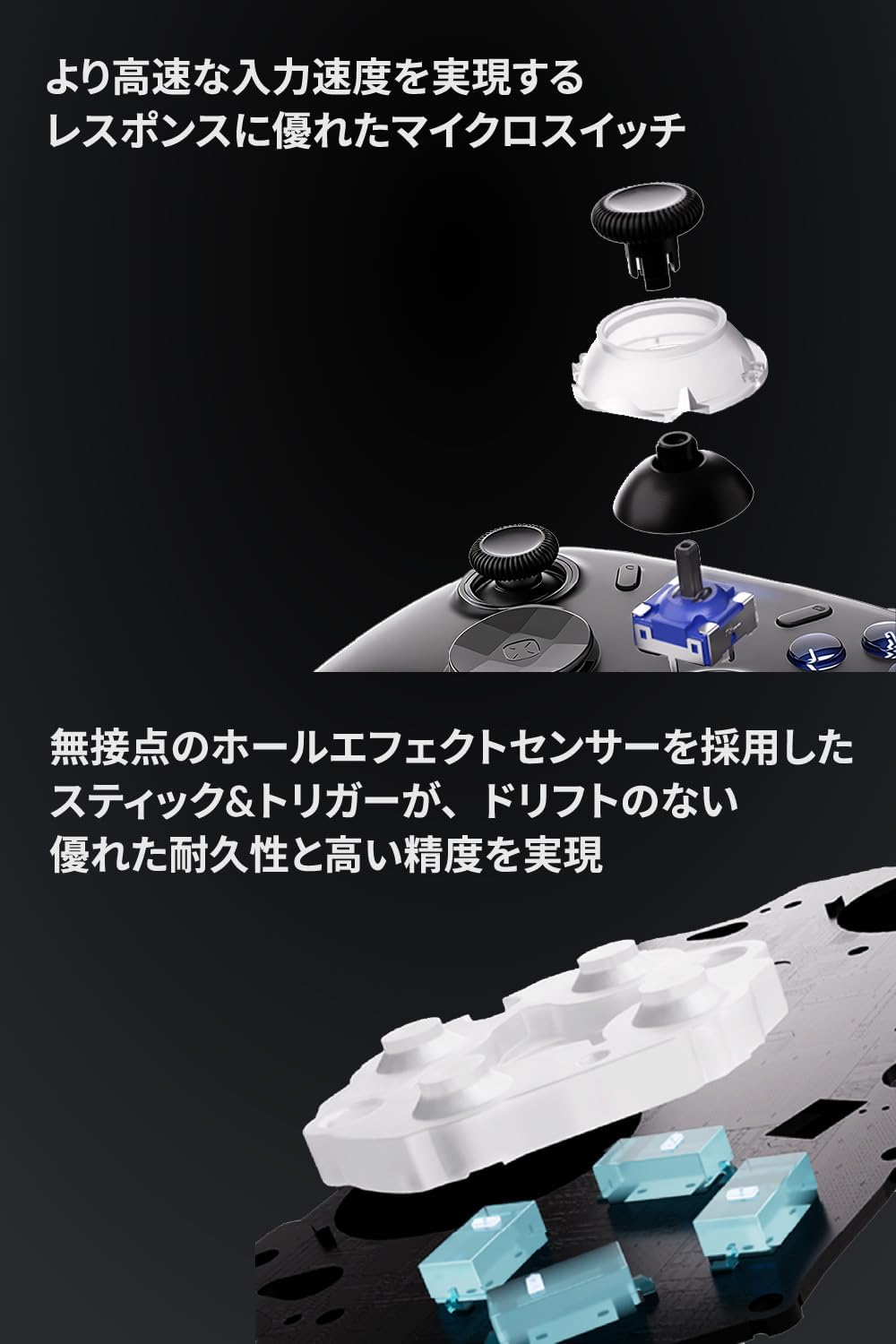
Illustration of the internal micro-switches for buttons and Hall Effect sensors for sticks and triggers, ensuring high precision and durability.
4. Setup
4.1. Charging the Controller
Before first use, fully charge the controller. Connect the USB-C cable to the controller and the USB-A end to a power source (e.g., PC, USB wall adapter). Alternatively, place the Axe Pro controller onto its dedicated smart charging dock. The controller will automatically power on when removed from the dock.

The Axe Pro controller on its charging dock, with interchangeable stick caps and D-pad shown separately.
4.2. Connection Methods
The ATK Axe Pro supports three connection types: 2.4GHz Wireless, Bluetooth, and Wired.
Platform Selection Switch: On the back of the controller, locate the platform selection switch. Adjust it to the desired platform (e.g., PC, Android, Switch) before connecting.

Rear view of the ATK Axe Pro Wireless Controller, showing the platform selection switch and additional customizable buttons.
2.4GHz Wireless Connection (Recommended for PC)
- Set the platform switch on the back of the controller to 'PC'.
- Insert the 2.4GHz USB receiver into an available USB port on your PC.
- Press and hold the power button on the controller until the LED indicator lights up.
- The controller will automatically pair with the receiver. The LED will become solid when connected.
Bluetooth Connection (for Mobile, Mac, Switch)
- Set the platform switch on the back of the controller to the appropriate setting (e.g., 'Android', 'iOS', 'Switch').
- Press and hold the power button on the controller until the LED indicator lights up.
- Activate Bluetooth on your device (smartphone, tablet, Mac, Switch).
- Search for new devices and select "ATK Axe Pro" from the list.
- The LED will become solid when connected.
Wired Connection (for PC, Switch)
- Connect the USB-C end of the cable to the controller and the USB-A end to your device.
- The controller will be automatically recognized by your device.
5. Operating Instructions
5.1. Power On/Off
- Power On: Press and hold the central power button until the LED illuminates.
- Power Off: Press and hold the central power button for 3 seconds. The controller will also automatically power off after a period of inactivity.
5.2. Button Functions
The controller features standard gaming buttons (ABXY, D-pad, L/R bumpers, L/R triggers, Start, Select, Home) and four additional customizable buttons (M1, M2 on the back; M3, M4 on the bottom).

The controller's back and bottom feature four additional customizable buttons for advanced gameplay.
5.3. Trigger Stroke Adjustment
The Axe Pro's triggers can be adjusted to 3 different stroke depths. This allows for quick, short presses in FPS games or full, linear input in racing games. Refer to the ATK HUB software for detailed adjustment instructions.

The controller features adjustable trigger stroke and rumble motors for enhanced gaming feedback.
5.4. Stick and D-pad Customization
The Axe Pro allows you to change the height of the analog sticks and swap out the D-pad for different shapes. To do this, gently pull off the existing stick cap or D-pad and replace it with your preferred alternative from the included accessories.
5.5. Gyro Operation
The integrated 6-axis gyro sensor enables motion control in compatible games. Ensure your device and game support gyro input. Calibration may be performed via the ATK HUB software.
5.6. Vibration Settings
The controller's rumble motors provide vibration feedback. Vibration intensity can be adjusted (Strong, Medium, Weak, Off) through the ATK HUB software.
5.7. LED Illumination
The controller features LED illumination. Settings for color, brightness, and effects can be customized using the ATK HUB software.

The ATK HUB app allows for comprehensive controller settings, including RGB illumination customization.
6. Maintenance
- Cleaning: Use a soft, dry cloth to clean the controller. Do not use abrasive cleaners or solvents.
- Storage: Store the controller in a cool, dry place away from direct sunlight and extreme temperatures.
- Battery Care: For optimal battery life, avoid fully discharging the controller frequently. Charge it regularly.
7. Troubleshooting
7.1. Connection Issues
- Controller not connecting: Ensure the platform switch on the back of the controller is set correctly for your device. Try re-pairing or reconnecting.
- 2.4GHz receiver not recognized: Ensure the receiver is fully inserted into the USB port. Try a different USB port.
- Bluetooth pairing failed: Ensure Bluetooth is enabled on your device and the controller is in pairing mode. Remove any previous pairings and try again.
7.2. Stick Drift or Inaccurate Input
- Although the Hall Effect sticks are designed to prevent drift, if you experience issues, perform a stick calibration using the ATK HUB software.
7.3. Button Malfunctions or Incorrect Mapping
- If buttons are unresponsive or incorrectly mapped, check settings in the ATK HUB software.
- A factory reset of the controller may resolve persistent issues. Refer to the ATK HUB software or the official ATK website for reset instructions.
7.4. Firmware Updates
Regularly check the official ATK website or the ATK HUB software for firmware updates. Updates can improve performance, add features, and resolve bugs. For example, firmware v3.1.8 or later may enable the wake-up function for Switch 2 (if supported).
8. Specifications
| Brand | ATK |
| Model Name | Axe Pro |
| Color | Black |
| Connectivity | Bluetooth, 2.4GHz Wireless, Wired (USB-C) |
| Special Features | Hall Effect Sensors, 6-Axis Gyro Sensor, Rumble, LED Illumination, Customizable Buttons, Adjustable Stick Height |
| Number of Buttons | 8 (Standard) + 4 (Customizable) |
| Hardware Platform | PC, Game Console (Switch), Smartphone (Android, iOS) |
| Manufacturer Model Number | ATKAXEPROB |
| Country of Origin | China |
9. Warranty and Support
9.1. Warranty Information
This ATK Axe Pro Wireless Controller comes with a 1-year domestic product warranty from the date of purchase. Please retain your proof of purchase for warranty claims. The warranty covers manufacturing defects under normal use. It does not cover damage caused by misuse, accidents, unauthorized modifications, or normal wear and tear.
9.2. Customer Support
For technical assistance, troubleshooting, or warranty inquiries, please visit the official ATK website or contact their customer support. The ATK HUB software and web driver are also valuable resources for managing your controller settings and accessing updated information.

