
1. Introduction and Overview
Thank you for choosing the BN-LINK Outdoor Power Stake. This device is designed to provide convenient and reliable power distribution for your outdoor electrical needs, featuring a dusk to dawn sensor, multiple timer options, and remote control functionality. Its robust, waterproof design ensures safe operation in various outdoor environments.
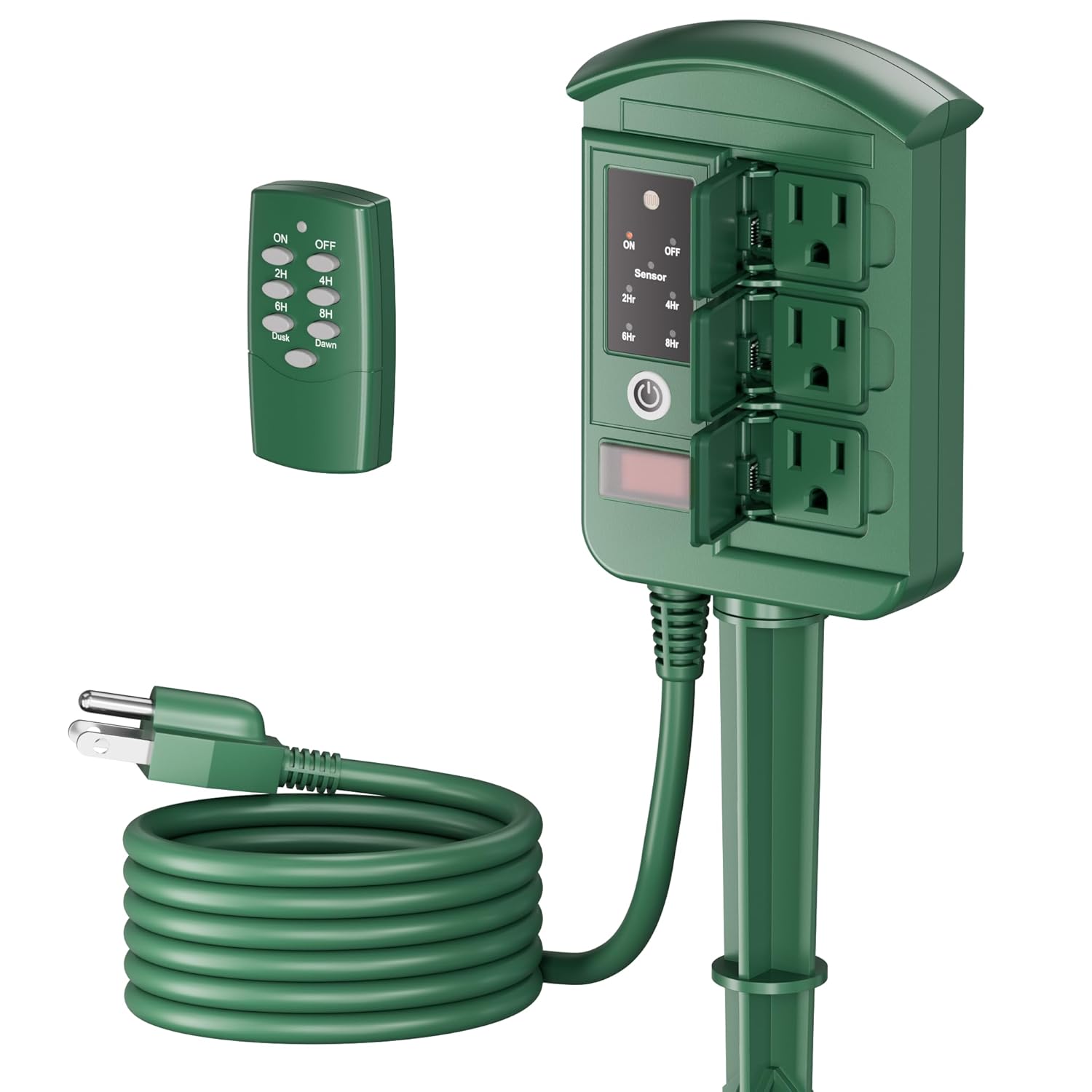
Figure 1: BN-LINK Outdoor Power Stake in an outdoor setting.
2. Product Features
- Dusk to Dawn & Countdown Timer: Offers flexible timing options including automatic dusk to dawn operation, always ON/OFF, or countdown timers (2/4/6/8 hours) after activation.
- Waterproof & Safe for Outdoor Use: ETL-certified housing and individual outlet covers provide protection against rain, snow, and dust. Includes built-in overload protection and a heavy-duty SJTW cord for enhanced safety and durability.
- Energy Efficient: The integrated photocell sensor helps manage power usage, contributing to energy savings and extending the lifespan of connected devices.
- Remote Control: Control your outdoor devices from up to 100 feet away with the included wireless remote, eliminating the need to go outside.
- 6 Grounded Outlets & 6FT Extension Cord: Features 6 grounded outlets (3 on each side) to accommodate multiple devices, along with a 6-foot heavy-duty cord for flexible placement.

Figure 2: Power Stake in use, demonstrating multiple outlets.
3. Package Contents
- 1 x BN-LINK Outdoor Power Stake Unit
- 1 x Wireless Remote Control
- 1 x Ground Stake (multi-part assembly)
- 1 x Instruction Manual
- 1 x A23 Battery for Remote Control
4. Setup and Installation
- Assemble the Ground Stake: The ground stake comes in two parts. Screw the pointed end into the extension piece.
- Attach Power Stake Unit: Securely twist the bottom of the power stake unit onto the assembled ground stake.
- Position the Unit: Insert the ground stake firmly into the soil in your desired outdoor location. Ensure the unit is stable and the outlets are easily accessible.
- Plug into Power: Connect the 6-foot heavy-duty power cord of the unit into a grounded outdoor electrical outlet.
- Install Remote Battery: Open the battery compartment on the back of the remote control and insert the provided A23 battery, observing polarity.
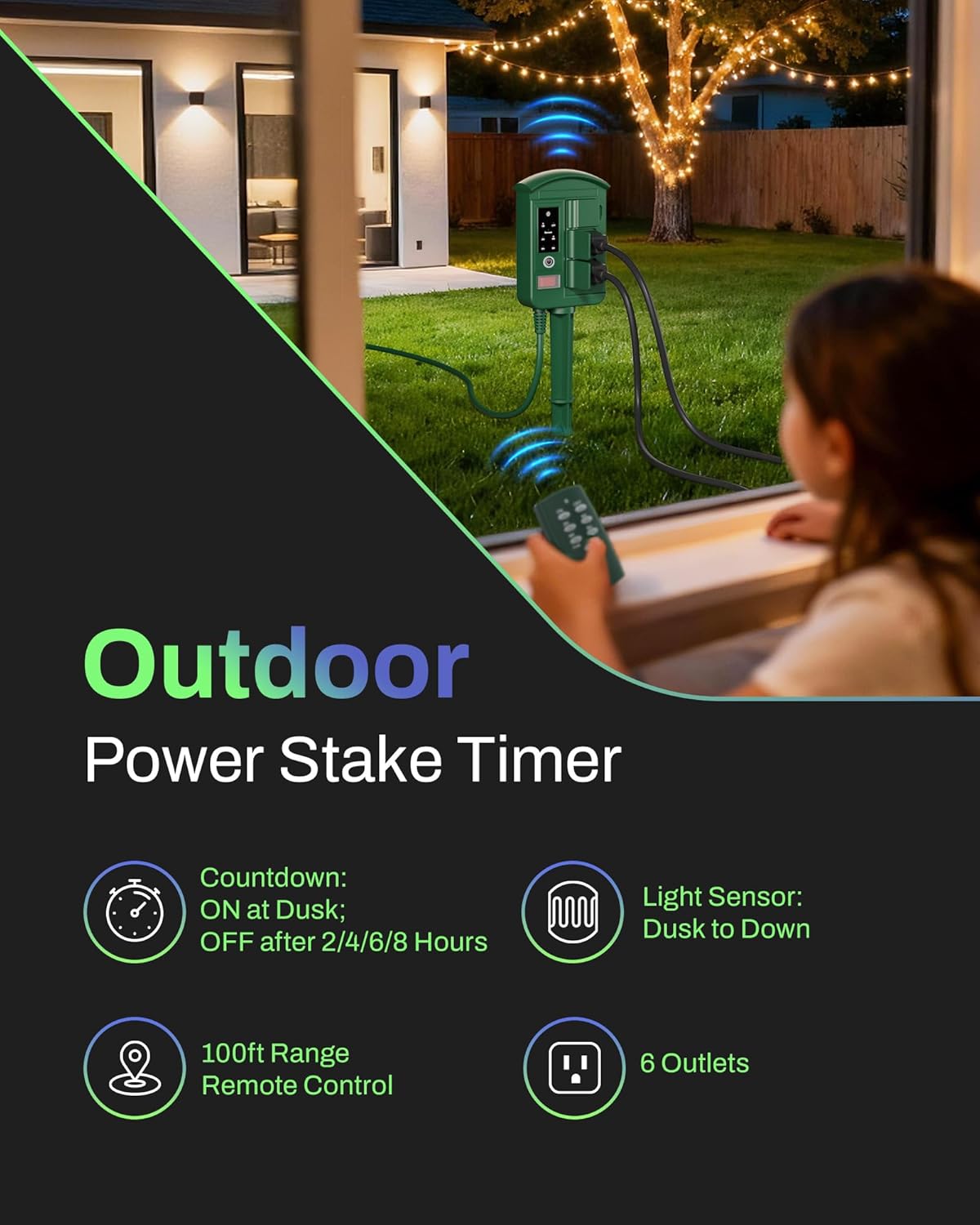
Figure 3: Installation of the power stake unit.
5. Operating Instructions
The BN-LINK Outdoor Power Stake can be operated manually using the buttons on the unit or wirelessly with the remote control.
Manual Operation (On Unit)
- Power Button: Press the main power button on the unit to cycle through ON, OFF, and Sensor modes.
- Timer Buttons: In Sensor mode, press the 2H, 4H, 6H, or 8H buttons to set a countdown timer for the outlets to remain active after dusk.
Remote Control Operation
The remote control allows you to manage the power stake from up to 100 feet away. Ensure the remote has a clear line of sight to the power stake for optimal performance.
- ON/OFF Buttons: Press 'ON' to activate the outlets, and 'OFF' to deactivate them.
- Timer Buttons (2H, 4H, 6H, 8H): Press these buttons to set the desired duration for the outlets to remain active after the dusk sensor triggers.
- Sensor Button: Activates the dusk to dawn mode, turning lights on at dusk and off at dawn.
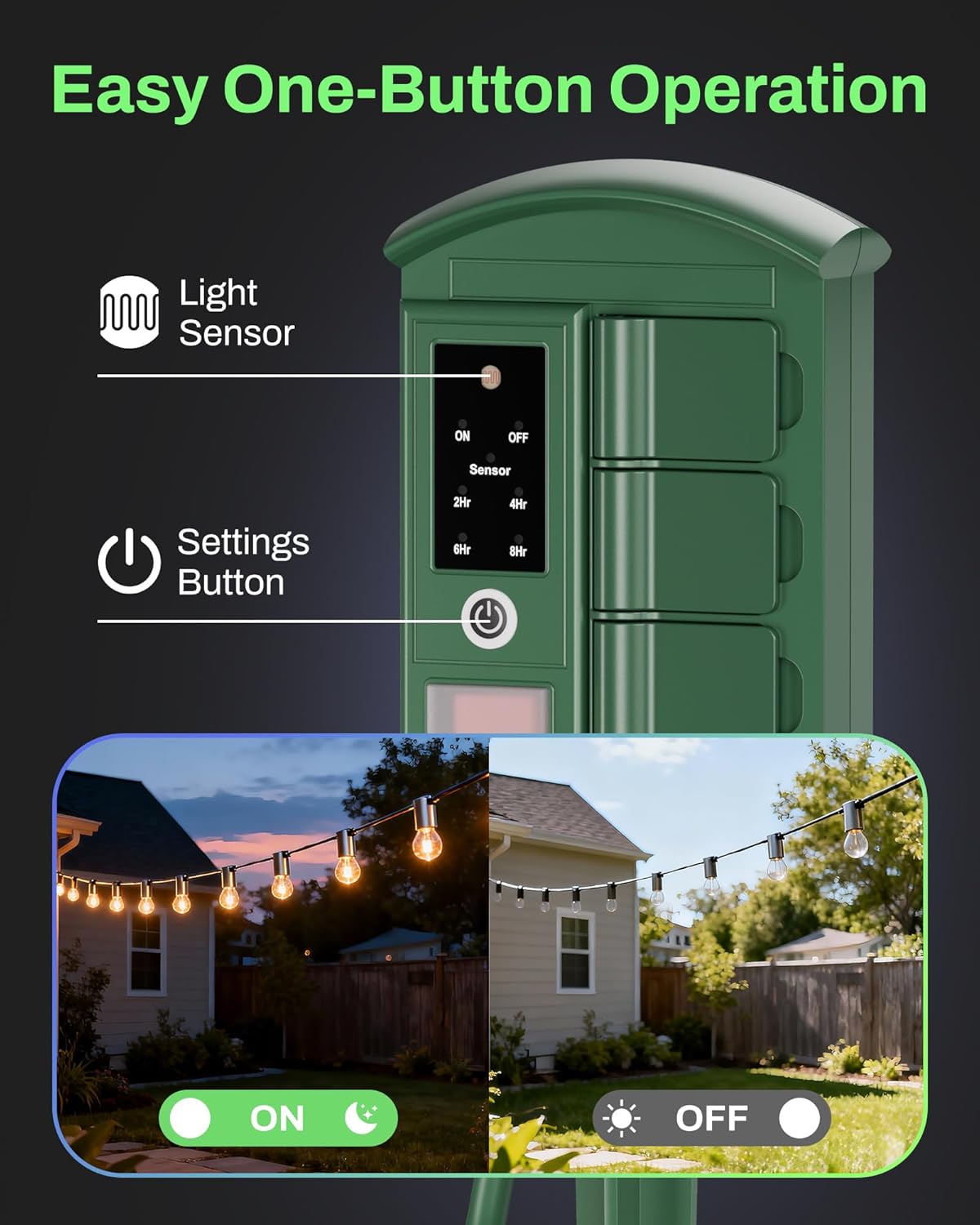
Figure 4: Control panel of the power stake.
6. Timer Functions
- Dusk to Dawn Mode: When activated (via unit button or remote 'Sensor' button), the built-in photocell sensor will automatically turn on connected devices when it gets dark and turn them off when it becomes light.
- Countdown Timer Mode: In conjunction with the dusk to dawn sensor, you can set a countdown timer (2, 4, 6, or 8 hours). The devices will turn on at dusk and then automatically turn off after the selected duration. This cycle repeats daily.
- Always ON/OFF: Use the 'ON' or 'OFF' buttons on the unit or remote for continuous power or to manually shut off devices, overriding any timer settings.
7. Remote Control
The wireless remote control provides convenient operation of your power stake. Its 100-foot range allows you to manage your outdoor lighting and appliances from indoors.

Figure 5: Remote control in use from indoors.
Video 1: Demonstration of the Outdoor Power Stake with Remote Control by BN-LINK.
8. Safety Information
- ETL Listed: This product is ETL listed, ensuring it meets recognized safety standards.
- Waterproof Design: The unit features a waterproof housing and individual flip covers for each outlet to protect against moisture.
- Overload Protection: Built-in overload protection automatically cuts power to prevent damage from excessive current.
- Heavy-Duty Cord: Equipped with a durable SJTW 14/3C cable for reliable outdoor performance.
- Always ensure all connections are secure and covers are closed when not in use.
- Do not immerse the unit in water.
9. Maintenance
- Regularly inspect the power stake and cord for any signs of damage or wear.
- Keep the unit clean by wiping it with a damp cloth. Do not use harsh chemicals or abrasive cleaners.
- Ensure the photocell sensor is free from obstructions (dirt, leaves) for accurate dusk to dawn operation.
10. Troubleshooting
- Unit not powering on: Check if the unit is securely plugged into a working outlet. Verify the overload protection switch has not tripped.
- Remote control not working: Ensure the remote control battery is correctly installed and not depleted. Try operating the unit manually to confirm it is receiving power.
- Dusk to Dawn sensor not functioning: Ensure the photocell sensor is clean and not obstructed by objects or excessive light during dusk/dawn hours.
- Timer not activating/deactivating: Confirm the correct timer mode is selected and the unit is receiving sufficient light for the sensor to operate as intended.
11. Specifications
| Model Number | CP-203R |
| Product Dimensions | 5.8 x 3.9 x 0.04 inches |
| Item Weight | 1.5 pounds |
| Voltage | 125V |
| Total Power Outlets | 6 Grounded Outlets |
| Cord Length | 6FT Heavy-Duty SJTW 14/3C |
| Remote Control Range | Up to 100FT |
| Special Feature | Waterproof, Dusk to Dawn Sensor, Overload Protection |
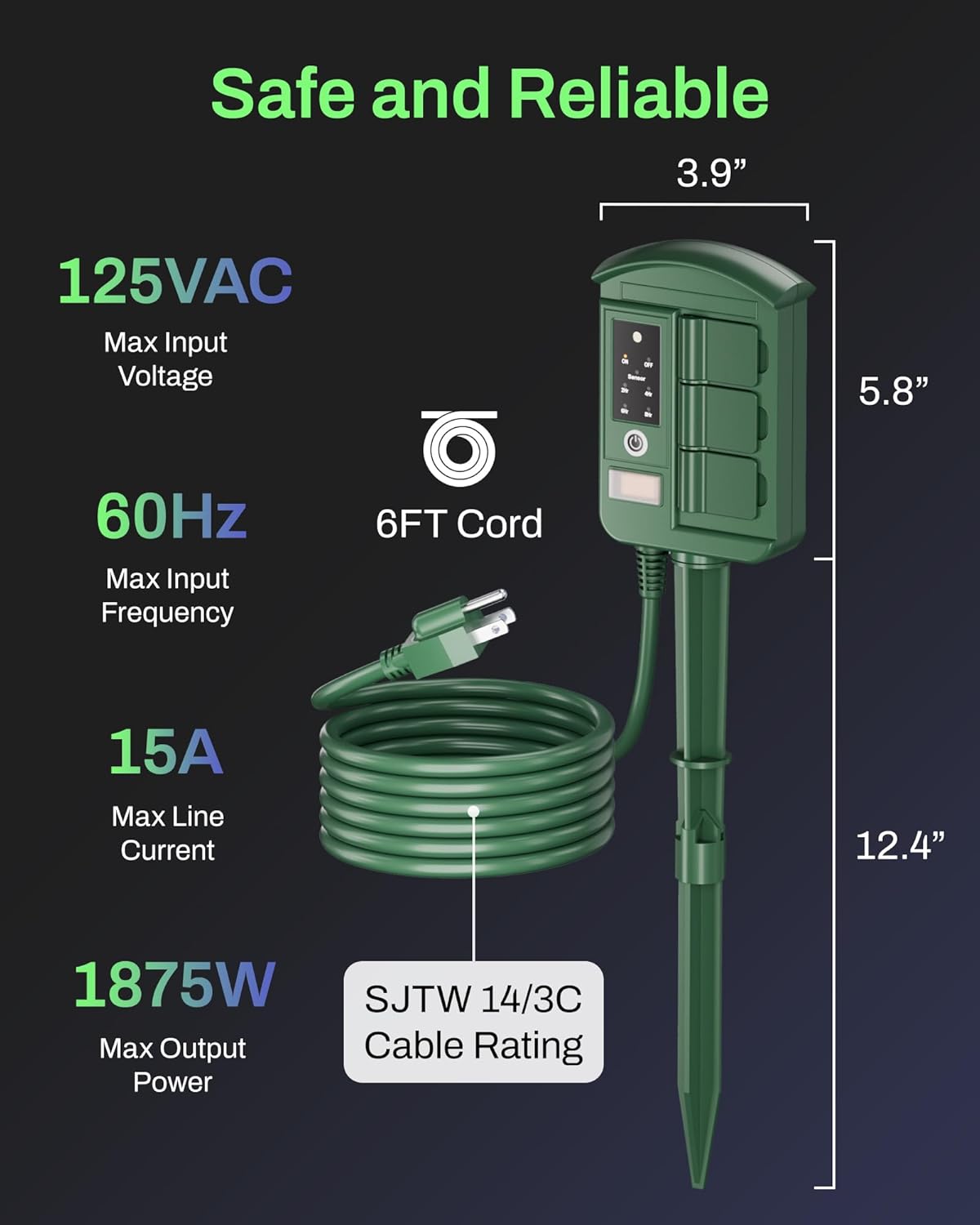
Figure 6: Product dimensions and electrical specifications.
12. Warranty & Support
For warranty information or technical support, please contact BN-LINK customer service through their official website or the retailer where the product was purchased. Please have your model number (CP-203R) and purchase details ready.