
Introduction
The YOOPAI Pro Filament Storage Box is designed to protect your 3D printer filament from moisture and dust, ensuring optimal printing performance. This airtight container features a built-in temperature and humidity monitor, allowing you to easily observe storage conditions. It is suitable for 1KG 1.75mm filament spools of various materials, including PLA, ABS, PETG, and TPU.

Image: YOOPAI Pro Filament Storage Boxes, showcasing their transparent design and integrated humidity monitors for various filament types.
Package Contents
Verify that all components are present in your package:
- Filament Box (x4)
- 15g Desiccants (x8)
- Thermo-Hygrometer (x4)

Image: Contents of the YOOPAI Pro Filament Storage Box package, showing the box, desiccant packs, and thermo-hygrometers.
Setup Instructions
- Prepare the Box: Gently pinch the top of the storage box and pull out the inner components if any are pre-inserted.
- Insert Thermo-Hygrometer: Locate the designated slot at the bottom front of the box. Carefully insert the thermo-hygrometer into this slot until it is secure and the display is visible from the outside.
- Add Desiccant: Open the desiccant packs and place them inside the storage box. It is recommended to distribute them around the filament spool for optimal moisture absorption.
- Place Filament Spool: Insert your 1KG 1.75mm filament spool into the box. Ensure it sits securely.
- Close the Lid: Securely close the lid, ensuring the silicone seal is properly aligned and the locking clips are engaged on all sides to create an airtight environment.

Image: Visual guide for setting up the YOOPAI Pro Filament Storage Box.
Setup Video Guide
Video: Official YOOPAI guide demonstrating the setup and features of the Pro Filament Storage Box.
Operating Instructions
Monitoring Temperature and Humidity
The integrated thermo-hygrometer provides real-time readings of the temperature and humidity inside the storage box. Regularly check these readings to ensure your filament is stored in optimal conditions. Ideal humidity levels for most filaments are typically below 20%.

Image: Real-time humidity monitoring display on the YOOPAI Pro Filament Storage Box.
Filament Identification
Each box includes a slot for printable labels, allowing for quick identification of the filament material, color, or brand. This helps maintain an organized storage system and streamlines your 3D printing workflow.

Image: Filament storage boxes with label slots for quick material identification.
Maintenance
Desiccant Management
The included desiccants are reusable. When the humidity levels inside the box consistently rise above desired levels, or if the desiccant changes color (if applicable), it indicates saturation. To reactivate, follow the instructions provided with the desiccant packs, typically involving heating them in an oven to remove absorbed moisture.
Cleaning the Storage Box
Clean the storage box periodically with a soft, damp cloth. Avoid abrasive cleaners or solvents that could damage the plastic or the silicone seal. Ensure the box is completely dry before re-inserting filament and desiccant.
Seal Inspection
Regularly inspect the silicone seal around the lid for any signs of wear, cracks, or damage. A compromised seal can reduce the airtight effectiveness of the box. Replace the seal if necessary to maintain optimal moisture protection.
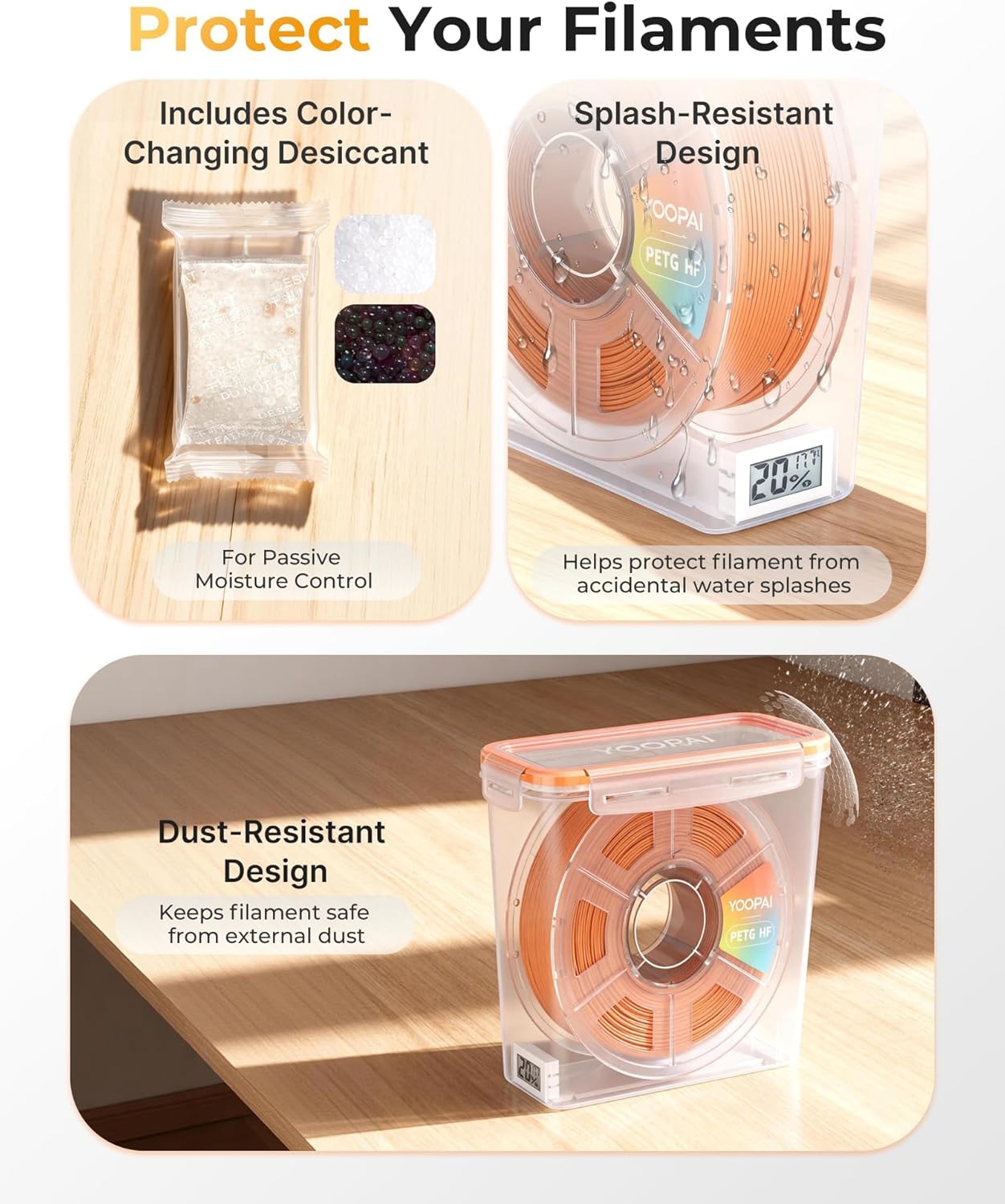
Image: Features highlighting desiccant inclusion, splash-resistance, and dust-resistance for filament protection.
Troubleshooting
| Problem | Possible Cause | Solution |
|---|---|---|
| High humidity readings inside the box. | Desiccant is saturated; lid not properly sealed. | Reactivate or replace desiccant. Ensure the lid is securely closed and the silicone seal is intact. |
| Filament issues (e.g., stringing, poor adhesion, clogging) after storage. | Filament has absorbed moisture. | Dry the filament using a dedicated filament dryer or oven (refer to filament manufacturer's guidelines). Ensure the storage box maintains low humidity. |
| Thermo-hygrometer display is blank or inaccurate. | Battery depleted; sensor malfunction. | Replace the battery in the thermo-hygrometer. If the issue persists, contact customer support. |

Image: Benefits of proper filament storage, preventing common printing issues.
Specifications
| Feature | Detail |
|---|---|
| Brand | YOOPAI |
| Model Number | FilamentBox4 |
| Material | Acrylonitrile Butadiene Styrene, Polyethylene Terephthalate Glycol, Polylactic Acid, Thermoplastic Polyurethane |
| Item Weight | 1.74 Kilograms (for the set of 4) |
| Compatible Filament Diameter | 1.75 Millimeters (for 1KG spools) |
| Special Features | Built-in Temperature & Humidity Monitor, Desiccant-Based Moisture Control, Enhanced Airtight Sealing |
| Number of Items | 4 (Filament Boxes) |

Image: Dimensions and spool compatibility of the YOOPAI Pro Filament Storage Box.
Warranty and Support
For detailed warranty information, product support, or to inquire about replacement parts, please refer to the official YOOPAI website or contact their customer service directly. Contact information can typically be found on the product packaging or the manufacturer's official online channels.