
Introduction
Welcome to the OPPO A6 Pro 5G user manual. This guide provides essential information to help you set up, operate, and maintain your new smartphone. The OPPO A6 Pro 5G is designed for robust performance and durability, featuring a powerful battery, advanced camera system, and a resilient design.
Package Contents
Ensure all items are present in your product box:
- OPPO A6 Pro 5G Smartphone
- USB Cable
- Quick Start Guide
- Protective Film (pre-applied or included)
- SIM Ejector Tool
Setup
1. Inserting SIM Cards
The OPPO A6 Pro 5G supports Dual SIM and eSIM functionality. To insert physical SIM cards:
- Locate the SIM card tray on the side of the device.
- Use the provided SIM ejector tool to open the tray.
- Place your Nano-SIM cards into the designated slots, ensuring the gold contacts face down.
- Carefully reinsert the tray into the phone.
For eSIM activation, please refer to your mobile carrier's instructions.
2. Initial Power On and Setup
- Press and hold the Power button until the OPPO logo appears.
- Follow the on-screen prompts to select your language, region, and connect to a Wi-Fi network.
- Set up your Google account and other essential settings.
- Configure security features such as fingerprint recognition for convenient unlocking.

Image: Front view of the OPPO A6 Pro 5G, showing the display and front camera.
Operating Your Device
Display and Interaction
The device features a 6.57-inch AMOLED FHD+ display with a 120 Hz refresh rate for smooth visuals and a brightness of 1400 nits. The Splash Touch feature allows the screen to respond accurately even when your hands are wet or in light rain.
Audio
Experience enhanced audio with Ultra Volume 300%, providing louder and clearer sound. The device also includes a 3.5 mm headphone jack for wired audio accessories.
Connectivity
The OPPO A6 Pro 5G supports 5G cellular technology, Wi-Fi, Bluetooth, and NFC. Advanced connectivity features like AI LinkBoost 3.0 and BeaconLink 2.0 optimize network performance and signal stability.
Camera Features
Capture high-quality photos and videos with the advanced camera system:
- Main Camera: 50 MP with AI capabilities.
- Front Camera: 16 MP Sony IMX480 for clear selfies.
- Bokeh Camera: 2 MP for depth effects.
AI Features: Utilize AI Eraser 2.0, AI Unblur, and Clarity Enhancer for improved photo quality and editing. The camera flash is LED.
Shooting Modes: Includes Underwater photography, Night Mode, High-resolution photos, Portrait Mode, Panorama, Dual Video, and Time Lapse.
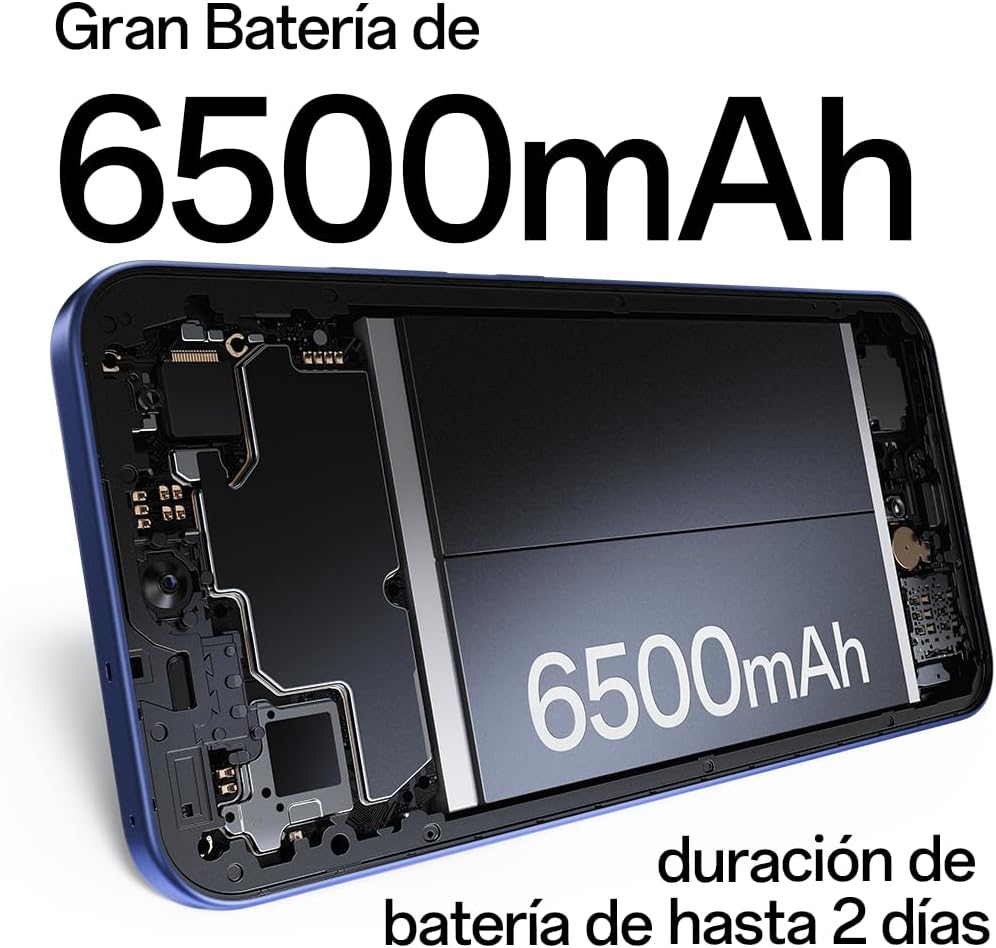
Image: Detail of the OPPO A6 Pro 5G camera system, highlighting the 50MP main, 16MP front, and 2MP bokeh lenses.
Battery and Charging
The OPPO A6 Pro 5G is equipped with a 6500 mAh Lithium-ion battery, providing up to 48 hours (two days) of average use and talk time.
Fast Charging: The device supports 80W SUPERVOOC rapid charging, allowing the battery to reach 100% in less than one hour (approximately 59 minutes).
Trinity Engine: This technology enhances the phone's fluidity and contributes to a longer battery lifespan, designed for up to 5 years of optimal performance.

Image: Rear view of the OPPO A6 Pro 5G, emphasizing its IP69 rating, 6500mAh battery, and 80W SUPERVOOC charging capability.
Durability and Resistance
The OPPO A6 Pro 5G boasts maximum resistance with IP69 and MIL-STD-810H certifications, making it waterproof, dustproof, and resistant to high temperatures. It can withstand immersion and hot water up to 80°C.
The Splash Touch feature ensures the display remains responsive even when wet, enhancing usability in challenging environments.
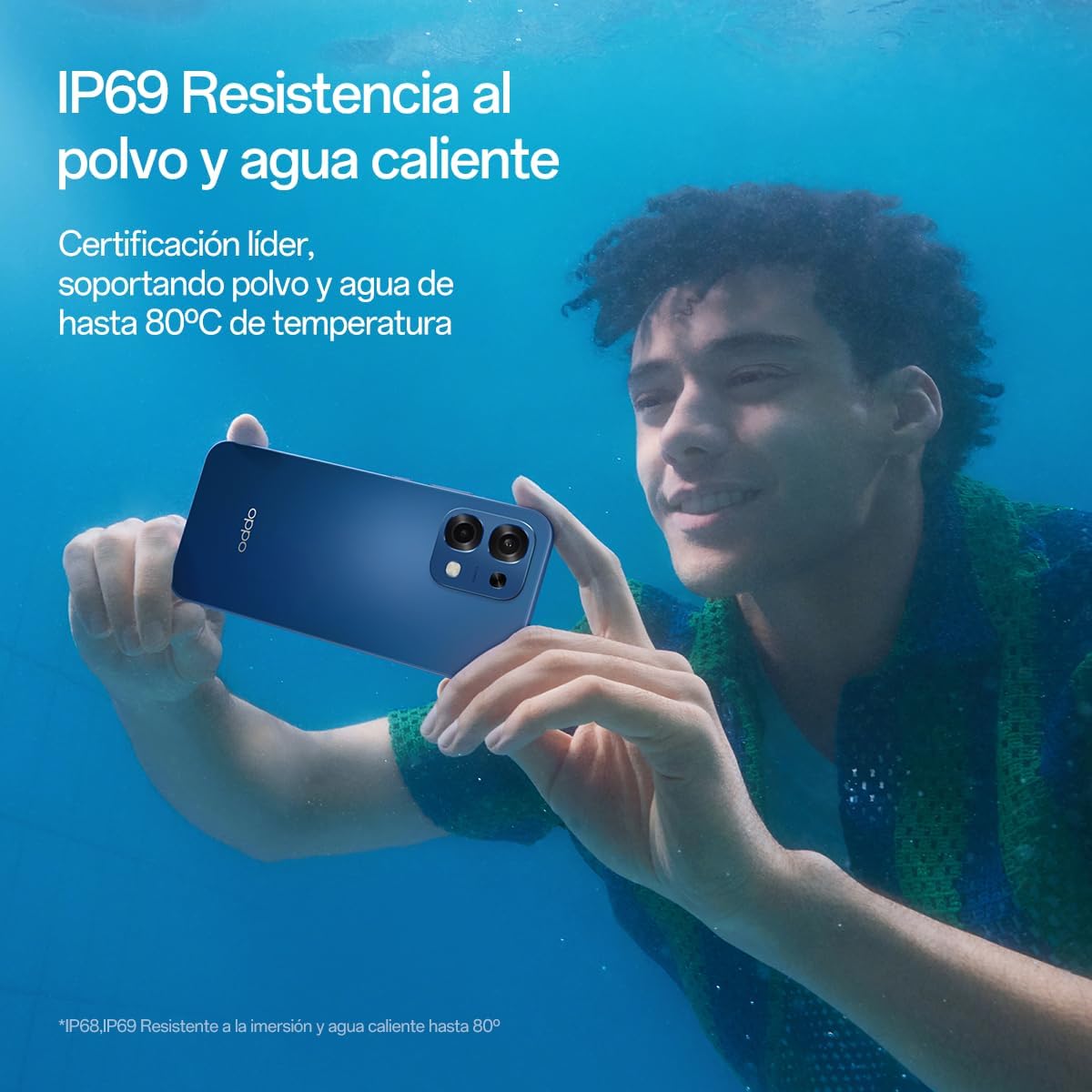
Image: A person using the OPPO A6 Pro 5G underwater, illustrating its IP69 water resistance.
Performance and Storage
Powered by the Mediatek Dimensity 6300 processor with a speed of 2.4 GHz, the OPPO A6 Pro 5G delivers robust performance. It comes with 8 GB of RAM, expandable up to 16 GB, and 256 GB of internal storage, expandable up to 2 TB.
The device runs on Android 15, offering a modern and efficient user experience.

Image: The OPPO A6 Pro 5G alongside text detailing its MediaTek Dimensity 6300 processor, 8GB RAM, and 256GB internal storage.
Maintenance
To ensure the longevity and optimal performance of your OPPO A6 Pro 5G, follow these maintenance guidelines:
- Cleaning: Use a soft, lint-free cloth to clean the screen and body. Avoid abrasive materials or harsh chemicals.
- Software Updates: Regularly check for and install system updates to benefit from the latest features, security patches, and performance improvements.
- Battery Care: Avoid extreme temperatures. While the device supports fast charging, using the original charger and cable is recommended.
- Storage Management: Periodically clear unnecessary files and apps to maintain optimal storage space and device speed.
Troubleshooting
If you encounter issues with your device, try the following common troubleshooting steps:
- Device Unresponsive: Press and hold the Power button for about 10-15 seconds to force a restart.
- App Issues: Close and reopen the app. If the problem persists, clear the app's cache or reinstall it.
- Network Connectivity: Toggle Airplane Mode on and off. Check your SIM card insertion or Wi-Fi connection.
- Battery Drain: Review battery usage in settings to identify power-consuming apps. Adjust screen brightness and disable unnecessary features.
- Factory Reset: As a last resort, if software issues persist, you may perform a factory reset. Warning: This will erase all data on your device. Back up important data before proceeding. Navigate to Settings > System > Reset options > Erase all data (factory reset).
Specifications
Below are the key technical specifications for the OPPO A6 Pro 5G:
| Feature | Detail |
|---|---|
| Model Name | OPPO A6 Pro 5G |
| Operating System | Android 15 |
| Processor | Mediatek Dimensity 6300 (2.4 GHz) |
| RAM | 8 GB (expandable to 16 GB) |
| Internal Storage | 256 GB (expandable up to 2 TB) |
| Display Size | 6.57 Inches |
| Display Type | AMOLED |
| Display Resolution | 2372 x 1080 Pixels |
| Refresh Rate | 120 Hz |
| Rear Camera | 50 MP (Main), 2 MP (Bokeh) |
| Front Camera | 16 MP |
| Battery Capacity | 6500 mAh (Lithium-ion) |
| Charging | 80W SUPERVOOC Fast Charging |
| Water Resistance | IP69, MIL-STD-810H (Water, Dust, High Temperature) |
| SIM Card Slots | Dual SIM (Nano) + eSIM |
| Connectivity | 5G, Bluetooth, NFC, USB-C, Wi-Fi |
| Biometric Features | Fingerprint Recognition |
| Headphone Jack | 3.5 mm |
| GPS | Galileo supported |

Image: Physical dimensions of the OPPO A6 Pro 5G, including height, width, thickness, and weight.
Warranty and Support
OPPO provides a commitment to product longevity. Spare parts for the OPPO A6 Pro 5G are available in the EU for a duration of 5 years from the date of purchase.
For detailed warranty information, technical support, or service inquiries, please visit the official OPPO support website or contact your local customer service center. Keep your proof of purchase for warranty claims.
You can find more information and support resources on the official OPPO store page: OPPO Store on Amazon.it


