
1. Introduction
Welcome to the realme 16 Pro 5G Smartphone user manual. This guide provides essential information on setting up, operating, maintaining, and troubleshooting your device. Please read this manual thoroughly to ensure optimal performance and longevity of your smartphone.
2. What's in the Box
Upon unboxing your realme 16 Pro 5G Smartphone, verify that all items are present:
- realme 16 Pro 5G Smartphone
- USB Cable
- Phone Case
Note: A charger may not be included in all regional packages. Please check your specific product packaging.
3. Product Overview
The realme 16 Pro 5G is designed for high performance and user experience. Familiarize yourself with its key components and features.
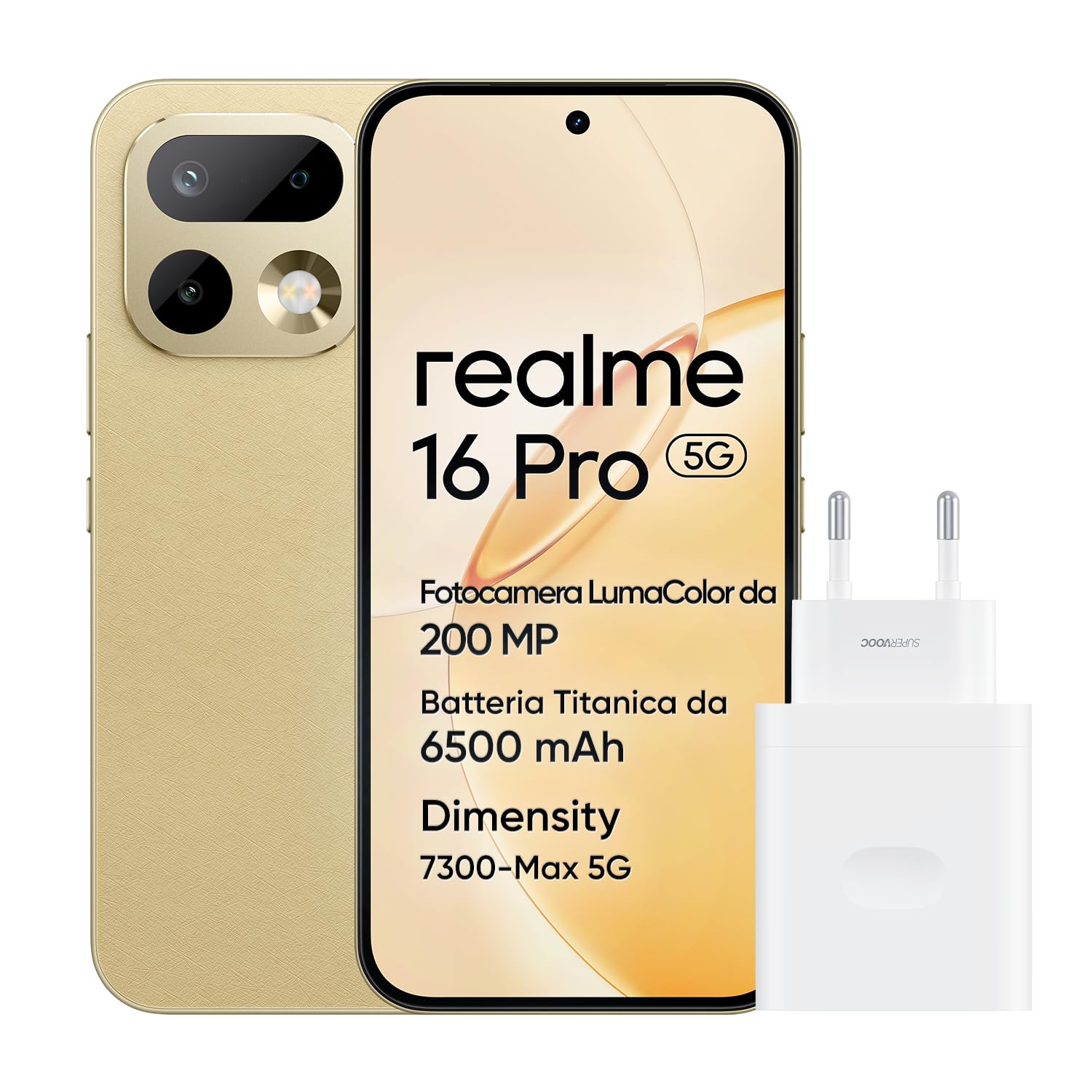
Figure 3.1: realme 16 Pro 5G Smartphone (Gold variant)
This image displays the realme 16 Pro 5G Smartphone in its Gold color variant, showcasing its sleek design and camera module.
3.1. Device Layout

Figure 3.2: Front View
The front features the 6.78-inch AMOLED display and the 50MP selfie camera.

Figure 3.3: Back View
The rear houses the 200MP OIS main camera module and the realme branding.

Figure 3.4: Side View
The side profile highlights the slim 7.75mm design and physical buttons.
3.2. Key Features
- Extreme Processing Power: Equipped with the MediaTek Dimensity 7300 Max 5G for smooth performance.
- Ultra-Clear 200MP Camera: Features a 200MP main camera with OIS, 4K HDR video, 30x AI zoom, and AI LightMe flash.
- Natural and Eco-Friendly Design: Inspired by tree bark and pebbles, with a slim 7.99mm body and curved edges.
- 144Hz AMOLED Display: A 6.78-inch 1.5K 144Hz flat display with ArmorShell protection.
- Long-Lasting Battery: A large 6500mAh battery with 45W fast charging support.
- Next-Level AI: NEXT AI enhances photography, content creation, and productivity.
- IP69K Water and Dust Resistance: Professional-level protection against water and dust.
4. Setup
4.1. Inserting SIM Cards
- Locate the SIM card tray on the side of your device.
- Insert the SIM ejector tool into the small hole next to the tray and press firmly until the tray pops out.
- Place your Nano-SIM cards into the designated slots on the tray. Ensure the gold contacts face downwards.
- Carefully reinsert the SIM tray into the phone.
4.2. Powering On/Off
- To Power On: Press and hold the Power button (usually on the right side) until the realme logo appears.
- To Power Off: Press and hold the Power button, then select "Power Off" from the options on the screen.
- To Restart: Press and hold the Power button, then select "Restart" from the options.
4.3. Initial Setup
Follow the on-screen prompts to complete the initial setup process, which includes:
- Selecting your language and region.
- Connecting to a Wi-Fi network.
- Signing in with your Google account.
- Setting up screen lock (PIN, pattern, password, fingerprint recognition).
- Transferring data from an old device (optional).
5. Operating Instructions
5.1. Display

Figure 5.1: AMOLED 144Hz Display
The 6.78-inch AMOLED display offers a 144Hz refresh rate for smooth visuals and a resolution of 1080 x 2400 pixels. Adjust brightness and display settings in the Settings menu under Display & Brightness.
5.2. Camera

Figure 5.2: 200MP Portrait Master Camera System
Your realme 16 Pro 5G features a powerful camera system:
- Main Camera: 200MP with Optical Image Stabilization (OIS) for sharp photos and videos.
- Front Camera: 50MP for high-resolution selfies and video calls.
- Video Recording: Supports 4K HDR video capture.
- AI Features: Includes AI Zoom (up to 30x), AI LightMe for low-light conditions, AI Framing Master, and AI StyleMe.
Access various camera modes like Portrait, Night, Pro, and Panorama through the Camera application.
5.3. Battery and Charging

Figure 5.3: 6500mAh Battery and 45W Fast Charging
The device is equipped with a 6500mAh battery. Use the provided USB cable and a compatible 45W fast charger for optimal charging speed. Avoid using non-certified chargers to prevent damage to the device.
5.4. Performance and Connectivity

Figure 5.4: Dimensity 7300-Max 5G Processor
Powered by the MediaTek Dimensity 7300 Max 5G processor, the realme 16 Pro 5G delivers efficient performance for gaming, multitasking, and 5G connectivity. The device supports Dual SIM functionality and Wi-Fi connectivity.
5.5. AI Features (NEXT AI)
The integrated NEXT AI system enhances various aspects of your smartphone experience:
- AI Photography: Improves image quality, offers advanced portrait modes, and intelligent scene recognition.
- AI Content Creation: Assists in generating and editing content with smart tools.
- AI Productivity: Optimizes task management and system efficiency for a smoother user interface.
6. Maintenance
6.1. Cleaning Your Device
To clean your realme 16 Pro 5G, use a soft, lint-free cloth. Avoid abrasive materials, solvents, or aerosol sprays. For the screen, a screen cleaner specifically designed for electronics can be used. The device has an IP69K rating, offering protection against dust and high-pressure water jets, but it is not recommended to intentionally submerge or expose it to harsh chemicals.

Figure 6.1: IP69K Water and Dust Resistance
This image illustrates the IP69K water and dust resistance of the realme 16 Pro 5G, showing the phone partially submerged in water.
6.2. Software Updates
Regularly check for software updates to ensure your device has the latest features, security patches, and performance improvements. Go to Settings > About device > realme UI version to check for updates.
6.3. Battery Care
To prolong battery life, avoid extreme temperatures, do not let the battery drain completely often, and avoid overcharging. The device supports 45W fast charging.
7. Troubleshooting
This section addresses common issues you might encounter with your realme 16 Pro 5G.
7.1. Device Freezing or Unresponsive
- Restart: Press and hold the Power button for about 10-15 seconds until the device restarts.
- Close Apps: If an app is causing the issue, close it from the recent apps menu.
- Software Update: Ensure your device software is up to date.
7.2. Rapid Battery Drain
- Check Usage: Go to Settings > Battery to identify apps consuming the most power.
- Adjust Settings: Reduce screen brightness, disable unnecessary features like GPS, Bluetooth, or Wi-Fi when not in use.
- Background Apps: Limit background app activity.
7.3. Camera Issues
- Clean Lens: Ensure the camera lens is clean and free from smudges.
- Restart Camera App: Close and reopen the camera application.
- Clear Cache: Go to Settings > Apps > Camera > Storage & cache > Clear cache.
7.4. Connectivity Problems (Wi-Fi/5G)
- Toggle On/Off: Turn Wi-Fi or Mobile Data off and on again.
- Restart Device: A simple restart can resolve many connectivity issues.
- Network Settings Reset: Go to Settings > System > Reset options > Reset Wi-Fi, mobile & Bluetooth.
8. Specifications
Detailed technical specifications for the realme 16 Pro 5G Smartphone.
| Feature | Specification |
|---|---|
| Brand | realme |
| Model Name | RMX5120 (16 Pro) |
| Operating System | Android |
| RAM | 8 GB |
| Storage Capacity | 256 GB |
| CPU Model | Mediatek Dimensity 7300 Max 5G |
| CPU Speed | 2.5 GHz |
| Screen Size | 6.78 Inches |
| Resolution | 1080 x 2400 (Max 2340x1080) |
| Refresh Rate | 144 Hz |
| Display Type | AMOLED |
| Rear Camera Resolution | 200 MP |
| Front Camera Resolution | 50 MP |
| Video Capture Resolution | 4K |
| Battery Capacity | 6500 mAh (Max 7000 mAh) |
| Charging | 45W Fast Charging |
| SIM Card Slots | Dual SIM |
| SIM Card Format | Nano |
| Connectivity Technology | 5G, GSM, Wi-Fi |
| Biometric Features | Fingerprint Recognition |
| Water Resistance Level | IP69K (Not water resistant for submersion) |
| Dimensions | 50 x 120 x 200 mm |
| Year of Model | 2026 |
For detailed energy information, refer to the EPREL database.
9. Warranty and Support
9.1. Product Warranty
The realme 16 Pro 5G Smartphone comes with a 2-year manufacturer's warranty. Please retain your proof of purchase for warranty claims.
9.2. Customer Support
For further assistance, technical support, or service inquiries, please contact realme customer service:
- Official Website: Visit the realme Global Support page for user manuals and FAQs.
- Email Support: service.eu@realme.com
Additional information regarding data transparency and repair information can be found at:
- Repair Information Link 1
- Repair Information Link 2
- Data Transparency Declaration: PDF Document


