
Dnniakm M108
Dnniakm M108 Open Ear Earbuds User Manual
Model: M108
1. Introduction
Thank you for choosing the Dnniakm M108 Open Ear Earbuds. These earbuds are designed to provide a comfortable and safe listening experience, allowing you to stay aware of your surroundings while enjoying high-quality audio. This manual will guide you through the setup, operation, and maintenance of your new earbuds.
Package Contents
- Dnniakm M108 Open Ear Earbuds (Left and Right)
- Charging Case
- USB Charging Cable
- User Manual
2. Product Overview
The Dnniakm M108 earbuds feature an open-ear, clip-on design for comfort and situational awareness. They utilize air conduction technology to deliver sound without blocking your ear canal.

Figure 2.1: Close-up view of the Dnniakm M108 Open Ear Earbuds, showcasing their sleek design and clip-on form factor.

Figure 2.2: Detailed view of the flexible U-shaped bridge design and multi-support system, engineered for enhanced stability and comfort during extended wear.
3. Setup
3.1 Charging the Earbuds and Case
Before first use, fully charge the earbuds and charging case. Connect the provided USB charging cable to the charging port on the case and a power source. The indicator light on the case will show charging status.
- A 10-minute charge provides approximately 2 hours of playback.
- A single full charge of the earbuds offers up to 6 hours of listening time.
- With the charging case, total playtime extends up to 42 hours.

Figure 3.1: Illustration of the M108's battery performance, detailing quick charge benefits, single-charge duration, and total playtime with the charging case.
3.2 Bluetooth Pairing
- Ensure the earbuds are charged.
- Open the charging case. The earbuds will automatically enter pairing mode.
- On your device (smartphone, tablet, laptop), enable Bluetooth.
- Search for available devices and select "M108" from the list.
- Once connected, you will hear a confirmation tone, and the device will show "Connected".
The earbuds support seamless one-step pairing and can switch between connected devices.

Figure 3.2: Visual guide demonstrating the quick one-touch connection process using Bluetooth 5.4, showing the earbuds paired with a smartphone, laptop, and smartwatch.
4. Operating Instructions
4.1 Wearing the Earbuds
Gently clip the earbuds onto your ears, ensuring the sound outlet is positioned correctly for optimal audio delivery. The flexible design provides a secure and comfortable fit for various ear shapes.
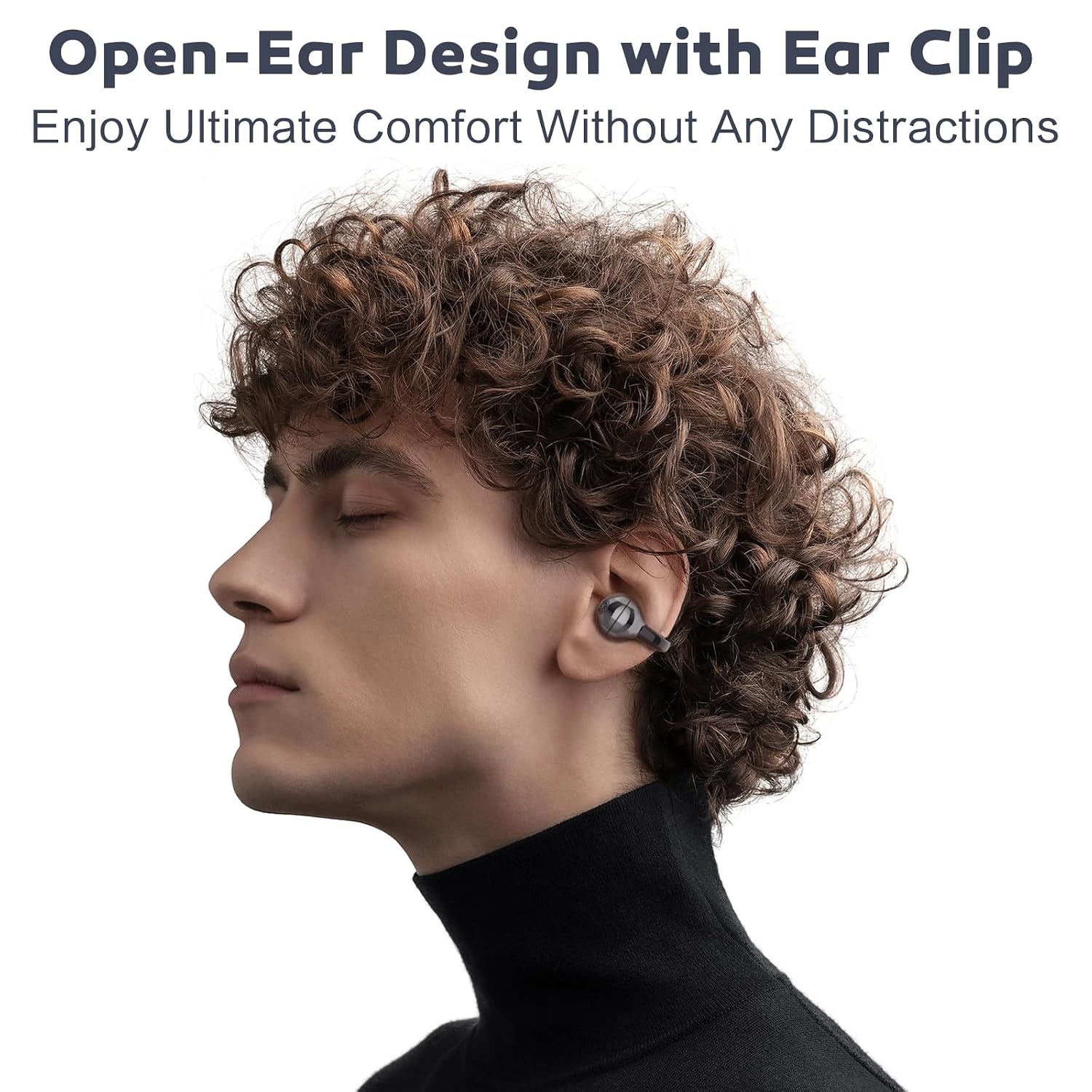
Figure 4.1: A person wearing the M108 earbuds, illustrating the secure and comfortable placement of the open-ear clip design.
4.2 Touch Controls
The M108 earbuds feature intuitive touch controls for managing music and calls. Specific touch functions may vary slightly, but common controls include:
- Play/Pause: Single tap on either earbud.
- Next Track: Double tap on the right earbud.
- Previous Track: Double tap on the left earbud.
- Answer/End Call: Single tap on either earbud.
- Reject Call: Press and hold on either earbud.
- Activate Voice Assistant: Triple tap on either earbud.
4.3 Usage Scenarios
The open-ear design and secure fit make the M108 suitable for various activities:
- Sports & Workouts: Stay aware of your surroundings while exercising.
- Commuting: Listen to audio while remaining alert to traffic and announcements.
- Work: Enjoy music or calls without being completely isolated from your environment.

Figure 4.2: A collage illustrating the versatility of the M108 earbuds, showing individuals using them during sports, work, and commuting.
5. Maintenance
5.1 Cleaning
Regularly clean your earbuds and charging case to ensure optimal performance and hygiene.
- Wipe the earbuds and charging case with a soft, dry, lint-free cloth.
- Do not use abrasive cleaners, alcohol, or chemical solvents.
- Ensure charging contacts are clean and dry before placing earbuds in the case.
5.2 Storage
When not in use, store the earbuds in their charging case to protect them from dust and damage.
5.3 Water Resistance
The M108 earbuds have an IP56 waterproof rating, meaning they are resistant to sweat, rain, and splashes. They are not designed for submersion in water. Ensure the earbuds are dry before placing them back in the charging case.
6. Troubleshooting
If you encounter issues with your Dnniakm M108 earbuds, please refer to the following common solutions:
| Problem | Solution |
|---|---|
| Earbuds not pairing | Ensure earbuds are charged. Place them back in the case, close, then open again to re-enter pairing mode. Check your device's Bluetooth settings and try reconnecting. |
| No sound from earbuds | Check device volume. Ensure earbuds are connected. Try playing audio from a different app or device. |
| Charging issues | Verify the charging cable and adapter are working. Ensure charging contacts on earbuds and case are clean and dry. |
| Poor sound quality | Ensure earbuds are worn correctly. Move closer to your connected device to avoid interference. |
7. Specifications
Below are the technical specifications for the Dnniakm M108 Open Ear Earbuds:
| Feature | Detail |
|---|---|
| Model Number | M108 |
| Brand | Dnniakm |
| Ear Placement | Open Ear |
| Form Factor | Open Ear, Clip-on |
| Noise Control | Environmental Noise Cancellation (ENC) |
| Bluetooth Version | 5.4 |
| Battery Life (Earbuds) | Up to 6 hours (single charge) |
| Total Playtime (with Case) | Up to 42 hours |
| Quick Charge | 10 minutes for 2 hours playback |
| Water Resistance | IP56 (Sweat, Rain, Splash Resistant) |
| Control Method | Touch Control |
| Audio Driver Type | Air Conduction Driver |
| Material | Acrylonitrile Butadiene Styrene (ABS) |

Figure 7.1: Exploded view diagram illustrating the internal components and directional air conduction technology responsible for the M108's rich and detailed sound.
8. Warranty and Support
The Dnniakm M108 Open Ear Earbuds come with a 2-year after-sales service. If you have any questions, require technical assistance, or experience any issues with your product, please do not hesitate to contact our customer support team.
Please refer to the contact information provided with your purchase or visit the official Dnniakm website for support details.
Ask a question about this manual
Ask about setup, troubleshooting, compatibility, parts, safety, or missing instructions. Manuals+ will review the question and use this page’s manual context to help answer it.