
1. Introduction
This manual provides instructions for the proper installation, use, and care of your Labelife TZe-231 12mm Black on White Laminated Label Tape. This product is designed as a replacement for Brother P-Touch TZe/TZ series label tapes, offering reliable and durable labeling solutions for various applications.
2. Product Features
- Dimensions: 0.47 inch (12mm) width x 26.2 feet (8m) length.
- Color: Black text on White tape.
- Laminated Design: Provides protection against water, abrasion, fading, and high temperatures.
- Strong Adhesion: Ensures labels remain securely attached to various surfaces.
- Easy-Peel Split Backing: Facilitates quick and effortless application without residue.
- Clear Printing: Produces crisp, bold text and barcodes for long-lasting readability.

Image: Key features of the Labelife TZe-231 label tape, highlighting easy peeling, clear printing, and strong adhesive properties.
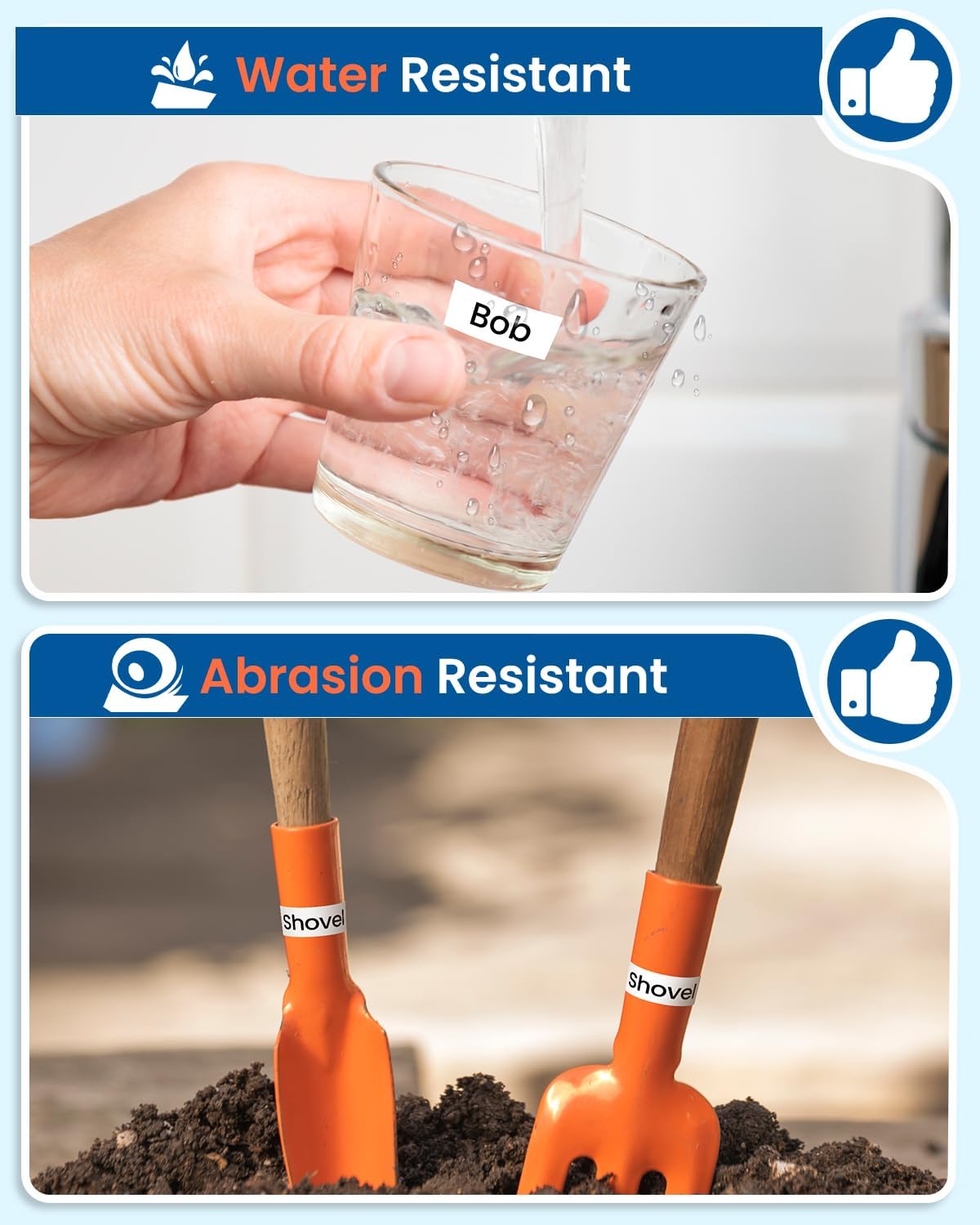
Image: Demonstrates the water-resistant quality of the label tape, showing a label on a glass being rinsed, and abrasion resistance with a label on a shovel.

Image: Illustrates the fade-resistant nature of the label tape on a plant pot and its high-temperature resistance on a pot near a stove.
3. Compatibility
The Labelife TZe-231 label tape is designed to be compatible with a wide range of Brother P-Touch label makers that use TZe/TZ type tapes. Please refer to the list below for compatible and incompatible models.
3.1. Compatible Models
This label tape works flawlessly with models such as:
- PT-D210, PT-H110, PT-D220, PT-H111, PT-D600, PT-D400AD, PT-D600VP, PT-P710BT, PT-D410, PT-D610BT, PT-H100, PT-D200, PT-D400VP, PT-P750W, PT-E550W, PT-P750WVP, PT-P700, PT-D450, PT-E500, PT-2730, PT-H500LI, PT-2430PC, PT-1280BT, PT-1880C, PT-1890C, PT-2030, PT-1000, PT-1090, PT-1180, PT-1190, PT-1280SP, PT-1400, PT-1800, PT-1810, PT-1830.
3.2. Incompatible Models
Please note that TZe/TZ tapes are NOT compatible with P-Touch label makers designed for 'M', 'TC', or 'BTAG' type tapes. Examples of incompatible models include:
- PT-M95, PT-65, PT-N10, PT-N20, PT-N25BT, PT-6, PT-8, PT-10, PT-12.

Image: A visual chart indicating compatible and incompatible Brother P-Touch label maker models for TZe/TZ tapes.
4. Installation
Follow these steps to install the Labelife TZe-231 label tape into your compatible Brother P-Touch label maker:
- Open the Tape Cassette Cover: Locate and open the tape cassette compartment cover on your label maker.
- Insert the Tape Cassette: Gently insert the Labelife TZe-231 tape cassette into the compartment. Ensure it clicks firmly into place. The tape should feed smoothly into the printer mechanism.
- Close the Cover: Close the tape cassette compartment cover securely.

Image: Step-by-step visual guide showing how to open the label maker, insert the tape cassette, and close the cover.
Video: A short demonstration showing the installation process of the Labelife 12mm White Label Tape into a compatible label maker, followed by printing a label.
5. Operating Instructions
Once the tape is installed, you can begin creating labels. Refer to your specific label maker's manual for detailed printing instructions. Generally, the process involves:
- Power On: Turn on your Brother P-Touch label maker.
- Enter Text: Use the keyboard to type the desired text for your label.
- Adjust Settings (Optional): Customize font, size, style, and frame settings as needed.
- Print: Press the print button. The label will be printed and dispensed from the label maker.
- Cut Label: Use the built-in cutter on your label maker to cut the label.
- Peel and Apply: Carefully peel off the split backing from the label and apply it to your desired clean, dry surface.

Image: Various application examples including food storage, document management, box marking, and stationery items, demonstrating the versatility of the labels.
6. Maintenance
To ensure optimal performance and longevity of your Labelife TZe-231 label tape and your label maker:
- Storage: Store unused tape cassettes in a cool, dry place away from direct sunlight and extreme temperatures.
- Cleaning: Periodically clean the print head and tape cutter of your label maker according to its manufacturer's instructions. Dust and debris can affect print quality.
- Handling: Avoid touching the adhesive side of the tape before application to maintain maximum stickiness.
7. Troubleshooting
If you encounter issues while using your Labelife TZe-231 label tape, consider the following:
- Poor Print Quality:
- Ensure the tape cassette is correctly installed.
- Clean the print head of your label maker.
- Check if the tape is jammed or twisted within the cassette.
- Tape Not Feeding:
- Verify the cassette is fully inserted.
- Check for any obstructions in the tape path.
- Labels Not Sticking:
- Ensure the application surface is clean, dry, and smooth.
- Avoid touching the adhesive side of the label.
- Apply firm pressure when adhering the label.
- Tape Jamming:
- Remove the cassette and re-insert it carefully.
- Ensure the tape is not excessively pulled or twisted before printing.
For further assistance, please refer to your label maker's specific troubleshooting guide or contact Labelife customer support.
8. Specifications
| Attribute | Detail |
|---|---|
| Brand | Labelife |
| Model | TZe-231 |
| Color | Black on White |
| Size | 12mm (0.47 inch) |
| Length | 8m (26.2 feet) |
| Material | Plastic |
| Finish Type | Laminated |
| Unit Count | 4 Count (as per product variant) |
9. Warranty and Support
Labelife products are manufactured to high-quality standards. For information regarding warranty coverage or customer support, please refer to the product packaging or contact Labelife directly through their official website or the retailer where the product was purchased.


