
1. Introduction
This manual provides essential instructions for the safe and efficient operation, setup, and maintenance of your ByteTecpeak D14 Foldable Electric Wheelchair. Please read this manual thoroughly before using the product and retain it for future reference. Always adhere to all safety warnings and instructions provided.
2. Product Overview
The ByteTecpeak D14 is a lightweight, foldable electric wheelchair designed for enhanced mobility. It features a robust aluminum alloy frame, a powerful 500W motor, and a 12Ah lithium battery providing an extended range. Its compact design makes it suitable for travel and daily use.
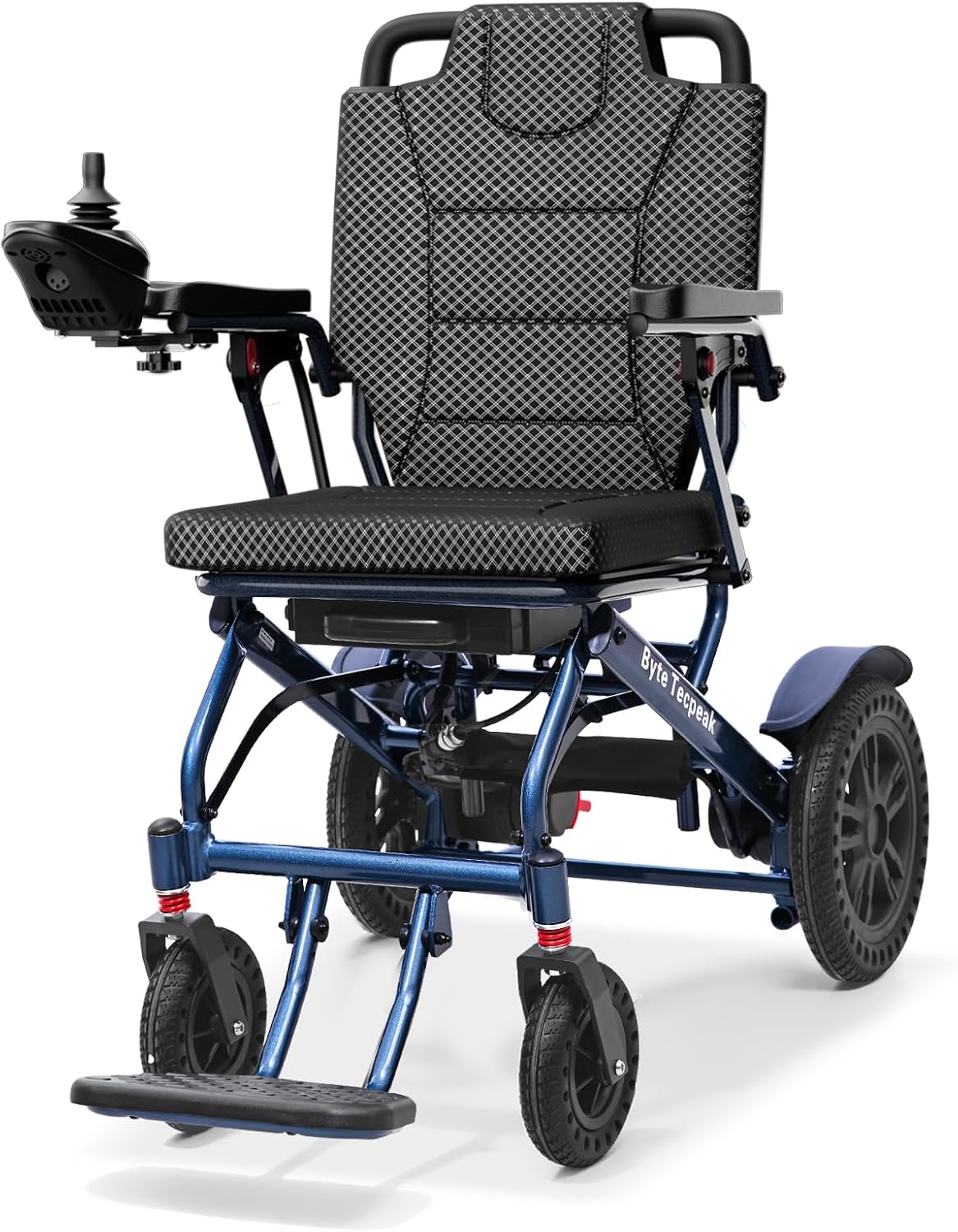
Figure 1: Main view of the ByteTecpeak D14 Electric Wheelchair.
3. Setup and Assembly
Follow these steps to set up your ByteTecpeak D14 electric wheelchair:
- Unfolding the Wheelchair: Locate the folding button on the handlebar. Press the button and pull the handlebar upwards to unfold the chair. Pull the handlebar downwards until the chair is fully extended and the folding button locks into place.
- Lowering the Footrest: Once unfolded, lower the footrest to its operational position.
- Installing the Joystick: Attach the joystick to the armrest. Tighten the screw underneath to secure it firmly in position.
- Installing the Anti-Tip Device: Install the anti-tip device at the rear of the wheelchair for added stability and safety.
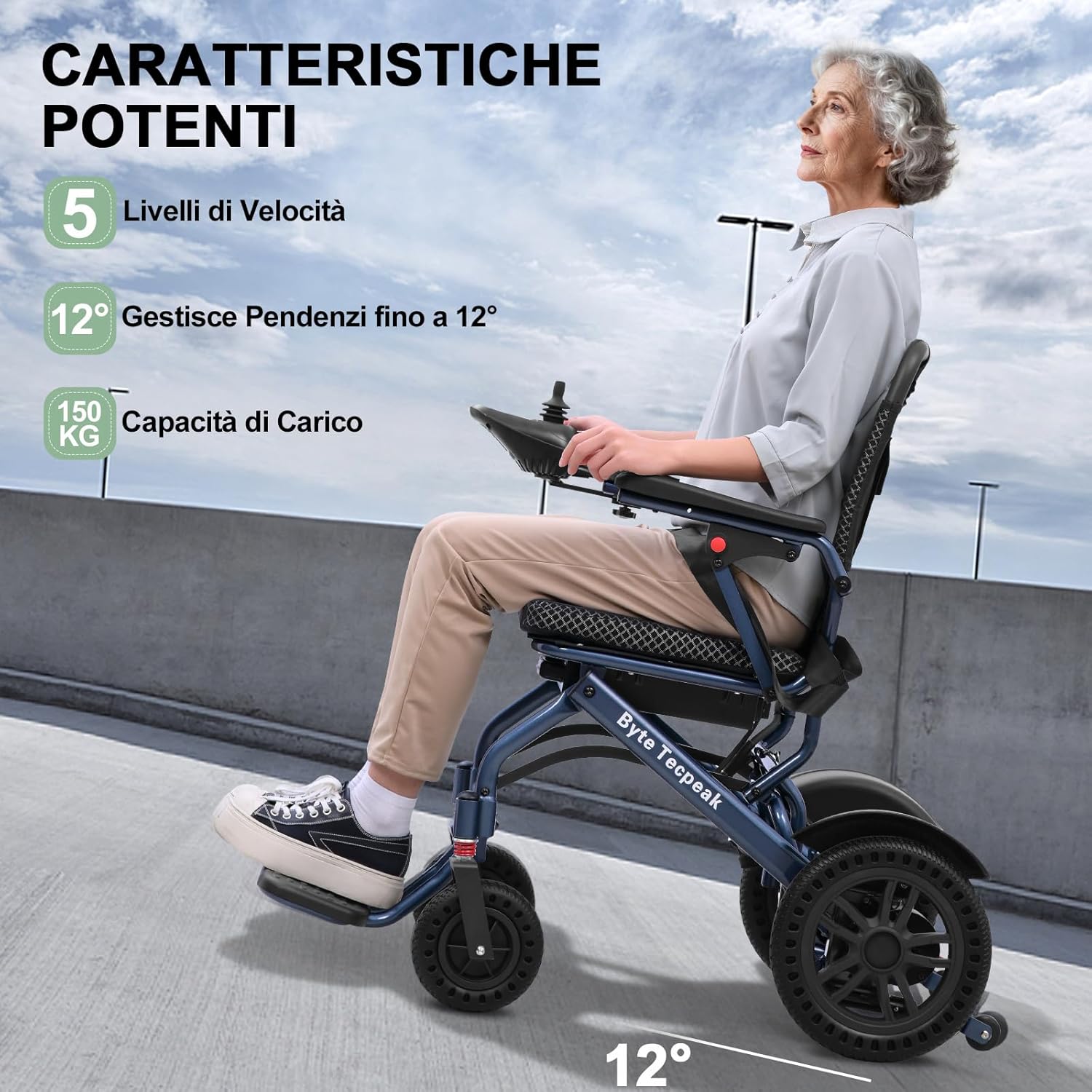
Figure 2: The ByteTecpeak D14 Electric Wheelchair in its unfolded, ready-to-use state.

Figure 3: Close-up of the 360° joystick control with power indicator, on/off switch, horn, speed display, and speed adjustment buttons.
4. Operating Instructions
The D14 electric wheelchair is designed for intuitive control and safe operation.
- Powering On: Ensure the main power supply is switched on. Then, press the power button on the joystick to activate the control system.
- Adjusting Speed: Use the '+' and '-' buttons on the joystick to adjust the speed settings. The wheelchair offers 5 speed levels to suit different environments and user preferences.
- Driving: Use the 360° joystick to steer and control the wheelchair's movement. Push the joystick forward to move forward, pull back to reverse, and move left or right to turn.
- Braking: The wheelchair is equipped with an electromagnetic braking system for immediate and secure stops, even on inclines. Releasing the joystick will automatically engage the brakes.
- Safety Features: The anti-rollback wheels prevent the chair from rolling backward on slopes, enhancing safety.

Figure 4: The joystick allows for 5 speed control settings (2km/h, 3km/h, 4km/h, 5km/h, 6km/h) to adjust your pace.

Figure 5: The D14 features 5 speed levels, handles inclines up to 12°, and has a load capacity of 150 kg.
5. Battery Charging
The D14 is powered by a 12Ah lithium battery, offering approximately 20 km of range. The battery can be charged in two ways:
- Direct Battery Charging: Remove the battery from the wheelchair. Connect the charger to the top charging port of the battery. The power indicator on the charger will turn red during charging and green when fully charged.
- On-Board Charging: Connect the charger directly to the charging port located on the joystick. The power indicator will show the charging status.
A full charge typically takes about 6 hours.

Figure 6: The 12Ah removable battery provides a 20km range and supports fast charging in 6 hours. Compatible with airport regulations.
6. Folding and Storage
The D14 electric wheelchair is designed for easy folding and compact storage.
- Folding: After use, release the locking levers (typically located near the seat or frame joints) and gently push the backrest forward while lifting the seat to fold the wheelchair into its compact form.
- Storage: Once folded, the wheelchair has compact dimensions of 56 × 34 × 86 cm, making it easy to store in car trunks, closets, or overhead compartments for air travel.

Figure 7: The ByteTecpeak D14 Electric Wheelchair in its folded state, ready for transport or storage.

Figure 8: The D14 is travel-friendly and cabin-compatible, weighing 18.5 kg with folded dimensions of 86x60x34cm.
7. Key Features and Components
- Robust Aluminum Alloy Frame: Lightweight yet durable, ensuring stability and ease of transport.
- Powerful 500W Motor: Provides reliable performance for various terrains and inclines up to 12°.
- 12Ah Lithium Battery: Offers an extended range of approximately 20 km on a single charge.
- Electromagnetic Braking System: Ensures immediate and secure stops for enhanced safety.
- Anti-Rollback Wheels: Prevents unintended backward movement on slopes.
- Thickened Seat Cushion: Designed for comfort during extended use.
- Durable PU Tires: Puncture-resistant and suitable for various terrains.
- Dual Shock Absorption System: Provides a smoother ride over uneven surfaces.
- Liftable Armrests: For easier access and transfer.

Figure 9: Detailed views showing durable PU tires, dual shock absorption system, dual-mode switch, 5cm thickened cushion, and liftable armrests.
8. Maintenance
Regular maintenance ensures the longevity and optimal performance of your wheelchair.
- Cleaning: Wipe down the frame and components with a damp cloth. Avoid using abrasive cleaners or excessive water.
- Battery Care: Charge the battery regularly, even if the wheelchair is not in frequent use, to maintain battery health. Store the battery in a cool, dry place.
- Tire Inspection: Periodically check the tires for wear and tear. Ensure they are free from debris.
- Fastener Check: Regularly inspect all screws and fasteners to ensure they are tight.
9. Troubleshooting
If you encounter any issues, please refer to the following common troubleshooting tips:
- Wheelchair not powering on: Ensure the main power switch is on and the battery is properly inserted and charged. Check the joystick's power button.
- Reduced range or power: The battery may need a full charge or could be nearing the end of its lifespan. Ensure the battery connections are secure.
- Unresponsive joystick: Check if the joystick is securely connected. Restart the wheelchair by turning off and on the main power and joystick.
- Unusual noises: Stop using the wheelchair immediately and inspect for any loose parts or obstructions. Contact customer support if the issue persists.
10. Specifications
| Feature | Specification |
|---|---|
| Model Number | D14 |
| Brand | ByteTecpeak |
| Dimensions (Unfolded) | 78 x 56 x 99 cm (L x W x H) |
| Dimensions (Folded) | 56 x 34 x 86 cm (L x W x H) |
| Weight (excluding battery) | 18.6 kg |
| Weight (with battery) | 21 kg |
| Motor Power | 500 W |
| Battery Type | 12 Ah Lithium Battery |
| Max Range | Approx. 20 km |
| Max Load Capacity | 150 kg |
| Max Incline Capability | 12° |
| Color | Blue |
11. Official Product Video
Watch this video for a visual guide on setting up, operating, and charging your ByteTecpeak D14 Electric Wheelchair.
Video Description: This video demonstrates the unboxing, unfolding, footrest adjustment, joystick installation, anti-tip device setup, power-on sequence, speed adjustment, battery removal, and both direct and on-board battery charging methods for the ByteTecpeak D14 Electric Wheelchair. It also shows the folding process for storage.
Note: Video URL was not provided in the product data. This is a placeholder.
12. Warranty and Support
For warranty information, technical support, or any inquiries regarding your ByteTecpeak D14 Electric Wheelchair, please refer to the documentation included with your purchase or visit the official ByteTecpeak website. Always ensure you have your model number (D14) and purchase details available when contacting support.


