1. Introduction
This manual provides essential information for the safe and efficient operation and maintenance of your MEDION H11 Cordless Floor Cleaner. Please read all instructions carefully before first use and retain this manual for future reference.
2. Safety Information
Always follow basic safety precautions when using electrical appliances to reduce the risk of fire, electric shock, or injury. This appliance is for household use only. Do not immerse the appliance in water. Keep out of reach of children. Use only as described in this manual. Do not use with damaged cord or plug. Do not handle plug or appliance with wet hands.
3. Package Contents
Verify that all items are present and in good condition:
- MEDION H11 Cordless Floor Cleaner
- Charging Station
- Power Adapter
- Motorized Brush
4. Setup
4.1. Assembly
The MEDION H11 is designed for easy assembly. Simply connect the main components until they click into place.

Figure 1: Assembling the MEDION H11. The cleaner measures approximately 111.5 cm in height, 28.8 cm in width, and 19.6 cm in depth.
4.2. Charging the Battery
Before first use, fully charge the appliance. Place the cleaner on its charging station and connect the power adapter. A full charge provides up to 45 minutes of operating time.

Figure 2: The MEDION H11 on its practical charging station, ready for storage and recharging.
4.3. Filling the Water Tanks
The MEDION H11 features separate tanks for clean and dirty water. Fill the clean water tank (450 ml capacity) with tap water. You may add a small amount of non-foaming floor cleaner suitable for wet vacuum cleaners.
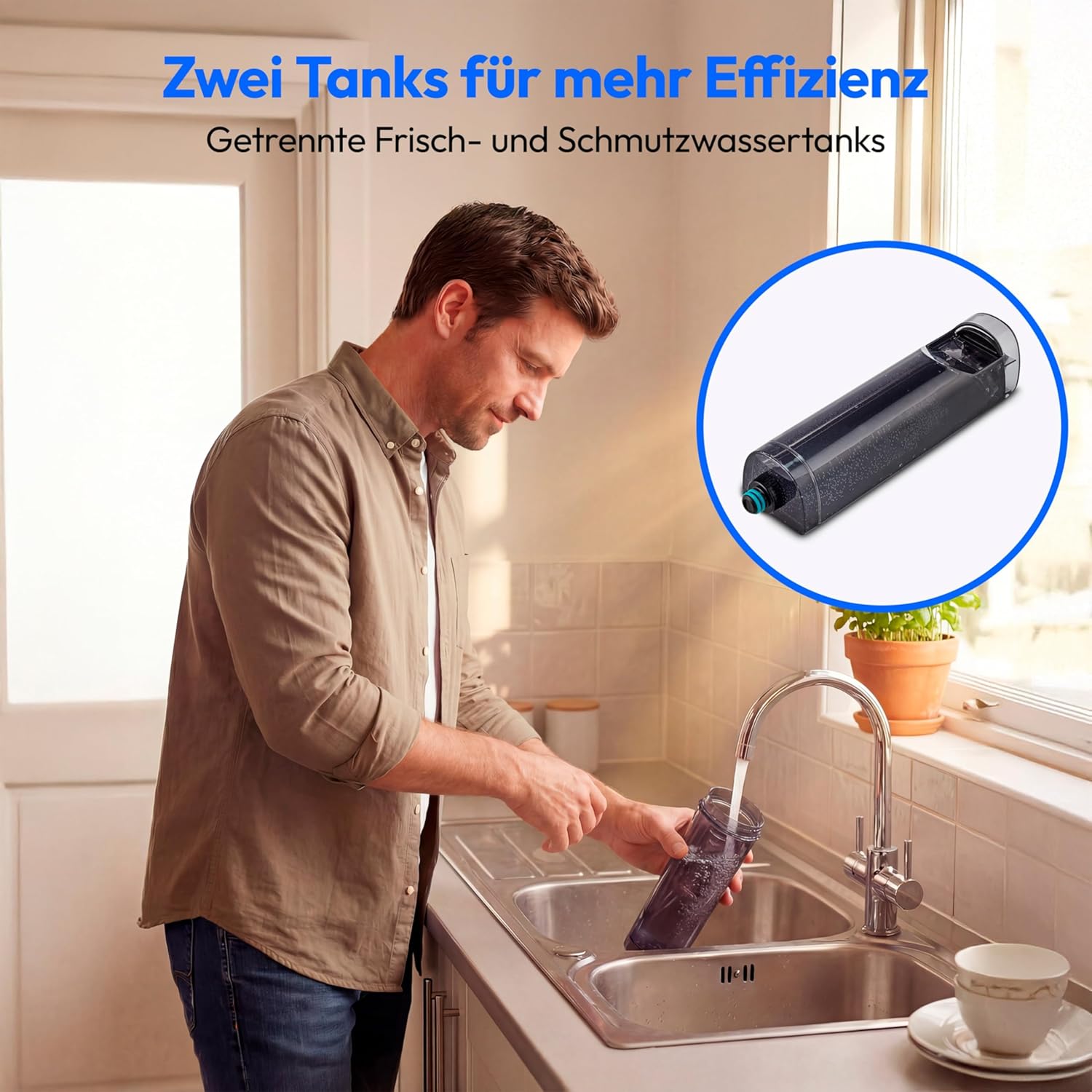
Figure 3: Filling the clean water tank of the appliance. The clean water tank has a capacity of 450 ml.
5. Operating Instructions
5.1. General Operation
The MEDION H11 is designed for cordless cleaning of hard floors. Power on the device and guide it across the floor. The motorized brush will effectively clean and mop the surface.
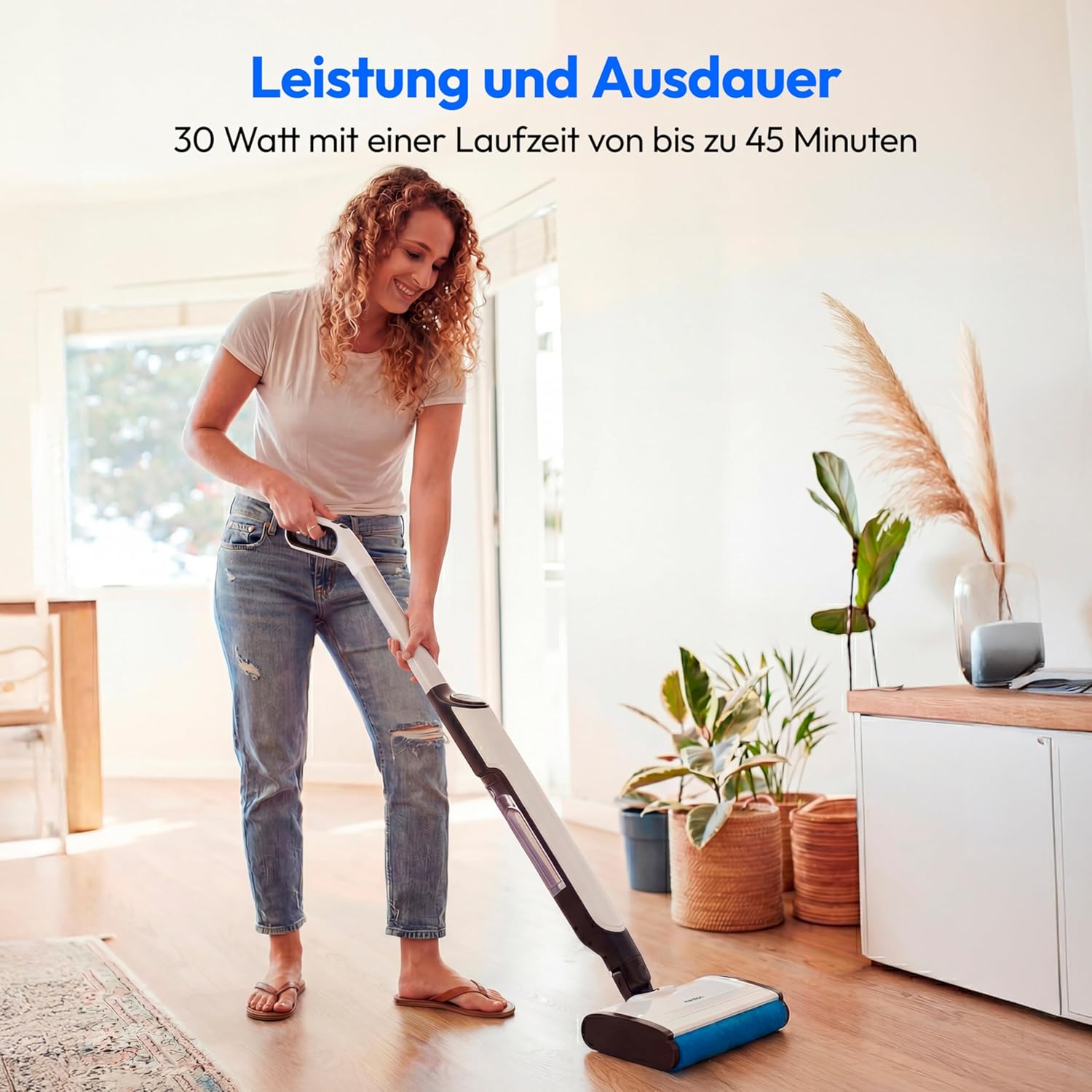
Figure 4: Using the MEDION H11 for general floor cleaning.
5.2. Cleaning Hard Floors
The motorized brush is suitable for all types of hard floors, including tiles, laminate, parquet, and vinyl. It can effectively handle both dry debris and wet spills.

Figure 5: The MEDION H11 effectively cleaning a liquid spill on a hard floor.
5.3. LED Display
The appliance features an LED display that indicates status and battery charge level. Monitor the display during operation to ensure optimal performance.

Figure 6: The LED display showing operational status and battery charge.
6. Maintenance
6.1. Cleaning Water Tanks
After each use, empty and rinse both the clean and dirty water tanks. The dirty water tank has a capacity of 300 ml. Ensure they are dry before reassembling.
6.2. Brush Maintenance
Regularly inspect and clean the motorized brush to remove any hair or debris that may have accumulated. This ensures efficient cleaning performance.
6.3. Self-Cleaning Function
The MEDION H11 is equipped with a self-cleaning function. Place the cleaner on its charging station and activate the self-cleaning cycle as per the instructions in the full manual (not provided here).
7. Troubleshooting
If you encounter any issues with your MEDION H11, please refer to the following common solutions:
- Appliance not turning on: Ensure the battery is fully charged and the power button is pressed firmly.
- Poor cleaning performance: Check if the water tanks are correctly filled/emptied, and if the motorized brush is clean and free of obstructions.
- Water leakage: Verify that all tanks and components are correctly assembled and sealed.
For more detailed troubleshooting, please consult the comprehensive user manual or contact customer support.
8. Specifications
| Feature | Detail |
|---|---|
| Brand | MEDION |
| Model Number | MD100102 |
| Color | White |
| Dimensions (L x W x H) | 19.6 x 28.8 x 111.5 cm |
| Weight | 3.5 kg |
| Power | 30 Watts |
| Noise Level | 50 Decibels |
| Operating Time | Up to 45 minutes |
| Clean Water Tank Capacity | 450 ml |
| Dirty Water Tank Capacity | 300 ml |
| Special Features | Water tank, Wall mount, For hard floors, Rechargeable |
| Recommended Surface | Hard floor |
| Power Source | Battery |
| Voltage | 220 Volts |
| Wireless | Yes |
9. Warranty and Support
For warranty information and customer support, please refer to the documentation included with your product or visit the official MEDION website. Keep your proof of purchase for warranty claims.


