
1. Product Overview
The TempPro Digital Thermometer Hygrometer TP150 is designed for accurate monitoring of temperature and humidity. It features a large display, comfort level indicators, and is suitable for various environments, including those with high humidity.
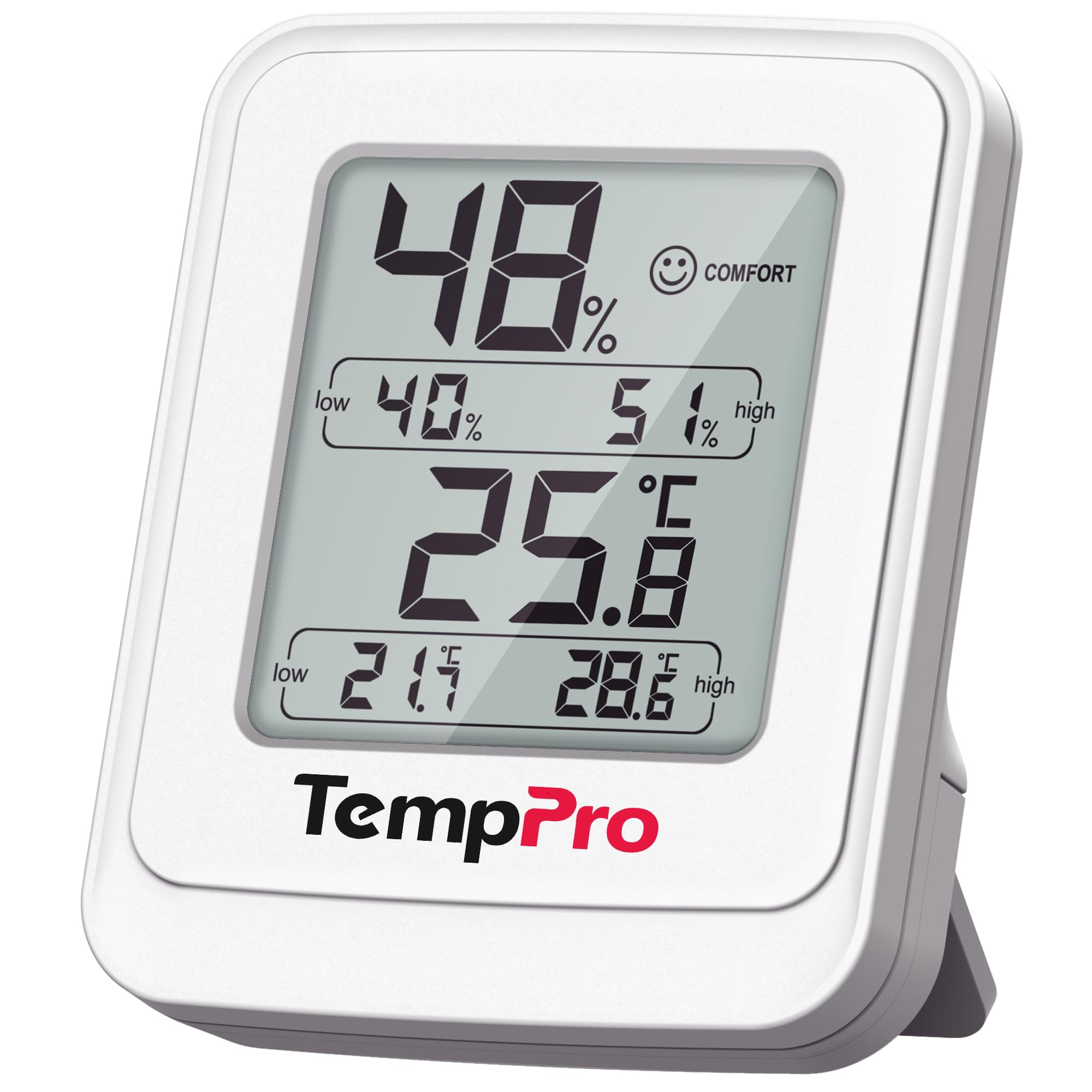
Image 1.1: The TempPro Digital Thermometer Hygrometer TP150 main unit.
2. Package Contents
- TempPro Digital Thermometer Hygrometer Unit x 1
- AAA Battery x 1 (for testing)
- Instruction Manual (Japanese) x 1
Please ensure all items are present upon unboxing.
3. Setup
- Battery Installation: Open the battery compartment cover on the back of the unit. Insert the included AAA battery, ensuring correct polarity (+/-). Close the cover securely.
- Initial Power On: The device will automatically power on and display current temperature and humidity readings.
- Unit Selection: Press the “℃/℉” button (if available, typically on the back or side) to switch between Celsius and Fahrenheit temperature units.

Image 3.1: Back of the unit with battery compartment and foldable stand.
4. Operating Instructions
4.1 Display Information
The 2.6-inch LCD screen displays the following information:
- Current Temperature (in ℃ or ℉)
- Current Humidity (%RH)
- Comfort Level Indicator (facial icon)
- Maximum (MAX) Temperature/Humidity recorded
- Minimum (MIN) Temperature/Humidity recorded
4.2 Comfort Level Indicator
The device provides a visual comfort indicator:
- Dry: Humidity below 30%
- Comfortable: Temperature between 20-26℃ (68-78.8℉) and humidity between 30-60%
- Wet: Humidity above 60%
If none of these conditions are met, no facial icon will be displayed.

Image 4.1: Display showing comfort level icons (Dry, Comfortable, Wet).
4.3 Max/Min Record
The device automatically records the highest and lowest temperature and humidity values since the last reset. To reset these values, press and hold the “CLEAR” button (if available, refer to the Japanese manual for exact button name and location) for a few seconds.
4.4 Real-time Updates
Readings are updated every 10 seconds, providing near real-time data on environmental changes.

Image 4.2: Illustration of the device's fast response time when moved to a new environment.
5. Features
- High Accuracy: Temperature accuracy of ±0.5℃ and humidity accuracy of ±2% (within 30-80% range).
- Wide Measurement Range: Temperature from -30℃ to 60℃ (-22℉ to 140℉) and humidity from 10% to 99% RH.
- IPX5 Waterproof: Designed to withstand high humidity environments and splashes, suitable for bathrooms and kitchens.
- Flexible Placement: Equipped with a strong magnet for attachment to metal surfaces and a foldable stand for desktop or shelf placement.
- Long Battery Life: Approximately 18 months of operation on a single AAA battery.

Image 5.1: The device is suitable for monitoring environments like reptile terrariums.

Image 5.2: The TempPro TP150 can be used in various locations such as greenhouses, wine cellars, and bathrooms.
6. Maintenance
- Cleaning: Wipe the unit with a soft, damp cloth. Do not use abrasive cleaners or immerse the unit in water.
- Battery Replacement: When the battery indicator appears on the display, replace the AAA battery. Ensure correct polarity.
- Storage: If storing for an extended period, remove the battery to prevent leakage. Store in a cool, dry place.
7. Troubleshooting
| Problem | Possible Cause | Solution |
|---|---|---|
| No display/Blank screen | Battery depleted or incorrectly installed. | Replace battery or check polarity. |
| Inaccurate readings | Device not stabilized after movement; sensor obstructed. | Allow 30-60 minutes for stabilization. Ensure sensor vents are clear. |
| Comfort icon not displayed | Temperature/humidity outside defined comfort ranges. | This is normal. Adjust environment if desired. |
8. Specifications
- Brand: TempPro
- Model: TP150
- Temperature Range: -30℃ to 60℃ (-22℉ to 140℉)
- Humidity Range: 10% to 99% RH
- Temperature Accuracy: ±0.5℃
- Humidity Accuracy: ±2% (30-80% RH), ±3% (10-30% & 80-99% RH)
- Display: 2.6-inch LCD
- Update Rate: 10 seconds
- Waterproof Rating: IPX5
- Power Source: 1 x AAA Battery
- Dimensions: 8.7 x 7.2 cm (approx.)
- Features: Max/Min record, Comfort level indicator, Magnetic back, Foldable stand
9. Warranty and Support
TempPro products are designed for reliability and performance. For warranty information or technical support, please refer to the contact details provided in the Japanese instruction manual or visit the official TempPro website. Please note that during a brand transition period, products may be shipped with either the ThermoPro or TempPro logo; the specifications and quality remain identical.

Image 9.1: Notification regarding the brand name change from ThermoPro to TempPro.


