
1. Important Safety Instructions
Please read this entire manual carefully before operating the FUNMILY Walking Pad Treadmill VC90. Retain this manual for future reference. Failure to follow these instructions may result in injury or damage to the product.
- Always place the treadmill on a flat, stable surface. Ensure adequate clear space around the treadmill for safe operation.
- Keep children and pets away from the treadmill during operation.
- Do not operate the treadmill if the power cord is damaged. Contact customer support for assistance.
- Wear appropriate athletic footwear when using the treadmill.
- If you experience dizziness, nausea, chest pain, or any other abnormal symptoms, stop your workout immediately and consult a physician.
- The maximum user weight capacity for this treadmill is 350 lbs (159 kg). Do not exceed this limit.
- The speed range is 0.5-4 mph. Do not attempt to exceed the maximum speed.
- Always ensure the treadmill is powered off and unplugged when not in use or before cleaning and maintenance.
2. Product Overview
The FUNMILY Walking Pad Treadmill VC90 is a compact and portable under-desk treadmill designed for home and office use. It allows you to integrate walking or light jogging into your daily routine, promoting an active lifestyle.
Key Features:
- High Weight Capacity: Supports users up to 350 lbs (159 kg) with a reinforced steel frame.
- Powerful and Quiet Motor: Equipped with a 3.0 HP silent motor, offering speeds from 0.5 to 4 mph. Operates at less than 45 dB.
- Advanced Running Belt: Features a spacious 16" x 40" 7-layer anti-slip, wear-resistant running belt with 6 silicone shock absorbers and 2 soft rubber pads for joint protection.
- LED Smart Display: Tracks real-time metrics including speed, distance, time, and calories. Includes 12 built-in scientific training programs.
- Compact and Portable Design: Requires no assembly and features transport wheels for easy movement and storage.
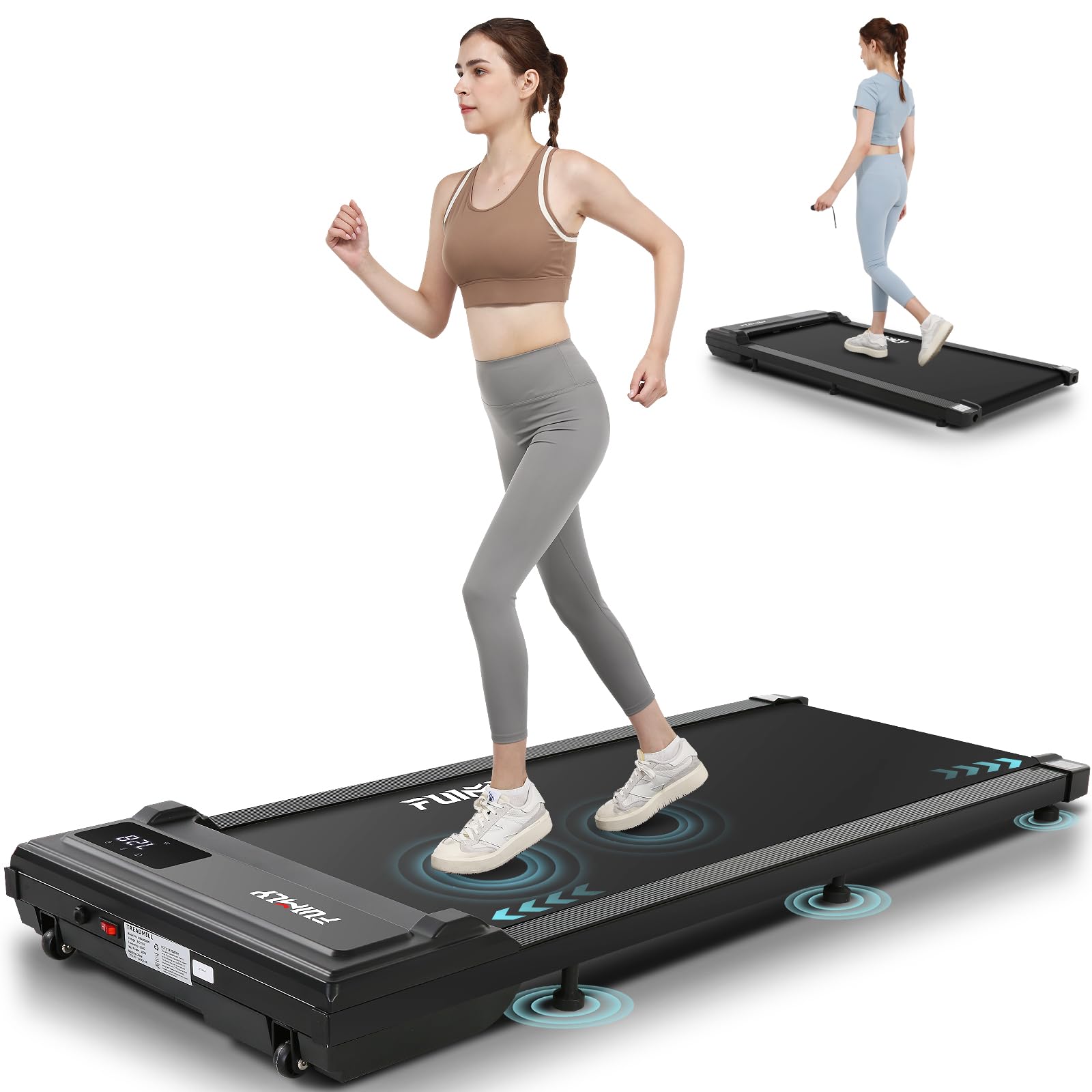
Image 2.1: Overview of the FUNMILY Walking Pad Treadmill VC90.
3. What's in the Box
Upon opening your FUNMILY Walking Pad Treadmill VC90 package, please ensure all the following components are present:
- Treadmill x 1
- Power Cord x 1
- Tool Kit x 1 (includes Allen wrench for adjustments)
- Lubricant x 1 (for belt maintenance)
- User Manual x 1
- Remote Control x 1
- CR2032 Battery x 1 (for remote control)

Image 3.1: All components included in the FUNMILY Walking Pad Treadmill package.
4. Setup
The FUNMILY Walking Pad Treadmill VC90 requires no assembly. Follow these steps for initial setup:
- Unpack: Carefully remove the treadmill and all components from the packaging.
- Placement: Place the treadmill on a firm, level surface. Ensure there is at least 2 feet (60 cm) of clear space behind the treadmill and 1 foot (30 cm) on each side.
- Power Connection: Plug the power cord into the treadmill's power input, then plug the other end into a grounded electrical outlet.
- Remote Control Battery: Open the battery compartment on the remote control and insert the provided CR2032 battery, ensuring correct polarity.
- Power On: Locate the main power switch on the treadmill (usually near the power cord input) and switch it to the 'ON' position. The LED display should illuminate.

Image 4.1: The treadmill features transport wheels for easy movement and positioning.
5. Operation
The FUNMILY Walking Pad Treadmill VC90 is operated using the included wireless remote control.
Remote Control Functions:
- Start Key: Press to begin your workout. The treadmill will start at a low speed after a 3-second countdown.
- Stop Key: Press to pause or end your workout.
- Speed +: Increases the treadmill speed.
- Speed -: Decreases the treadmill speed.
LED Display:
The integrated LED display provides real-time feedback on your workout progress. It cycles through the following metrics:
- Time: Duration of your workout.
- Speed: Current walking/running speed in miles per hour (mph).
- Distance: Total distance covered during your workout.
- Calories: Estimated calories burned.
Training Programs:
The treadmill includes 12 pre-set scientific training programs. Refer to the detailed program descriptions in the full user manual for how to select and utilize these programs to suit your fitness level and goals.

Image 5.1: The remote control and LED display for monitoring workout data.

Image 5.2: Detailed view of the HD LED display tracking various workout metrics.
6. Product Features
6.1 Powerful and Quiet Motor
The treadmill is equipped with a robust 3.0 HP motor, providing consistent power for walking and light jogging. Its advanced design ensures operation below 45 dB, allowing for quiet workouts that won't disturb others in your home or office environment.

Image 6.1.1: The 3.0 HP powerful and quiet motor.

Image 6.1.2: Illustrating the low noise operation of the treadmill.
6.2 Advanced Running Belt and Shock Absorption
The treadmill features a spacious 16" x 40" running surface, providing ample room for comfortable strides. The 7-layer anti-slip and wear-resistant belt, combined with 6 silicone shock absorbers and 2 soft rubber pads, significantly reduces impact on your joints and knees, ensuring a comfortable and safe workout experience.

Image 6.2.1: The 7-layer anti-slip and shock-absorbing running belt for knee protection.

Image 6.2.2: The wide 16" x 40" running track provides ample space.

Image 6.2.3: The robust construction supports up to 350 lbs and features a 7-layer belt.
6.3 Portability and Storage
The treadmill's ultra-slim design (5.71 inches high) and integrated transport wheels make it exceptionally easy to move and store. It can be conveniently slid under a sofa, bed, or stored upright against a wall, saving valuable space in your home or office.

Image 6.3.1: The ultra-slim design and transport wheels facilitate easy storage.
6.4 Versatile Usage Scenarios
With a speed range of 0.5 to 4 mph, the FUNMILY Walking Pad Treadmill VC90 accommodates various activities, from slow walking while working at a standing desk to brisk walking or light jogging for fitness.
- Working: 0.5-1.5 mph, ideal for use with a standing desk.
- Walking: 1.5-2.5 mph, suitable for a leisurely pace.
- Running: 2.5-4.0 mph, for more intense cardio workouts.

Image 6.4.1: Different speed ranges for various activities.

Image 6.4.2: The treadmill in various settings, demonstrating its versatility.
7. Maintenance
Regular maintenance ensures the longevity and optimal performance of your treadmill.
7.1 Cleaning
- Daily Cleaning: After each use, wipe down the treadmill surface and display with a soft, damp cloth to remove sweat and dust.
- Deep Cleaning: Periodically clean the area around the motor cover to prevent dust buildup. Ensure the treadmill is unplugged before cleaning.
- Do not use abrasive cleaners or solvents, as these can damage the treadmill's finish and electronic components.
7.2 Belt Lubrication
The running belt requires periodic lubrication to reduce friction and extend its lifespan. Use the provided lubricant or a 100% silicone treadmill lubricant.
- Frequency: Lubricate the belt every 3 months or after 50 hours of use, whichever comes first.
- Procedure: Turn off and unplug the treadmill. Loosen the rear roller bolts slightly to lift the belt. Apply a thin line of lubricant evenly under the center of the running belt. Tighten the bolts.
- Distribution: Plug in the treadmill, turn it on, and run it at a slow speed (e.g., 1 mph) for 5 minutes to distribute the lubricant.
7.3 Belt Tension Adjustment
If the running belt feels loose or slips during use, it may need tensioning. If it pulls to one side, it may need alignment.
- Tensioning: With the treadmill off and unplugged, use the provided Allen wrench to turn the rear roller adjustment bolts clockwise in small increments (e.g., 1/4 turn at a time) on both sides. Test the belt after each adjustment.
- Alignment: If the belt drifts to the left, turn the left adjustment bolt clockwise or the right adjustment bolt counter-clockwise in small increments. If it drifts to the right, do the opposite.
- Always make small adjustments and test the treadmill after each change to avoid over-tightening or misalignment.
8. Troubleshooting
If you encounter issues with your FUNMILY Walking Pad Treadmill VC90, refer to the following common problems and solutions:
| Problem | Possible Cause | Solution |
|---|---|---|
| Treadmill does not power on. | Power cord not connected, main power switch off, no power from outlet. | Ensure power cord is securely plugged in. Check main power switch. Test outlet with another device. |
| Remote control not working. | Battery depleted or incorrectly inserted. | Replace CR2032 battery, ensuring correct polarity. |
| Running belt slips or hesitates. | Belt too loose, insufficient lubrication. | Adjust belt tension (refer to Section 7.3). Lubricate the belt (refer to Section 7.2). |
| Running belt drifts to one side. | Belt misalignment. | Adjust belt alignment (refer to Section 7.3). |
| Unusual noise during operation. | Loose components, lack of lubrication, foreign object. | Inspect for loose parts. Lubricate belt. Check for any objects under the belt. |
| Display shows an error code. | Specific internal issue. | Refer to the full user manual for specific error code meanings. If unable to resolve, contact customer support. |
If the problem persists after attempting these solutions, please contact FUNMILY customer support for further assistance.
9. Specifications
Detailed technical specifications for the FUNMILY Walking Pad Treadmill VC90:
| Feature | Specification |
|---|---|
| Brand | FUNMILY |
| Model Name | Treadmill (VC90) |
| Product Grade | Home/Residential Treadmill |
| Product Dimensions (LxWxH) | 51.57"D x 22.83"W x 5.71"H |
| Item Weight | 46 Pounds |
| Material | Alloy Steel |
| Maximum Speed | 4 Miles per Hour |
| Minimum Speed | 0.5 Miles per Hour |
| Maximum Horsepower | 3 Horsepower |
| Maximum Weight Recommendation | 350 Pounds |
| Running Area (Approx.) | 16" x 40" |
| Special Features | Compact Design, Lightweight, Portable, Preloaded Workout Programs |
| Metrics Measured | Calories Burned, Distance, Speed, Time |
| Assembly Required | No |
| Included Components | User Manual, Power Cord, Tool Kit, Lubricant, Remote Control, CR2032 Battery |
10. Warranty and Support
10.1 Warranty Information
The FUNMILY Walking Pad Treadmill VC90 comes with a 1-year manufacturer warranty. This warranty covers free repair and replacement of all core components. Please retain your proof of purchase for warranty claims.
10.2 Customer Support
For any questions, technical assistance, or warranty claims, please contact FUNMILY customer support. Our technical support team is available to ensure your equipment maintains optimal performance.
Please refer to the contact information provided on the product packaging or the official FUNMILY website for the most up-to-date support details.