
1. Introduction
Thank you for choosing the SEHMUA 4G LTE Cellular Trail Camera, Model TC18. This camera is designed for remote surveillance in areas without Wi-Fi, utilizing 4G LTE connectivity for live streaming, real-time alerts, and remote control. Its solar-powered design ensures continuous operation, making it ideal for monitoring wildlife, farms, ranches, or construction sites.
2. Product Overview
Key Features
- 360° Pan-Tilt-Zoom (PTZ) Functionality: Remotely rotate the lens 355° horizontally and 90° vertically via the mobile application for comprehensive coverage.
- 2K HD Live Streaming: View high-definition video directly on your smartphone.
- Color Night Vision: Advanced night vision modes provide clear black-and-white or vivid color footage in low light conditions.
- 4G LTE Connectivity: Operates in remote areas without Wi-Fi using a pre-installed SIM card compatible with Verizon, AT&T, and T-Mobile networks (US only).
- Solar Powered: Equipped with a 6W solar panel and high-capacity rechargeable battery for continuous operation.
- Instant Motion Alerts: Ultra-sensitive PIR sensor detects motion in 0.2 seconds, sending real-time notifications to your phone.
- IP65 Waterproof Rating: Designed to withstand rain, snow, and extreme temperatures (-4°F to 122°F).
- Storage Options: Supports cloud storage (30-day trial included) and local storage via a memory card up to 128GB (not included).
What's in the Box
The package includes the following components:
- Trail Camera (x2)
- Solar Panel (x2)
- Strap (x2)
- Camera Bracket (x2)
- Solar Panel Bracket (x2)
- Camera Screw Pack (x2)
- Solar Panel Screw Pack (x2)
- Charging Cable (x2)
- Screwdriver (x2)
- Positioning Sticker (x2)

Image: All components included in the SEHMUA 4G LTE Cellular Trail Camera 2-pack.
3. Setup
3.1 Initial Charging
Before installation, ensure the camera's internal battery is fully charged using the provided charging cable. This ensures optimal performance from the start.
3.2 SIM Card and Data Plan Activation
The camera comes with a pre-installed SIM card. To activate cellular connectivity, you will need to subscribe to a data plan. Plans start from USD 19.90/month after the trial period. The camera automatically connects to the strongest available signal from compatible networks (Verizon, AT&T, T-Mobile in the US).

Image: The camera's SIM card integration and available data plan options.

Image: Details on data plan subscriptions and network compatibility.
3.3 App Installation and Pairing
- Download the dedicated mobile application (e.g., UBox, as seen in images) from your smartphone's app store.
- Follow the in-app instructions to create an account and pair your camera. This typically involves scanning a QR code on the camera or entering a device ID.
3.4 Mounting the Camera
The camera can be mounted on a tree or a wall using the provided straps and screw packs. Ensure the solar panel is positioned to receive maximum direct sunlight throughout the day for optimal charging.

Image: The trail camera and solar panel mounted on a tree.

Image: Mounting options for the camera: on a wall or strapped to a tree.
4. Operating Instructions
4.1 Live Streaming and Remote Viewing
Once the camera is connected and powered, open the mobile application to access live 2K HD video streams. You can view real-time footage from anywhere with cellular coverage.
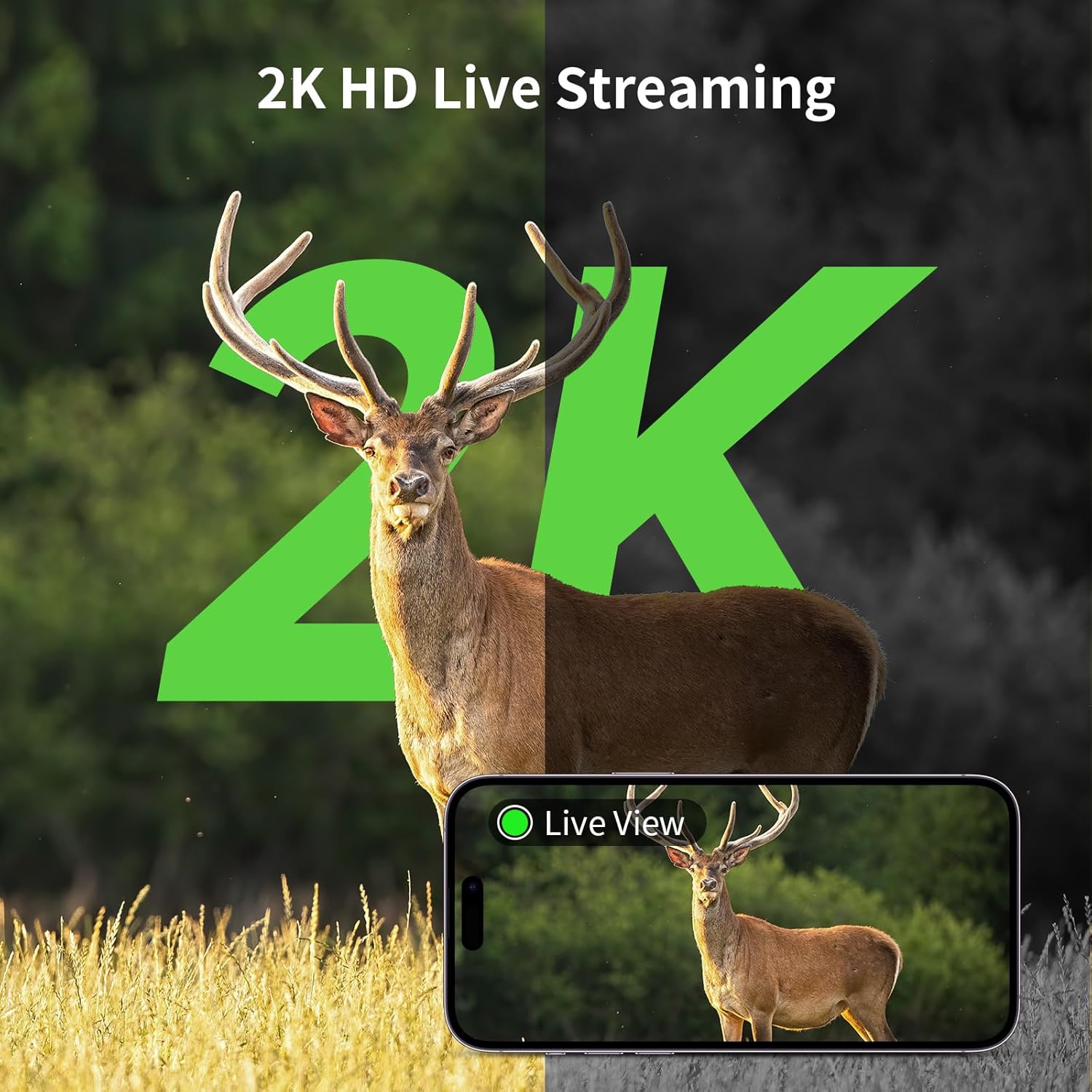
Image: 2K HD live streaming capability showing a deer.

Image: Live view of deer on a smartphone.
4.2 Pan-Tilt Control and Digital Zoom
Use the controls within the mobile application to remotely rotate the camera lens 355° horizontally and 90° vertically. This allows you to adjust the viewing angle without physically moving the camera. The camera also supports 4x digital zoom.

Image: Illustrates 360° pan and tilt functionality with 4x digital zoom.

Image: Panoramic view with pan and tilt controls and digital zoom.
4.3 Motion Detection and Alerts
The camera's PIR sensor detects motion with a rapid 0.2-second trigger speed. Upon detection, the camera records footage and sends instant notifications to your paired smartphone. The intelligent detection system minimizes false alarms from environmental factors like wind or leaves.

Image: Motion detection with instant alerts displayed on a smartphone.

Image: Illustration of the 0.2-second motion trigger speed.

Image: PIR motion detection in action, sending alerts to a phone.
4.4 Night Vision
The camera automatically switches to night vision mode in low light. You can choose between crisp black-and-white images or vivid color footage, depending on your settings and ambient light conditions.

Image: Demonstrates 2K image quality in both color and black-and-white.
4.5 Power Management
The integrated solar panel charges the camera's battery. Approximately 10 minutes of direct sunlight can provide 24 hours of operation. Battery life may vary based on actual usage and sunlight exposure.

Image: Solar panel efficiency, indicating 10 minutes of sunlight provides 24 hours of power.
4.6 Personalized Notification Timing
The mobile application allows you to customize alert times. You can enable or disable notifications during specific periods to suit your monitoring needs, improving your user experience.

Image: Customizing notification schedules via the app.
4.7 Storage Management
The camera supports both cloud storage (a 30-day trial is provided) and local storage using a memory card (up to 128GB, not included). Manage your recordings and captured images through the mobile application.

Image: Cloud and memory card storage options.
5. Maintenance
- Solar Panel Cleaning: Regularly wipe the solar panel with a soft, damp cloth to remove dust, dirt, or debris that may hinder charging efficiency.
- Lens Cleaning: Keep the camera lens clean for optimal image and video quality. Use a lens cleaning cloth to gently remove smudges or dirt.
- Firmware Updates: Check the mobile application periodically for available firmware updates to ensure your camera has the latest features and performance improvements.
- Environmental Protection: While the camera is IP65 waterproof, avoid submerging it in water or exposing it to harsh chemicals.

Image: The camera's IP65 waterproof design in rainy conditions.
6. Troubleshooting
- No Connection to App:
- Ensure the camera is powered on and fully charged.
- Verify that the SIM card has an active data plan.
- Check for adequate cellular signal strength in the camera's location. Poor signal can lead to intermittent connectivity.
- Restart the camera and the mobile application.
- Confirm that the camera is correctly paired with your app account. - Floodlight Flashing Continuously:
- This may indicate a power issue or a connection problem. Ensure the camera is receiving sufficient power from the solar panel or is fully charged.
- If the issue persists, contact customer support. - Poor Image/Video Quality:
- Clean the camera lens.
- Ensure there are no obstructions in front of the lens.
- Check the camera's settings in the app to confirm the desired resolution (e.g., 2K HD) is selected. - False Motion Alerts:
- Adjust the PIR sensitivity settings in the mobile application.
- Ensure the camera is not pointed at moving branches, reflective surfaces, or areas with frequent non-animal movement.
7. Specifications
| Brand | SEHMUA |
| Model Name | TC18 |
| Connectivity Technology | Wireless (4G LTE Cellular) |
| Special Features | 2K live streaming, phone remote access, solar powered, IP65 Waterproof, 360° Pan-Tilt View |
| Indoor/Outdoor Usage | Outdoor |
| Compatible Devices | Smartphone |
| Mount Type | Tree Mount |
| Color | Camouflage Green |
| Power Source | Solar Powered |
| Video Capture Resolution | 4MP (2K HD) |
| Zoom Type | Digital Zoom |
| Video Capture Format | AVI |
| Item Dimensions | 10 x 10 x 10 inches (approximate) |
8. Warranty and Support
For warranty information, please refer to the documentation included with your product or contact SEHMUA customer support directly. If you encounter any issues not covered in this manual, please reach out to the manufacturer's support team for assistance.


