
1. Important Safety Instructions
Before operating the UMAY Treadmill SF20, please read and understand all safety instructions. Keep this manual for future reference.
- Always consult with a physician before starting any exercise program.
- Place the treadmill on a flat, stable surface with at least 2 feet of clear space around it.
- Keep children and pets away from the treadmill during operation.
- Use the safety key at all times. Attach the clip to your clothing before starting.
- Do not operate the treadmill if it is damaged or malfunctioning.
- Wear appropriate athletic footwear and clothing.
- Do not use the treadmill outdoors or in wet conditions.
- Unplug the treadmill from the power outlet when not in use or before cleaning/maintenance.
2. Product Overview
The UMAY Treadmill SF20 is a foldable, shock-absorbing treadmill designed for home use, featuring a manual incline, LED display, and a quiet 3.0HP motor. It supports walking, jogging, and running modes to help you achieve your fitness goals.

Image: The UMAY Treadmill SF20 in a typical home environment, showcasing its compact design.
Key Features:
- 15% Manual Incline: Adjust the incline manually to increase workout intensity and calorie burn.
- Clear LED Display: Track distance, calories burned, time, and speed in real-time.
- 3.0HP Brushless Quiet Motor: Provides smooth operation with noise levels below 45dB, suitable for home use.
- Foldable Design: 90% pre-assembled for quick setup and easy storage in small spaces.
- 7-Layer Shock-Absorbing Running Belt: Designed for comfort and joint protection.
- 400 lbs Weight Capacity: Robust construction to support a wide range of users.
3. Assembly and Setup
The UMAY Treadmill SF20 arrives 90% pre-assembled, requiring minimal setup before first use.
Unfolding the Treadmill:
- Carefully remove the treadmill from its packaging.
- Place the treadmill on a flat, stable surface.
- Gently lift the console/handlebar assembly until it locks into the upright position. Ensure all locking pins or levers are securely engaged.
- Connect any pre-attached cables if they were disconnected for shipping.

Image: Illustration of the treadmill's folding mechanism and how it can be stored under furniture or upright.
Adjusting Manual Incline:
The SF20 features a manual incline system. To adjust the incline:
- Ensure the treadmill is powered off and unplugged.
- Locate the incline adjustment points at the rear base of the treadmill.
- Lift the rear of the treadmill and insert the provided incline attachments into the desired slots (0%, 10%, or 15%).
- Ensure both sides are adjusted to the same incline level for stability.
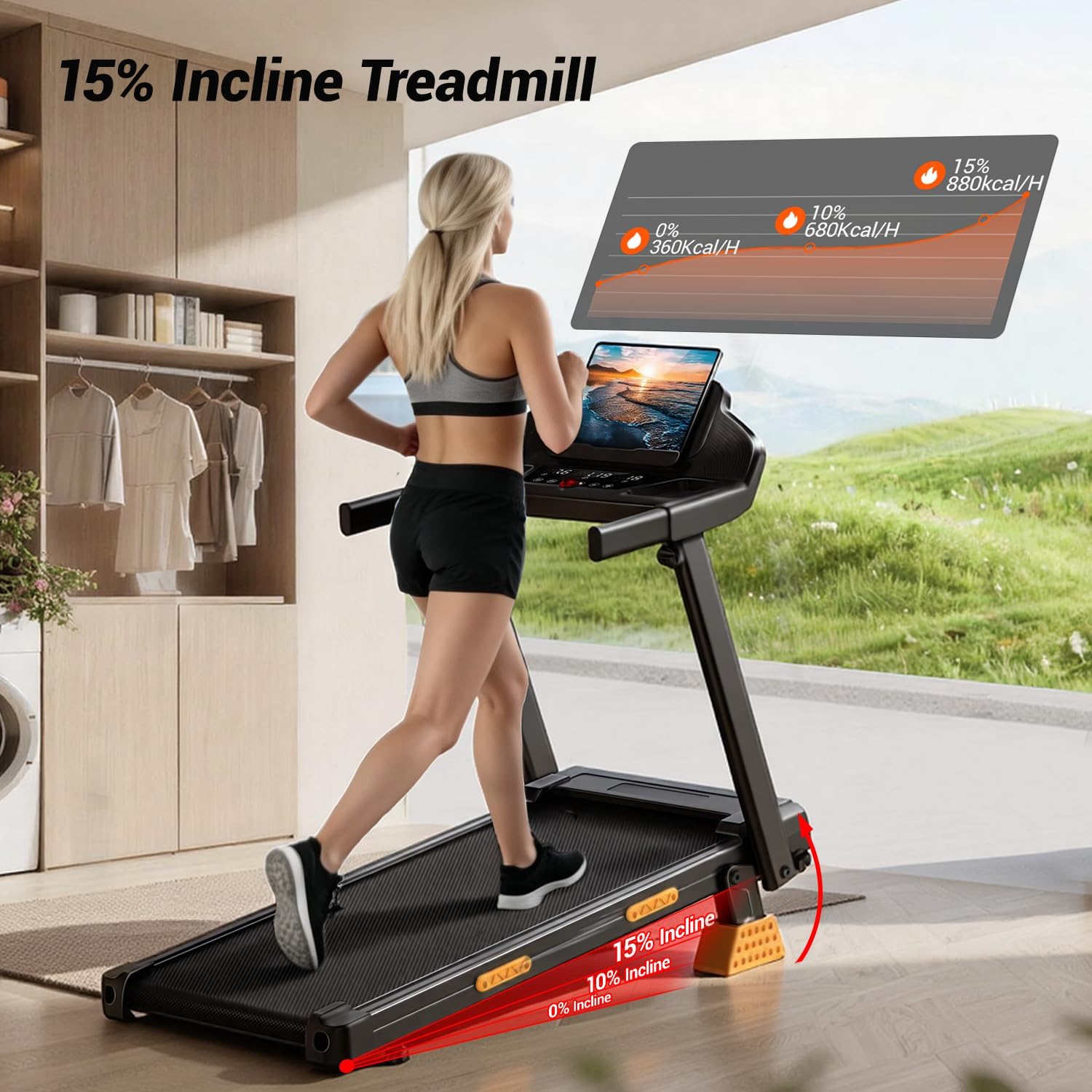
Image: A user exercising on the treadmill, demonstrating the 15% incline feature and its calorie-burning efficiency.
4. Operating Instructions
Control Panel and Display:
The treadmill is equipped with an LED display and intuitive buttons for easy control during your workout.

Image: Close-up of the treadmill's LED display showing speed, time, distance, and calories, along with control buttons and a tablet/phone holder.
- LED Display: Shows real-time data including speed, time, distance, and calories burned.
- Start/Stop Button: Initiates or pauses the treadmill belt.
- Speed +/- Buttons: Adjust the belt speed (0.6-7.5 MPH).
- Mode Button: Cycles through different display modes or workout programs.
- Tablet/Phone Holder: Securely holds your device for entertainment or fitness apps.
- Heart Rate Monitoring: Integrated sensors on the handlebars provide heart rate data.
Starting a Workout:
- Plug the treadmill into a grounded electrical outlet.
- Attach the safety key clip to your clothing and place the magnetic end onto the console. The treadmill will not operate without the safety key in place.
- Step onto the side rails of the treadmill.
- Press the Start button. The belt will begin to move at a low speed.
- Carefully step onto the moving belt and adjust the speed using the Speed +/- buttons.
Workout Modes:
The SF20 offers a versatile speed range to accommodate various exercise intensities.

Image: Visual representation of the three primary workout modes: Walking (0.6-2.5 MPH), Jogging (2.5-5 MPH), and Running (5-7.5 MPH).
- Walking Mode (0.6-2.5 MPH): Ideal for light exercise, warm-ups, or active recovery.
- Jogging Mode (2.5-5 MPH): Suitable for moderate cardio workouts.
- Running Mode (5-7.5 MPH): For higher intensity cardiovascular training.
Preset Programs:
The treadmill includes 12 preset workout programs (P1-P12) designed to vary speed and intensity automatically. Refer to the display for program selection and details.

Image: A cutaway view of the treadmill's non-slip diamond running belt, highlighting its multi-layer construction for enhanced grip and shock absorption.
5. Maintenance
Regular maintenance ensures the longevity and optimal performance of your treadmill.
Cleaning:
- Always unplug the treadmill before cleaning.
- Wipe down the console and exterior surfaces with a soft, damp cloth. Avoid abrasive cleaners.
- Periodically vacuum underneath the treadmill to prevent dust buildup.
Lubrication:
The running belt requires periodic lubrication to reduce friction and extend its lifespan. Refer to the included user manual for specific lubrication instructions and recommended lubricant type. Generally, apply silicone lubricant under the belt every 3-6 months depending on usage.
Belt Adjustment:
If the running belt feels loose, slips, or drifts to one side, it may need adjustment. Consult the detailed instructions in the full user manual for proper belt tensioning and centering procedures.
6. Troubleshooting
If you encounter issues with your UMAY Treadmill SF20, refer to the common problems and solutions below.
Common Issues:
- Treadmill does not power on:
- Ensure the power cord is securely plugged into a grounded outlet.
- Check if the safety key is correctly placed on the console.
- Verify the power switch (usually near the power cord inlet) is in the 'ON' position.
- Check your household circuit breaker.
- Running belt slips or hesitates:
- The running belt may need tensioning. Refer to the belt adjustment section in the full manual.
- The belt may require lubrication. See the lubrication section.
- Unusual noise during operation:
- Check for loose parts or foreign objects under the belt.
- Ensure the treadmill is on a level surface.
- If the noise persists, contact customer support.
- Display not working correctly:
- Ensure all connections to the console are secure.
- Try turning the treadmill off and on again.
For more complex issues or if troubleshooting steps do not resolve the problem, please contact UMAY customer support.
7. Specifications
Detailed technical specifications for the UMAY Treadmill SF20.
| Feature | Specification |
|---|---|
| Model Name | SF20 |
| Brand | UMAY |
| Color | Black & Orange |
| Product Dimensions (LxWxH) | 39.2"D x 21.8"W x 44.3"H |
| Item Weight | 40 Pounds |
| Material | Acrylonitrile Butadiene Styrene (ABS) |
| Maximum Speed | 7.5 Miles per Hour |
| Minimum Speed | 0.6 Miles per Hour |
| Maximum Horsepower | 3 Horsepower |
| Maximum Incline Percentage | 15% (Manual) |
| Maximum Weight Recommendation | 400 Pounds |
| Display Type | LED |
| Special Features | Adjustable Speed, Foldable, Shock Absorbent, Touch Screen, Water Bottle Holder |
| Included Components | Treadmill, User Manual |
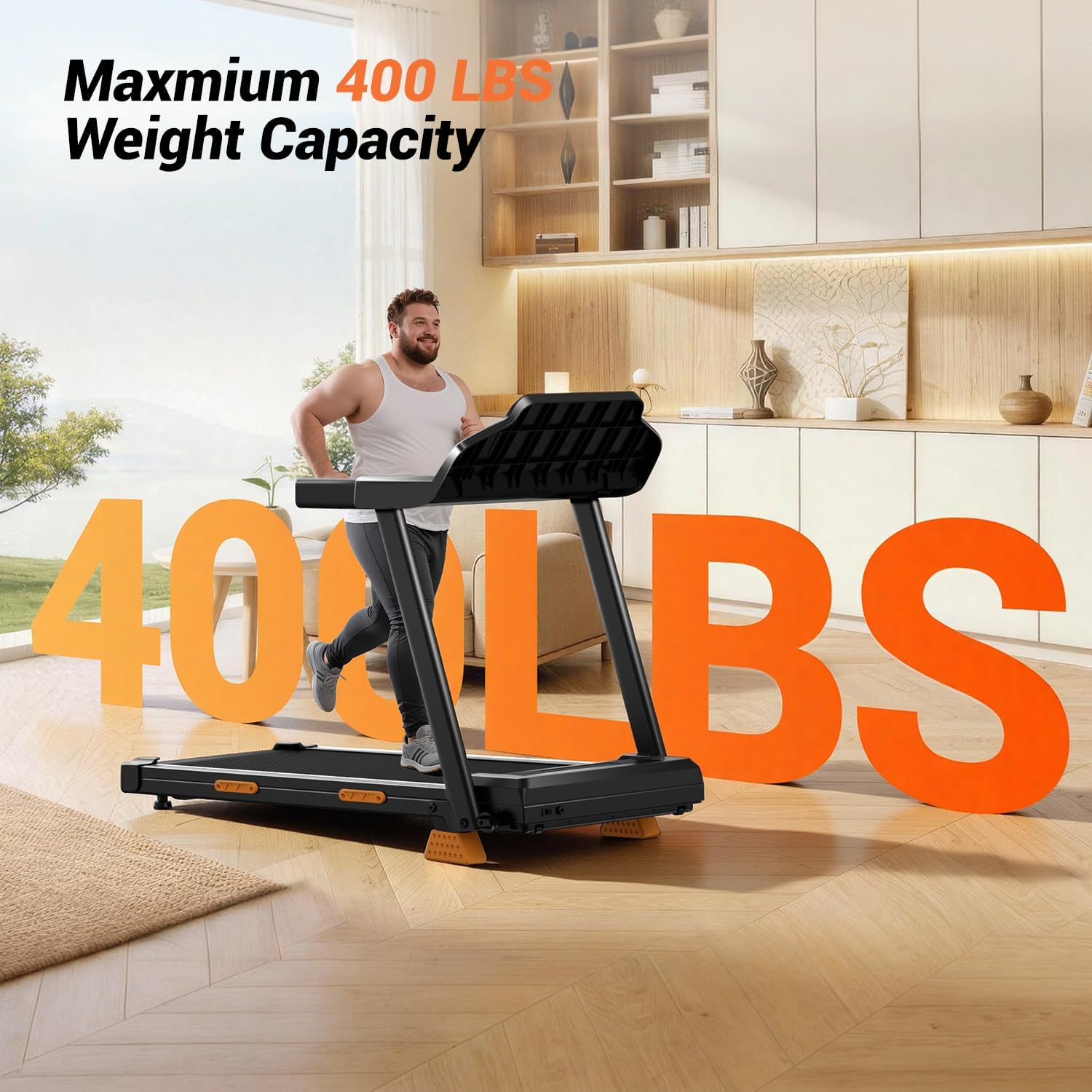
Image: A user demonstrating the treadmill's robust build, capable of supporting up to 400 lbs.

Image: An internal view of the 3.0HP brushless motor, emphasizing its low noise operation (below 45dB) and power.
8. Warranty and Support
Warranty Information:
The UMAY Treadmill SF20 comes with a 1 Year Manufacturer Warranty. This warranty covers defects in materials and workmanship under normal use. Please retain your proof of purchase for warranty claims.
Customer Support:
For technical assistance, warranty claims, or any questions regarding your UMAY Treadmill SF20, please contact our customer support team:
- Website: Visit the official UMAY website for FAQs and support resources.
- Email: support@umay.com (example email, replace with actual if available)
- Phone: 1-800-XXX-XXXX (example phone, replace with actual if available)
Please have your model number (SF20) and purchase date ready when contacting support.