
Lamicall B0G6J8XJ68
Contents
Lamicall Cell Phone Stand & Ultra-Thin Cell Phone Stand User Manual
Introduction
This manual provides comprehensive instructions for the Lamicall Cell Phone Stand and the Lamicall Ultra-Thin Cell Phone Stand. Please read this manual carefully before using the product to ensure proper setup, operation, and maintenance. Keep this manual for future reference.
Product Overview
Included Components
- 1 x Lamicall Cell Phone Stand
- 1 x Lamicall Ultra-Thin Cell Phone Stand
Key Features
- Adjustable Design: Features a dual-pivot structure allowing adjustment of the back plate up to 180 degrees and the base up to 90 degrees. Height extends up to 4.3 inches.
- Ultra-Thin Portability: The Ultra-Thin stand is designed for compact folding, making it easy to carry.
- Stable Construction: Weighted metal base crafted from carbon steel with an integrated silicone anti-slip pad for stability.
- Thick Case Compatibility: Accommodates phones with cases up to 0.71 inches (18mm) thick.
- Wide Device Compatibility: Supports telephones and tablets between 4 and 8 inches.
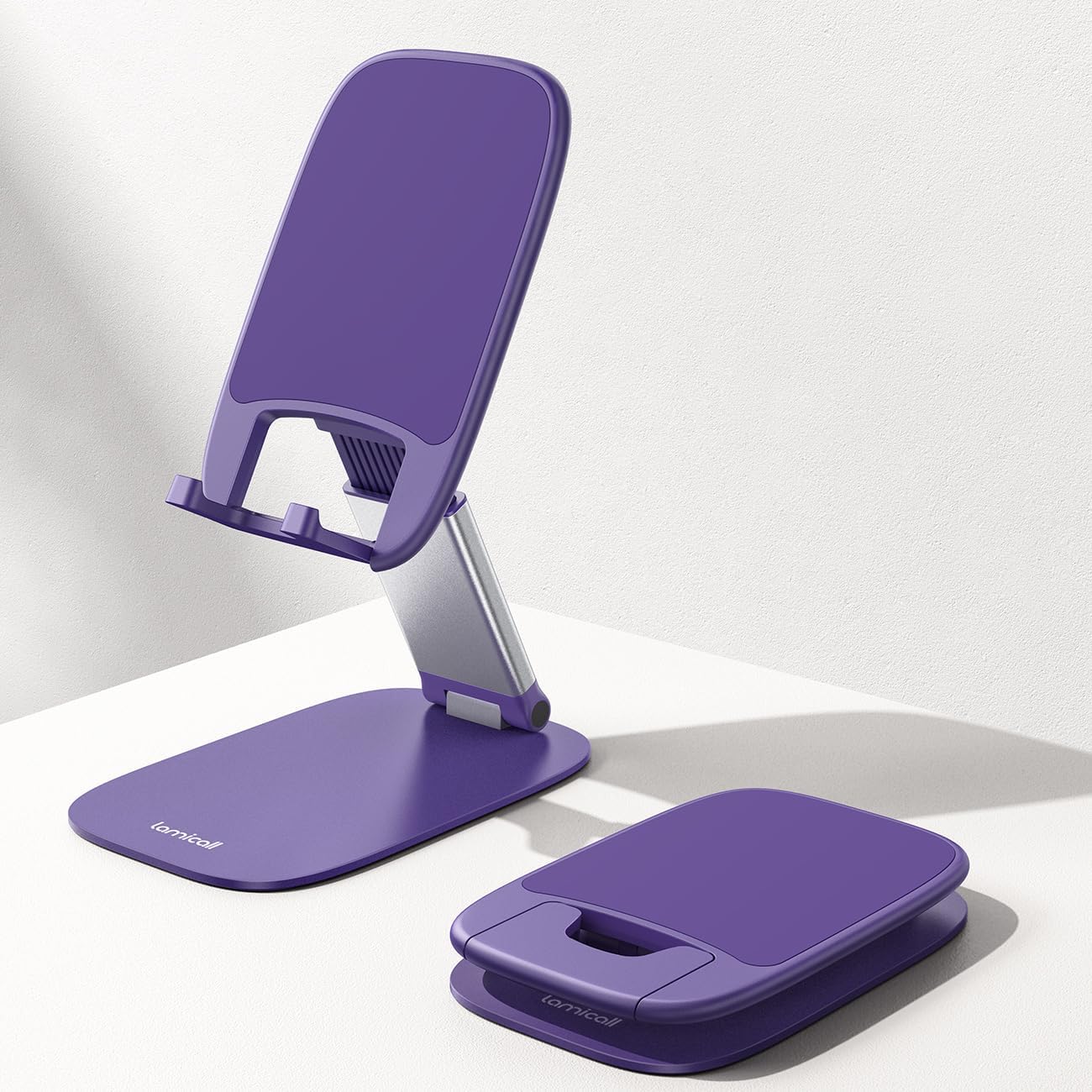
The image displays both the Lamicall Cell Phone Stand in its upright, adjustable position and the Ultra-Thin Cell Phone Stand in its compact, folded state, highlighting their design.
Setup Instructions
Unfolding the Stand
- Gently unfold the base of the stand until it lies flat on your desired surface.
- Lift the back plate of the stand to an upright position.
Adjusting the Stand
- To adjust the viewing angle, pivot the back plate up to 180 degrees.
- To adjust the height, extend the central support arm. The stand can extend up to 4.3 inches vertically.
- The base can also be adjusted up to 90 degrees for further angle customization.

This image illustrates a user adjusting the height of the Lamicall Cell Phone Stand, demonstrating its 4.3-inch vertical extension for optimal viewing angles.
Operating Instructions
Placing Your Device
Place your smartphone or tablet (between 4 and 8 inches) onto the silicone-padded hooks at the bottom of the back plate. Ensure the device rests securely against the backrest.

This image shows the Lamicall Cell Phone Stand in use, holding a smartphone at an adjustable angle on a table, emphasizing its multi-angle and height adjustment capabilities.
Charging Compatibility
The stand is designed with an open space at the bottom of the device cradle, allowing a charging cable to be connected while your device is on the stand.

A smartphone is depicted charging while resting on the Lamicall Cell Phone Stand, illustrating the stand's design for convenient cable management during charging.
Compatibility with Cases
The stand's hooks are deep enough to accommodate devices with protective cases up to 0.71 inches (18mm) thick.

The stand is shown accommodating a smartphone encased in a thick protective cover, with a charging cable connected, demonstrating its thick case compatibility and charging support.
Maintenance
- To clean the stand, wipe it with a soft, damp cloth.
- Avoid using abrasive cleaners or solvents, as these may damage the finish or silicone pads.
- Ensure the stand is dry before placing any electronic devices on it.
Troubleshooting
Stand feels unstable:
- Ensure the stand is placed on a flat, stable surface.
- Verify that the base is fully unfolded and resting evenly.
- Check that the silicone anti-slip pads on the base are clean and intact.
Difficulty adjusting angles:
- Apply gentle, firm pressure when adjusting the pivots. They are designed to be stiff to maintain stability.
- Do not force the joints beyond their intended range of motion (180 degrees for the back plate, 90 degrees for the base).
Specifications
| Model Number | B0G6J8XJ68 |
| Material | Carbon Steel, Silicone |
| Device Compatibility | 4 - 8 inch smartphones and tablets |
| Max Case Thickness | 0.71 inches (18mm) |
| Height Adjustment | Up to 4.3 inches |
| Back Plate Angle | Up to 180 degrees |
| Base Angle | Up to 90 degrees |

This image provides key dimensions of the Lamicall Cell Phone Stand, including its base measurements and the 90-degree adjustable angle of the base.

A detailed side view of the stand highlights its dimensions for device placement, including the 18mm (0.7 inch) hook depth for thick cases, and confirms compatibility with devices between 4 and 8 inches.
Warranty and Support
For warranty information or technical support, please refer to the official Lamicall website or contact Lamicall customer service directly. Contact details are typically available on the product packaging or the brand's official online presence.
You can visit the Lamicall Store for more information: Lamicall Store on Amazon
Documents and downloads
Ask a question about this manual
Ask about setup, troubleshooting, compatibility, parts, safety, or missing instructions. Manuals+ will review the question and use this page’s manual context to help answer it.