
1. Introduction
This manual provides essential information for the safe and efficient operation of your Garvee 18000 BTU Mini Split AC/Heating System. This unit offers all-season comfort with its advanced heat pump technology and eco-friendly R454B refrigerant. Featuring a 21 SEER2 high efficiency rating and 208/230V power, it is designed for energy-efficient climate control in spaces up to 1250 Sq.Ft. The system includes WiFi-enabled smart control for convenient remote management and operates with ultra-quiet performance, ensuring a comfortable environment.
2. Safety Information
Please read all safety instructions carefully before installation and operation. Failure to follow these instructions may result in electric shock, fire, property damage, or personal injury.
- Professional Installation: Installation of this mini split system requires specialized skills and tools. It is strongly recommended that installation be performed by a qualified HVAC professional to ensure proper function and safety.
- Electrical Safety: Ensure the unit is connected to a dedicated power circuit with the correct voltage (208/230V) and proper grounding. Do not use extension cords. Disconnect power before any maintenance or cleaning.
- Refrigerant Handling: This unit contains R454B refrigerant. Only qualified personnel should handle refrigerant. Improper handling can cause injury or environmental damage.
- Clearances: Maintain adequate clearance around both indoor and outdoor units for proper airflow and service access.
- Children and Pets: Keep children and pets away from the unit, especially during operation and maintenance.
- Cleaning: Use only a soft, damp cloth for cleaning the unit's exterior. Do not use harsh chemicals or abrasive cleaners.
3. Package Contents
Your Garvee Mini Split AC/Heating System is typically delivered in two separate boxes. Please verify all components are present upon delivery.
- Indoor Unit (Evaporator)
- Outdoor Unit (Condenser)
- Remote Control
- Installation Kit (includes copper wire, drainage hose, insulation tape, wall sleeve, etc.)
- User Manual

This image illustrates the typical components included with your Garvee mini split system, packaged in two separate boxes for delivery. The indoor unit, outdoor unit, remote control, and various installation accessories are shown.
4. Specifications
Key technical specifications for the Garvee 18000 BTU Mini Split AC/Heating System:
| Feature | Specification |
|---|---|
| Model Number | 33MGM7LTGVAlgRt4g |
| Cooling Power | 18000 BTU |
| Heating Capacity | Heat Pump Enabled |
| Seasonal Energy Efficiency Ratio (SEER2) | 21 |
| Voltage | 208/230V |
| Noise Level (Mute Mode) | 28 Decibels |
| Floor Area Coverage | Up to 1250 Sq.Ft |
| Product Dimensions (Indoor Unit) | Approx. 39.76"W x 12.40"H x 8.66"D |
| Product Dimensions (Outdoor Unit) | Approx. 30.70"W x 23.81"H x 13.74"D |
| Item Weight | 83 Pounds (total) |
| Special Feature | WiFi Enabled |
| Refrigerant Type | R454B |

This image provides a visual representation of the dimensions and weights for both the indoor and outdoor units of the 18000 BTU system, including the length of the copper wire.

This chart helps determine the appropriate BTU capacity for your space, correlating square footage with recommended mini split sizes.
5. Installation and Setup
Due to the complexity of mini split systems, professional installation is highly recommended to ensure optimal performance, safety, and compliance with local regulations. The installation kit provided includes necessary components for a standard setup.
5.1 Pre-Installation Checks
- Ensure the installation location meets clearance requirements for both indoor and outdoor units.
- Verify the electrical supply matches the unit's requirements (208/230V).
- Confirm all components from the package contents are present and undamaged.
5.2 General Installation Steps (Professional Recommended)
- Mount the indoor unit securely on the wall, ensuring it is level.
- Drill a hole through the wall for refrigerant lines, drainage hose, and electrical cables.
- Install the outdoor unit on a stable, level surface, ensuring proper vibration isolation.
- Connect the refrigerant lines between the indoor and outdoor units, ensuring proper flaring and torque.
- Perform vacuuming of the refrigerant lines to remove air and moisture.
- Connect electrical wiring according to the wiring diagram in the full installation manual.
- Connect the drainage hose from the indoor unit to an appropriate drain.
- Check for leaks and perform a test run of the system.
6. Operating Instructions
Your Garvee Mini Split system offers multiple modes and smart control options for optimal comfort.
6.1 Control Methods
- Remote Control: Use the included wireless remote control to adjust settings, change modes, and set timers.
- WiFi-Enabled Smart Control: Download the dedicated mobile application to control your unit remotely via Wi-Fi. This allows for temperature adjustments, mode changes, and fan speed control from your smartphone or tablet.
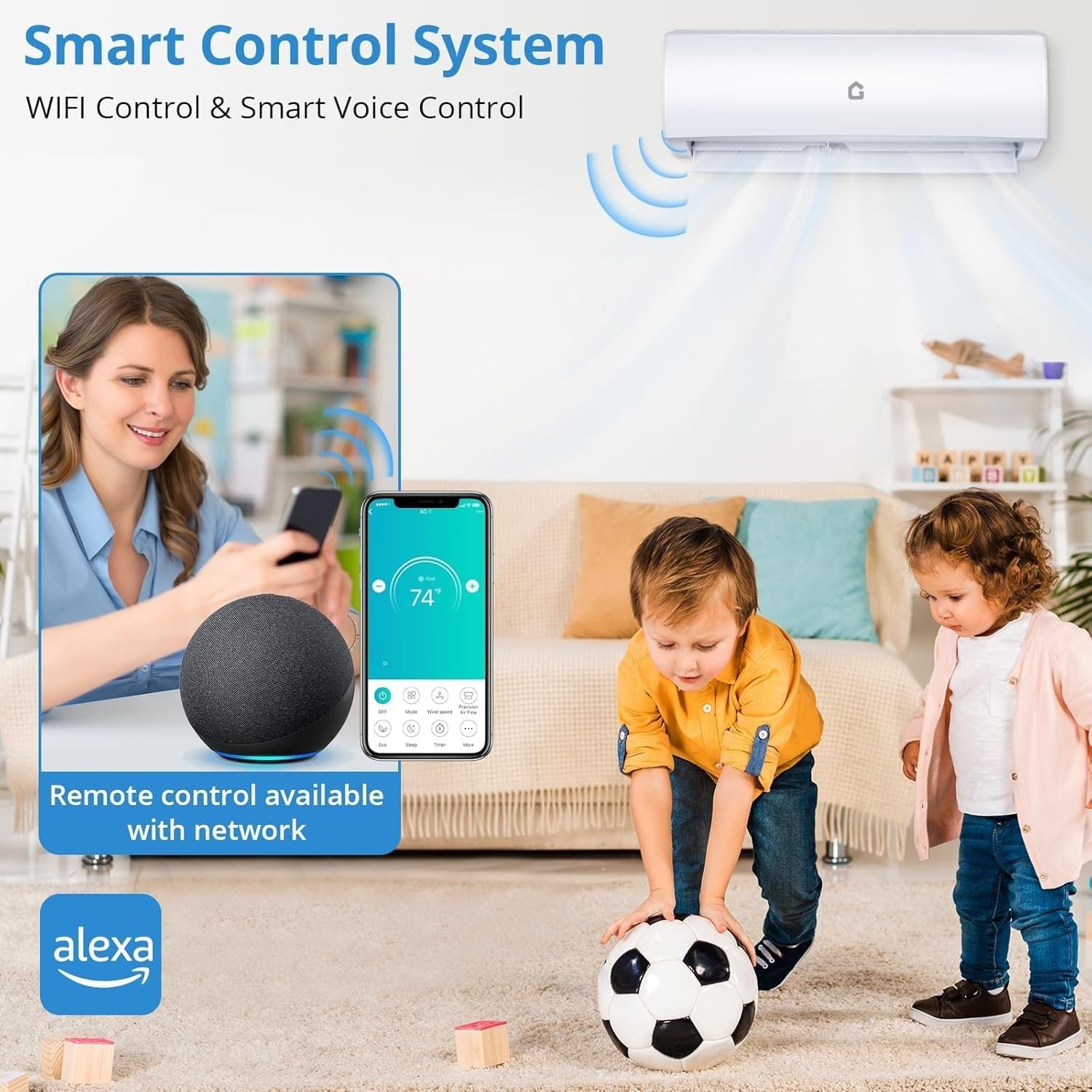
This image demonstrates the smart control capabilities of the Garvee mini split, allowing users to manage the system via a mobile app and smart voice assistants.
6.2 Operating Modes
The system features five primary operating modes:
- Cooling Mode: Provides rapid cooling, adjustable to desired temperatures.
- Heating Mode: Utilizes the built-in heat pump for efficient heating, suitable for cold climates.
- Dehumidification Mode (DRY): Reduces humidity levels in the room without significant temperature change.
- Fan Mode: Circulates air without cooling or heating, with multiple fan speed settings (Low, Mid, High).
- Auto Mode: Automatically selects the appropriate mode (cooling or heating) based on the ambient room temperature and your set temperature.
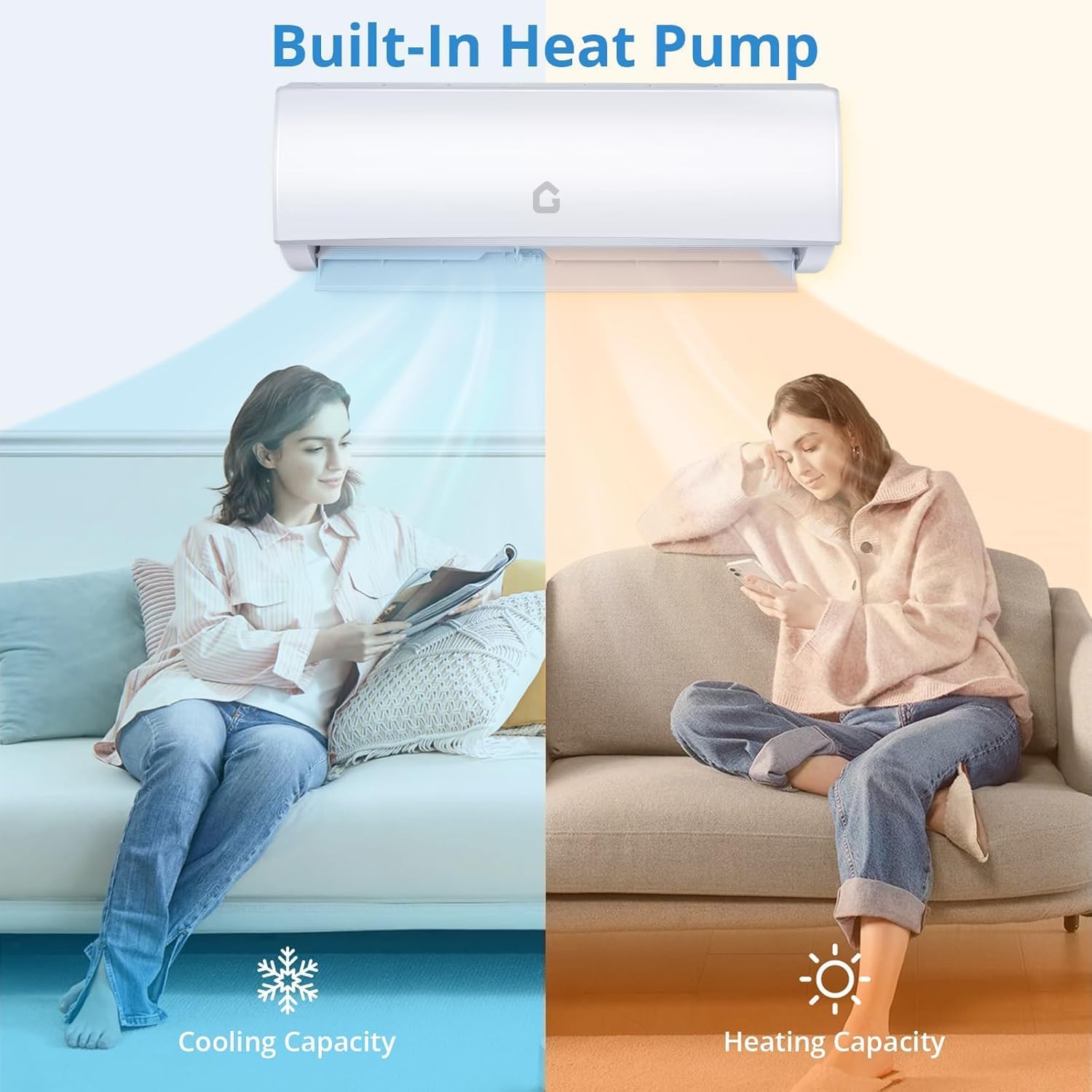
This image visually represents the dual functionality of the system, offering both cooling and heating capabilities through its integrated heat pump.

This image details the different operating modes available, including cooling, heating, dehumidification, and fan-only, along with their respective functions and capacities.
6.3 Special Features
- Ultra-Quiet Operation: Designed with noise reduction, operating at only 28dB in Mute mode for undisturbed comfort.
- Inverter Technology & ECO Mode: DC inverter technology optimizes energy consumption, providing stable temperature control while reducing electricity costs. ECO mode further enhances energy efficiency.
- Swing Function: Adjusts airflow direction to distribute air evenly and avoid direct blowing.

This image illustrates the quiet operation of the mini split system, showing a low noise level of 32dB in a bedroom setting, ideal for restful sleep.

This graph demonstrates the superior temperature stability and energy savings achieved through inverter technology and ECO mode compared to traditional non-inverter systems.
7. Maintenance
Regular maintenance ensures the longevity and efficient operation of your Garvee Mini Split system.
7.1 Filter Cleaning
The indoor unit is equipped with a removable dust filter. Regular cleaning of this filter is crucial for maintaining air quality and system efficiency.
- Frequency: Clean the filter every 2-4 weeks, or more frequently depending on usage and air quality.
- Procedure:
- Turn off the unit and disconnect power.
- Open the front panel of the indoor unit.
- Carefully remove the air filters.
- Wash the filters with lukewarm water and a mild detergent. Rinse thoroughly.
- Allow filters to air dry completely before reinserting them. Do not expose to direct sunlight.
- Close the front panel and restore power.

This image highlights the internal filter system, designed for healthy air distribution and featuring detachable, easy-to-clean filters.
7.2 Self-Cleaning Function
The unit features an intelligent self-cleaning function that helps maintain internal cleanliness and prevent mold growth. Refer to your remote control or app instructions for activating this feature.
7.3 Outdoor Unit Maintenance
- Keep the area around the outdoor unit clear of debris, leaves, and obstructions to ensure proper airflow.
- Periodically clean the outdoor coil fins with a soft brush or water hose (ensure power is off).
8. Troubleshooting
Before contacting customer support, please refer to the following common issues and solutions:
| Problem | Possible Cause | Solution |
|---|---|---|
| Unit does not turn on | No power supply; Remote control batteries dead; Circuit breaker tripped. | Check power connection; Replace remote batteries; Reset circuit breaker. |
| Insufficient cooling/heating | Dirty air filter; Temperature setting incorrect; Doors/windows open; Outdoor unit obstructed. | Clean air filter; Adjust temperature; Close doors/windows; Clear obstructions around outdoor unit. |
| Unusual noise | Loose parts; Obstruction in fan; Unit not level. | Check for loose parts; Remove obstructions; Ensure unit is level. If noise persists, contact professional. |
| Water leakage from indoor unit | Clogged drain hose; Improper installation. | Clear drain hose; Contact a professional for inspection and re-installation if necessary. |
| WiFi connection issues | Router issues; Incorrect WiFi password; App not updated. | Restart router; Verify WiFi password; Update mobile app; Re-pair device. |
9. Warranty Information
This Garvee Mini Split AC/Heating System comes with a 30-day manufacturer warranty. Please retain your proof of purchase for any warranty claims. The warranty covers defects in materials and workmanship under normal use. It does not cover damage resulting from improper installation, misuse, neglect, or unauthorized repairs.
10. Customer Support
If you encounter issues that cannot be resolved using the troubleshooting guide, or if you require professional assistance, please contact Garvee customer support. For the most up-to-date contact information, please refer to the official Garvee website or your purchase documentation.
When contacting support, please have the following information ready:
- Model Number (33MGM7LTGVAlgRt4g)
- Date of Purchase
- A detailed description of the issue