1. Introduction
1.1 Product Overview
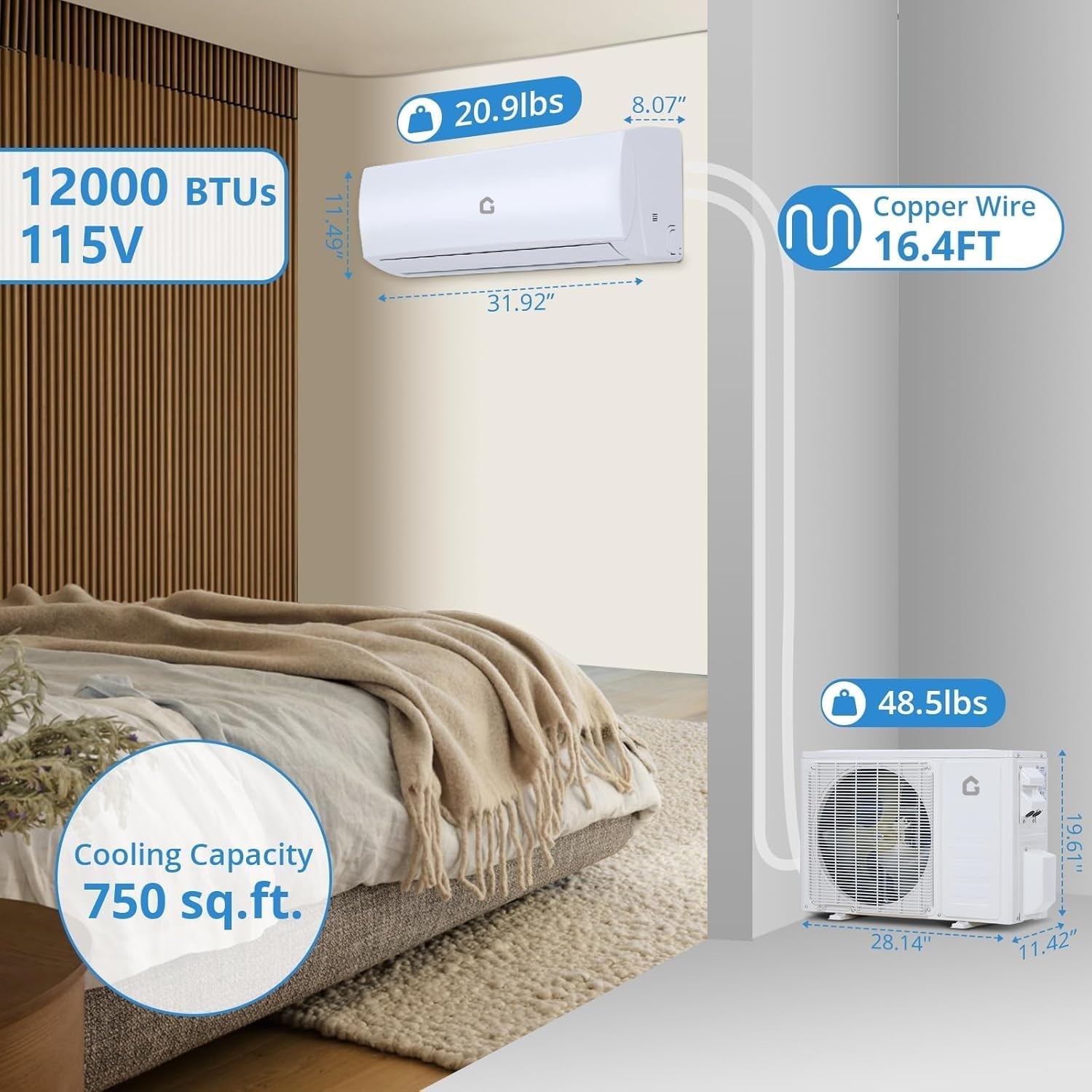
The Garvee 12000 BTU Mini Split AC/Heating System is a wall-mounted, energy-efficient unit designed to provide year-round comfort. Featuring a 21 SEER2 rating and operating on 115V, this system includes both cooling and heating capabilities, making it suitable for spaces up to 750 sq. ft. It is equipped with WiFi for smart control and utilizes eco-friendly R454B refrigerant.
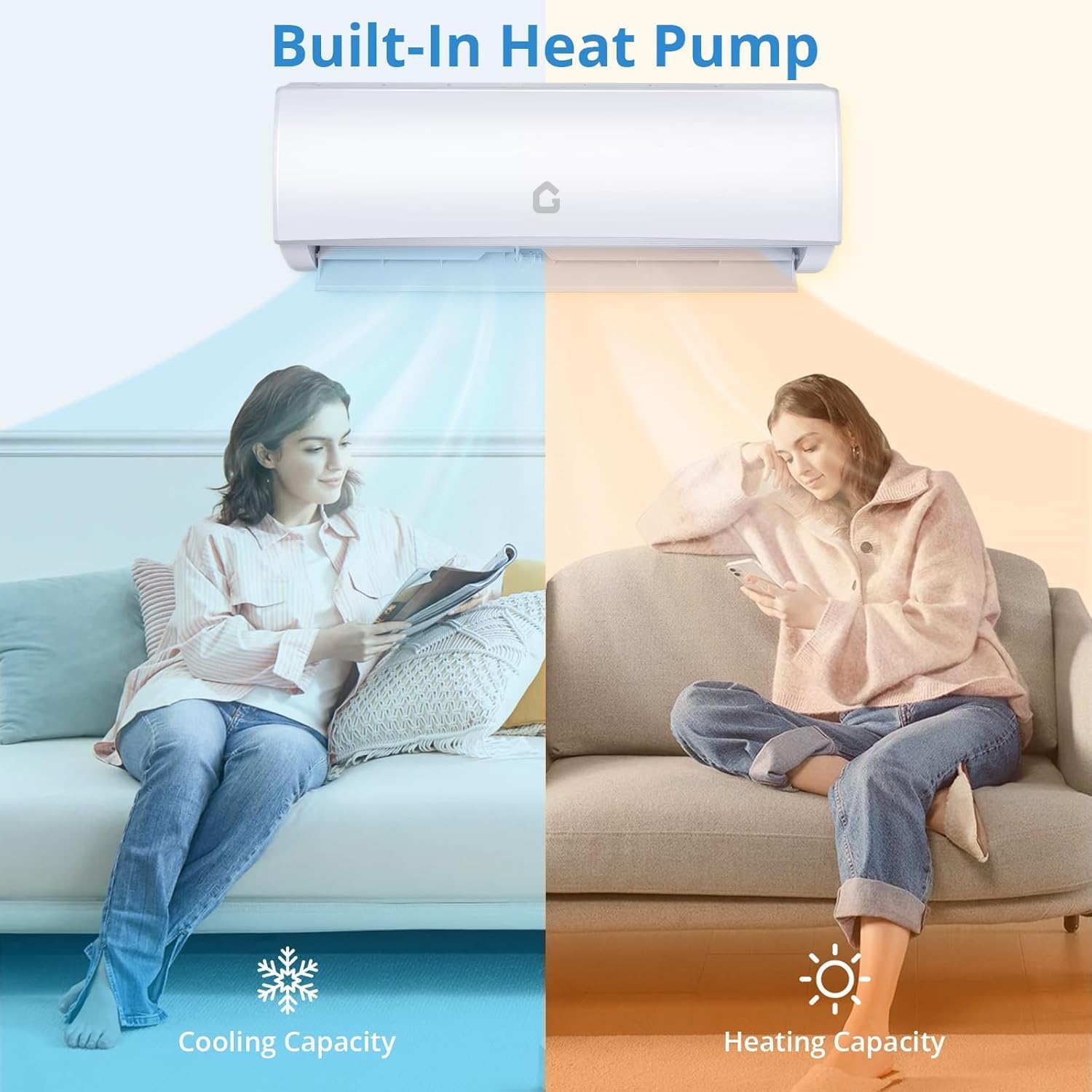
This system offers multiple operational modes, quiet performance, and smart control options for enhanced user convenience.
1.2 Safety Information
WARNING: Read all safety instructions before installation and operation.
- Ensure proper electrical grounding to prevent electric shock.
- Installation must be performed by qualified personnel in accordance with local electrical and building codes.
- Do not attempt to repair or modify the unit yourself. Contact qualified service personnel.
- Keep children and pets away from the outdoor unit.
- Use only the specified refrigerant (R454B). Improper refrigerant can cause damage or injury.
2. Setup and Installation
2.1 Unpacking and Inspection
Carefully unpack all components and inspect for any shipping damage. If any damage is found, contact your supplier immediately. The system typically arrives in two boxes.
2.2 Installation Kit Components
The installation kit includes necessary components for setting up your mini split system. These typically include:
- Indoor Unit
- Outdoor Unit
- Remote Control
- Copper Refrigerant Lines (16.4 FT)
- Drain Hose
- Electrical Wiring
- Wall Sleeve and Mounting Plate
- Insulation Tape
- Fasteners and Anchors
2.3 Physical Installation
The Garvee Mini Split is a wall-mounted system. Ensure the chosen location for both indoor and outdoor units allows for proper airflow, drainage, and access for maintenance. The indoor unit dimensions are approximately 31.92" W x 11.49" H x 8.07" D, and the outdoor unit is approximately 28.14" W x 19.61" H x 11.42" D. The system includes 16.4 feet of copper wire for connection.
2.4 Electrical Connection
This unit operates on 115V. Ensure the electrical supply meets the system's requirements and is installed by a certified electrician. Refer to the wiring diagram in the full installation guide for detailed instructions.
2.5 WiFi Setup
The system is WiFi-enabled for smart control. Download the Garvee smart home application on your mobile device. Follow the in-app instructions to connect your mini split unit to your home WiFi network. This will allow remote management of temperature, modes, and airflow.

3. Operating Instructions
3.1 Control Methods
The Garvee Mini Split can be controlled via the included remote control or through the mobile application once WiFi is configured.
3.2 Operating Modes
The system offers five primary operating modes:
- Cooling Mode: For reducing room temperature.
- Heating Mode: For increasing room temperature using the built-in heat pump.
- Dehumidification Mode: For reducing humidity levels in the air.
- Fan Mode: Circulates air without heating or cooling. Multiple fan speed settings are available.
- Auto Mode: Automatically selects the appropriate mode (cooling or heating) based on the set temperature and ambient conditions.

3.3 Temperature and Fan Speed Adjustment
Use the remote control or mobile app to set your desired temperature. The system provides precise temperature control. Adjust fan speed settings (low, mid, high) to optimize airflow and comfort. The unit also features a swing function to avoid direct blowing.
3.4 Quiet Operation
Designed for minimal noise, the unit operates at only 28dB in Mute mode, ensuring a peaceful environment.

4. Maintenance
4.1 Filter Cleaning
The indoor unit is equipped with a removable dust filter. Regular cleaning of this filter is essential for maintaining air quality and system efficiency. Refer to the detailed instructions in the full manual for filter removal and cleaning procedures.

4.2 Intelligent Self-Cleaning Function
The system includes an intelligent self-cleaning function to maintain internal cleanliness and prevent mold and bacteria buildup. Activate this function periodically as recommended in the full manual.
4.3 General Care
Wipe the exterior of the units with a soft, damp cloth. Do not use harsh chemicals or abrasive cleaners. Ensure the outdoor unit is free from obstructions like leaves or debris.
5. Troubleshooting
This section provides solutions to common issues you might encounter. For more complex problems, contact customer support.
- Unit not turning on: Check power supply, circuit breaker, and ensure the remote control batteries are functional.
- Insufficient cooling/heating: Verify temperature settings, clean air filters, ensure no obstructions to airflow, and check if windows/doors are closed.
- Unusual noises: Minor operational noises are normal. If loud or unusual noises occur, power off the unit and contact service.
- Water leakage: Check drain hose for blockages or improper installation.
- WiFi connectivity issues: Ensure your router is working, the unit is within range, and re-attempt the WiFi setup process in the app.
6. Specifications
| Feature | Specification |
|---|---|
| Brand | Garvee |
| Model Number | 12000BTU -115V -21 SEER2 -WIFI |
| Cooling Capacity | 12000 BTU |
| Heating Capacity | Heat Pump Functionality |
| Voltage | 115V |
| SEER2 Rating | 21 |
| Coverage Area | Up to 750 Sq.Ft |
| Noise Level (Mute Mode) | 28 Decibels |
| Refrigerant Type | R454B |
| Connectivity | WiFi Enabled |
| Indoor Unit Dimensions | 11"D x 26"W x 32"H (approx. 31.92" W x 11.49" H x 8.07" D) |
| Outdoor Unit Dimensions | 28.14" W x 19.61" H x 11.42" D |
| Item Weight | 64 pounds (total system) |
| Included Components | Installation Kit |
7. Warranty and Support
7.1 Warranty Information
For specific warranty details, please refer to the warranty card included with your product or contact Garvee customer support. Keep your purchase receipt as proof of purchase.
7.2 Customer Support
If you have any questions, require technical assistance, or need to report an issue, please contact Garvee customer support. Contact information can typically be found on the Garvee website or in the product packaging.