
Product Overview
The Insoma 2-Zone Brass Water Timer is designed for efficient and flexible outdoor watering. It features two independent outlets, allowing you to manage different irrigation zones simultaneously or separately. This timer supports automatic, manual, and rain delay modes, making it suitable for various garden and outdoor watering needs.

Image: The Insoma 2-Zone Brass Water Timer, highlighting its durable construction with a stainless steel filter, wear-resistant brass inlet, and wear-resistant brass outlet. The timer features a digital display and control buttons.
Key Features
- 2 Independent Watering Zones: Manage two separate irrigation areas with individual programming or operate both simultaneously.
- Flexible Programming: Customize start times, watering frequency (1-23 hours or 1-15 days), and duration (1-360 minutes).
- Manual Watering Mode: Initiate immediate watering for a specified duration without altering preset schedules.
- Rain Delay Function: Pause your watering schedule for 1 to 15 days to conserve water during rainy periods, with automatic resumption.
- Child Lock: Prevents accidental changes to the watering program.
- Enhanced Durability: Constructed with IPX5 waterproof materials, anti-UV coating, anti-oxidants, and a sealed battery cover for outdoor resilience.
- Large LCD Display: Clear and easy-to-read screen shows all essential watering information, including time, frequency, and battery power.
- Long Battery Life: Operates for over 6 months on 2 AA 1.5V alkaline batteries (not included).
Setup
1. Install Batteries
- Locate the battery compartment on the back of the timer.
- Open the battery cover.
- Insert two new 1.5V AA alkaline batteries, ensuring correct polarity (+/-).
- Securely close the battery cover to maintain the waterproof seal.
2. Attach to Faucet
- Ensure the faucet is clean and free of debris.
- Screw the timer's brass inlet securely onto your outdoor garden faucet. Hand-tighten only; do not overtighten.
- Attach your garden hoses to the two brass outlets at the bottom of the timer.

Image: The Insoma 2-Zone Water Timer connected to a faucet, with two hoses attached to its independent outlets, demonstrating its application for separate irrigation zones.
Operating Instructions
1. Setting the Current Time
Press the "NOW" button. Use the "+" and "-" buttons to adjust the current hour and minute. Press "OK" to confirm.
2. Selecting a Zone
Press the "ZONE" button to cycle between Zone 1, Zone 2, or Both Zones. The selected zone(s) will be indicated on the display.
3. Programming Automatic Watering (Cycle Mode)
The timer offers two automatic cycle modes: Hour-based and Day-based.

Image: The timer's display illustrating the Hour Cycle Mode (watering duration 1-360 minutes, frequency every 1-23 hours) and Day Cycle Mode (watering duration 1-360 minutes, frequency every 1-15 days).
- Set Start Time: Press "START TIME". Use "+" and "-" to set the desired start hour and minute. Press "OK".
- Set Watering Duration ("HOW LONG"): Press "HOW LONG". Use "+" and "-" to set the watering duration from 1 to 360 minutes. Press "OK".
- Set Watering Frequency ("HOW OFTEN"): Press "HOW OFTEN".
- For Hour Cycle Mode: Use "+" and "-" to set frequency from every 1 hour to every 23 hours.
- For Day Cycle Mode: Use "+" and "-" to set frequency from every 1 day to every 15 days.
4. Manual Watering Mode
This mode allows for immediate, temporary watering without affecting your programmed schedule.

Image: A user demonstrating manual watering, with the Insoma Water Timer connected to a faucet and a hose, indicating a customizable watering duration from 1 to 360 minutes.
- Press the "MANUAL" button.
- Use "+" and "-" to set the desired manual watering duration (1-360 minutes).
- Press "OK" to start manual watering.
- To stop manual watering, press "ESC/OFF".
5. Rain Delay Mode
Pause your watering schedule for a set period during rainy weather to save water.
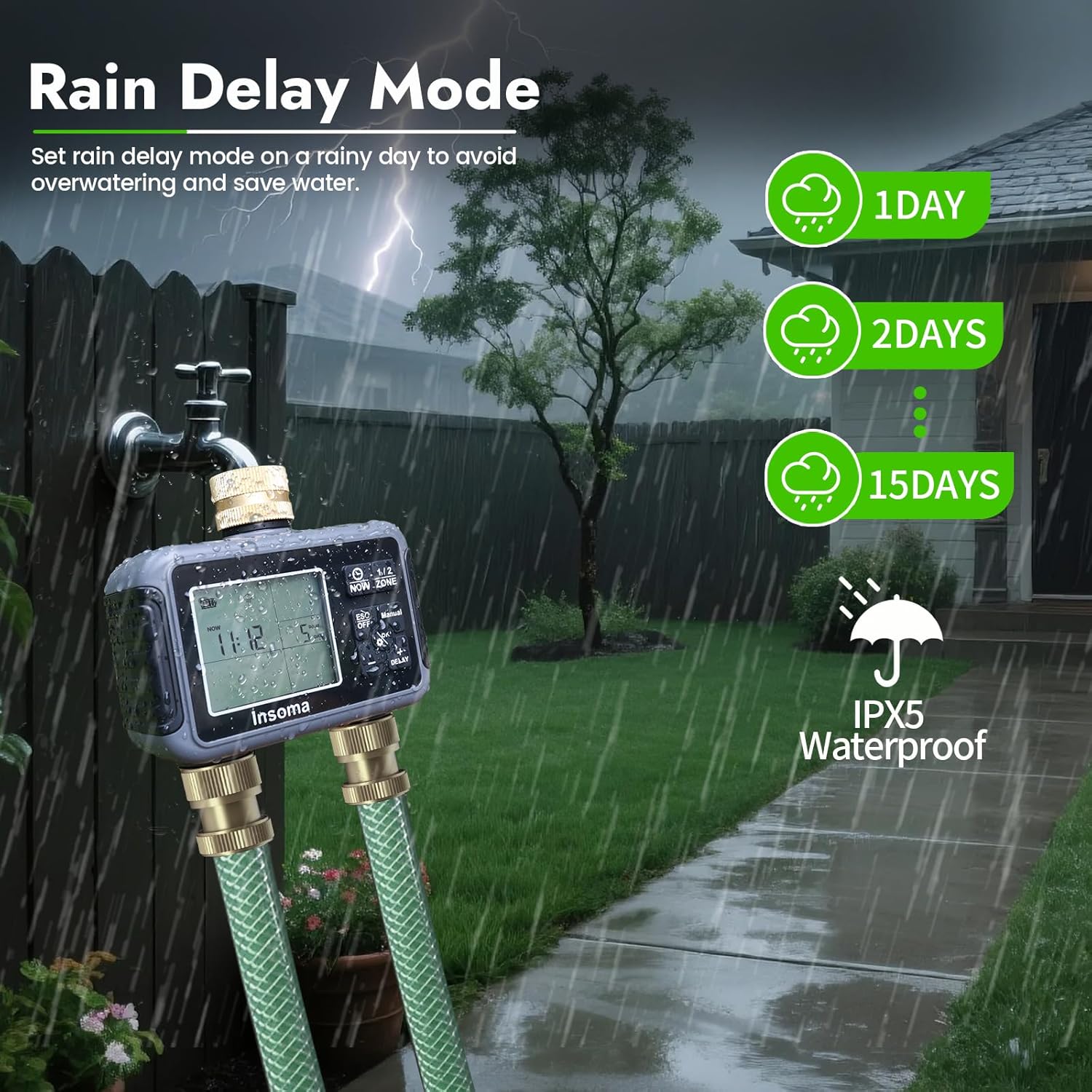
Image: The Insoma Water Timer operating in a garden during rain, visually representing the rain delay function which can pause watering for 1, 2, or 15 days to prevent overwatering.
- Press the "DELAY" button.
- Use "+" and "-" to select the delay duration (1 to 15 days).
- Press "OK" to activate the rain delay. The timer will resume its programmed schedule automatically after the delay period.
- To cancel rain delay, press "ESC/OFF".
6. Child Lock Function
To prevent unintended changes to your settings:

Image: A child playing near a sprinkler, with the Insoma Water Timer displaying a lock icon, signifying that the child lock function is engaged to prevent accidental program changes.
- Press and hold the "OK" button for 3 seconds to activate or deactivate the child lock. A lock icon will appear on the display when active.
Maintenance
- Battery Replacement: Replace batteries when the low battery indicator appears on the LCD screen. Always use new 1.5V AA alkaline batteries.
- Cleaning: Periodically clean the stainless steel filter at the inlet to prevent blockages. Remove the timer from the faucet, unscrew the filter, rinse it under running water, and reinsert.
- Winter Storage: Before freezing temperatures, disconnect the timer from the faucet and hoses. Drain any remaining water and store the timer indoors in a dry, frost-free location. Remove batteries if storing for extended periods.
- Avoid Chemicals: Do not use harsh chemicals or abrasive cleaners on the timer, as this may damage the housing or seals.
Troubleshooting
| Problem | Possible Cause | Solution |
|---|---|---|
| Timer not turning on/display blank. | Dead or incorrectly installed batteries. | Replace with new AA alkaline batteries, ensuring correct polarity. |
| Water not flowing at scheduled time. |
|
|
| Water leaking from connections. | Loose connections or missing/damaged washers. | Ensure all connections are hand-tight. Check and replace rubber washers if damaged. |
| Water flow is weak or inconsistent. | Clogged filter or low water pressure. | Clean the stainless steel filter at the inlet. Check your household water pressure. |
Specifications
| Attribute | Detail |
|---|---|
| Brand | Insoma |
| Model Number | SGW07M-TT-G-JP-04 |
| Color | Black |
| Product Dimensions (D x W x H) | 13 cm x 13 cm x 6.5 cm |
| Battery Type | 2 x 1.5V AA Alkaline Batteries (not included) |
| Battery Life | Approximately 180 days |
| Waterproof Rating | IPX5 |
| Watering Duration | 1 to 360 minutes |
| Watering Frequency (Hour Mode) | Every 1 to 23 hours |
| Watering Frequency (Day Mode) | Every 1 to 15 days |
Warranty and Support
For warranty information or technical support, please refer to the contact details provided with your purchase or visit the official Insoma website. Keep your purchase receipt for warranty claims.
Manufacturer: Insoma


