
1. Product Overview
The Ottocast MINI Pico is a compact wireless adapter designed to convert your car's existing wired CarPlay or Android Auto system into a wireless one. This device allows both iPhone users (iOS 10 or later) and Android smartphone users (Android OS 11 or later) to seamlessly access CarPlay or Android Auto features without the need for cables.
The MINI Pico features a convenient one-touch physical button, enabling quick switching between up to two paired smartphones. This functionality is ideal for multiple users or families sharing a vehicle. Additionally, the device supports Over-The-Air (OTA) firmware updates, ensuring continuous improvements in connection stability and operational performance through the latest software.
Enjoy enhanced in-car convenience with features like Google Maps navigation, Spotify music playback, and Bluetooth calls. The system also supports voice commands, allowing for hands-free operation. With the MINI Pico, your smartphone connects automatically upon entering the vehicle, eliminating the need for manual cable connections.
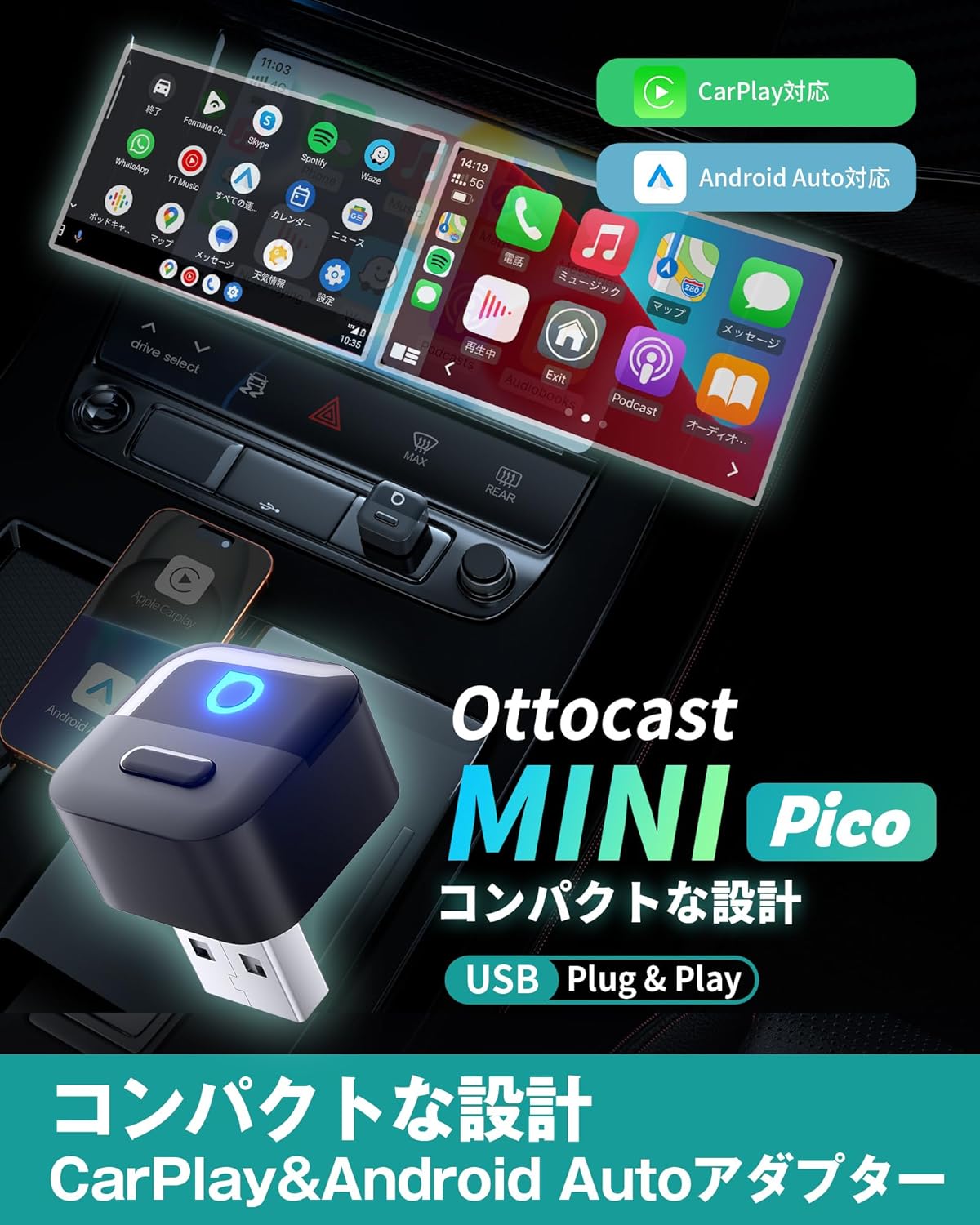
Image: The Ottocast MINI Pico adapter shown connected in a car, demonstrating both CarPlay and Android Auto interfaces on the vehicle's display.
2. Package Contents
Please verify that all items are present in the package:
- Ottocast MINI Pico Device x 1
- USB-A to Type-C Conversion Adapter x 1
- User Manual (Japanese) x 1

Image: Contents of the Ottocast MINI Pico package, showing the main device, a USB-A to Type-C adapter, and the user manual.
3. Setup Instructions
Setting up your Ottocast MINI Pico is a simple three-step process:
- Step 1: Insert the Device
Plug the MINI Pico device into your car's USB port. Ensure your car supports wired CarPlay or Android Auto. - Step 2: Wait for Interface Display
Wait for the connection user interface to appear on your car's display screen. - Step 3: Pair Your Smartphone
On your smartphone, turn on Wi-Fi and Bluetooth. Search for the Bluetooth device named "CAR2-XXXX" (where XXXX is a unique identifier) and pair with it.
After the initial pairing, the MINI Pico will automatically connect to your smartphone within approximately 10 seconds each time you start your car, even if your phone is in your pocket. No further settings are required for subsequent uses.
Note: If multiple paired smartphones are present in the car, the device will prioritize connecting to the last used smartphone.

Image: A visual guide illustrating the three simple steps to set up the Ottocast MINI Pico for wireless CarPlay/Android Auto.

Image: Demonstration of the automatic connection feature, where the MINI Pico connects to a smartphone within seconds of the car starting.
4. Operating Instructions
4.1 Multi-Phone Switching
The MINI Pico allows you to switch between two paired smartphones with a single touch. If you have two phones (e.g., a personal phone and a work phone, or phones for different family members) previously paired, simply press the physical button on the MINI Pico to disconnect the current phone and connect the other.

Image: The MINI Pico's one-click button for switching between two different smartphones, one running CarPlay and the other Android Auto.
4.2 Voice Control
Utilize your car's native voice assistant (e.g., Siri for CarPlay, Google Assistant for Android Auto) for hands-free control. This allows you to manage navigation, music playback, calls, and messages safely while driving.
- To activate, use the voice command (e.g., "Hey Siri" or "Hey Google") or press the voice assistant button on your steering wheel.
- Examples: "Navigate to the nearest gas station," "Play my driving playlist," "Call [Contact Name]," "Send a message to [Contact Name]."
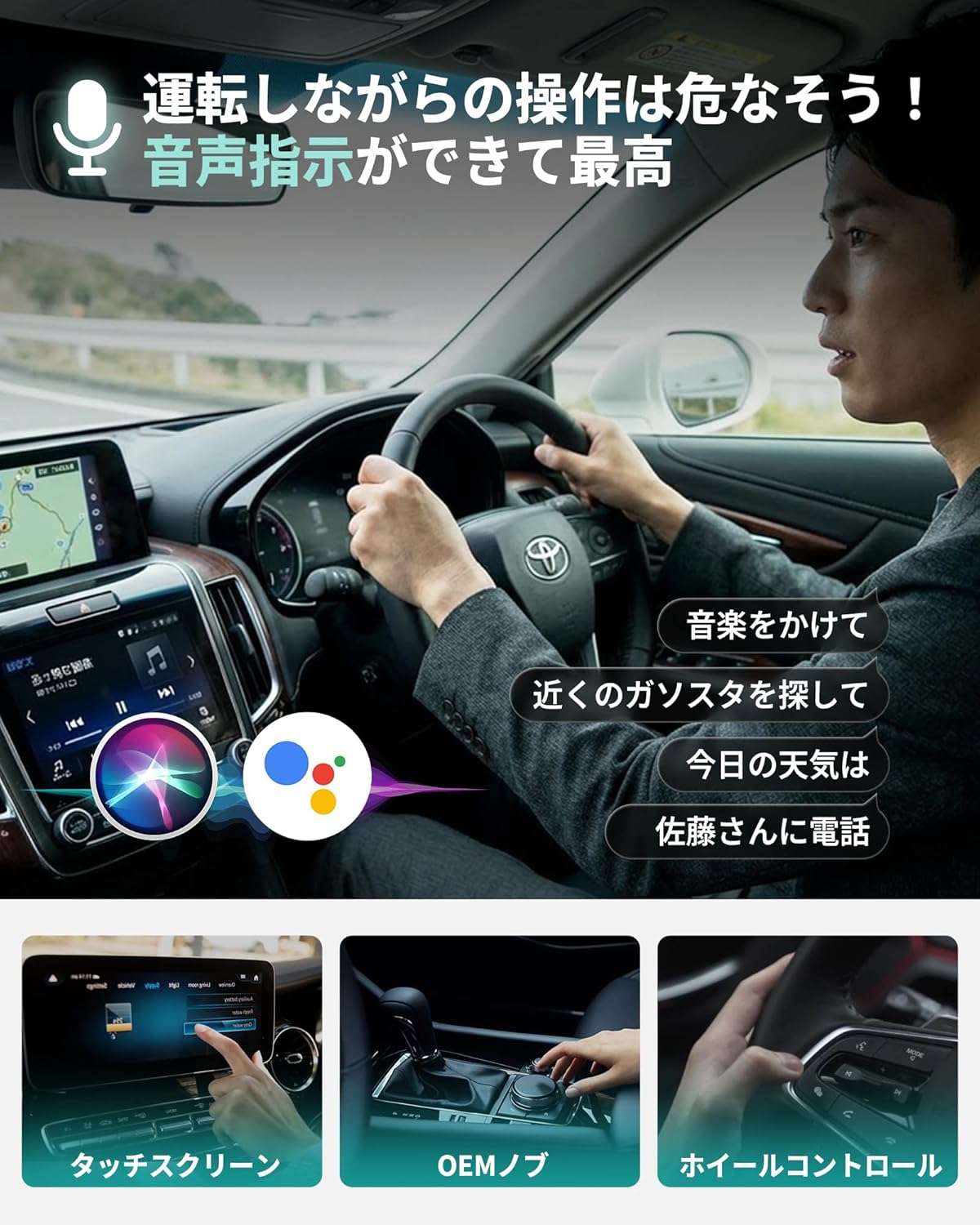
Image: A driver interacting with the car's infotainment system using voice commands for navigation and music, highlighting the integration of Siri and Google Assistant.
4.3 Firmware Updates (OTA)
The MINI Pico supports Over-The-Air (OTA) firmware updates to ensure optimal performance and compatibility. To update the firmware:
- Connect your smartphone to the MINI Pico.
- Open a web browser on your smartphone and navigate to the IP address 192.168.1.101.
- Follow the on-screen instructions to check for and install the latest firmware.

Image: The FOTA (Firmware Over-The-Air) update process for the Ottocast MINI Pico, accessed through a smartphone's web browser.
5. Compatibility
5.1 Device Compatibility
- iPhone: iOS 10 or later.
- Android Smartphones: Android OS 11 or later, including some Samsung and Google phone models.
5.2 Vehicle Compatibility
The Ottocast MINI Pico is compatible with vehicles that come equipped with genuine wired CarPlay or Android Auto functionality as standard. This typically includes most car models from 2016 onwards.
Important Note: This product is NOT compatible with BMW and MINI vehicles.

Image: An overview of compatible car brands and the minimum smartphone operating system requirements (iOS 10+, Android 11+) for the MINI Pico.
5.3 Pre-Purchase Checklist
Before purchasing, please confirm the following:
- Your iPhone runs iOS 10.0 or later, or your Android phone runs Android 11.0 or later.
- Your smartphone's cellular data (not Wi-Fi) plan is active.
- Your car is equipped with factory-installed wired CarPlay or wired Android Auto.

Image: Essential checks to perform before purchasing the MINI Pico, covering smartphone OS versions and the presence of wired CarPlay/Android Auto in the vehicle.
6. Specifications
| Feature | Description |
|---|---|
| Brand | OTTOCAST |
| Model | MINI Pico |
| Connectivity Technology | Bluetooth, Wi-Fi (Dual-band 2.4GHz + 5.0GHz) |
| Special Features | Easy Setup, Automatic Connection, One-touch Smartphone Switching (up to 2 devices), Converts Wired CarPlay/Android Auto to Wireless |
| Compatible Devices | iPhone (iOS 10+), Android Smartphone (Android OS 11+), Cars with factory-installed wired CarPlay/Android Auto |
| Connector Type | USB Type-A (includes USB-A to Type-C adapter) |
| Product Dimensions (D x W x H) | 22mm x 26mm x 22mm |
| Product Weight | Approximately 8.9g |
| Manufacturer | OTTOCAST |
| UPC | 725414686380 |
| Country of Origin | China |

Image: The compact size of the Ottocast MINI Pico, highlighting its small dimensions and light weight.

Image: Illustration of the MINI Pico's advanced internal chip and dual-band Wi-Fi 6 + Bluetooth 5.4 technology, ensuring fast and stable connections.
7. Troubleshooting
If you encounter any issues with your Ottocast MINI Pico, please try the following troubleshooting steps:
- Connection Issues: Ensure your car's wired CarPlay/Android Auto system is functioning correctly with a cable first. Verify that your smartphone's Bluetooth and Wi-Fi are enabled. Try restarting both your smartphone and the car's infotainment system.
- Automatic Connection Failure: Confirm that the initial pairing process was completed successfully. If you have multiple smartphones in the car, ensure the desired phone was the last one paired or manually select it.
- Performance Problems: Check for available firmware updates via the OTA method (see Section 4.3). Ensure the MINI Pico is securely plugged into the USB port.
- No Audio/Video (YouTube, etc.): Please note that the MINI Pico supports audio only for streaming services like YouTube; video playback is not supported.
If the problem persists after attempting these steps, please contact customer support.
8. Warranty and Support
The Ottocast MINI Pico is a technically certified product (R220-JP7656) manufactured by Ottocast, a company with extensive experience in CarPlay products. We are committed to providing comprehensive support through our knowledgeable technical team.
Your product comes with a one-year manufacturer's warranty from the date of purchase. In the event of any malfunction or issues during use, please do not hesitate to contact our customer support. We offer free exchanges for defective products within the warranty period.
For any questions regarding product usage, troubleshooting, or warranty claims, please reach out to our support team through the contact information provided on our official website or your purchase platform.
9. Product Video
Video: An official demonstration of the Ottocast MINI Pico in use, showcasing its features and ease of connection in a vehicle.

