
Introduction
Thank you for choosing the GALAXHERO Grey TV Stand. This entertainment center is designed to accommodate TVs up to 55 inches and features integrated LED lighting, a convenient charging station, and ample storage with eight fabric drawers. This manual provides essential information for safe assembly, proper operation, and effective maintenance of your new TV stand.

Image: The GALAXHERO Grey TV Stand, showcasing its design and suitability for TVs up to 55 inches.
Safety Information
Important Safety Instructions:
- Always assemble the furniture securely to the wall using the anti-tipping device provided. This prevents accidental tip-overs, especially in households with children or pets.
- Keep small children and pets away from open shelves and drawers during assembly and use to prevent tip-over accidents or injuries.
- Do not place objects exceeding the weight capacity on the open shelves or top surface to avoid structural damage or collapse. Refer to the specifications section for weight limits.
- Ensure all screws and fasteners are tightened securely before use. Periodically check and re-tighten as necessary.
- Do not stand or climb on the TV stand.

Image: Illustration of the anti-tilt device installation for enhanced safety.
Package Contents
Before beginning assembly, verify that all components listed below are present and undamaged. If any parts are missing or damaged, please contact customer support.
- Top Wood Panel
- Steel Frame Components
- Fabric Drawers (8 units, various sizes)
- LED Light Strip with Controller
- Built-in Charging Station (Power Strip)
- Adjustable Feet (5 units)
- Anti-Tipping Device
- Assembly Hardware (screws, bolts, Allen wrench, etc.)
- Instruction Manual
Setup and Assembly
Assembly of this TV stand is designed to be straightforward. Follow the detailed instructions provided in the separate assembly guide included in your package. All parts and accessories are coded for easy identification, and precise holes ensure accurate and faster installation.
Assembly Steps Overview:
- Unpack and Identify Parts: Lay out all components on a clean, soft surface to prevent scratches. Match each part to the corresponding code in the assembly guide.
- Assemble the Steel Frame: Connect the steel frame components using the provided hardware. Ensure all connections are secure.
- Install Adjustable Feet: Attach the five adjustable feet to the bottom of the steel frame. These feet help stabilize the unit on uneven surfaces.
- Attach Top Wood Panel: Secure the top wood panel to the assembled frame.
- Install Charging Station: Integrate the built-in charging station into its designated slot on the top panel.
- Install LED Light Strip: Adhere the LED light strip to the underside of the open shelf area.
- Insert Fabric Drawers: Fold and insert the fabric drawers into their respective compartments.
- Secure Anti-Tipping Device: Attach the anti-tipping device to the back of the TV stand and secure it to a wall stud as per the instructions. This step is crucial for safety.

Image: Components illustrating the sturdy steel frame, waterproof surface, adjustable feet, and anti-tilt device.
Operating Instructions
LED Lighting System:
Your TV stand is equipped with an RGB LED light strip to enhance your room's ambiance. The LED lights offer multiple colors and modes, allowing you to customize the lighting to suit your mood or environment.
- Power On/Off: Use the inline controller or remote control (if included) to turn the LED lights on or off.
- Color Selection: Cycle through various static colors using the controller.
- Mode Selection: Choose from dynamic modes such as fading, jumping, or music rhythm (if supported by the controller).
- Brightness Adjustment: Adjust the intensity of the lights to your preference.
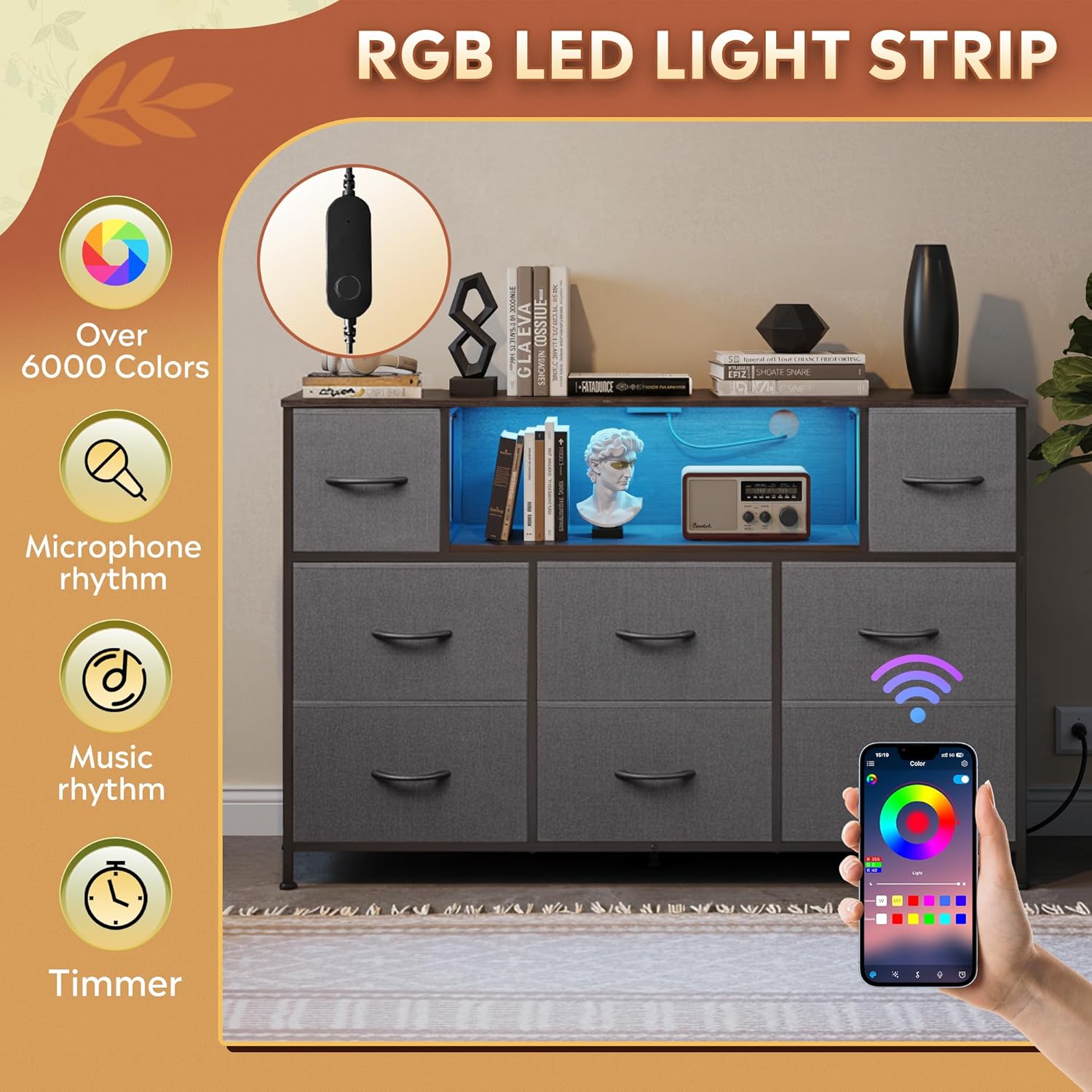
Image: The RGB LED light strip in operation, highlighting color and mode controls.
Built-in Charging Station:
The integrated power strip provides convenient access to power for your electronic devices.
- AC Outlets: The charging station includes 2 standard 125V/12A AC outlets for powering your TV, sound system, or other appliances.
- USB Ports: Two 5V/2A USB ports are available for charging smartphones, tablets, and other USB-powered devices.
- Power Cord: The unit features a 5-foot power cord for connection to a wall outlet.
- Usage: Simply plug your devices into the appropriate outlets. Ensure the TV stand's power cord is securely plugged into a functioning wall outlet.

Image: The recessed charging station with AC outlets and USB ports.
Fabric Drawers:
The eight fabric drawers provide versatile storage. They are foldable for easy setup and feature durable, breathable, and wear-resistant material with easy-to-pull arc handles.
- Folding: To assemble, unfold the fabric drawers and insert the bottom panel to create a rigid structure.
- Placement: Slide the drawers into the designated compartments within the steel frame.
- Capacity: Distribute items evenly within the drawers, respecting the individual weight limits (refer to specifications).
Maintenance
Proper care will ensure the longevity and appearance of your GALAXHERO TV stand.
- Cleaning the Wood Panel: The eco-friendly wood panel is scratch-resistant and has a smooth surface. Wipe clean with a soft, damp cloth. Avoid harsh chemicals or abrasive cleaners.
- Cleaning Fabric Drawers: For light cleaning, use a lint roller or a soft brush to remove dust. For stains, spot clean with a mild detergent and a damp cloth, then air dry. Do not machine wash.
- Frame Maintenance: Wipe the steel frame with a damp cloth to remove dust.
- Spills: Immediately wipe up any spills on the wood surface to prevent water damage. The surface is waterproof, but prolonged exposure to liquids should be avoided.
- Regular Checks: Periodically check all screws and connections to ensure they remain tight. Re-tighten if necessary.

Image: Demonstration of the waterproof surface.

Image: Construction details of the fabric drawers, emphasizing material properties.
Troubleshooting
If you encounter any issues with your TV stand, refer to the following common problems and solutions:
| Problem | Possible Cause | Solution |
|---|---|---|
| LED lights not turning on. | Power cord not plugged in; loose connection; faulty controller. | Ensure the power cord is securely plugged into a working outlet. Check all connections of the LED strip and controller. Test with another power source if possible. |
| Charging station not providing power. | TV stand power cord not plugged in; device not properly connected; faulty outlet. | Verify the TV stand's main power cord is plugged into a live wall outlet. Ensure devices are fully inserted into the AC or USB ports. Test the wall outlet with another appliance. |
| Stand feels wobbly or unstable. | Loose screws; uneven floor; anti-tipping device not installed. | Check and tighten all assembly screws. Adjust the five adjustable feet to level the stand on uneven floors. Ensure the anti-tipping device is correctly installed and secured to the wall. |
| Drawers do not slide smoothly. | Drawer not fully unfolded; obstruction; overloaded. | Ensure the fabric drawers are fully unfolded and the bottom panel is correctly inserted. Check for any items obstructing the drawer's path. Reduce the weight inside the drawer if overloaded. |
Specifications
| Feature | Detail |
|---|---|
| Model | B0G69WRP39 |
| Color | Dark Grey |
| Size | Large 8 Drawer with Electric |
| Dimensions (Overall) | 47.1" (Width) x 11.7" (Depth) x 31" (Height) |
| Item Weight | 32.12 Pounds |
| Material Type | Wood, Fabric, Metal |
| Number of Drawers | 8 |
| Charging Station | 2 AC Outlets (125V/12A), 2 USB Ports (5V/2A), 5-Foot Power Cord |
| LED Lights | RGB, Multiple Colors, Adjustable Brightness |
| Additional Features | Adjustable Feet, Anti-Tipping Device, Space Saving Design |
| Required Assembly | Yes |

Image: Product dimensions and individual drawer capacities.
Customer Support
If you have any questions regarding the assembly, operation, or maintenance of your GALAXHERO TV stand, or if you encounter any issues not covered in this manual, please do not hesitate to contact our customer support team. We are committed to providing assistance and ensuring your satisfaction.
Please refer to your purchase documentation or the GALAXHERO brand store on Amazon for contact information.
GALAXHERO Store Link: Visit the GALAXHERO Store