
Introduction
Thank you for choosing the Candy CSWS4852DE/1-88 Smart Washer Dryer. This manual provides essential information for the safe and efficient use of your appliance. Please read these instructions carefully before installation and operation, and keep them for future reference.
This appliance combines washing and drying functions, offering convenience and efficiency for your laundry needs. It features an 8 kg washing capacity and a 5 kg drying capacity, with a maximum spin speed of 1400 RPM and 15 wash programs, including a steam function.
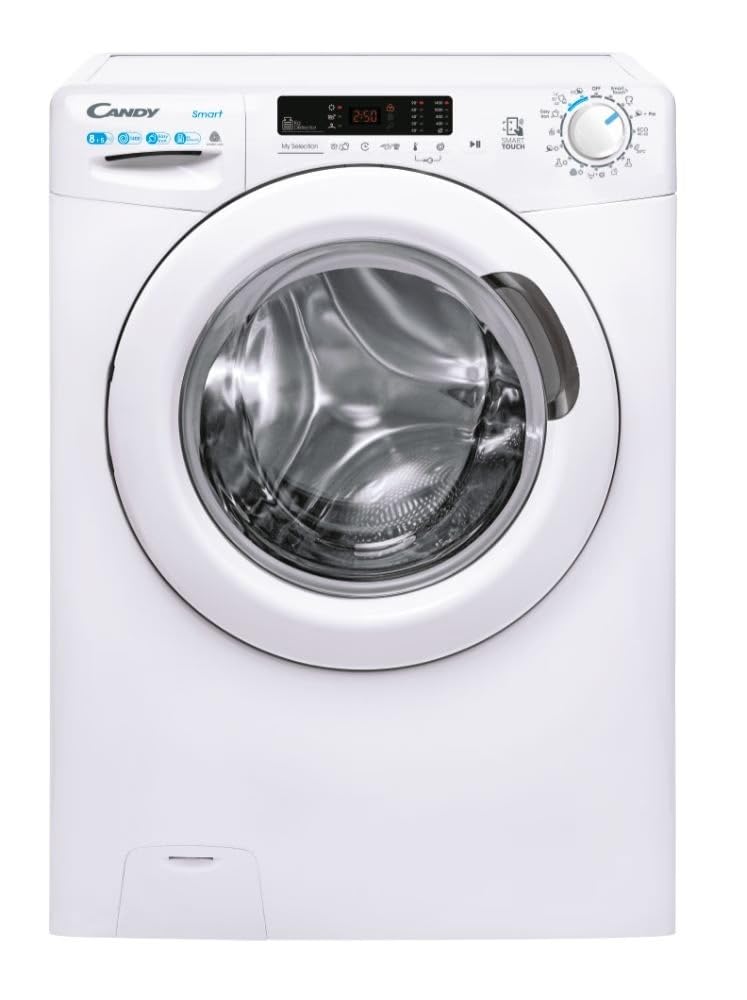
Figure 1: Front view of the Candy CSWS4852DE/1-88 Smart Washer Dryer. This image shows the appliance's control panel, detergent drawer, and front-loading door.
Setup and Installation
Proper installation is crucial for the safe and efficient operation of your washer dryer. Ensure all steps are followed carefully.
1. Unpacking
- Remove all packaging materials, including the polystyrene base and any protective film.
- Carefully remove the transport bolts located at the rear of the appliance. These bolts secure the drum during transit and must be removed before use. Keep the bolts for future transport.
- Inspect the appliance for any damage. If damage is found, do not proceed with installation and contact customer support.
2. Connecting Water Supply
- Connect the cold water inlet hose to the cold water tap and to the appliance's water inlet valve. Ensure a tight seal to prevent leaks.
- The water pressure should be between 0.05 MPa and 0.8 MPa.
3. Connecting Drainage
- Position the drain hose into a standpipe or over the edge of a sink, ensuring it is securely fastened to prevent displacement during operation.
- The height of the drain hose should be between 60 cm and 100 cm from the floor.
4. Electrical Connection
- Ensure the power supply voltage and frequency match the specifications on the appliance's rating plate.
- Plug the appliance into a grounded electrical outlet. Do not use extension cords or adapters.
5. Leveling the Appliance
- Place the appliance on a firm, level floor.
- Adjust the adjustable feet at the bottom of the appliance until it is perfectly level and stable. Use a spirit level to verify.
- Ensure there is sufficient space around the appliance for ventilation and access.
Operating Instructions
1. Control Panel Overview
The control panel consists of a program selector dial, function buttons, and a digital display. Refer to the diagram below for specific button functions (diagram not provided, refer to appliance for details).
- Program Selector Dial: Used to select the desired wash or dry program.
- Start/Pause Button: Initiates or pauses the selected program.
- Temperature Button: Adjusts the wash temperature.
- Spin Speed Button: Modifies the spin speed.
- Delay Start Button: Sets a delayed start time for the program.
- Drying Level/Time Button: Selects drying level or time for drying cycles.
2. Loading Laundry
- Open the appliance door.
- Load laundry into the drum, ensuring not to overload. For washing, the maximum capacity is 8 kg. For drying, the maximum capacity is 5 kg.
- Close the door firmly until it clicks shut.
3. Adding Detergent and Additives
- Pull out the detergent dispenser drawer.
- Add the appropriate amount of detergent to the main wash compartment (usually marked 'II').
- Add fabric softener to the dedicated compartment (usually marked with a flower symbol).
- Add pre-wash detergent to the pre-wash compartment (if available and required, usually marked 'I').
- Close the detergent drawer gently.
4. Selecting a Program
- Turn the program selector dial to choose the desired wash or wash & dry program. The display will show the default settings for the selected program.
- Adjust temperature, spin speed, or add special functions (e.g., steam, extra rinse) using the corresponding buttons.
- For drying-only cycles, ensure the laundry is already washed and select a drying program.
5. Starting a Cycle
- Press the Start/Pause button to begin the cycle. The program indicator light will illuminate.
- To pause a running cycle, press the Start/Pause button again. Press it once more to resume.
6. Delayed Start Function
- After selecting a program, press the Delay Start button repeatedly to set the desired delay time (e.g., 3h, 6h, 9h).
- Press the Start/Pause button to activate the delayed start. The appliance will begin the cycle after the set delay.
7. End of Cycle
- At the end of the cycle, an audible signal may sound, and the display will show "End" or similar.
- Wait for the door lock to release (usually a few minutes after the cycle finishes) before opening the door.
- Remove the laundry promptly to prevent creasing.
- Unplug the appliance from the power outlet and turn off the water tap.
Maintenance and Care
Regular maintenance ensures optimal performance and extends the lifespan of your appliance.
1. Cleaning the Exterior
- Wipe the exterior surfaces with a soft, damp cloth. Do not use abrasive cleaners or solvents.
2. Cleaning the Detergent Dispenser
- Pull out the dispenser drawer completely.
- Rinse it under running water to remove any detergent residue.
- Clean the housing of the dispenser drawer with a brush.
- Reinsert the drawer.
3. Cleaning the Filter
- Locate the filter cover at the bottom front of the appliance.
- Place a shallow container beneath the filter to collect any residual water.
- Carefully unscrew the filter counter-clockwise and remove it.
- Clean the filter of lint, coins, or other debris.
- Rinse the filter under running water and screw it back in clockwise until tight.
4. Cleaning the Drum
- Run a maintenance wash cycle (e.g., a hot wash with no laundry and a descaling agent) periodically to prevent odors and residue buildup.
- Leave the door slightly ajar after use to allow the drum to air dry and prevent mildew.
Troubleshooting
Before contacting customer service, please refer to the following table for common issues and their solutions.
| Problem | Possible Cause | Solution |
|---|---|---|
| Appliance does not start | Power cord not plugged in; Door not closed properly; Program not selected; Start/Pause button not pressed. | Check power connection; Ensure door is firmly closed; Select a program; Press Start/Pause. |
| No water entering the appliance | Water tap closed; Water inlet hose kinked; Water filter blocked. | Open water tap; Straighten hose; Clean water inlet filter. |
| Excessive vibration during spin cycle | Appliance not level; Transport bolts not removed; Uneven load. | Adjust leveling feet; Remove transport bolts; Redistribute laundry evenly. |
| Poor washing results | Too much or too little detergent; Incorrect program selected; Overloading. | Use correct detergent amount; Select appropriate program; Reduce load size. |
| Laundry not drying properly | Overloading for drying; Lint filter blocked; Incorrect drying program. | Reduce load for drying; Clean lint filter; Select appropriate drying program. |
Technical Specifications
The following are the key technical specifications for the Candy CSWS4852DE/1-88 Smart Washer Dryer:
| Model Number | CSWS4852DE/1-88 |
| Brand | CANDY |
| Wash Capacity | 8 kg |
| Dry Capacity | 5 kg |
| Maximum Spin Speed | 1400 RPM |
| Dimensions (D x W x H) | 54 cm x 60 cm x 89 cm |
| Operating Mode | Automatic |
| Drum Material | Stainless Steel |
| Number of Wash Cycles | 15 |
| Number of Drying Cycles | 7 |
| Special Features | Delayed Start, Steam Function |
| Detergent Dispenser Options | Single-compartment |
Warranty and Customer Support
1. Warranty Information
This Candy appliance comes with a standard manufacturer's warranty, covering defects in materials and workmanship under normal use. The specific terms and duration of the warranty may vary by region. Please refer to the warranty card included with your purchase or visit the official Candy website for detailed information.
Keep your proof of purchase (receipt or invoice) as it will be required for any warranty claims.
2. Customer Support
If you encounter any issues that cannot be resolved using the troubleshooting guide, or if you require technical assistance, please contact Candy customer support. You can typically find contact details (phone numbers, email, or online support portals) on the official Candy website or in the documentation provided with your appliance.
When contacting support, please have the following information ready:
- Model Number: CSWS4852DE/1-88
- Serial Number (found on the rating plate of the appliance)
- Date of Purchase
- A clear description of the problem


