
1. Introduction
The Instrukart Elitech IoTLog 260TH is a real-time temperature and humidity data logger designed for continuous environmental monitoring. This device utilizes high-precision sensors and WiFi connectivity to provide accurate readings, automatic cloud uploads, and instant alert notifications. It is suitable for various applications requiring strict environmental control, such as pharmaceuticals, cold chain logistics, laboratories, and storage facilities.
2. Product Overview
2.1 Key Features
- Real-Time Monitoring: View live temperature and humidity readings via WiFi and cloud connectivity.
- High-Accuracy Sensors: Ensures reliable environmental monitoring for sensitive applications.
- Instant Alerts: Receive email or app notifications when readings exceed preset thresholds.
- Cloud Data Storage: Automatically uploads data for secure, long-term archiving and easy access.
- Wide Application: Suitable for pharmaceuticals, vaccines, food safety, warehouses, and lab environments.
- Easy Setup & Configuration: User-friendly interface for fast installation and monitoring.
- Compact & Durable Design: Built to perform in demanding industrial and commercial settings.
2.2 Device Components
The Elitech IoTLog 260TH features a clear display and intuitive control buttons.
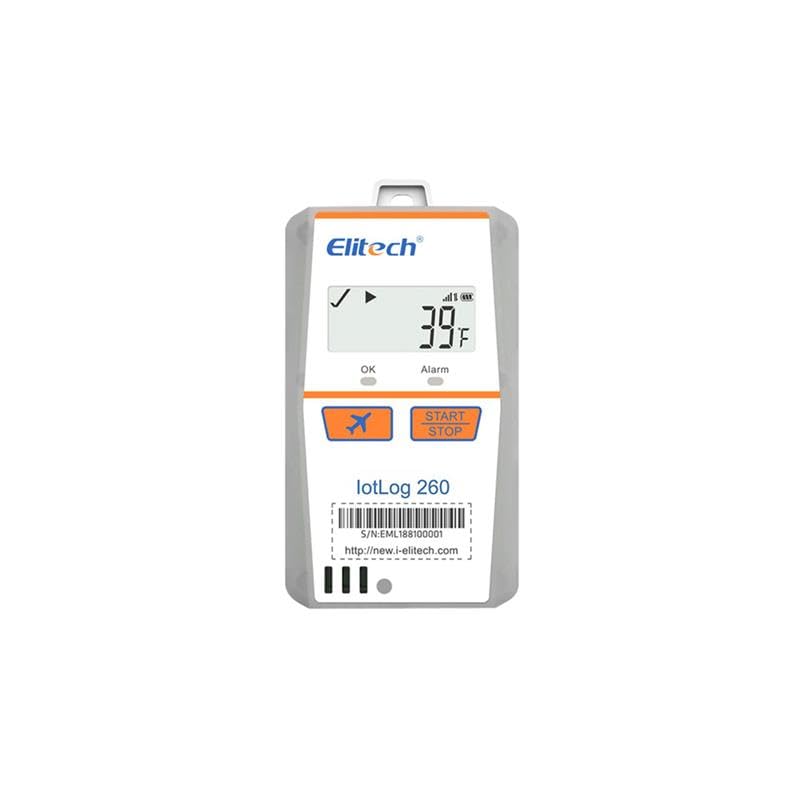
Front view of the Elitech IoTLog 260TH data logger, showing the display, control buttons (OK, Alarm, Start, Stop), and the Elitech logo.
The device's serial number and website for further information are located on the bottom.
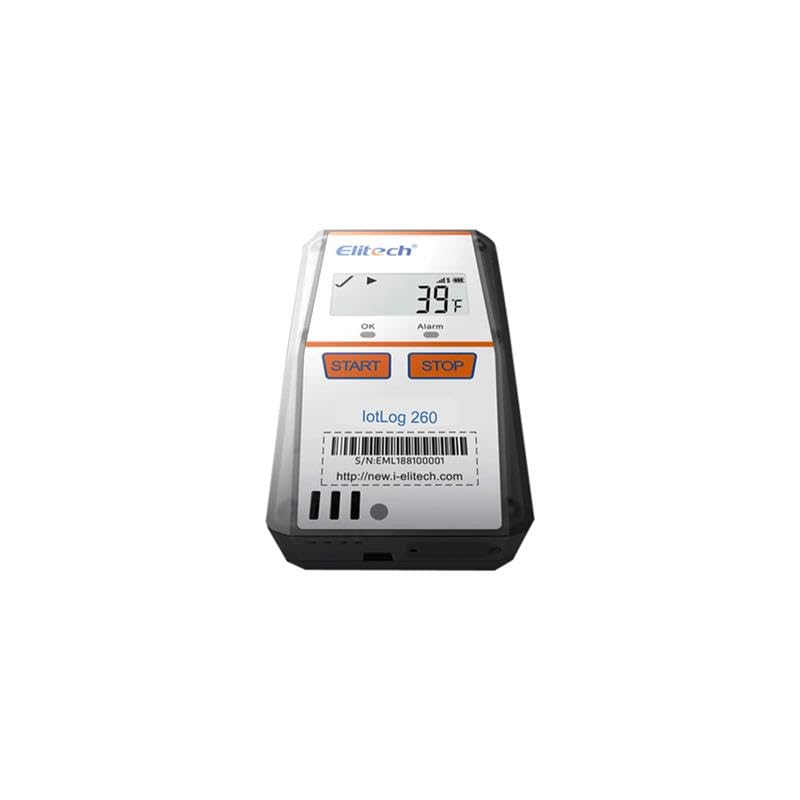
Bottom view of the Elitech IoTLog 260TH, displaying the serial number (S/N: EML188100001) and the Elitech website address (http://new.i-elitech.com).
The IoTLog 260TH is designed for versatile applications across various industries.

An image illustrating the diverse applications of the Elitech IoTLog 260TH, including pharmaceutical monitoring, air freight, sea freight, and refrigerated trucks, highlighting its versatility in cold chain logistics and environmental control.
3. Setup Guide
3.1 Package Contents
Verify that all items are present in the package:
- 1 x Elitech IoTLog 260TH Device
- 1 x User Manual
3.2 Initial Device Activation
- Unpack the device carefully.
- Ensure the device has sufficient power. If applicable, connect the power adapter.
- Press and hold the 'START' button to power on the device.
3.3 Connecting to Wi-Fi and Cloud Platform
- Download the Elitech IoT app from your device's app store or visit the Elitech cloud platform website.
- Create an account or log in to your existing account.
- Follow the in-app or on-screen instructions to add your IoTLog 260TH device. This typically involves scanning a QR code on the device or manually entering the serial number.
- Configure the device's Wi-Fi settings through the app or platform to connect it to your local Wi-Fi network.
- Once connected, the device will automatically upload data to the cloud.
3.4 Software/App Installation
For remote monitoring and data analysis, install the dedicated Elitech IoT application on your smartphone or tablet. The app is available on both Android and iOS platforms. Alternatively, access the Elitech cloud platform via a web browser on your computer.
4. Operating Instructions
4.1 Starting Data Logging
- Ensure the device is powered on and connected to Wi-Fi.
- Press the 'START' button on the device. The display will indicate that logging has begun.
- Alternatively, initiate logging remotely through the Elitech IoT app or cloud platform.
4.2 Stopping Data Logging
- Press the 'STOP' button on the device. The display will confirm that logging has ceased.
- Logging can also be stopped remotely via the Elitech IoT app or cloud platform.
4.3 Viewing Real-Time Data
- On Device: The current temperature and humidity readings are displayed on the device's screen.
- Via App/Cloud: Open the Elitech IoT app or log into the cloud platform. Navigate to your device to view live data, historical graphs, and detailed reports.
4.4 Configuring Alerts
- Access the device settings within the Elitech IoT app or cloud platform.
- Set desired upper and lower thresholds for temperature and humidity.
- Configure alert notification methods (e.g., email, in-app push notifications).
- The device will send alerts when readings exceed or fall below the set thresholds.
5. Maintenance
5.1 Cleaning the Device
Wipe the device's exterior with a soft, dry cloth. Do not use abrasive cleaners or solvents. Ensure no liquid enters the device openings.
5.2 Battery Information
The IoTLog 260TH is designed for long-term operation. Refer to the device specifications for battery type and expected lifespan. If the device uses replaceable batteries, ensure to use the specified type and dispose of old batteries responsibly. For devices with internal rechargeable batteries, follow charging instructions provided by the manufacturer.
5.3 Calibration
Regular calibration ensures the accuracy of temperature and humidity readings. Refer to the Elitech cloud platform or contact customer support for information on calibration procedures and recommended intervals.
6. Troubleshooting
| Issue | Possible Cause | Solution |
|---|---|---|
| Device not powering on | Low battery or power issue | Ensure device is charged or connected to power. Check battery status. |
| No Wi-Fi connection | Incorrect Wi-Fi credentials, out of range, or network issue | Verify Wi-Fi password. Move device closer to router. Restart router. Reconfigure Wi-Fi settings via app. |
| Data not uploading to cloud | No Wi-Fi connection, cloud service issue, or device not registered | Check Wi-Fi connection. Verify cloud account status. Ensure device is correctly registered on the platform. |
| Alerts not received | Incorrect alert settings, notification permissions, or email spam filter | Review alert thresholds and notification settings in the app. Check app permissions and email spam folder. |
| Inaccurate readings | Sensor obstruction, device placement, or calibration needed | Ensure sensors are clear. Place device away from direct heat/cold sources. Consider professional calibration. |
7. Technical Specifications
| Specification | Detail |
|---|---|
| Brand | Instrukart |
| Model Number | IK-260TH |
| Item Weight | 300 g |
| Product Dimensions (LxWxH) | 12 x 10 x 18 cm |
| Included Components | 1 Unit of Device & User Manual |
| Generic Name | Data Logger |
8. Warranty and Support
8.1 Warranty Information
This product comes with a standard manufacturer's warranty. Please refer to the warranty card included in your package or contact Instrukart customer service for detailed warranty terms and conditions.
8.2 Customer Support
For technical assistance, troubleshooting, or any inquiries regarding your Elitech IoTLog 260TH data logger, please contact Instrukart Holdings:
- Contact Number: +918142350506
- Address: Plot 18, Street No: 1A, Czech Colony, Sanath Nagar, Hyderabad, Telangana 500018