
Introduction
This manual provides essential instructions for setting up, operating, maintaining, and troubleshooting your RUXINGX Kids Smartwatch, Model B0G646W1G1. Please read this manual carefully to ensure proper use and to maximize the lifespan of your device.
The RUXINGX Kids Smartwatch is designed with a range of features including activity tracking, health monitoring, games, and various utilities to support children's daily activities and learning.

Image: Overview of the RUXINGX Kids Smartwatch's multi-function display, showing various icons for features such as stopwatch, alarm, weather, games, and health monitoring.
Setup
1. Initial Charging
Before first use, fully charge the smartwatch. Connect the magnetic charging cable to the charging port on the back of the watch and plug the USB end into a standard USB power adapter (not included). A full charge typically takes approximately 2 hours.

Image: The smartwatch connected to its magnetic charging cable, indicating ultra-long battery life with 2-hour quick charge, 5-7 days of use, and 30 days of standby time.
2. Powering On/Off
- To Power On: Press and hold the side button for a few seconds until the screen lights up.
- To Power Off: Press and hold the side button, then select the 'Power Off' option on the screen.
3. App Installation and Pairing
To unlock the full potential of your smartwatch, download the companion application on a compatible smartphone (iOS or Android). Search for the RUXINGX app in your device's app store.
- Download and install the RUXINGX companion app on your smartphone.
- Open the app and follow the on-screen instructions to create an account or log in.
- Enable Bluetooth on your smartphone.
- In the app, select 'Add Device' or 'Pair Device' and choose your RUXINGX smartwatch from the list of available devices.
- Confirm the pairing request on both your smartphone and the smartwatch.
Once paired, the smartwatch will automatically synchronize time, date, and other settings with your smartphone.
Operating Instructions
1. Basic Navigation
- Touchscreen: Swipe left, right, up, or down to navigate through menus and features. Tap to select an option.
- Side Button: Press to return to the home screen or wake the device.
2. Key Features
- Activity Tracking: The smartwatch tracks steps (pedometer), distance, and calories burned throughout the day. Access detailed activity data via the 'Sports' menu or the companion app.
- Sports Modes: Select from over 100 sports modes to track specific activities like running, cycling, or football. The watch records duration, heart rate, and other relevant metrics for each session.
- Health Monitoring: Monitor heart rate, blood oxygen (SpO2), and sleep patterns. These features provide insights into the child's well-being.
- Games: The smartwatch includes 20 built-in puzzle games designed to cultivate intelligence, reaction ability, and thinking skills. Access them from the 'Games' menu.
- Notifications: Receive notifications for calls, messages, and app alerts from your paired smartphone.
- Utilities: Access features like Stopwatch, Alarm, Weather, Calculator, Calendar, and 'Find Phone' directly from the watch.
- Music Control: Control music playback on your paired smartphone.
- Camera & Gallery: The watch features a built-in camera for taking photos and a gallery to view them.
- DIY Watch Face: Customize the watch face with various designs or personal photos through the companion app.
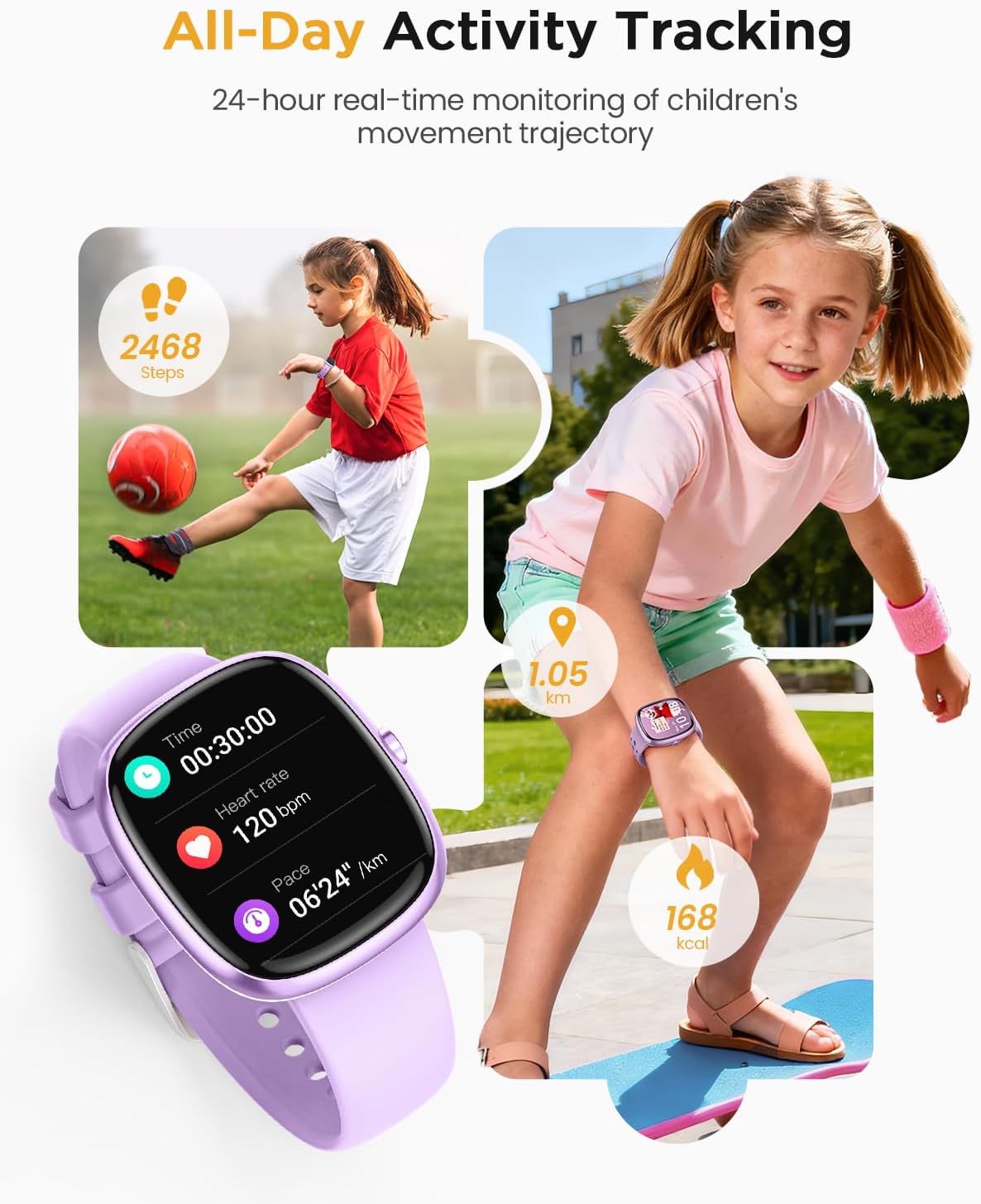
Image: The smartwatch tracking all-day activity, showing steps, heart rate, distance, and calories burned during play.

Image: The smartwatch showcasing its 100+ sports modes, with a child ready to play football.

Image: The smartwatch demonstrating real-time sleep monitoring, showing sleep stages and duration.

Image: The smartwatch interface showing a game leaderboard and various puzzle game options.
Maintenance
1. Cleaning the Smartwatch
Regularly clean your smartwatch to ensure optimal performance and hygiene.
- Wipe the screen and strap with a soft, damp, lint-free cloth.
- Avoid using harsh chemicals, abrasive cleaners, or solvents.
- Ensure the charging contacts are clean and dry before charging.
2. Water Resistance (IP68)
The RUXINGX Kids Smartwatch is IP68 water-resistant, meaning it can withstand immersion in water up to 1.5 meters for up to 30 minutes. It is suitable for activities like swimming, hand washing, and use in rain.

Image: The smartwatch being worn by a child while swimming, highlighting its IP68 waterproof capabilities.
- Do not expose the watch to hot water, steam, or high-pressure water jets.
- After exposure to water, especially saltwater, rinse the watch with fresh water and dry it thoroughly.
- The water resistance is not permanent and may decrease over time with normal wear and tear.
3. Battery Care
- Avoid completely draining the battery frequently.
- Charge the watch using the provided magnetic cable and a compatible USB power source.
- Store the watch in a cool, dry place when not in use for extended periods.
Troubleshooting
| Problem | Possible Cause | Solution |
|---|---|---|
| Smartwatch does not power on. | Low battery; device frozen. | Charge the watch for at least 30 minutes. Press and hold the side button for 10-15 seconds to force restart. |
| Cannot pair with smartphone. | Bluetooth off; watch not discoverable; app issue. | Ensure Bluetooth is enabled on both devices. Restart both the watch and smartphone. Reinstall the companion app. |
| Inaccurate health data (HR, SpO2, Sleep). | Improper fit; sensor obstruction; movement during measurement. | Ensure the watch is worn snugly on the wrist, not too tight or too loose. Clean the sensor on the back of the watch. Remain still during measurements. |
| Screen is unresponsive. | Software glitch; device frozen. | Force restart the watch by pressing and holding the side button for 10-15 seconds. |
| Battery drains quickly. | Frequent use of power-intensive features; background app activity. | Reduce screen brightness. Limit continuous heart rate monitoring. Close unused apps on the watch. |
Specifications
| Feature | Detail |
|---|---|
| Model Number | B0G646W1G1 |
| Brand | RUXINGX |
| Operating System | Android (compatible with iOS and Android smartphones) |
| Special Features | Activity Tracker, Heart Rate Monitor, Notifications, Sleep Monitor, Pedometer |
| Connectivity Technology | Bluetooth |
| Battery Cell Composition | Lithium Ion |
| GPS | No GPS |
| Shape | Bracelet |
| Colour | Lila |
| Band Material Type | Silicone |
| Water Resistance Level | Water Resistant (IP68) |
| Water Resistance Depth | 1.5 Metres |
| Human Interface Input | Touchscreen |
| Supported Application | Fitness Tracking, Health Monitoring and Sleep Tracking Apps |
| Metrics Measured | Heart Rate Monitor and Sleep Duration |
| Display Type | Digital |
Warranty and Support
Warranty Information
Your RUXINGX Kids Smartwatch is covered by a manufacturer's warranty. The specific terms and duration of the warranty may vary depending on your region and point of purchase. Please refer to the warranty card included in your product packaging or your purchase receipt for detailed information.
The warranty typically covers defects in materials and workmanship under normal use. It generally does not cover damage caused by misuse, accidents, unauthorized modifications, or normal wear and tear.
Customer Support
If you encounter any issues or have questions regarding your RUXINGX Kids Smartwatch that are not addressed in this manual, please contact the seller or RUXINGX customer support. Have your model number (B0G646W1G1) and purchase information ready when contacting support.
For the most up-to-date support information, please visit the official RUXINGX website or the platform where you purchased the product.