1. Introduction
The Neoteck RD670 is a versatile 3-in-1 Electromagnetic Field (EMF) detector designed to measure electric field (EF), magnetic field (MF), and radio frequency (RF) radiation. This device provides accurate readings and features visual and audible alarms to indicate radiation levels. It is suitable for use in various environments, including homes, offices, and outdoor settings, to identify potential sources of electromagnetic radiation.
2. Package Contents
Verify that all items are present in the package:
- 1 x Neoteck RD670 EMF Detector
- 1 x Type-C Charging Cable
- 1 x User Manual (this document)
- 1 x Storage Bag
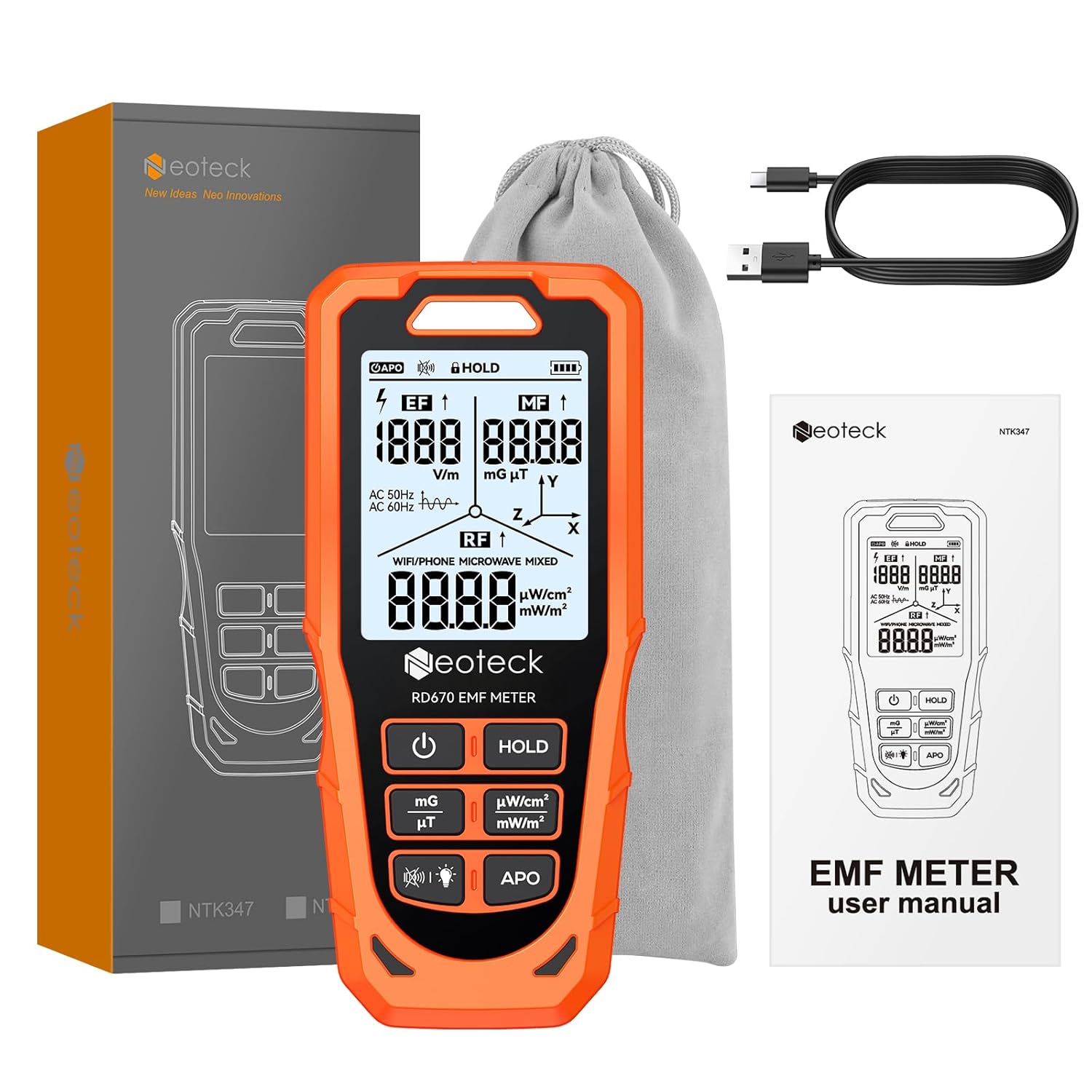
Image: Neoteck RD670 EMF Detector and its included accessories.
3. Product Features
- 3-in-1 Measurement: Simultaneously detects Electric Field (EF), Magnetic Field (MF), and Radio Frequency (RF) radiation.
- 3-Axis Magnetic Field Detection: Measures magnetic field components along X, Y, and Z spatial axes to identify direction.
- Visual & Audio Alarm: Features a tri-color LED indicator (green, blue, red) and a buzzer that activate when radiation levels exceed safety thresholds.
- Intelligent RF Signal Recognition: Identifies common RF sources such as Wi-Fi/Phone and Microwave, displaying specific indicators on the screen.
- Rechargeable Battery: Equipped with a 1200mAh rechargeable battery and a Type-C charging port.
- Auto-Shutdown Function: Includes a 15-minute auto-shutdown to conserve energy, which can be disabled for continuous measurement.
- Backlit LCD Screen: Provides clear readings even in low-light conditions.
4. Setup
4.1 Charging the Device
The Neoteck RD670 comes with a built-in 1200mAh rechargeable battery. Before first use, or when the battery indicator shows low power, charge the device using the provided Type-C USB cable.
- Connect the Type-C end of the charging cable to the charging port on the side of the detector.
- Connect the USB-A end of the cable to a standard USB power adapter (not included) or a computer's USB port.
- The battery indicator on the screen will show charging status.
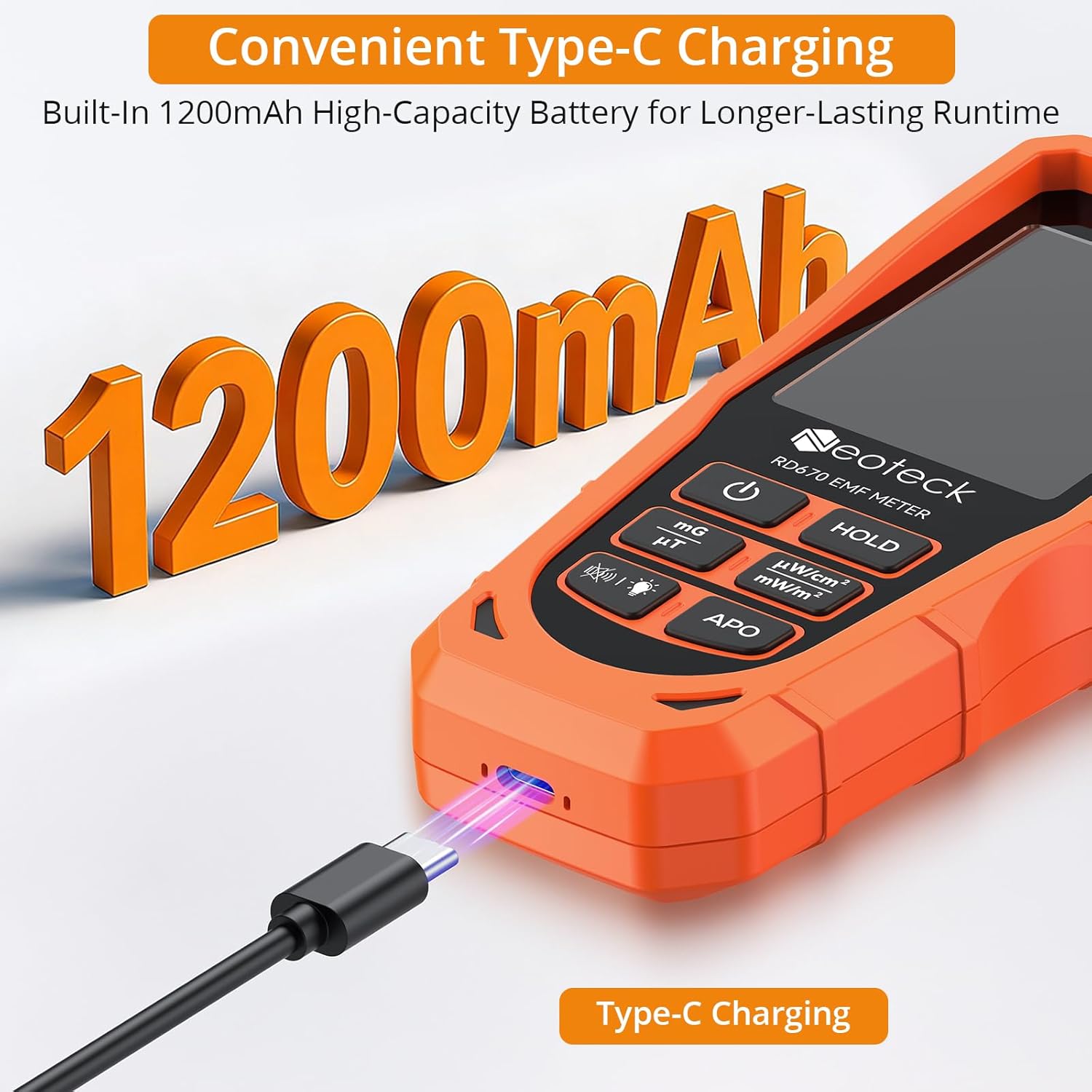
Image: The Neoteck RD670 EMF Detector connected to its Type-C charging cable.
4.2 Powering On/Off
- To power on, press and hold the Power button (
 ) until the screen illuminates.
 - To power off, press and hold the Power button again until the screen turns off.
5. Operating Instructions
5.1 Basic Measurement
Upon powering on, the device will immediately begin measuring Electric Field (EF), Magnetic Field (MF), and Radio Frequency (RF) radiation. Readings for all three fields are displayed simultaneously on the backlit LCD screen.
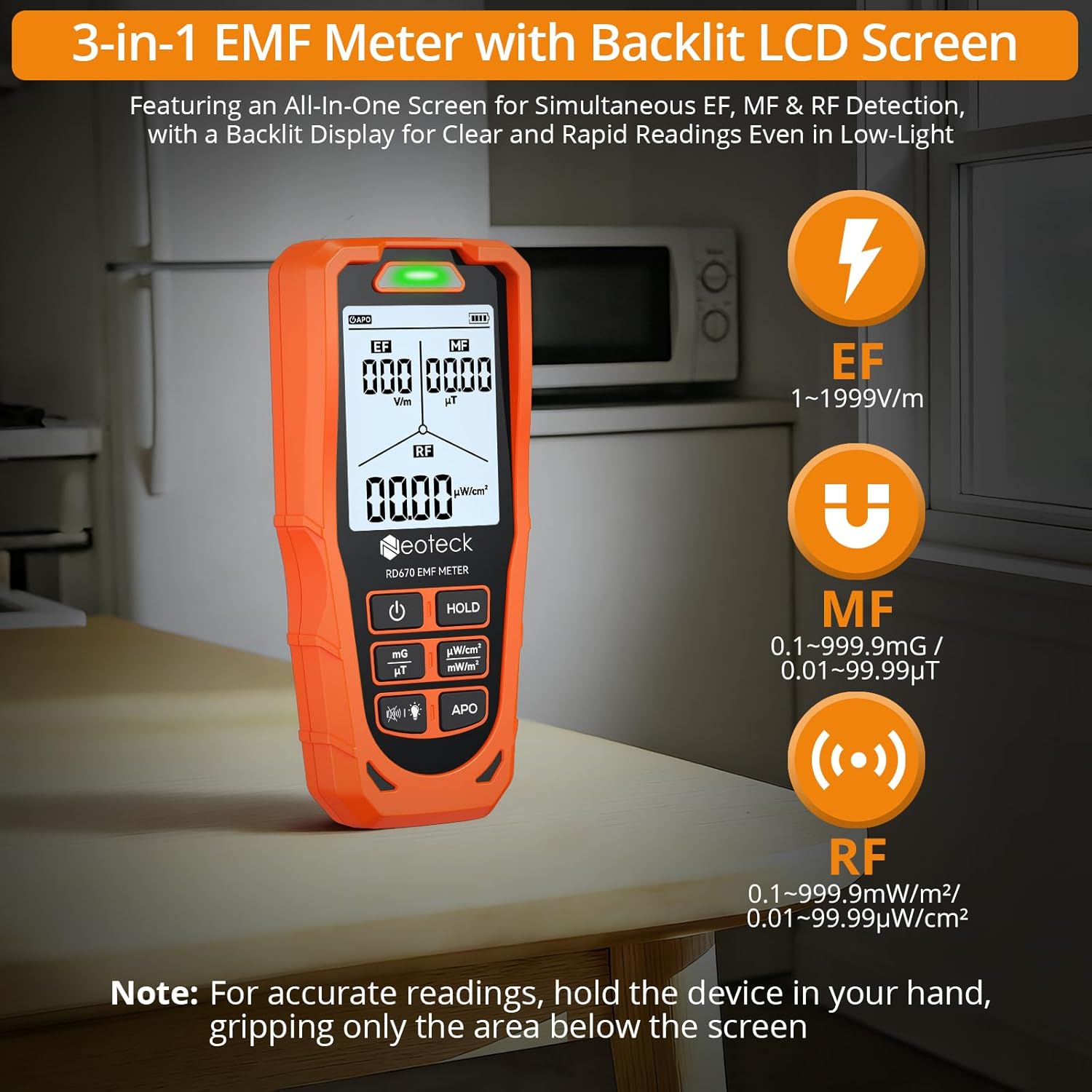
Image: The Neoteck RD670 EMF Detector showing simultaneous readings for Electric Field, Magnetic Field, and Radio Frequency.
5.2 Understanding the Display
The screen is divided into three main sections for EF, MF, and RF readings. Units are displayed next to the numerical values.
- EF (Electric Field): Measured in V/m (Volts per meter). Range: 1-1999 V/m.
- MF (Magnetic Field): Measured in mG (milligauss) or µT (microtesla). Range: 0.1-999.9 mG / 0.01-99.99 µT.
- RF (Radio Frequency): Measured in mW/m² (milliwatts per square meter) or µW/cm² (microwatts per square centimeter). Range: 0.1-999.9 mW/m² / 0.01-99.99 µW/cm².
5.3 Unit Switching (MF and RF)
- To switch MF units between mG and µT, press the mG/µT button.
- To switch RF units between mW/m² and µW/cm², press the mW/m²/µW/cm² button.
5.4 3-Axis Magnetic Field Detection
The device can detect magnetic fields along the X, Y, and Z axes, allowing for identification of the magnetic field's direction. The display will show the current axis being measured or a combined reading.
- X-axis: Represents the width direction of the detector.
- Y-axis: Corresponds to the height direction of the detector.
- Z-axis: Perpendicular to the detector's screen.
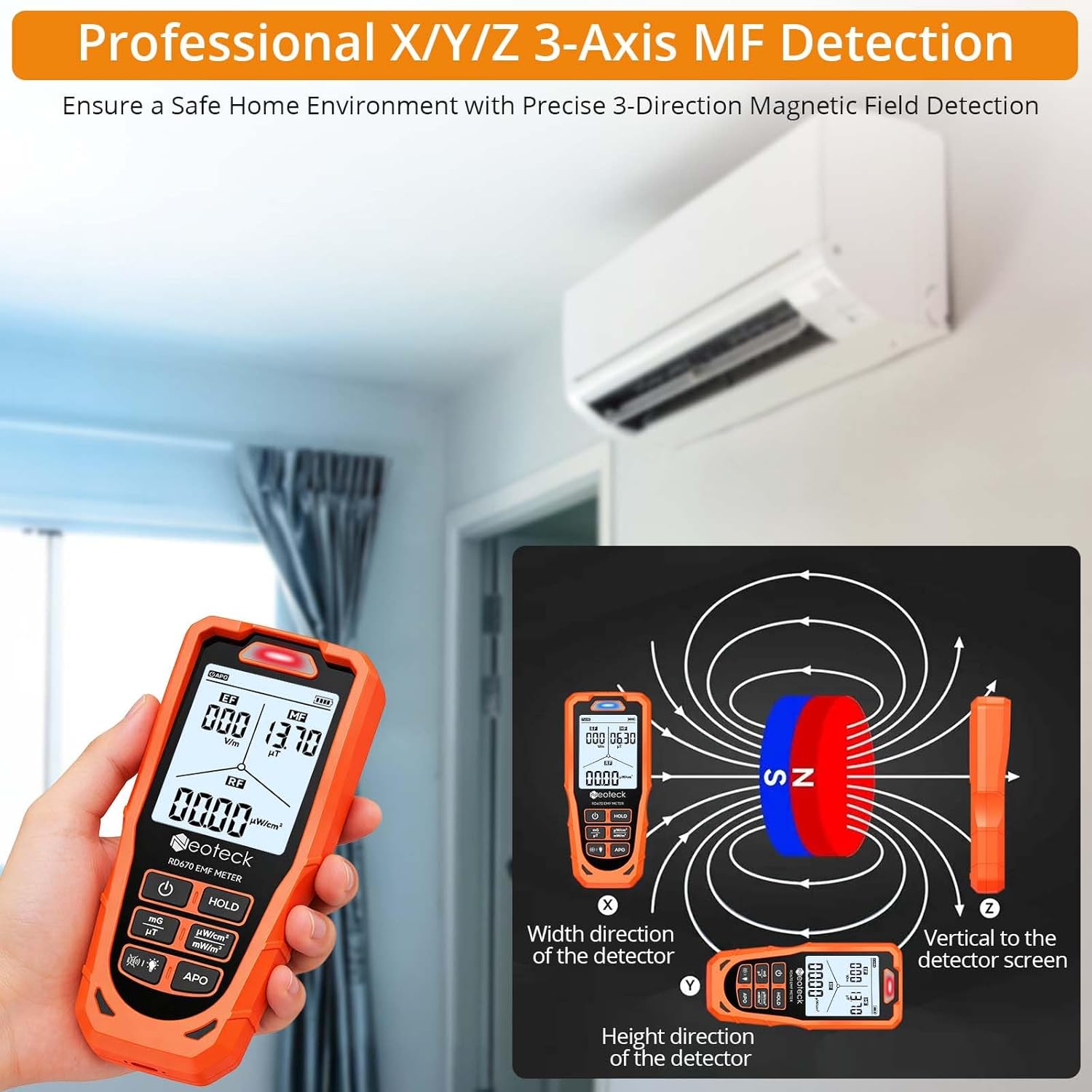
Image: Illustration of the 3-axis magnetic field detection capability of the Neoteck RD670 EMF Detector.
5.5 Visual and Audio Alarm
The detector provides immediate feedback on radiation levels through a tri-color LED and an audible buzzer.
- Green LED: Low radiation levels.
- Blue LED: Medium radiation levels.
- Red LED & Rapid Beeps: High radiation levels, exceeding safety thresholds.
Alarm Thresholds:
- EF: 250 V/m
- MF: 5 µT / 50 mG
- RF: 50 mW/m² / 5 µW/cm²

Image: Visual representation of the alarm system and radiation level thresholds.
To mute the audio alarm, press the Mute button ( ).
).
5.6 Intelligent RF Recognition
The detector can identify and display specific types of RF signals:
- When a Wi-Fi transmission source is detected, the screen shows "WIFI/PHONE".
- When a microwave source is detected, it displays "MICROWAVE*".
- For mixed signals, it shows "MIXED".
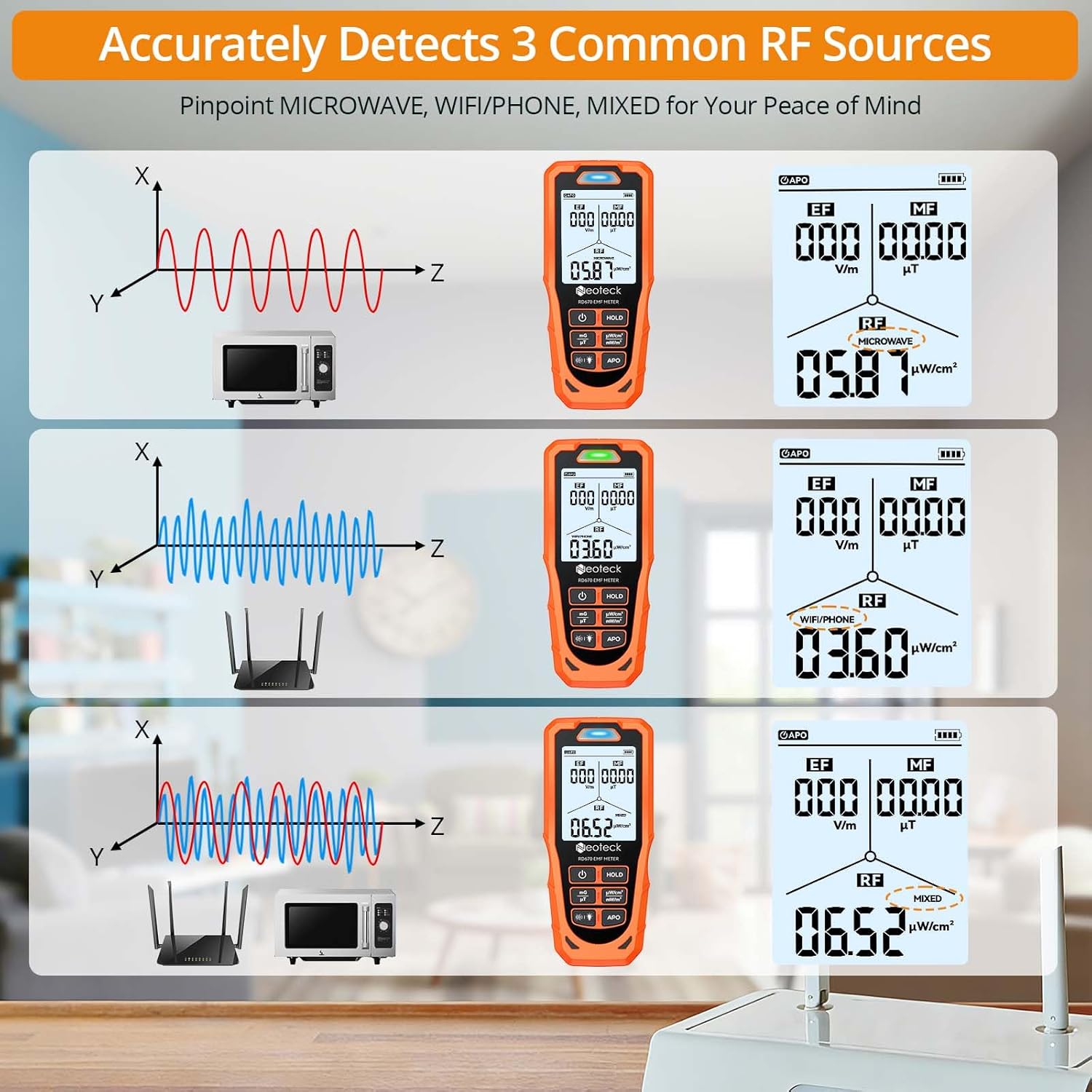
Image: Examples of intelligent RF signal recognition on the detector's screen.
5.7 Data Hold Function
To freeze the current readings on the screen, press the HOLD button ( ). Press it again to resume live measurement.
5.8 Auto Power-Off (APO)
The device has a 15-minute auto-shutdown function to save battery. To disable this feature for continuous measurement, press and hold the APO button ( ) until the APO indicator on the screen disappears. Press and hold again to re-enable it.
6. Maintenance
- Cleaning: Use a soft, dry cloth to clean the device. Do not use abrasive cleaners or solvents.
- Storage: Store the detector in a cool, dry place, away from direct sunlight and extreme temperatures. Use the provided storage bag for protection.
- Battery Care: Recharge the battery regularly, even if the device is not in frequent use, to maintain battery health. Avoid fully discharging the battery for extended periods.
- Avoid Impact: Protect the device from drops and strong impacts, which can damage internal components.
7. Troubleshooting
| Problem | Possible Cause | Solution |
|---|---|---|
| Device does not power on. | Low battery. | Charge the device using the Type-C cable. |
| Inaccurate or fluctuating readings. | Interference from other electronic devices; improper holding technique. | Move away from other electronics. Hold the device by the lower part, avoiding covering the sensors. |
| No audio alarm despite high readings. | Audio alarm is muted. | Press the Mute button to unmute the alarm. |
| Device shuts off unexpectedly. | Auto Power-Off (APO) function is active; low battery. | Disable APO by holding the APO button. Charge the device if battery is low. |
8. Specifications
| Model Number | RD670 |
| Measuring Range (EF) | 1-1999 V/m |
| Sensitivity (EF) | 1 V/m |
| Measuring Range (MF) | 0.1-999.9 mG / 0.01-99.99 µT |
| Sensitivity (MF) | 0.1 mG / 0.01 µT |
| Measuring Range (RF) | 0.1-999.9 mW/m² / 0.01-99.99 µW/cm² |
| Sensitivity (RF) | 0.1 mW/m² / 0.01 µW/cm² |
| Measurement Accuracy | ±5% |
| Bandwidth | 40Hz-10GHz |
| Battery | 1200mAh Lithium Metal (included) |
| Charging Port | Type-C |
| Charge Input | 5V---500mA |
| Auto Power-Off | 15 minutes (can be disabled) |
| Operating Temperature | -10℃ to 60℃ |
| Operating Humidity | <80%RH |
| Product Dimensions | 5.71 x 2.64 x 1.06 inches (144 x 67 x 27 mm) |
| Item Weight | 4.9 ounces |

Image: Detailed specifications and package contents of the Neoteck RD670 EMF Detector.
9. Warranty and Support
Neoteck products are designed for reliability and performance. For warranty information or technical support, please refer to the contact details provided on the official Neoteck website or contact your retailer. Please retain your proof of purchase for warranty claims.
For further assistance, visit the Neoteck Store on Amazon.


