
Introduction
This manual provides comprehensive instructions for the ACETECH Airsoft Tracer Unit Quadra-S. The Quadra-S is a compact, square-designed tracer unit featuring RGB lighting, engineered for use with airsoft pistols and rifles. It incorporates advanced sensor technology for automatic activation and supports USB-C charging. Please read this manual thoroughly before using the device to ensure proper operation and longevity.

Front view of the ACETECH Quadra-S Tracer Unit, showcasing its compact, square design.

Rear view of the ACETECH Quadra-S Tracer Unit, showing the control buttons and threading.
What's in the Box
Upon unboxing, please verify that all the following components are included:
- Tracer Unit
- 11mm CW to 14mm CCW Adaptor
- User Manual
Setup
Charging the Tracer Unit
The Quadra-S Tracer Unit is equipped with an internal lithium battery and charges via a USB-C port. Connect the provided USB-C cable to the unit and a compatible power source. The charging indicator light will provide status updates.

The USB Type-C port for convenient charging of the tracer unit.
Attaching to Airsoft Device
The Quadra-S is designed for 14mm CCW (Counter-Clockwise) threaded barrels. For airsoft pistols or other devices with 11mm CW (Clockwise) threads, use the included 11mm CW to 14mm CCW adapter. Screw the tracer unit onto the barrel or adapter until secure. An adjustable alignment screw is provided to ensure the tracer unit is perfectly centered and aligned with your barrel, preventing any tilting or offset.
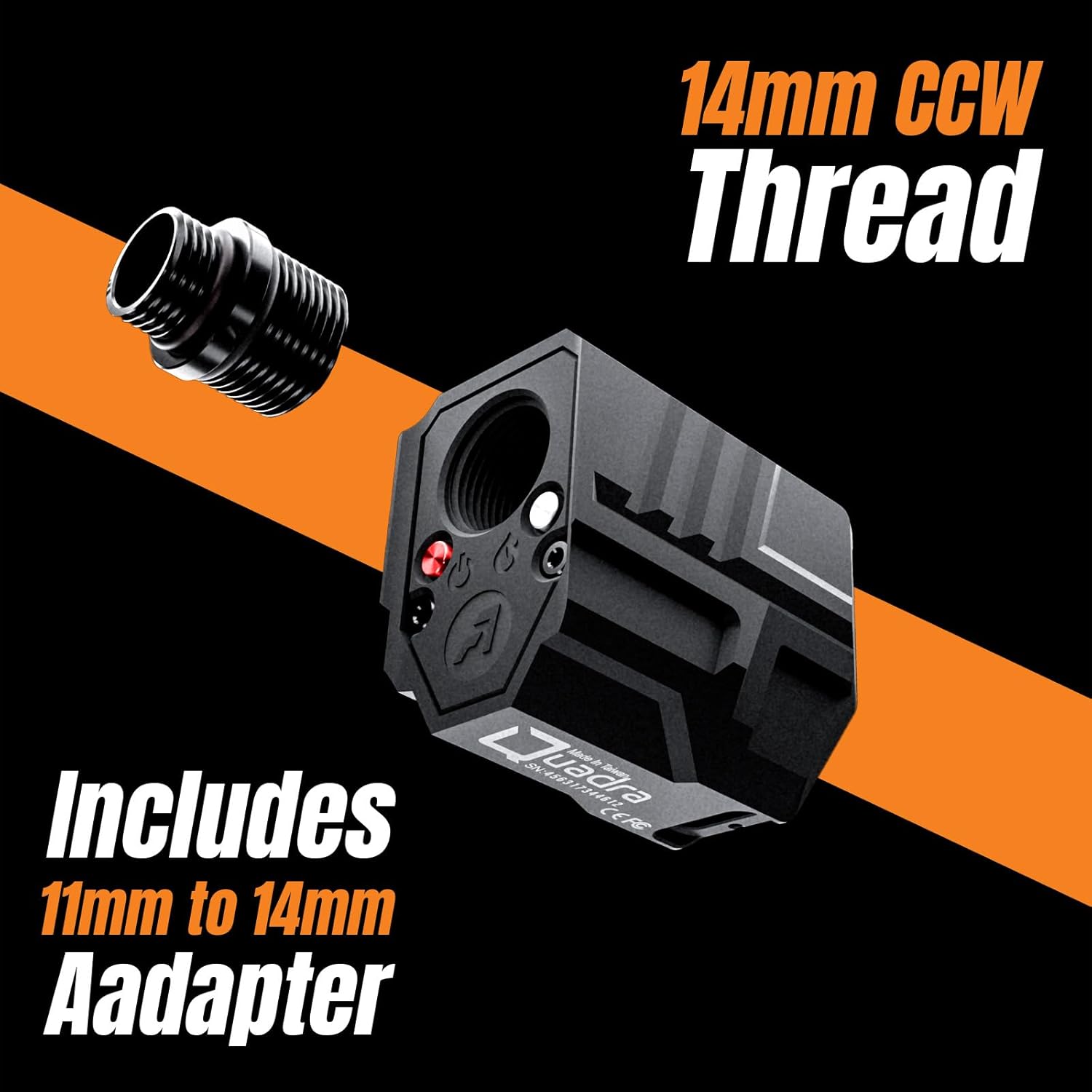
Illustration of the 14mm CCW thread and the included 11mm CW to 14mm CCW adapter for universal compatibility.
Video demonstrating the installation process of the ACETECH Tracer Unit onto an airsoft device.
Operating Instructions
Powering On/Off
The Quadra-S features smart motion and sensor activation. It automatically powers on when BBs pass through and enters a low-power state when inactive. Specific button presses may be required for initial power-on or mode changes, refer to the unit's physical controls for details.
Tracer Modes
The unit supports multiple illumination modes to enhance your airsoft experience:
- Tracer & Flame Mode: Combines tracer illumination with a muzzle flash effect.
- Tracer Mode: Illuminates tracer BBs as they exit the barrel.
- Flame Mode: Produces a muzzle flash effect without tracer illumination.
Select the desired mode using the control buttons on the unit. The Quadra-S (RGB Lighting) variant specifically features Bifrost mode for multi-color effects.
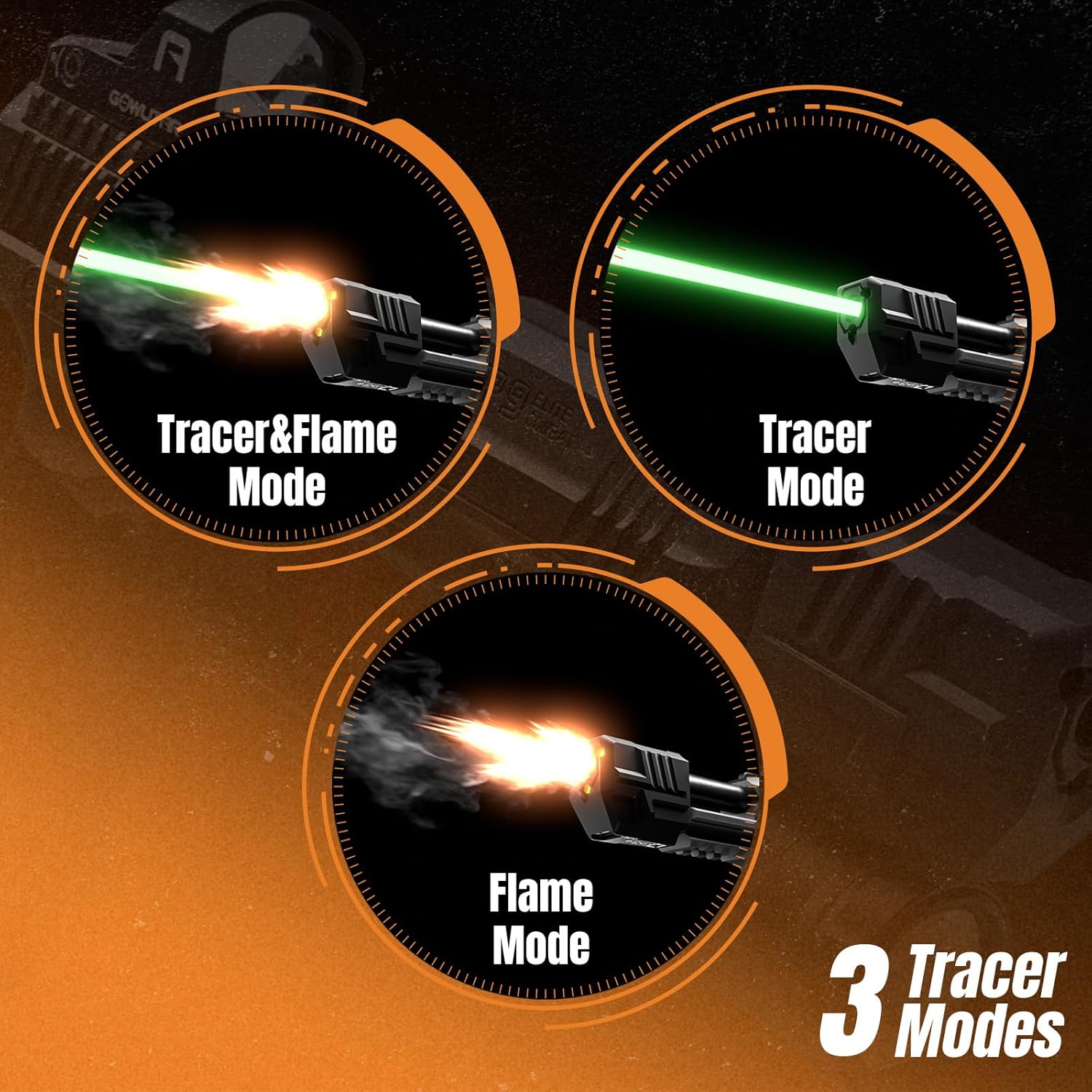
Visual representation of the three distinct tracer modes available on the Quadra-S unit.
Video showcasing the actual illumination effects of the ACETECH Tracer Unit during use.
Maintenance
To ensure optimal performance and extend the lifespan of your ACETECH Quadra-S Tracer Unit, follow these maintenance guidelines:
- Cleaning: Regularly wipe the exterior of the unit with a soft, dry cloth to remove dust and debris. Ensure the BB detection sensor and light output area are clear of obstructions.
- Storage: Store the tracer unit in a cool, dry place away from direct sunlight and extreme temperatures. If storing for extended periods, ensure the battery is partially charged (around 50%) to preserve battery health.
- Avoid Water Exposure: The unit is not waterproof. Avoid exposing it to rain, splashes, or submersion in water.
Troubleshooting
If you encounter issues with your Quadra-S Tracer Unit, refer to the following common problems and solutions:
| Problem | Possible Cause | Solution |
|---|---|---|
| Tracer unit not lighting up BBs. | Battery is low or depleted. Incorrect BB type used. Sensor obstructed. | Charge the unit fully. Ensure you are using tracer BBs. Clean the sensor area. |
| Muzzle flash not appearing. | Incorrect mode selected. | Switch to 'Tracer & Flame Mode' or 'Flame Mode'. |
| Unit not turning on automatically. | Battery is low. Unit is in deep sleep mode. | Charge the unit. Fire a few BBs to activate the motion sensor. |
| Unit feels loose on barrel. | Not tightened sufficiently. Alignment screw not adjusted. | Ensure the unit is fully screwed on. Adjust the alignment screw for a snug fit. |
Specifications
Key technical specifications for the ACETECH Quadra-S Tracer Unit:
| Feature | Detail |
|---|---|
| Model Name | Quadra |
| Style | Quadra-S (RGB Lighting) |
| Item Package Dimensions (L x W x H) | 5.16 x 1.77 x 1.73 inches |
| Package Weight | 0.08 Kilograms |
| Color | Black |
| Material | Aluminum |
| Thread Compatibility | 14mm CCW (includes 11mm CW to 14mm CCW Adaptor) |
| Charging Port | USB-C |
| Manufacturer | ACETECH |
Warranty
The ACETECH Quadra-S Tracer Unit comes with a 1-year Repair Service against Manufacturer Defects. Please retain your proof of purchase for warranty claims. This warranty covers defects in materials and workmanship under normal use. It does not cover damage caused by misuse, accidents, unauthorized modifications, or improper maintenance.
Support
For further assistance, technical support, or warranty inquiries, please contact ACETECH customer service through their official website or the retailer where the product was purchased. Ensure you have your product model and purchase date available when contacting support.


