
1. Introduction
Thank you for choosing the BUBLUE Bubot 800P Wall Climbing Robotic Pool Cleaner. This advanced robotic cleaner is designed to provide efficient and thorough cleaning for inground pools up to 1,076 sq. ft., covering both the floor and walls. Featuring smart app control, multiple cleaning modes, and powerful suction, the Bubot 800P simplifies pool maintenance. Please read this manual carefully before operating the device to ensure proper use and longevity.
2. Important Safety Information
- Always disconnect the power supply before performing any maintenance or cleaning on the robot.
- Do not operate the cleaner if the power cable is damaged. Contact customer support for replacement.
- Ensure the power outlet is protected by a Ground Fault Circuit Interrupter (GFCI) or Residual Current Device (RCD).
- Keep children and pets away from the pool area while the cleaner is in operation.
- Do not use the cleaner if the pool water temperature is outside the recommended range (typically 50°F - 95°F / 10°C - 35°C).
- Only use original BUBLUE replacement parts and accessories.
- Avoid operating the cleaner when people are in the pool.
- Store the cleaner in a cool, dry place away from direct sunlight when not in use.
3. Setup and Initial Use
- Unpacking: Carefully remove the robotic cleaner and all accessories from the packaging.
- Power Connection: Connect the power supply unit to a suitable GFCI/RCD protected electrical outlet. Ensure the power supply is placed at least 12 feet (3.5 meters) from the edge of the pool.
- Submerging the Cleaner: Gently lower the Bubot 800P into the pool. Allow it to sink to the bottom, releasing any trapped air bubbles. Ensure the anti-tangle cable is spread out to prevent tangling during operation.
- Initial Charge (if applicable): While the product description mentions "manual" power source, the features clearly indicate a robotic, electric cleaner. If your unit requires an initial charge, follow the instructions provided with the power supply.
- App Download: Download the official BUBLUE app from your device's app store.
- Pairing with App: Open the app and follow the on-screen instructions to pair your Bubot 800P via Bluetooth or WiFi.
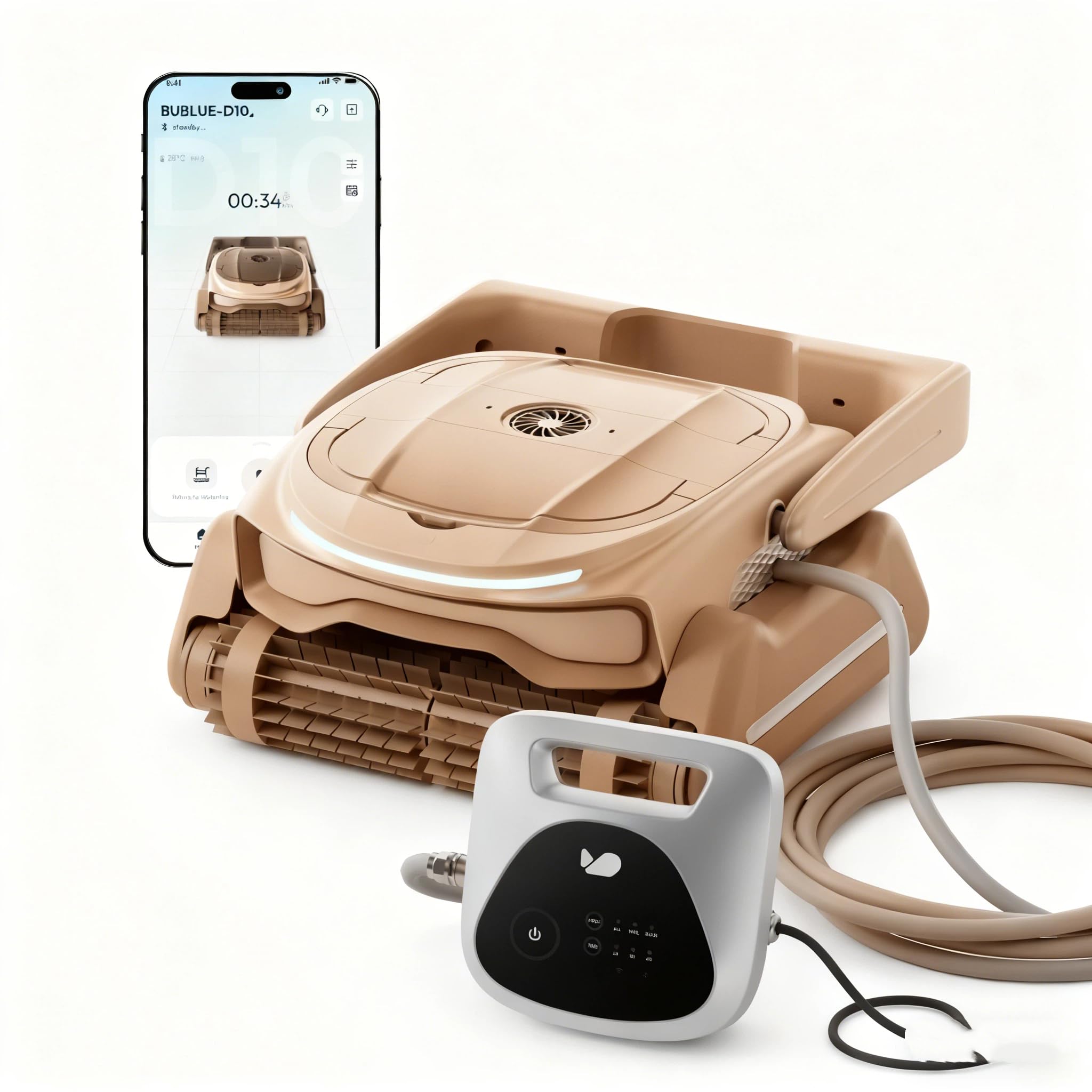
Image 1: The BUBLUE Bubot 800P Robotic Pool Cleaner. This image shows the main unit of the robotic pool cleaner, illustrating its compact design and general appearance before deployment in the pool.
4. Operating Instructions
4.1 Starting a Cleaning Cycle
Once the cleaner is submerged and connected to power, you can initiate a cleaning cycle through the BUBLUE app or by pressing the start button on the unit (if available). The cleaner will begin its programmed cleaning routine based on the selected mode.
4.2 Cleaning Modes
The Bubot 800P offers versatile cleaning options:
- Floor Only Mode: Focuses cleaning on the pool floor, ideal for routine debris removal.
- Wall Only Mode: Specifically targets pool walls and waterlines, utilizing its wall-climbing capability and scrubbing brushes.
- Auto Mode: Provides a comprehensive clean, covering both the pool floor and walls for a complete cleaning cycle.
Select your desired mode via the BUBLUE app.
4.3 Remote Control Car Mode
For precise spot cleaning, activate the Remote Control Car Mode within the app. This allows you to manually steer the cleaner to specific areas that require extra attention.
4.4 Return to Waterline Feature
After a cleaning cycle or when you wish to retrieve the cleaner, use the one-touch Return to Waterline feature in the app. The robot will ascend to the pool's waterline for easy retrieval.
5. Smart App Control
The BUBLUE app enhances your cleaning experience with several smart features:
- Real-time Status: Monitor the cleaner's progress, battery level, and current cleaning mode.
- Custom Scheduling: Set up recurring cleaning schedules to automate your pool maintenance.
- Custom Settings: Adjust cleaning parameters and preferences.
- Remote Control: Utilize the Remote Control Car Mode for manual navigation.
Ensure your device's Bluetooth or WiFi is enabled and connected to the Bubot 800P for full app functionality.
6. Maintenance
6.1 Cleaning Filter Baskets
Regular cleaning of the dual 3L filter baskets is crucial for optimal performance. It is recommended to clean them after each cleaning cycle or when the app indicates they are full.
- Retrieve the cleaner from the pool using the Return to Waterline feature.
- Disconnect the power supply.
- Open the filter compartment (refer to the diagram in the quick start guide for location).
- Remove the dual filter baskets.
- Empty debris and rinse the baskets thoroughly with a garden hose until all fine particles are removed.
- Reinsert the clean filter baskets and close the compartment securely.
6.2 General Cleaning and Storage
- Rinse the exterior of the cleaner with fresh water after each use to remove chlorine and pool chemicals.
- Inspect the scrubbing brushes and tracks for any trapped debris or wear. Clean as necessary.
- When storing for extended periods, ensure the cleaner is clean and completely dry. Store it in a cool, dry, and shaded area.
- Avoid exposing the cleaner to direct sunlight or extreme temperatures during storage.
7. Troubleshooting
| Problem | Possible Cause | Solution |
|---|---|---|
| Cleaner does not start. | No power, power supply disconnected, or unit not fully submerged. | Check power connections. Ensure the power supply is plugged in and the cleaner is fully submerged with no trapped air. |
| Poor cleaning performance. | Full filter baskets, worn brushes, or incorrect cleaning mode. | Clean filter baskets. Inspect and replace brushes if worn. Select the appropriate cleaning mode (e.g., Auto Mode for full coverage). |
| Cleaner gets stuck or moves erratically. | Obstruction, tangled cable, or low battery. | Remove any large debris from the pool. Ensure the anti-tangle cable is free. Check battery status via the app. |
| App connectivity issues. | Bluetooth/WiFi off, cleaner out of range, or app not updated. | Ensure Bluetooth/WiFi is enabled on your device. Move closer to the cleaner. Update the BUBLUE app to the latest version. |
If you encounter issues not listed here or if the problem persists, please contact BUBLUE customer support for assistance.
8. Specifications
| Brand: | BUBLUE |
| Model Name: | Bubot 800P |
| Product Dimensions (L x W x H): | 19.6" x 18.3" x 9" |
| Item Weight: | 35 Pounds |
| Power Source: | Robotic, Electric (Note: "manual" in source data appears to be an error) |
| Cleaning Coverage: | Up to 1,076 Sq.Ft. (Inground Pools) |
| Cleaning Modes: | Floor Only, Wall Only, Auto Mode |
| Filtration System: | Dual 3L filter baskets with ultra-fine filtration |
| Navigation: | Bluesonic Path Navigation, AI obstacle detection |
| Control: | Smart APP Control (Bluetooth/WiFi), Remote Control Car Mode, Scheduling |
| Special Features: | Wall Climbing, Anti-Tangle Cable, One-touch Return to Waterline |
9. Warranty and Customer Support
For warranty information, please refer to the warranty card included with your product or visit the official BUBLUE website. If you have any questions, require technical assistance, or need to report a problem, please contact BUBLUE customer support. Contact details can typically be found on the product packaging or the official BUBLUE website.
Online Support: Visit the BUBLUE Store on Amazon


