
1. Introduction
The Statik Aktive Open Ear Bluetooth Earbuds are designed to provide audio while maintaining awareness of your surroundings. This manual provides instructions for the proper use, setup, and maintenance of your earbuds.

Image 1: Statik Aktive Open Ear Bluetooth Earbuds showcasing key features like open-ear listening, water, sweat, and dust resistance, comfortable and secure fit, and extended battery life.
2. Product Overview
The Aktive Open Earbuds feature an innovative design that allows sound to be projected into your ear without blocking the ear canal. This design promotes comfort and situational awareness, making them suitable for various activities.
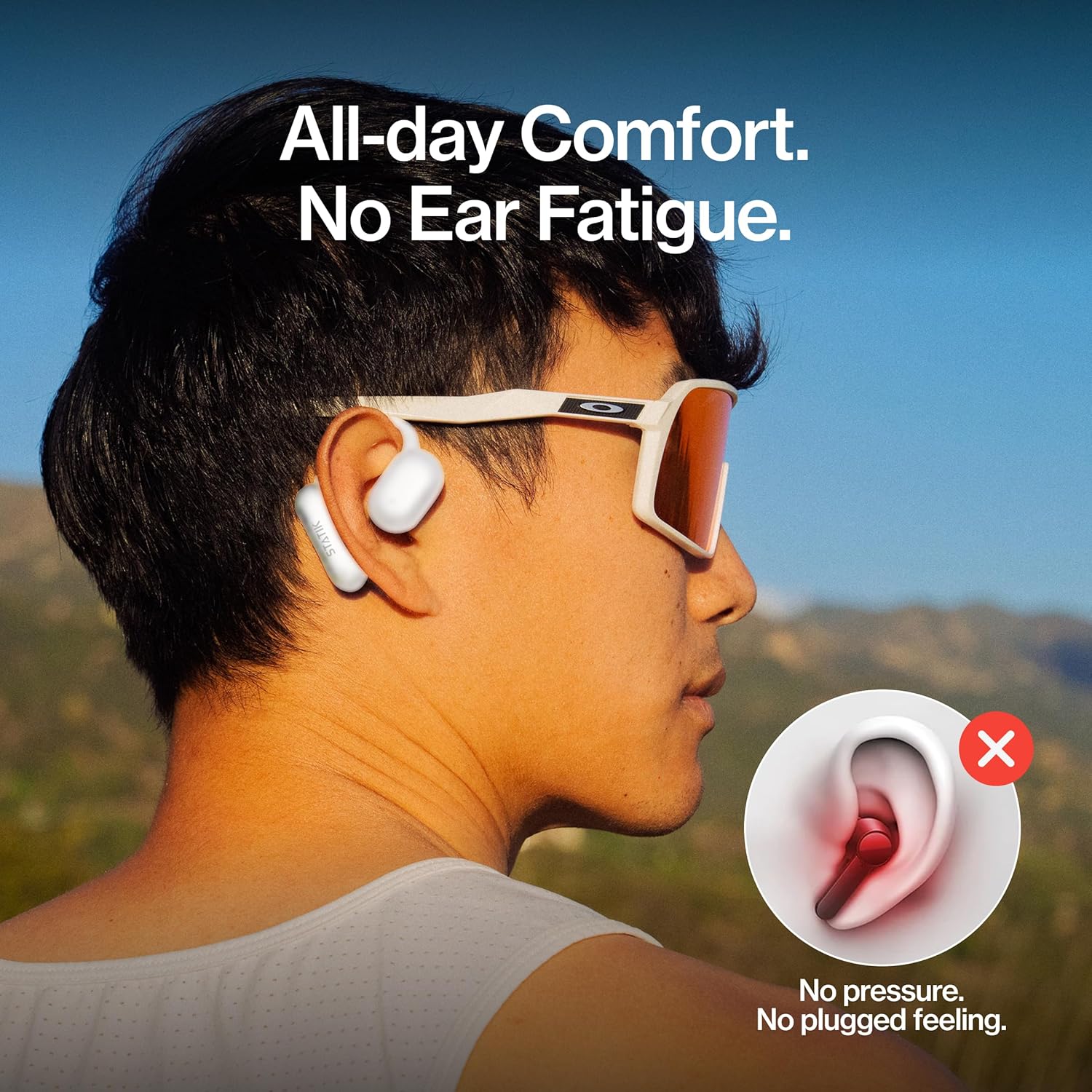
Image 2: A person wearing the earbuds, illustrating the comfortable fit that prevents ear fatigue, contrasting with a diagram showing a blocked ear canal.

Image 3: A close-up view of the earbuds worn on an ear, demonstrating a secure fit and promoting cleaner listening by avoiding in-ear moisture or bacteria buildup.
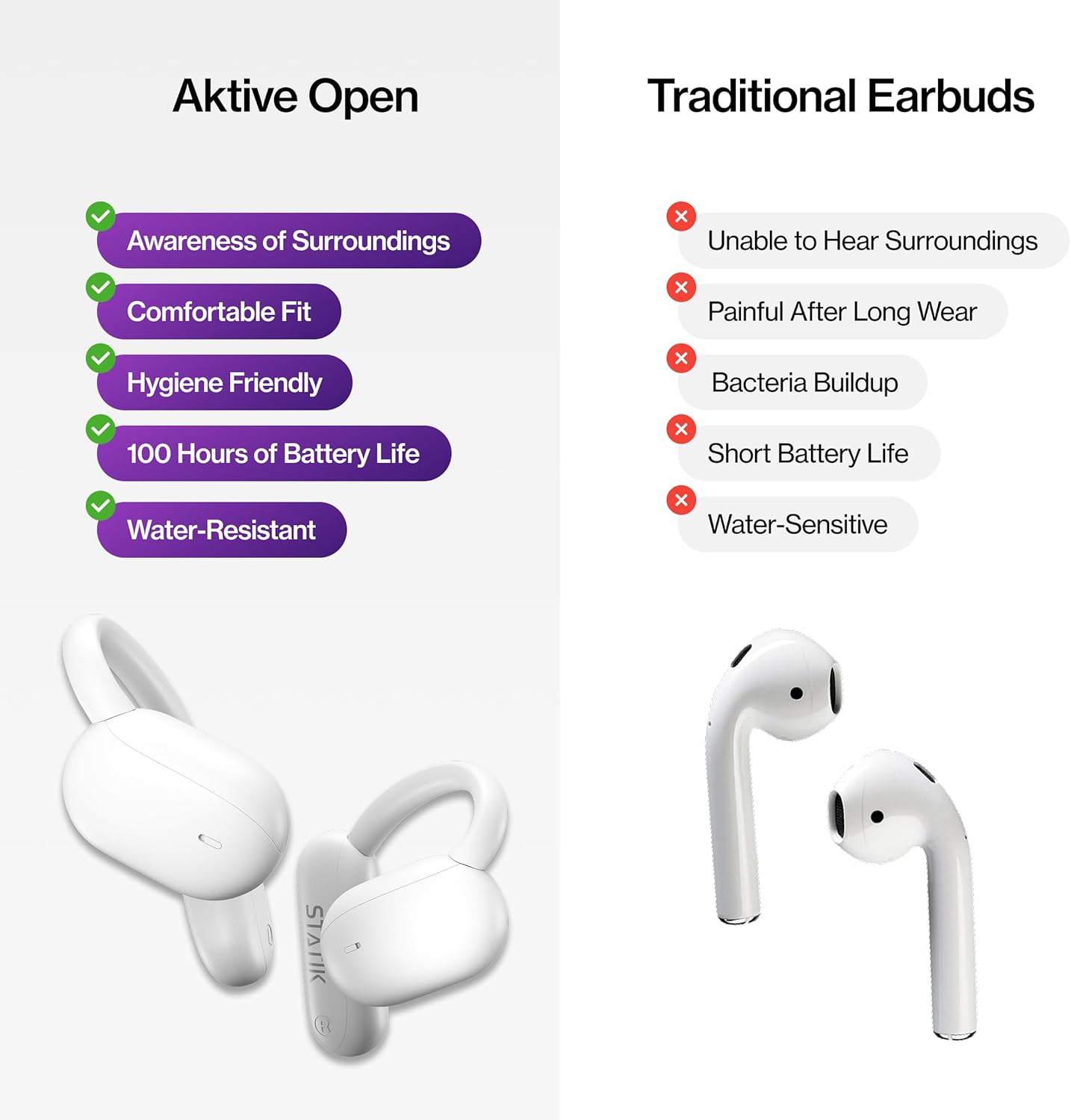
Image 4: A visual comparison between Aktive Open Earbuds and traditional earbuds, detailing advantages such as awareness of surroundings, comfortable fit, hygiene, 100 hours of battery life, and water resistance.
3. What's in the Box
Your Statik Aktive Open Ear Bluetooth Earbuds package includes:
- Statik Aktive Open Ear Bluetooth Earbuds (Left and Right)
- Charging Case
- USB-C Charging Cable (not explicitly mentioned but standard for USB-C port)
- User Manual (this document)
4. Setup
4.1 Charging the Earbuds and Case
Before first use, fully charge the earbuds and charging case. Connect the provided USB-C cable to the charging port on the case and to a power source. The digital display on the case indicates the current battery percentage. The earbuds will charge automatically when placed inside the case.
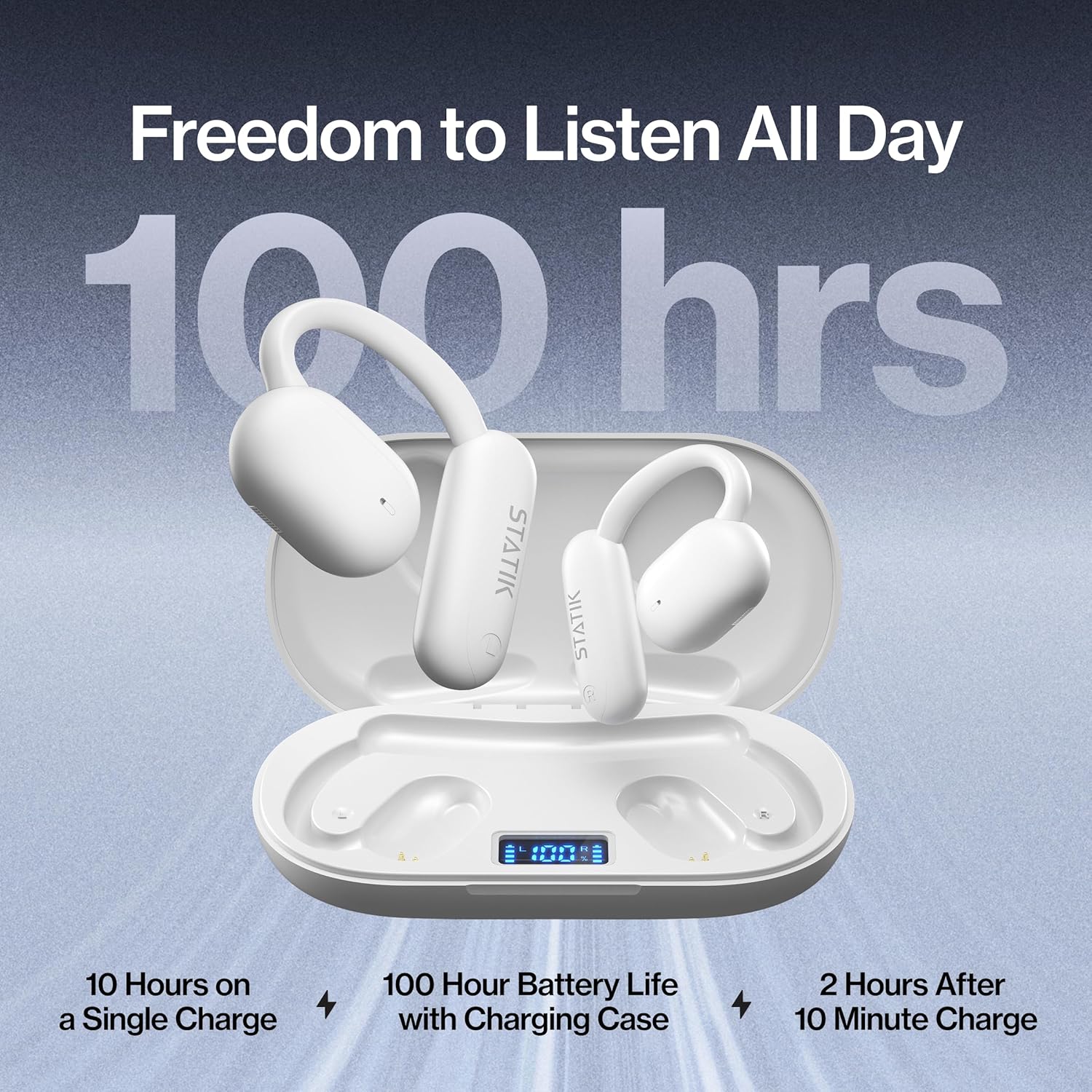
Image 5: The earbuds inside their charging case, displaying the battery level. This image highlights the extended battery life, offering 10 hours on a single charge and up to 100 hours total with the charging case.
4.2 Bluetooth Pairing
- Ensure the earbuds are charged.
- Open the charging case. The earbuds will automatically enter pairing mode.
- On your device (smartphone, tablet, etc.), go to Bluetooth settings.
- Select "Statik Aktive Earbuds" from the list of available devices.
- Once connected, you will hear an audio prompt, and the indicator light on the earbuds will change.
5. Operating the Earbuds
5.1 Wearing the Earbuds
The Aktive Open Earbuds are designed to clip comfortably around your ear, with the speaker positioned near your ear canal without entering it. This allows for audio delivery while keeping your ears open to ambient sounds.

Image 6: A woman jogging outdoors with the earbuds, illustrating the benefit of listening to audio while remaining aware of her environment.
5.2 Basic Controls
The earbuds feature touch-sensitive controls for managing audio playback and calls:
- Play/Pause: Tap once on either earbud.
- Next Track: Double-tap the right earbud.
- Previous Track: Double-tap the left earbud.
- Answer/End Call: Tap once on either earbud during an incoming call.
- Reject Call: Press and hold either earbud for 2 seconds during an incoming call.
- Activate Voice Assistant: Triple-tap either earbud.

Image 7: An internal view of an earbud, highlighting its acoustic design for delivering rich, balanced audio with clear highs, rich mids, and deep bass.
6. Maintenance
6.1 Water Resistance
The Statik Aktive Earbuds have an IPX5 water-resistant rating, meaning they are protected against low-pressure water jets from any direction. This makes them suitable for workouts and use in light rain. Do not submerge the earbuds in water.
6.2 Cleaning
To clean your earbuds, gently wipe them with a soft, dry, lint-free cloth. Avoid using abrasive materials or harsh chemicals. Ensure the charging contacts on both the earbuds and the case are clean and dry before charging.
7. Troubleshooting
- No Sound: Ensure earbuds are charged and properly paired. Check volume levels on both the earbuds and your connected device.
- Earbuds Not Pairing: Turn off Bluetooth on your device, then turn it back on. Place earbuds back in the case, close, then reopen to re-enter pairing mode.
- Charging Issues: Ensure the USB-C cable is securely connected and the charging contacts are clean.
- Uncomfortable Fit: Adjust the earbud's position around your ear until a comfortable and secure fit is achieved.
8. Specifications
| Brand | Statik |
| Model Name | Aktive Open Ear Bluetooth Earbuds |
| Ear Placement | Open Ear |
| Form Factor | Over Ear |
| Water Resistance | IPX5 |
| Battery Life | Up to 10 hours (earbuds), up to 100 hours (with charging case) |
9. Safety Information
- Do not attempt to disassemble or modify the earbuds or charging case.
- Keep the device away from extreme temperatures, direct sunlight, and moisture.
- Use only the provided charging cable or a certified equivalent.
- Avoid listening at high volume levels for extended periods to prevent hearing damage.
- Maintain awareness of your surroundings, especially when using the earbuds in traffic or other potentially hazardous environments.
10. Product Video
Video 1: An overview demonstrating the Statik Aktive Open Ear Bluetooth Earbuds, highlighting their comfortable open-ear design, water resistance, and suitability for active lifestyles while maintaining situational awareness.
11. Warranty and Support
For warranty information, technical support, or customer service inquiries, please refer to the official Statik website or contact their customer support directly. Keep your proof of purchase for warranty claims.
Online Support: Visit Statik's Amazon Store for more information and support resources.