
1. Introduction
Thank you for choosing the EENOUR D18 12 Volt Car Refrigerator. This manual provides essential information for the safe operation, setup, maintenance, and troubleshooting of your portable freezer. Please read it thoroughly before using the product to ensure optimal performance and longevity.
2. Important Safety Instructions
To reduce the risk of fire, electric shock, or injury, observe the following basic safety precautions:
- Read all instructions before using the appliance.
- Do not operate the refrigerator if the power cord is damaged.
- Ensure proper ventilation around the unit. Do not block air vents.
- Avoid placing the refrigerator in direct sunlight or near heat sources.
- Do not immerse the unit in water or expose it to heavy rain.
- Unplug the refrigerator before cleaning or performing any maintenance.
- Use only the recommended power adapters and accessories.
- Keep out of reach of children.
3. Product Overview
Key Features
- Capacity: 19 Qt (18 L) storage, suitable for various beverages and food items.
- Rapid Cooling: Powerful fluorine-free compressor cools from 77°F to 32°F in 10 minutes, and to -4°F in 25 minutes.
- Versatile Power Options: Supports 12/24V DC (car cigarette lighter), 110-240V AC (household outlet), and optional EENOUR 171 Wh detachable battery or solar panel.
- Energy Efficient: MAX mode (38W) for fast cooling, ECO mode (25W) for power saving, consuming less than 0.5 kWh/day.
- Insulation: Thickened EPDM interior (approximately 2 inches) for enhanced insulation and sealing.
- Detachable Battery (Sold Separately): Provides up to 24 hours of operation at 32°F, with Type-C and USB output ports for charging other devices.
Product Components
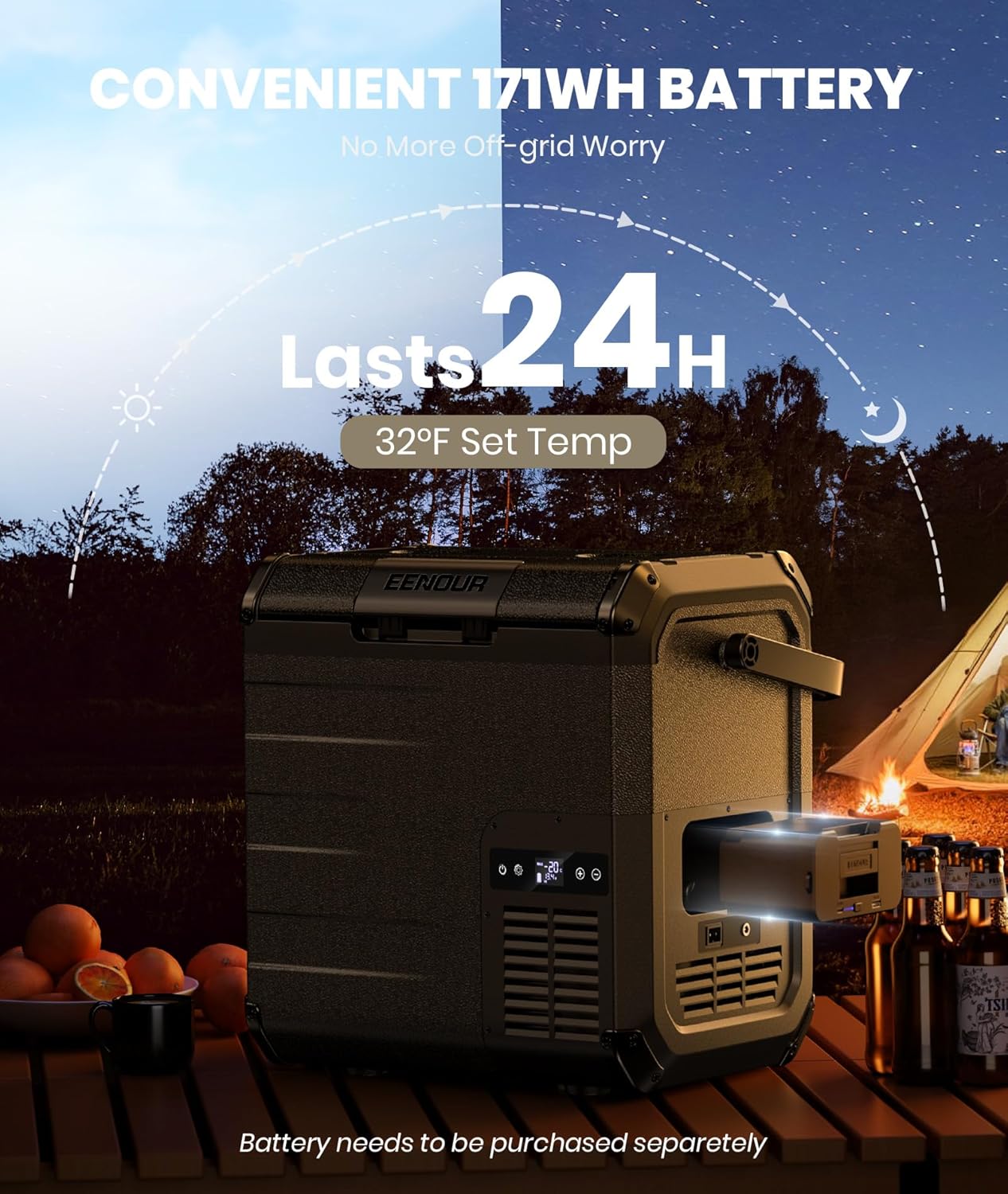
Image: The EENOUR D18 portable car refrigerator, highlighting its main body, handle, and control panel.

Image: Close-up view of the EENOUR D18 control panel with temperature display and buttons, alongside the power input ports.
4. Setup
Unpacking and Initial Cleaning
- Carefully remove the refrigerator from its packaging.
- Inspect the unit for any shipping damage. If damaged, do not use and contact customer support.
- Clean the interior and exterior with a damp cloth and mild detergent. Dry thoroughly before use.
Connecting to Power
The EENOUR D18 offers multiple power options:

Image: The EENOUR D18 demonstrating connections to a car cigarette lighter (DC 12/24V) and a standard home outlet (AC 110-240V).
- DC 12/24V (Car): Connect the DC power cord to your vehicle's cigarette lighter socket.
- AC 110-240V (Household): Connect the AC power adapter to a standard wall outlet.
- EENOUR Detachable Battery (Sold Separately): Insert the battery into the designated slot on the refrigerator.
- Solar Panel (Optional): If using the detachable battery, a solar panel (100W recommended with DC5521 plug) can charge the battery while powering the refrigerator.

Image: A user demonstrating the installation of the detachable battery into the EENOUR D18 refrigerator.
5. Operating Instructions
Powering On/Off
Press and hold the power button on the control panel to turn the refrigerator on or off. The display will illuminate when the unit is powered on.
Temperature Adjustment
- Press the 'SET' button to enter temperature adjustment mode.
- Use the '+' or '-' buttons to increase or decrease the desired temperature. The temperature range is -4°F to 50°F (-20°C to 10°C).
- The display will flash while adjusting and then stabilize to the current internal temperature once set.
MAX/ECO Mode Selection
The EENOUR D18 features two cooling modes:
- MAX Mode: Provides maximum cooling power (38W) for rapid temperature reduction.
- ECO Mode: Operates at a lower power consumption (25W) for energy saving, ideal for maintaining temperature over longer periods.
Press the 'MODE' button to toggle between MAX and ECO modes. The selected mode will be indicated on the display.
Battery Protection Setting
The unit has a multi-level battery protection system to prevent your vehicle's battery from draining. Refer to the full manual for detailed instructions on adjusting this setting (High, Medium, Low).

Image: The interior of the EENOUR D18, demonstrating its 19 Qt / 18 L capacity with various beverages, suitable for road trips and camping.
6. Maintenance
Cleaning
- Always unplug the refrigerator before cleaning.
- Use a soft cloth dampened with mild detergent and water to clean the interior and exterior surfaces.
- Do not use abrasive cleaners, harsh chemicals, or sharp objects, as these can damage the surfaces.
- Ensure the unit is completely dry before reconnecting power.
Storage
- If storing for an extended period, ensure the refrigerator is clean and dry.
- Leave the lid slightly ajar to prevent odors and mold growth.
- Store in a dry, well-ventilated area, away from direct sunlight and extreme temperatures.
7. Troubleshooting
If you encounter issues with your EENOUR D18, refer to the table below for common problems and solutions:
| Problem | Possible Cause | Solution |
|---|---|---|
| Refrigerator does not turn on | No power supply; Damaged power cord; Blown fuse in vehicle. | Check power connection; Replace power cord; Check and replace vehicle fuse. |
| Insufficient cooling | Lid not closed properly; Vents blocked; Ambient temperature too high; ECO mode selected. | Ensure lid is sealed; Clear vents; Move to cooler location; Switch to MAX mode. |
| Display error codes | Specific internal fault. | Refer to the full manual for specific error code meanings and solutions, or contact customer support. |
| Unusual noise | Unit not level; Fan obstruction. | Place on a flat, stable surface; Check for and remove any obstructions from the fan. |
8. Specifications
| Parameter | Value |
|---|---|
| Model | D18 |
| Capacity | 19 Qt (18 L) |
| Temperature Range | -4°F to 50°F (-20°C to 10°C) |
| Rated Power (MAX Mode) | 38 W |
| Rated Power (ECO Mode) | 25 W |
| DC Input Voltage | 12V / 24V |
| AC Input Voltage | 110-240V |
| Refrigerant | R134a (Fluorine-free) |
Optional Detachable Battery Specifications (Sold Separately)

Image: Detailed diagram showing the dimensions and various ports (Type-C, USB, power level indicator, power switch) of the EENOUR D18 detachable battery.
- Capacity: 171 Wh
- Output Ports: Type-C (Max 60W), USB (Max 18W)
- Charging Methods: Wall Outlet, Car Socket, USB-C PD, Solar Panel (100W recommended)
9. Warranty and Customer Support
EENOUR products are manufactured to high-quality standards and come with a limited warranty. For detailed warranty information, please refer to the warranty card included with your purchase or visit the official EENOUR website.
If you have any questions, require technical assistance, or need to report an issue, please contact EENOUR customer support through the contact information provided on our website or your purchase documentation. Please have your model number (D18) and purchase date ready when contacting support.


