
1. Introduction
The Philips Sonicare Series 4100 electric toothbrush is designed to provide an effective and gentle cleaning experience. Featuring sonic technology, a pressure sensor, and multiple brushing modes, it helps improve your oral hygiene by removing plaque more efficiently than a manual toothbrush.
This manual provides essential information on how to use, maintain, and troubleshoot your Philips Sonicare Series 4100 toothbrush to ensure optimal performance and longevity.

Image: Philips Sonicare toothbrush highlighting essential care and plaque removal capabilities.
2. Important Safety Information
Please read this safety information carefully before using the appliance and save it for future reference.
- Warning: Not suitable for children under 3 years of age.
- Keep out of reach of children.
- Ingestion of batteries can cause serious injury or death.
- Do not use for purposes other than oral hygiene.
- Always read the label, warnings, and instructions provided with the product before use.
3. Package Contents
Verify that all items are present in your package:
- 1 Philips Sonicare Series 4100 Electric Toothbrush Handle
- 2 W Optimal White Brush Heads
- 1 Travel Case
- 1 Charger Base
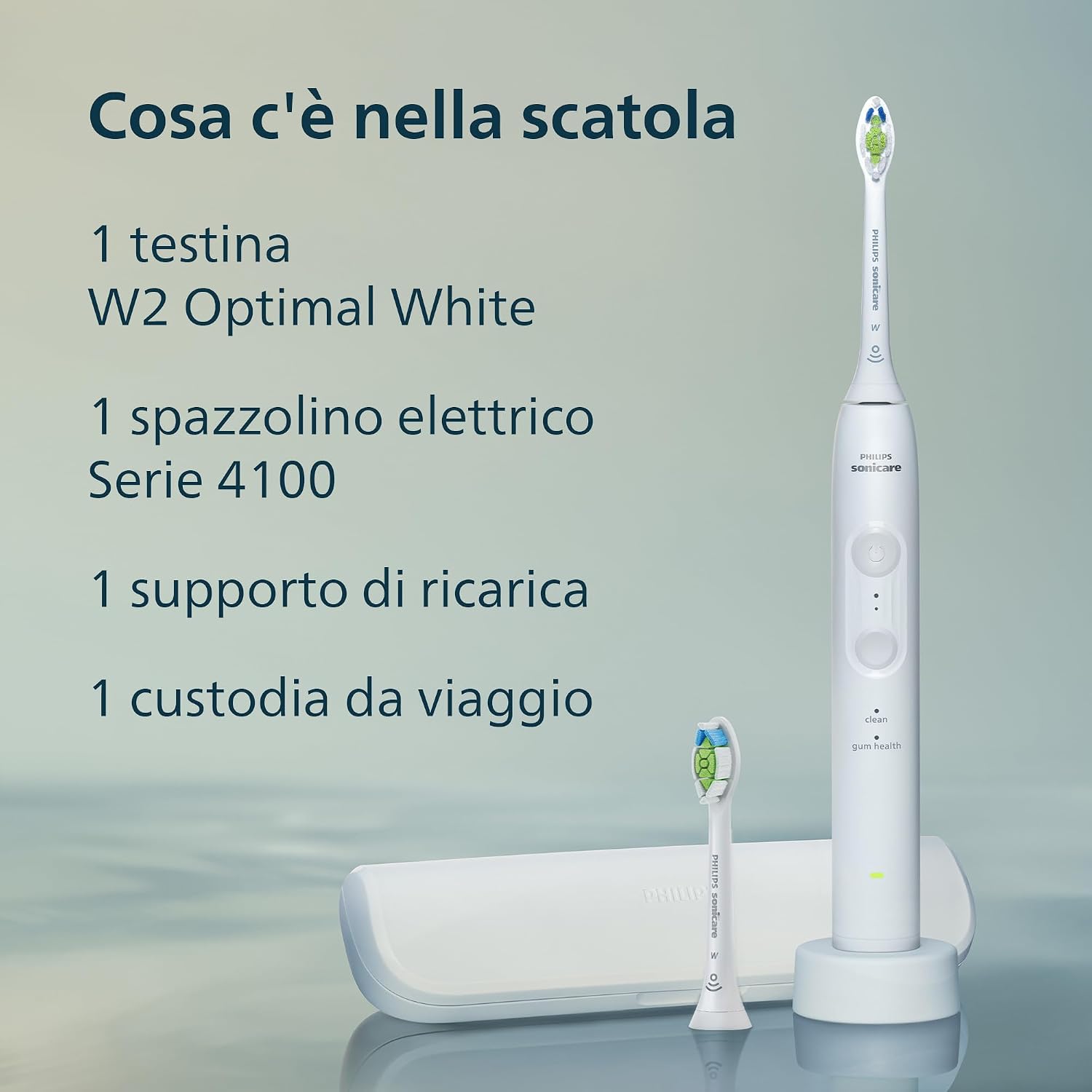
Image: Illustration of the Philips Sonicare Series 4100 package contents.
4. Setup and First Use
4.1 Charging the Toothbrush
- Place the charger base on a stable, dry surface.
- Plug the charger into an electrical outlet.
- Place the toothbrush handle on the charger. The battery indicator light will show the charging status. A full charge provides up to 21 days of use (based on two 2-minute brushing sessions per day).
4.2 Attaching the Brush Head
- Align the brush head with the metal shaft on the toothbrush handle.
- Push the brush head down firmly until it clicks into place.

Image: Close-up of the W2 Optimal White brush head.
5. Operating Instructions
5.1 Brushing Technique
- Wet the brush head and apply a small amount of toothpaste.
- Place the brush head against your teeth at a slight angle towards the gumline.
- Press the power button to start brushing.
- Gently move the brush head slowly across your teeth in small back-and-forth motions, allowing the sonic action to clean between teeth and along the gumline.
- Do not scrub. Let the toothbrush do the work.

Image: The dynamic fluid action of Sonicare supporting bristles for deep cleaning.
5.2 Brushing Modes and Intensity
The Sonicare Series 4100 offers 4 brushing settings, combining 2 modes and 2 intensity levels:
- Clean Mode: For an exceptional everyday clean.
- Gentle Mode: For a gentle yet effective clean, ideal for sensitive areas.
You can adjust the intensity to your preference. Refer to the handle's indicators for current settings.

Image: Toothbrush handle displaying available modes and battery life.
5.3 Pressure Sensor
Your Sonicare toothbrush is equipped with an optical pressure sensor. If you apply too much pressure during brushing, the handle will vibrate to alert you. Reduce pressure to protect your gums and teeth.

Image: Demonstrating the pressure sensor feature for gum protection.
5.4 EasyStart Feature
The EasyStart feature gradually increases the brushing power over the first 14 brushing sessions. This helps you adapt to the Sonicare brushing experience comfortably.

Image: Explaining the EasyStart feature for new users.
5.5 SmarTimer and QuadPacer
- SmarTimer: Ensures you brush for the dentist-recommended 2 minutes. The toothbrush automatically turns off after 2 minutes.
- QuadPacer: A 30-second interval timer that indicates when to move to the next quadrant of your mouth, ensuring thorough cleaning of all areas.

Image: Visual representation of SmarTimer and BrushPacer features.
6. Maintenance
6.1 Cleaning
- After each use, rinse the brush head thoroughly under running water.
- Remove the brush head from the handle and rinse the metal shaft area.
- Wipe the handle with a damp cloth. Do not immerse the handle in water.
6.2 Replacing the Brush Head
For optimal performance and hygiene, replace your brush head every 3 months, or sooner if the bristles are splayed or worn. Philips Sonicare W Optimal White brush heads are recommended for this model.
7. Troubleshooting
- Toothbrush not turning on: Ensure the toothbrush is fully charged. If it still doesn't turn on, contact customer support.
- Reduced brushing power: The battery may be low. Place the toothbrush on the charger for a full charge.
- Pressure sensor activating too often: You might be applying too much pressure. Try to brush more gently. If the issue persists, ensure the brush head is correctly attached.
- Unusual noise: Ensure the brush head is securely attached. If the noise continues, contact customer support.
8. Specifications
| Feature | Specification |
|---|---|
| Model Number | HX4044/41 |
| Dimensions | 26 x 25 x 240 mm |
| Weight | 360 grams |
| Power Source | Battery Powered |
| Battery Life | Up to 21 days |
| Brushing Modes | 2 (Clean, Gentle) |
| Intensity Levels | 2 |
| Movement Type | Pulsation (Sonic) |
| Pressure Sensor | Tactile feedback |
| Brush Head Shape | Diamond |
| Bristle Material | Nylon |
| Handle Material | Plastic |
| Country of Origin | China |
9. Warranty and Support
Philips offers a 30-day money-back guarantee for this product. For detailed warranty information, product registration, or further support, please visit the official Philips website or contact their customer service.

Image: Information on dentist recommendation and money-back guarantee.
You can find more information and support at the Philips Store on Amazon.