1. Introduction
1.1 Product Overview
The Inefala Android 15 Car Stereo is designed to enhance your driving experience with advanced features. It includes a 9-inch HD IPS touchscreen, Wireless Carplay/Android Auto, 5Ghz WiFi, GPS navigation, Bluetooth 5.0, FM/RDS radio, EQ sound customization, Steering Wheel Control (SWC) compatibility, and an AHD backup camera input. This unit is specifically compatible with Audi A4, S4, and RS4 models from 2002 to 2008.
1.2 Package Contents
Please verify that all items listed below are included in your package:
- 1 x Android Car Stereo
- 1 x Power Cable
- 1 x GPS Antenna
- 1 x Radio Antenna
- 1 x Rear Camera Input Cable
- 1 x RCA Cable
- 2 x USB Cable
- 2 x Mounting Bracket
- 4 x Screw
- 1 x User Manual
- 1 x External Microphone
- 1 x Backup Camera
- 1 x Canbus

2. Setup and Installation
Professional installation is recommended for optimal performance and to avoid damage to your vehicle or the unit. Ensure the vehicle's power is disconnected before beginning installation.
2.1 Wiring Diagram
Refer to the following diagram for proper connection of the power, audio, and video cables. Ensure all connections are secure.

2.2 Backup Camera Connection
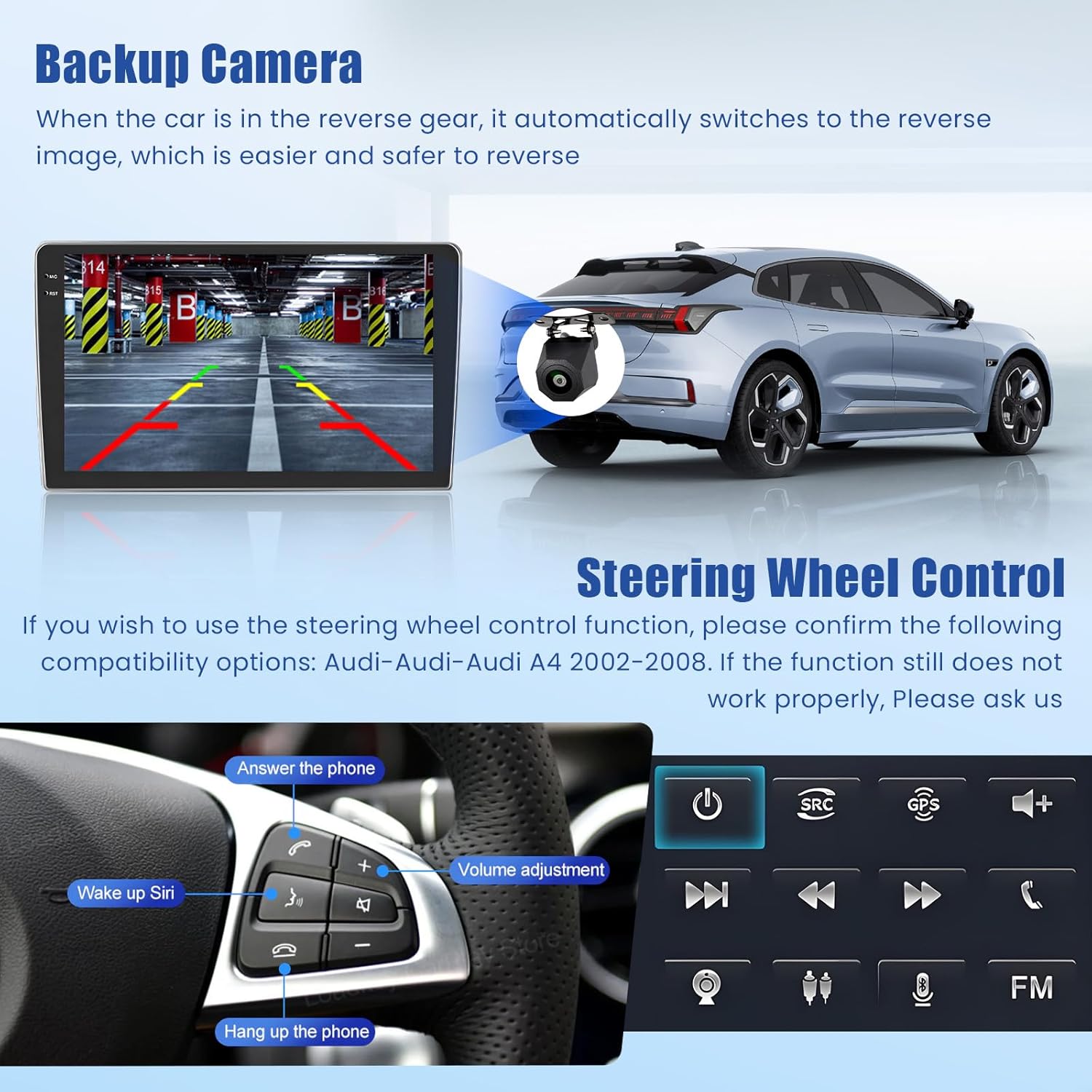
The included AHD backup camera provides a wide-angle view and night vision for safer reversing. Connect the camera as shown in the video and diagram below. The camera automatically activates when the vehicle is in reverse gear.
Video 1: Instructions on how to connect the included backup camera to the car stereo.
2.3 Before and After Installation
Observe the transformation of your vehicle's dashboard with the new Inefala car stereo installed.

3. Operating Instructions
3.1 Wireless Carplay & Android Auto
Connect your smartphone wirelessly to access navigation, music, calls, and more directly on the car stereo display. This feature supports both iOS Carplay and Android Auto.
Video 2: Demonstration of connecting and using Wireless Carplay and Android Auto.

3.2 GPS Navigation & WiFi Connectivity
The unit features a built-in GPS chip for both online and offline navigation. Connect to WiFi via a mobile hotspot to download online maps, stream content, and access various applications.

3.3 Bluetooth 5.0, FM/RDS Radio & EQ Settings
Utilize Bluetooth 5.0 for hands-free calling and high-quality music streaming. The FM/RDS radio allows you to save your favorite stations. Customize your audio experience with the integrated EQ settings, offering various presets and manual adjustments.

3.4 Steering Wheel Control (SWC)
The unit supports steering wheel controls for convenient operation without taking your hands off the wheel. Ensure your vehicle's SWC system is compatible (Audi A4 S4 RS4 2002-2008). If functions do not work, consult the troubleshooting section or contact support.
3.5 In-cell Touchscreen
The 9-inch HD IPS touchscreen features scratch-resistant 2.5D tempered glass and an in-cell display for a thinner profile and brighter image. It supports multi-touch gestures and offers various customizable themes.

3.6 Function Operation Demonstration
Watch this video for a comprehensive demonstration of the various functions and operations of the car stereo system.
Video 3: A detailed demonstration of the car stereo's various functions and user interface.
4. Maintenance
To ensure the longevity and optimal performance of your Inefala car stereo, follow these general maintenance guidelines:
- Cleaning the Screen: Use a soft, lint-free cloth to gently wipe the touchscreen. For stubborn smudges, slightly dampen the cloth with water or a screen-safe cleaner. Avoid harsh chemicals or abrasive materials.
- General Cleaning: Keep the unit and surrounding dashboard area free of dust and debris. Use a soft brush or compressed air to clean vents and crevices.
- Temperature Control: Avoid exposing the unit to extreme temperatures, both hot and cold, for extended periods.
- Software Updates: Periodically check for software updates to ensure you have the latest features and bug fixes. Refer to the device settings for update options.
- Cable Connections: Ensure all cables remain securely connected. Loose connections can lead to intermittent issues.
5. Troubleshooting
If you encounter any issues with your Inefala car stereo, please refer to the following common troubleshooting steps. If the problem persists, contact customer support.
- No Power:
- Check all power cable connections.
- Verify the vehicle's fuse for the stereo is intact.
- Ensure the ignition is on or the vehicle is running.
- No Sound:
- Check volume levels on the stereo and any connected devices.
- Verify speaker wire connections.
- Ensure the correct audio source is selected.
- Carplay/Android Auto Not Connecting:
- Ensure Bluetooth is enabled on both your phone and the stereo.
- Forget and re-pair the Bluetooth connection.
- Check for any pending software updates on your phone or the stereo.
- GPS Not Working:
- Ensure the GPS antenna is properly installed and has a clear view of the sky.
- Check GPS settings in the stereo menu.
- Verify map data is up-to-date.
- Backup Camera Not Displaying:
- Check the camera's power and video signal connections.
- Ensure the vehicle is in reverse gear.
- Verify the camera type setting in the stereo's factory settings (password 1234).
6. Specifications
| Feature | Specification |
|---|---|
| Item Weight | 6.14 pounds |
| Product Dimensions | 9.46 x 5.52 x 1.97 inches |
| Display Size | 9 Inches |
| Voice Command | Microphone, Touchscreen |
| Vehicle Service Type | for Audi A4 S4 RS4 2002-2008 |
| Special Features | EQ, Bluetooth, FM/RDS, Online+Offline GPS & WiFi, SWC & Backup Camera, Touchscreen, Wireless IOS Carplay Android Auto & Mirror Link |
| Connectivity Technology | Bluetooth, USB, Wi-Fi |
| Map Type | Worldwide |
| Audio Output Mode | Stereo |
| Mounting Type | Dashboard Mount |
| Operating System | Android, iOS |
7. Warranty and Support
7.1 Warranty Information
This product comes with a 24-month warranty. For any quality issues within this period, online consultation support is available with a response within 24 hours.
7.2 Additional Protection Plans
Optional protection plans are available for extended coverage:
- 2-Year Protection Plan: $15.99 (one-time)
- 3-Year Protection Plan: $21.99 (one-time)
- NEW Complete Protect: $16.99 (monthly) - Covers all eligible past and future purchases.
7.3 Customer Support
For any questions or assistance, please contact Inefala-US directly at inefalatech@163.com. You can also visit the Inefala Store on Amazon for more information and to ask a question.


