
Introduction
This manual provides detailed instructions for the setup, operation, and maintenance of your TIMU Military Smart Watch. Please read this guide thoroughly to ensure proper use and to maximize the features of your device. This smartwatch is designed for durability and functionality, offering health monitoring, sports tracking, and communication features.
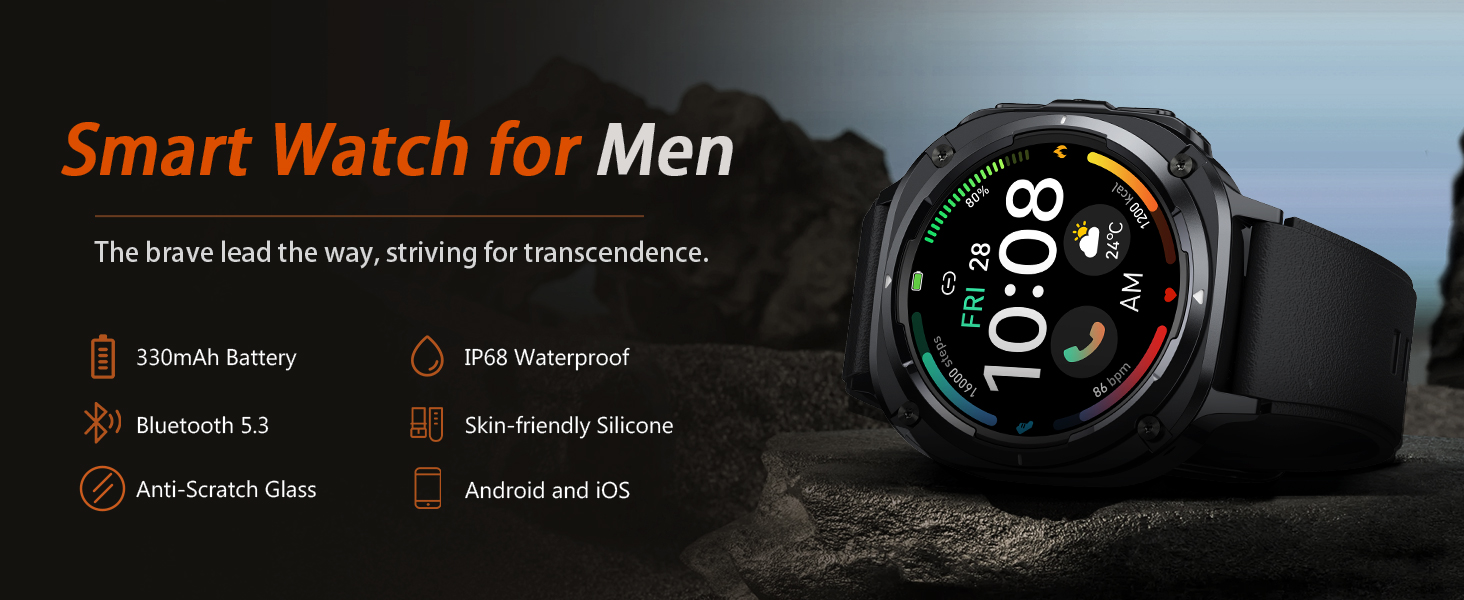
Image: Overview of the TIMU Military Smart Watch, highlighting its robust design and key features.
What's in the Box
Verify that all items are present upon unboxing:
- TIMU Military Smart Watch (Model B0G5YCB5FB)
- Watch Band
- Charging Cable
- User Manual
Setup
1. Charging the Device
Before first use, fully charge your smartwatch. Connect the charging cable to the watch's charging port and a USB power source. A full charge typically takes approximately 1.5 hours. The watch offers up to 30 days of standby time and up to 7 days of regular use on a single charge.

Image: The smartwatch displaying a 50% charge, with indicators for 30-day standby time and 7-day daily usage.

Image: Visual representation of the smartwatch's battery life, showing 1.5 hours for full charging, 10 days operating time, and 30 days standby time.
2. App Installation and Pairing
- Download the "FitCloudPro" app from your smartphone's app store (compatible with Android 6.0+ or iOS 9.0+).
- Open the app and create an account or log in.
- Enable Bluetooth on your smartphone.
- In the FitCloudPro app, navigate to the device section and search for your smartwatch.
- Select your watch from the list to pair. Follow any on-screen prompts on both your phone and watch to complete the pairing process.
3. Bluetooth Calling Setup
To enable calling features:
- Ensure your smartwatch is successfully paired with the FitCloudPro app.
- On your smartphone, go to Bluetooth settings and connect to the watch's secondary Bluetooth signal, often named similarly to your watch model with "_CALL" or "_AUDIO" appended.
- Once connected, you can make and receive calls directly from your watch using its built-in HIFI speaker and dual noise-canceling microphones.

Image: The smartwatch screen showing options for contacts, dial pad, and making/answering calls, alongside real-time message notifications from social applications.

Image: A user making a call using the smartwatch, demonstrating the Bluetooth 5.3 call function.
Operating Instructions
1. Basic Navigation
The watch features a 1.45-inch AMOLED HD touchscreen (360x360 resolution) with a 60Hz adaptive refresh rate. Swipe across the screen to access different functions and menus. Press the side button to return to the home screen or access the app list.
2. Health Monitoring
The smartwatch is equipped with a 3rd-gen high-precision sensor for continuous health tracking.
- Heart Rate Monitoring: Monitors your heart rate 24/7. View real-time data on the watch or detailed reports in the FitCloudPro app.
- Blood Oxygen Monitoring: Measures your blood oxygen levels.
- Sleep Monitoring: Tracks your sleep quality, including deep sleep, light sleep, and wake-up times.

Image: The back of the smartwatch showing sensors, with on-screen displays for heart rate (127 bpm), blood oxygen (98%), and sleep duration (8h 34m).

Image: Visuals indicating heart rate, blood oxygen, and blood pressure monitoring capabilities, with a graph showing workout volume and heart rate curve.

Image: A user sleeping, with the smartwatch displaying sleep data including total sleep, wake-up time, deep sleep, and light sleep duration.
3. Sports Modes
The watch supports over 114 professional sports modes. Select your activity to track real-time data such as calories burned, distance, and steps.

Image: A user outdoors, with the smartwatch displaying sports tracking data like calories, distance, and steps, and a selection of sports modes including outdoor running, cycling, skipping, and swimming.

Image: A comprehensive list of over 114 sports modes supported by the smartwatch, including swimming, surfing, football, yoga, and more.

Image: A cyclist using the smartwatch for activity monitoring, showing tracked calories, distance, and steps, with a map displaying the route.
4. Notifications and Calls
Receive instant notifications for SMS, WhatsApp, Facebook, Twitter, and other applications directly on your wrist. With Bluetooth 5.3, you can make and receive calls hands-free.

Image: Multiple smartwatches displaying call history, contacts, dial pad, and message notifications, illustrating the convenience of checking messages and summoning the voice assistant.
5. Other Practical Functions
The smartwatch includes over 20 practical functions:
- AI Voice Assistant: Command tasks using your voice.
- Camera Control: Remotely control your smartphone's camera.
- Music Control: Manage music playback on your smartphone.
- Weather: View current weather conditions and forecasts.
- Alarms: Set multiple alarms.
- Sedentary Alerts: Reminders to move after periods of inactivity.
- Find My Phone/Watch: Locate your paired device.
- Flashlight: A handy 0.5W flashlight with a 6-10 meter range.
- Breathing Training: Guided breathing exercises.
- Timer & Stopwatch: For various timing needs.

Image: The smartwatch showcasing music control, weather display, and outdoor flashlight functions, along with icons for exercise, camera control, heart rate monitor, sedentary reminder, water reminder, breathing training, sleep, messages, timer, alarm clock, stopwatch, and find phone.

Image: A comprehensive overview of smartwatch features including camera control, music player, alarm, stopwatch, Realtek8763EWE Bluetooth 5.3 chip, weather, anti-impact glass cover, ultra-long battery life, voice assistant, 114+ sports modes, 1.45-inch AMOLED display, and daily activity tracking.
6. Customization
Personalize your watch with over 100 downloadable watch faces or use your own photos to create a unique background.

Image: The smartwatch displaying various customizable watch faces and the option to create DIY watch faces using personal photos via the app.
Maintenance
1. Cleaning
Regularly clean your smartwatch and watch band with a soft, dry cloth. For stubborn dirt, use a slightly damp cloth and mild soap, then wipe dry. Avoid harsh chemicals or abrasive materials.
2. Water Resistance
The watch is IP68 waterproof, meaning it is resistant to dust and can withstand immersion in water up to 1.5 meters for 30 minutes. It is suitable for daily use, hand washing, and light rain. Avoid hot water, steam, or prolonged immersion in water, especially saltwater.

Image: The smartwatch highlighting its military-grade durability, including anti-impact, dust-proof, temperature resistance (-40C to 70C), anti-fluid corrosion, and IP68 waterproof ratings, with images showing the watch submerged in water.

Image: The smartwatch showcasing its zinc alloy case, emphasizing wear-resistance, shock-resistance, waterproof, and sandproof properties, with icons for IP68 waterproof, dustproof, impact-resistant, and scratch-resistant features.
3. Battery Care
To prolong battery life, avoid extreme temperatures and fully discharge the battery periodically before recharging. Use only the provided charging cable.
Troubleshooting
- Watch not turning on: Ensure the watch is fully charged. Connect it to the charger for at least 30 minutes.
- Cannot pair with phone: Make sure Bluetooth is enabled on your phone and the watch. Ensure the FitCloudPro app is open and searching. Restart both the watch and phone, then try pairing again.
- Notifications not received: Check app notification settings on your phone and within the FitCloudPro app. Ensure the watch is connected via Bluetooth.
- Inaccurate health data: Ensure the watch is worn snugly on your wrist, not too tight or too loose. Clean the sensors regularly.
- Bluetooth calling issues: Verify that both the main Bluetooth connection and the secondary Bluetooth audio connection (e.g., "B0G5YCB5FB_CALL") are established on your phone.
Specifications
| Model Number | B0G5YCB5FB |
| Brand | TIMU |
| Screen Size | 1.45 Inches AMOLED (360x360 resolution) |
| Operating System Compatibility | Android 6.0+ or iOS 9.0+ |
| Connectivity Technology | Bluetooth 5.3 |
| Water Resistance Rating | IP68 |
| Battery Life (Typical Use) | Up to 7 days |
| Battery Life (Standby) | Up to 30 days |
| Charging Time | Approx. 1.5 hours |
| Special Features | Activity Tracker, Alarm Clock, Calendaring, Camera Control, Music Player, Notifications, Heart Rate Monitor, Blood Oxygen Monitor, Sleep Monitor, 114+ Sport Modes, AI Voice Assistant, Flashlight |
| Item Weight | 4.2 ounces |
| Package Dimensions | 11.34 x 3.39 x 0.79 inches |
Warranty and Support
For warranty information or technical support, please refer to the contact details provided with your purchase documentation or visit the official TIMU website. Keep your purchase receipt as proof of purchase for warranty claims.